
Many users experience video judder when they watch IPTV on an Amazon Fire TV device. Video judder looks like a stuttering or jumping motion on the screen. This problem often happens during live sports broadcasts or fast camera movements. The issue usually occurs because the video frame rate does not match the television refresh rate. Amazon includes a “Match Original Frame Rate” setting in the Fire TV operating system. This setting is designed to synchronize the device output with the video file. However, IPTV users frequently discover that this setting does not work for their live streams. This article explains why the Fire TV match frame rate IPTV combination fails, how video judder happens, and how users can fix the problem.
Quick Answer
The Fire TV “Match Original Frame Rate” setting rarely fixes IPTV video judder. This feature requires the streaming application to support Amazon’s specific software interface. Popular commercial applications like Amazon Prime Video support this feature. However, most independent IPTV applications do not support this feature. Therefore, the Fire TV cannot detect the frame rate of the live stream. To fix video judder, users usually need to manually change the Fire TV display settings to 50Hz. Alternatively, users can install an IPTV application that includes its own internal Auto Frame Rate (AFR) system.
Understanding Video Judder on Fire TV
Video judder is a visual error. The television screen displays motion that looks unnatural, jerky, or unstable. This happens when the source video frames do not divide equally into the television screen refresh rate.
Most modern televisions in North America operate at a refresh rate of 60Hz. This means the screen updates 60 times per second. Many Fire TV devices automatically select 60Hz as the default video output.
However, many IPTV streams originate from Europe or the United Kingdom. European television broadcasts use a format based on 25 frames per second (fps) or 50 frames per second. If a user plays a 50fps UK sports stream on a Fire TV set to 60Hz, the television must duplicate certain frames to fill the remaining time. This uneven duplication creates a stuttering effect. The stuttering effect is called video judder.
Our guide to 60Hz vs 120Hz TV for Live Football explains television refresh rates in more detail.
How the Fire TV Match Frame Rate Feature Works
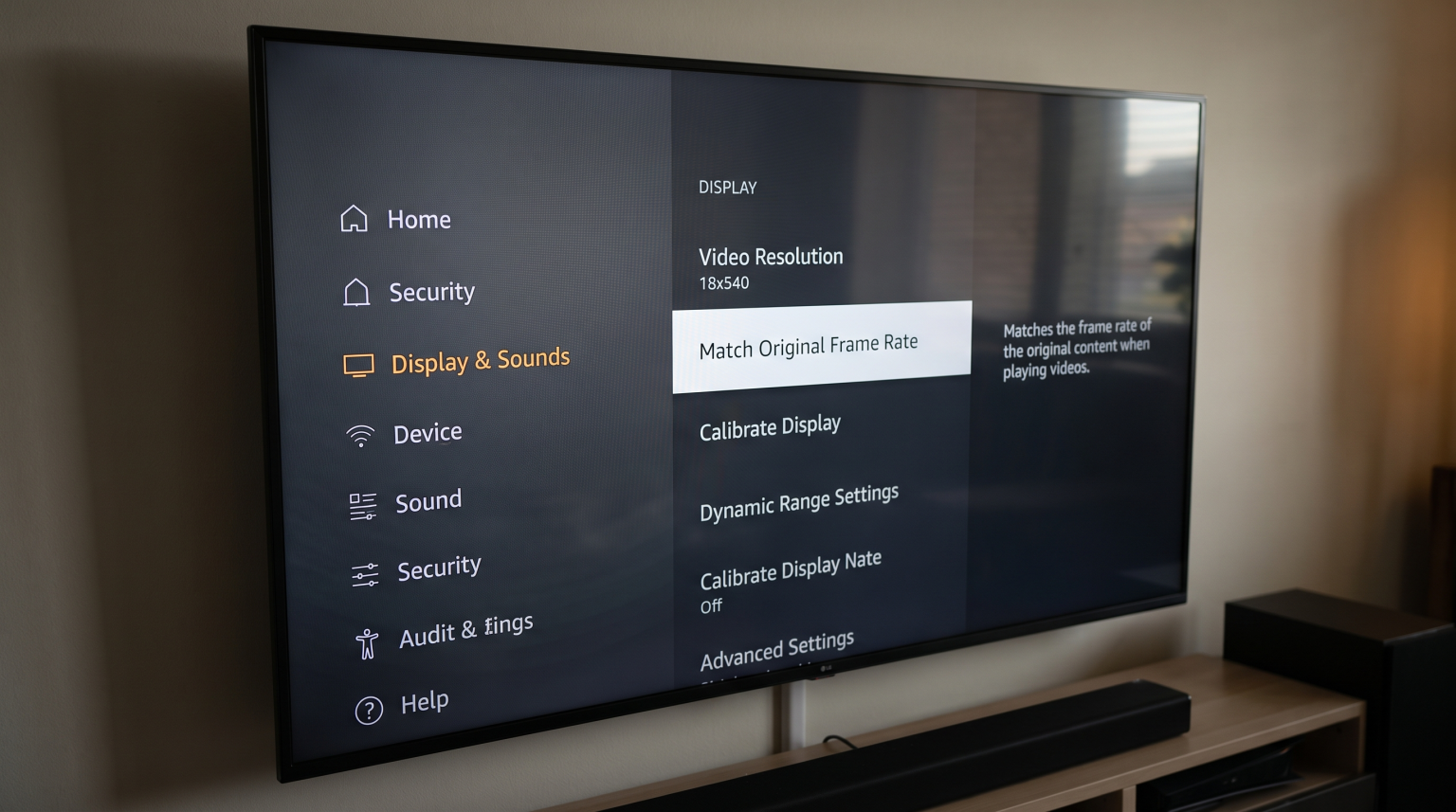
Amazon introduced the “Match Original Frame Rate” feature to solve video judder. Users can find this feature in the Fire TV display settings.
When a user enables this setting, the Fire TV analyzes the video file. If the video plays at 24fps (a standard movie format), the Fire TV changes the television refresh rate to 24Hz. If the video plays at 50fps, the Fire TV changes the television refresh rate to 50Hz. This synchronization ensures smooth video playback.
However, the Fire TV operating system requires the streaming application to send the frame rate information. The feature does not analyze the video stream directly. The feature relies entirely on the application developer.
Why Fire TV Match Frame Rate Often Fails with IPTV
The main problem with the Fire TV match frame rate IPTV feature is application compatibility.
Most IPTV applications do not send frame rate information to the Fire OS operating system. Applications such as Smarters Pro or standard M3U players use basic video decoders. These decoders simply display the video using the default Fire TV refresh rate.
Because the IPTV application does not communicate with the Amazon operating system, the “Match Original Frame Rate” setting remains inactive. The Fire TV stays at 60Hz, and the 50fps European stream continues to suffer from video judder.
If you notice poor image quality on a new television, you can also read our guide about Why Does IPTV Look Blurry on a New 4K TV?.
How to Fix IPTV Video Judder on Fire TV
Users have two reliable methods to fix video judder when using IPTV services like TV Shadow IPTV on an Amazon Fire TV.
Method 1: Manual Refresh Rate Change
The simplest method is to manually change the Fire TV output to 50Hz. This matches the European broadcast standard and eliminates judder for UK and European streams.
Open the Fire TV Settings menu.
Select Display & Sounds.
Select Display.
Select Video Resolution.
Change the setting from Auto to 1080p 50Hz or 4K 50Hz.
When you finish watching the 50fps IPTV stream, you should change the setting back to Auto. If you leave the setting at 50Hz, North American applications like Netflix (which often use 60Hz or 24Hz) might experience video judder.
Method 2: Use an IPTV Application with Built-in AFR
Some advanced IPTV applications bypass the Amazon operating system completely. These applications have an internal Auto Frame Rate (AFR) feature.
When you enable AFR inside the application settings, the application directly commands the television to change the refresh rate. TiviMate is the most popular IPTV application that includes this feature.
Users must enable AFR in the TiviMate playback settings. Once enabled, TiviMate automatically switches the television screen to 50Hz when a 50fps stream starts. TiviMate returns the television screen to 60Hz when the stream stops.
Comparison: Fire OS Setting vs Application AFR
| Feature | Fire OS Match Frame Rate | Application Internal AFR |
| Requires Amazon API support | Yes | No |
| Works with basic IPTV apps | No | Not applicable |
| Works with TiviMate | No | Yes |
| Automatic switching | Only for compatible apps | Yes, for all streams in the app |
| User convenience | Low for IPTV | High |
Live Football and Motion Handling
Smooth motion is extremely important for live football. When the camera pans quickly across the football pitch, video judder becomes very obvious. The ball may look blurry, and the players may appear to jump across the screen.
To achieve the best live football experience with TV Shadow IPTV, users must ensure the video frame rate and the screen refresh rate are synchronized.
Television settings also affect motion handling. Many modern televisions from Samsung, Sony, and LG include motion interpolation features. Manufacturers call these features “motion smoothing” or “TruMotion”. These features attempt to insert artificial frames to reduce judder. However, artificial motion smoothing often creates a “soap opera effect” and can cause visual errors around fast-moving objects like a football.
For the best live football picture, users should disable television motion smoothing and use the manual 50Hz Fire TV setting or an application with AFR.
TV Shadow IPTV Compatibility
TV Shadow IPTV provides high-quality streams for sports and entertainment. Customers can use TV Shadow IPTV on an Amazon Fire TV device.
Because TV Shadow IPTV supports standard M3U playlists and Xtream Codes, customers can choose their preferred IPTV player. To avoid video judder, we recommend using an application that supports internal Auto Frame Rate switching. TiviMate is highly recommended for Fire TV users because it handles 50fps and 60fps streams correctly.
Customers who prefer simpler applications must remember to manually adjust the Fire TV video resolution settings depending on the origin of the live broadcast.
Conclusion
Video judder can ruin the experience of watching live sports and movies. While the Amazon Fire TV includes a “Match Original Frame Rate” feature, this tool rarely works with independent IPTV applications. The operating system requires developer support that most IPTV players lack. To watch smooth streams with TV Shadow IPTV on a Fire TV, users must take control of the settings. Using a premium application with internal Auto Frame Rate, such as TiviMate, offers the most automated solution. For users with basic IPTV applications, manually switching the Fire TV display to 50Hz provides a reliable, simple fix for European broadcasts.
Frequently Asked Questions (FAQ)
Does the Fire TV Stick 4K Max support match frame rate for IPTV?
The Fire TV Stick 4K Max includes the match frame rate feature in its operating system. However, the feature still requires the specific IPTV application to support it. Most IPTV applications do not support this Amazon feature, so video judder may still occur.
Why does my IPTV look perfectly smooth on my smartphone but stutters on my Fire TV?
Smartphones often have variable refresh rate screens that adjust automatically without requiring specific application permissions. A Fire TV outputs a fixed signal to a television. If the television refresh rate and the stream frame rate do not match, the television displays video judder.
Will changing to 50Hz affect my other Fire TV applications?
Yes. If you manually lock your Fire TV to 50Hz, North American content on applications like Netflix or YouTube may experience video judder. You should switch back to “Auto” when you finish watching 50fps IPTV streams.
Does IPTV Smarters Pro support Auto Frame Rate on Fire TV?
Standard versions of IPTV Smarters Pro generally do not support automatic frame rate switching on Fire OS. Users must manually change the Fire TV display settings to 50Hz when watching European streams using Smarters Pro.
Is 60fps better than 50fps for live sports?
Neither format is automatically better. The quality depends on the original broadcast source. US sports are filmed in 60fps. European sports are filmed in 50fps. The most important factor is matching the television refresh rate to the original broadcast format.