
Black Friday 2026 offers large discounts on Amazon Fire TV Stick devices. For IPTV users, choosing the correct model is very important this year. Amazon has changed the operating system on several new devices. Some 2026 models run Fire OS, which supports Android applications. Other 2026 models run the new Vega OS, which blocks Android applications.
If you use TV Shadow IPTV or another IPTV service, you must check the operating system before you buy a device. Many IPTV players require you to install applications from outside the official Amazon Appstore. This process is called sideloading. This article explains which Fire TV Stick models support sideloading and which models you should avoid during the Black Friday sales.
Quick Answer
The best Fire TV Stick Black Friday IPTV deal is the Fire TV Stick 4K Max. This device runs Fire OS 8, which allows you to install Android APK files. It also has a fast processor and Wi-Fi 6E for stable video streaming. Do not buy the 2026 Fire TV Stick HD or the Fire TV Stick Select for IPTV. These new budget models run Vega OS. Vega OS does not support Android applications, so you cannot install third-party IPTV players using the Downloader application.
Fire OS vs Vega OS: The Most Important Change in 2026
In 2026, Amazon divided the Fire TV Stick product family into two different software platforms.
Older models and high-end models continue to use Fire OS. Fire OS is based on the Android operating system. This means you can use the Downloader application to install Android package files (APK files). Many popular IPTV players are only available as APK files.
The new budget models use Vega OS. Vega OS is a completely new operating system created by Amazon. It is not based on Android. You cannot install Android APK files on a Vega OS device. If your preferred IPTV player is not available in the official Amazon Appstore, you cannot use it on the Fire TV Stick HD or the Fire TV Stick Select.
Because of this software change, understanding Best Smart TV OS for IPTV in 2026 is very important before you spend your money.
Fire TV Stick Comparison for IPTV Users
Here is a simple comparison of the current 2026 Amazon models.
| Feature | Fire TV Stick 4K Max | Fire TV Stick 4K Plus | Fire TV Stick HD (2026) |
| Operating System | Fire OS 8 | Fire OS 8 | Vega OS 1.1 |
| Sideloading (APK support) | Yes | Yes | No |
| Maximum Resolution | 4K at 60 fps | 4K at 60 fps | 1080p at 60 fps |
| Wireless Internet | Wi-Fi 6E | Wi-Fi 6 | Wi-Fi 6 |
| Storage Memory | 16 GB | 8 GB | 8 GB |
Which Fire TV Stick Is Best for IPTV?
Fire TV Stick 4K Max (Best Choice)
The Fire TV Stick 4K Max is the most powerful option for IPTV users. It runs Fire OS 8, so you can install any Android IPTV player. It features 16 GB of internal storage memory. This allows you to install many applications and Electronic Program Guide (EPG) data without receiving low-memory warnings. The Wi-Fi 6E connection provides excellent speed for 4K video streams.
Fire TV Stick 4K Plus (Good Alternative)
The Fire TV Stick 4K Plus also runs Fire OS 8. You can install Android APK files without problems. It uses Wi-Fi 6, which is fast enough for HD and 4K television channels. However, it only has 8 GB of storage memory. If you use heavy IPTV applications with large EPG files, the storage memory can become full quickly.
Fire TV Stick HD and Select (Avoid for IPTV)
Amazon released the Fire TV Stick HD and Fire TV Stick Select in 2026. These devices run Vega OS 1.1. They do not support Android APK files. You are limited to the applications inside the official Amazon Appstore. For maximum flexibility with TV Shadow IPTV and other providers, do not buy these Vega OS devices.
Live Football and Sports Streaming
Watching live football requires a stable internet connection and good hardware. The Fire TV Stick 4K Max provides excellent motion processing because of its 2.0 GHz quad-core processor. This processor helps the device decode high-quality video streams quickly.
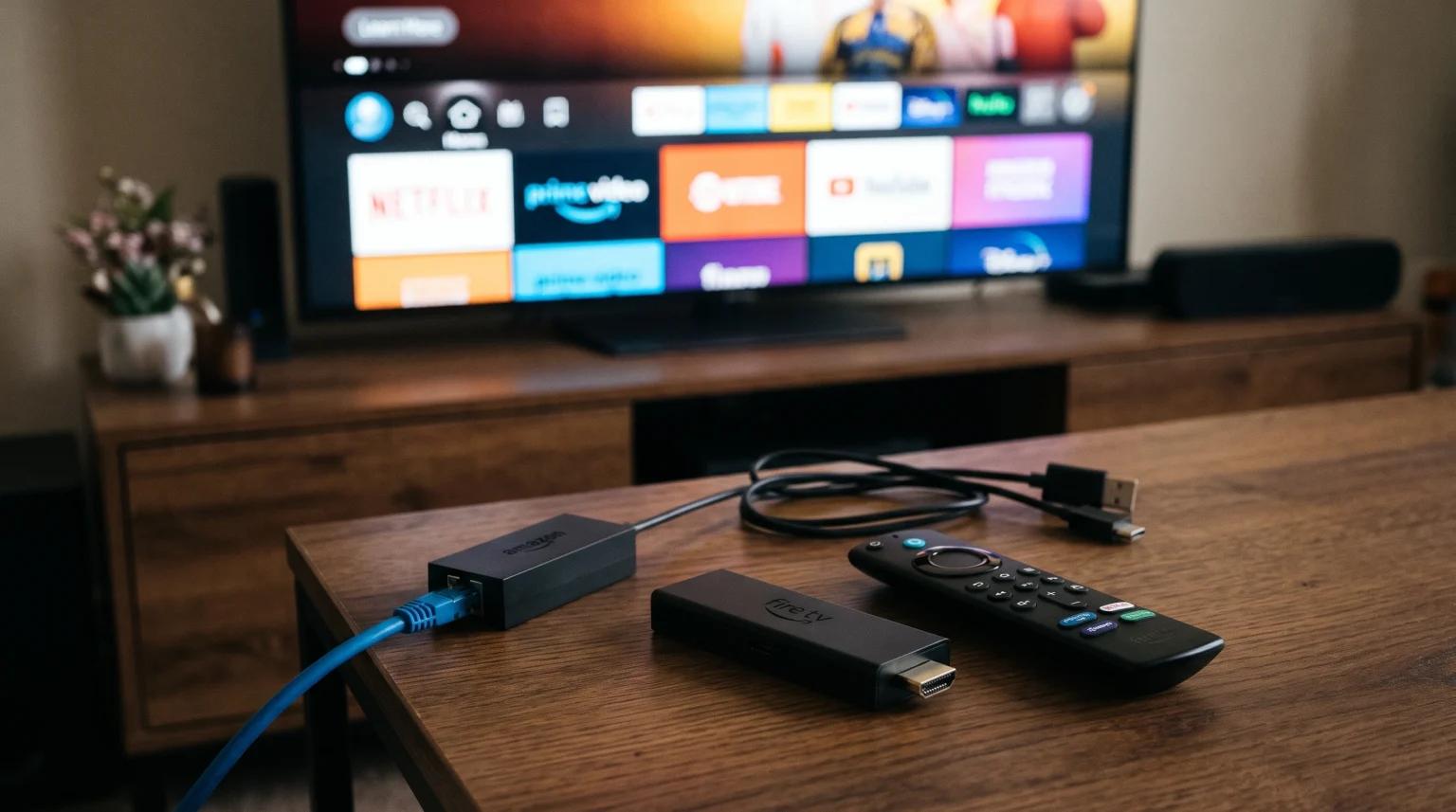
For the best experience during live sports, use a fast internet connection. The Fire TV Stick 4K Max supports Wi-Fi 6E, which reduces network interference. However, a wired connection is always better for live football. You can buy an official Amazon Ethernet adapter to connect your Fire TV Stick directly to your internet router. This prevents buffering during important football matches.
Also, remember that your television hardware matters. The streaming device provides the video signal, but your television displays the motion. Read our guide about 60Hz vs 120Hz TV for Live Football to understand how television hardware affects sports viewing.
If you connect a 1080p Fire TV Stick to a modern 4K television, the television must resize the image. This can cause the video to look soft. We explain this process in our article about Why Does IPTV Look Blurry on a New 4K TV?.
Conclusion
The Black Friday 2026 sales event is an excellent time to buy a new streaming device. If you are searching for a Fire TV Stick Black Friday IPTV deal, you must pay attention to the operating system. The 2026 Fire TV Stick HD and Fire TV Stick Select use Vega OS. They do not support Android applications.
For the best experience, buy the Fire TV Stick 4K Max. It uses Fire OS 8, allows you to install third-party Android APK files, and offers 16 GB of storage memory. The Fire TV Stick 4K Plus is also a safe choice, but it offers less storage memory. Choose a Fire OS device to ensure your IPTV applications work correctly.
Frequently Asked Questions
Can I use Xtream Codes on the Fire TV Stick 4K Max?
Yes. Because the Fire TV Stick 4K Max uses Fire OS, you can install IPTV players that support the Xtream Codes API. You can use the Downloader application to install the APK files.
Does the 2026 Fire TV Stick HD support M3U playlists?
It depends on the Amazon Appstore. Because the 2026 Fire TV Stick HD runs Vega OS, you cannot install Android APK files. You can only use M3U playlists if an official Vega OS application supports them.
Why is 16 GB storage important for IPTV?
IPTV players must download Electronic Program Guide (EPG) data and channel logos. These files use a large amount of storage memory. Devices with only 8 GB of storage often run out of free space. The 16 GB storage on the Fire TV Stick 4K Max prevents this problem.