
Can’t find your go-to streaming application on a new screen? It is incredibly frustrating when you realize an IPTV app not available on Android TV devices in your living room, despite working perfectly on another. Let’s explore why this happens and how to fix it.
Whether you are streaming in your local region or traveling globally, device fragmentation is a real hurdle. Here is exactly why app availability varies between TVs and how you can bypass these restrictions.
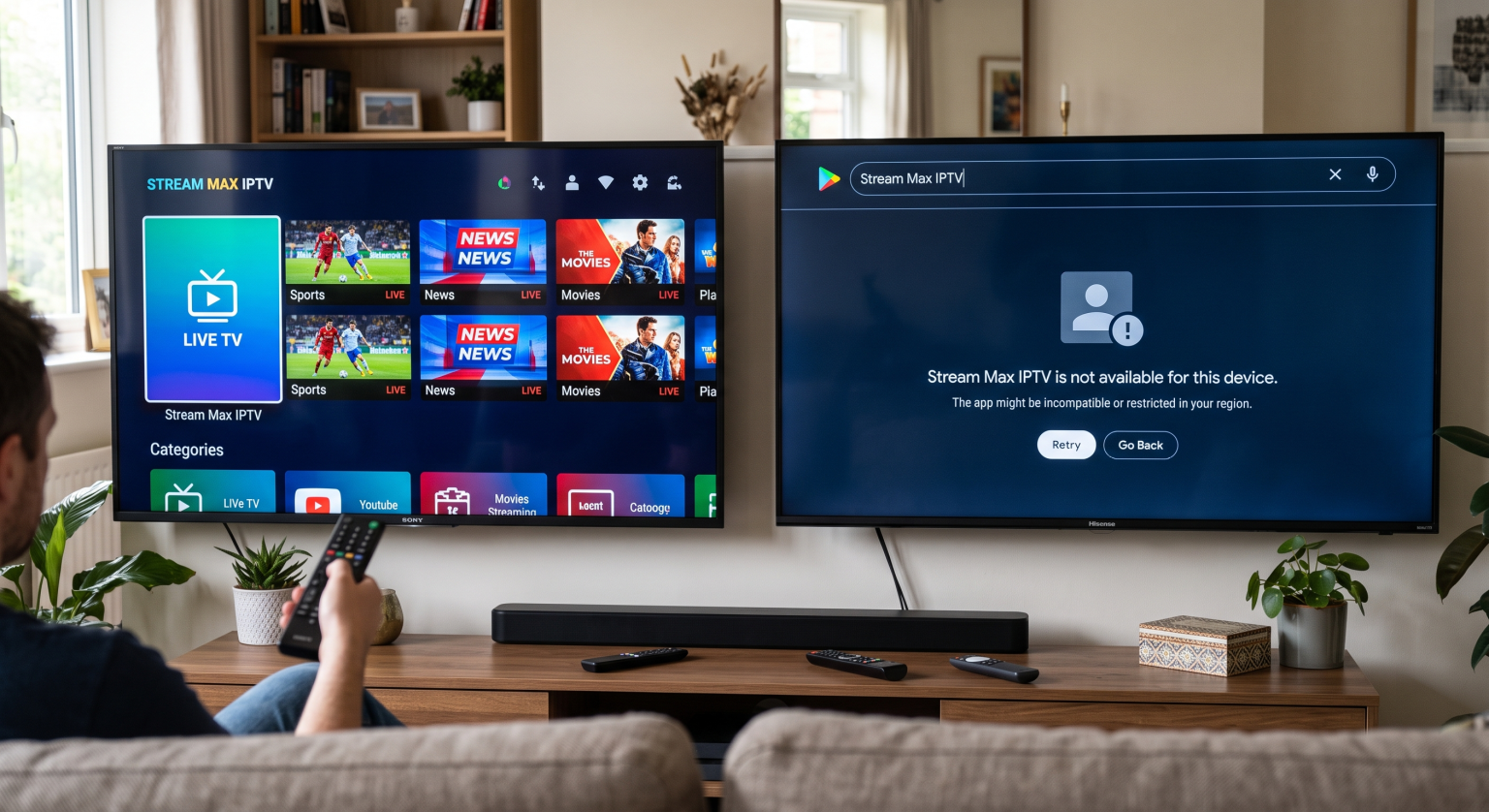
Core Reasons an IPTV App Not Available on Android TV
1. Google Play Store Region Locks
Developers often restrict their applications to specific countries due to broadcasting and copyright laws. If your Google account or your TV’s IP address is registered in a restricted area, the app simply will not appear in search results. This Google Play Store region lock is the most common culprit.
2. Android TV OS Version Differences
Not all televisions run the same underlying software. An older set might run Android 8, while a brand-new model runs Android 12 or Google TV. If the required streaming app compatibility demands newer background APIs, the store automatically hides it from outdated devices.
3. Hardware and Certification Limits
Manufacturers often apply custom interfaces over the base Android operating system. App developers must check specific hardware and certification boxes during publishing. Missing a required DRM certification means the app vanishes from that specific brand’s smart TV app store.
Comparison: Official App Store vs. Sideloading in Your Region
When an app is officially missing, many users turn to alternative installation methods. Here is how relying on the official store compares to manually installing files:
| Feature | Official App Store (Google Play) | Sideloading (Third-Party APK) |
| Security & Safety | High (Scanned by Google Play Protect) | Medium (Depends entirely on the source) |
| App Availability | Strictly limited by Region & OS version | Universal (As long as CPU architecture matches) |
| Update Process | Seamless and automatic background updates | Manual uninstallation and reinstallation required |
Proven Fixes to Get Your App Back
If you are stuck staring at an empty search result, try these immediate workarounds to force the installation:
Try Sideloading APKs: Download the application directly from a trusted developer website using the ‘Downloader’ app. Third-party app installation bypasses official store restrictions entirely.
Use a Reputable VPN: If the issue is geographical, routing your internet connection through a supported country can unblock the store listing.
Update Your TV’s Firmware: Check your system settings for pending updates. Ensuring you meet the latest Android TV OS version requirements often makes missing apps reappear.
Clear the Play Store Cache: Corrupted background data can prevent the store from refreshing its catalog. Navigate to Settings > Apps > Google Play Store > Clear Cache.
Unlock Endless Streaming Today
Navigating digital ecosystem quirks shouldn’t keep you from watching your favorite content. Finding an IPTV app not available on Android TV in your region is usually just a temporary roadblock. By understanding operating system differences and utilizing manual installation methods, you can easily regain control of your entertainment setup.
Ready to upgrade your streaming experience? Stop fighting with incompatible hardware and explore our premium IPTV subscription plans today to access thousands of channels globally with zero hardware restrictions! [View Pricing and Sign Up Now]
FAQ: People Also Ask
Why did my IPTV app suddenly disappear from the Play Store?
Apps are frequently removed for violating developer policies, failing to update their code to modern standards, or facing new geo-restrictions in your location. Sideloading the last known working version is usually the best alternative.
Can I transfer an app from one Android TV to another?
Yes. You can extract the setup file from your working TV using a free APK extractor tool. Once extracted, transfer the file via a USB thumb drive to the new television and install it manually.