
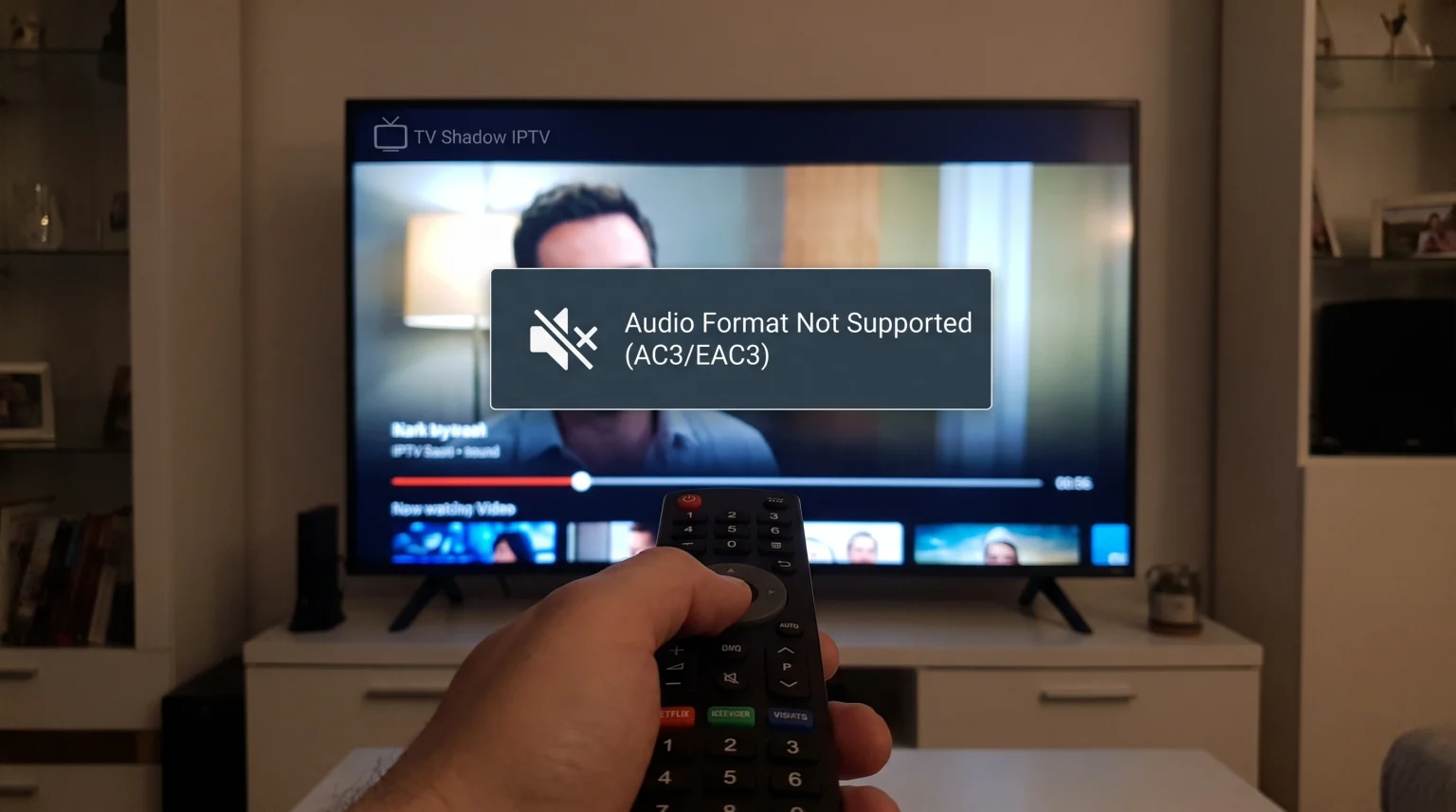
You open your IPTV application to watch a movie or a live sports channel. The video plays perfectly, but you hear no sound. This happens frequently when the video stream uses AC3 or EAC3 audio formats. These formats are also known as Dolby Digital and Dolby Digital Plus. If your television or your IPTV player cannot decode these formats, the audio will fail. This guide explains how to fix AC3 and EAC3 compatibility problems so you can restore sound to your IPTV streams.
Quick Answer
If your IPTV AC3 audio is not working, the fastest fix is to change the audio settings inside your IPTV player application. Open your application settings and switch the audio decoder from “Hardware” to “Software”. If this does not solve the problem, open your main television sound settings. Change the digital audio output format from “Auto” or “Passthrough” to “PCM”. This setting forces the television to process the audio stream into a basic stereo format that all devices can play.
Understanding AC3 and EAC3 Audio
Many television channels and movies use advanced audio codecs. A codec is software that compresses and decompresses digital audio.
AC3 is the technical name for Dolby Digital. Broadcasters use AC3 to provide 5.1 surround sound. EAC3 is the technical name for Dolby Digital Plus. EAC3 provides higher audio quality and uses less internet bandwidth than standard AC3.
When you use an IPTV service, the video file and the audio file travel together. Your television must process both files simultaneously. If the television operating system does not support the AC3 license, the television will only display the video.
Why Do IPTV Apps Struggle With Dolby Digital?
Modern televisions have strict licensing rules for Dolby software. Some smart televisions do not include the native software required to process AC3 audio.
If your television lacks native AC3 support, the television relies on the IPTV application to process the audio. However, many basic IPTV applications do not include built-in audio decoders. When an application without an AC3 decoder meets a television without an AC3 decoder, you get zero sound.
If you are comparing different television platforms, our guide to the Best Smart TV OS for IPTV in 2026: Tizen vs Google TV vs webOS] explains the hardware and software differences between Tizen, Google TV, and webOS.
How to Fix IPTV AC3 Audio Not Working
You can usually fix this audio problem by changing a few settings. Try these solutions in this exact order.
1. Change the Application Audio Decoder to Software
Most advanced IPTV applications offer two audio processing methods: Hardware Decoding and Software Decoding.
Hardware Decoding uses the computer chip inside your television to process the sound. Software Decoding uses the IPTV application itself to process the sound.
If your television chip cannot process AC3, you must force the application to do the work.
To change this setting:
Open your IPTV application.
Go to Settings.
Select Playback or Audio.
Find the Audio Decoder option.
Change the selection from Hardware to Software.
Restart the video stream.
2. Change Television Audio Output to PCM
If changing the application settings does not work, you must change your main television settings.
Televisions normally try to send surround sound directly to your speakers. This process is called “Passthrough”. If your speakers do not support Dolby Digital, the audio will fail.
You can fix this by changing your television audio format to PCM (Pulse-Code Modulation). PCM converts complex surround sound into simple stereo sound. Almost every speaker in the world can play PCM audio.
To change this setting:
Press the Settings button on your television remote control.
Select Sound or Audio.
Select Expert Settings or Advanced Settings.
Find Digital Output Audio Format.
Change the setting from Auto or Passthrough to PCM.
3. Install an External Media Player Application
Some built-in television applications are very basic. If your current application cannot play EAC3 audio, you should test an external media player.
VLC Media Player and MX Player are famous for supporting almost every audio format in the world. These applications include their own audio decoders.
If your IPTV application allows you to choose an external video player, select VLC Media Player. This often solves all Dolby Digital audio problems immediately.
4. Use a Dedicated Streaming Device
Sometimes the smart television hardware is simply too old or too restricted. If you cannot fix the audio through settings, you may need better hardware.
External streaming devices usually have excellent audio format support. An Amazon Fire TV Stick 4K Max, a Google Chromecast with Google TV, or an Nvidia Shield TV Pro will natively support AC3 and EAC3.
Connecting a modern streaming device to your television bypasses the internal television software completely. If you are shopping for new hardware, you can read our comparison of the Best Smart TVs for IPTV in 2026: Samsung, Sony, LG & TCL Compared.
IPTV Player Audio Compatibility
Different IPTV applications have different capabilities. This table shows how popular IPTV applications manage complex audio formats.
| Application Feature | TiviMate Premium | IPTV Smarters Pro | VLC Media Player |
| Software decoder | Yes | Yes | Yes |
| External player support | Yes | Yes | Not applicable |
| AC3 native support | Excellent | Good | Excellent |
| EAC3 native support | Excellent | Average | Excellent |
Note: Application capabilities depend on the operating system of your television.
Live Football and AC3 Audio
Live sports broadcasts require high-quality audio. Broadcasters use AC3 audio to separate the commentator’s voice from the stadium crowd noise. The central speaker plays the voice, while the surround speakers play the crowd noise.
If your IPTV AC3 audio is not working during a live football match, you will miss the stadium atmosphere. Converting the audio to PCM will restore the sound, but you will only hear flat stereo audio.
Live football also requires good picture processing. If the broadcast video seems fuzzy while the audio plays, you can read our explanation of Why Does IPTV Look Blurry on a New 4K TV?.
TV Shadow IPTV Compatibility
When you use TV Shadow IPTV, the audio formats depend completely on the original source of the television channel. TV Shadow IPTV delivers the exact digital file provided by the broadcaster.
TV Shadow IPTV supports all major IPTV player applications. We recommend using an application that includes a Software Decoder. This ensures you can play all AC3 and EAC3 movie streams without audio failures.
Conclusion
Fixing the “IPTV AC3 audio not working” error is usually a simple process. In most cases, switching your IPTV application to a Software Decoder will restore your sound immediately. If the application settings fail, changing your television output to PCM is a reliable secondary solution. By ensuring your hardware and software can read Dolby Digital and Dolby Digital Plus formats, you can enjoy all movies and live sports on TV Shadow IPTV with perfect audio clarity.
Frequently Asked Questions
What is AC3 audio?
AC3 is a digital audio compression format created by Dolby Laboratories. It is commonly known as Dolby Digital. It is frequently used for 5.1 surround sound in movies and television broadcasts.
Why does the video play but there is no sound?
This happens when your television or your application can read the video codec but cannot read the audio codec. The device ignores the audio track and only plays the video track.
Does TV Shadow IPTV provide audio codecs?
No. TV Shadow IPTV provides the playlist and the stream connection. Your local application or your television hardware must provide the audio codecs to process the sound.
How do I change my television to PCM audio?
Open your main television settings. Navigate to the Sound menu. Look for Advanced Sound Settings or Digital Audio Output. Select PCM from the available options.
Will an external soundbar fix AC3 audio issues?
A soundbar will only fix the issue if the soundbar supports Dolby Digital decoding AND your television successfully passes the untouched audio signal to the soundbar.
What is the difference between AC3 and EAC3?
AC3 is standard Dolby Digital. EAC3 is Dolby Digital Plus. EAC3 is a newer format that delivers better audio quality at a lower bitrate. EAC3 requires more modern hardware to decode.
Why do some channels have sound and others do not?
Different television channels use different audio formats. A news channel might use basic AAC audio, which works everywhere. A premium movie channel might use AC3 audio, which requires a specific decoder.