
When you choose a new television in 2026, the operating system is very important for Internet Protocol Television (IPTV). Samsung televisions use the Tizen operating system. Sony, Philips, and TCL televisions usually use Android TV or Google TV. Many users want to know which operating system provides the best IPTV application choices.
Both systems allow you to watch live television and video on demand. However, they handle software differently. Android TV is an open platform with the Google Play Store. Samsung Tizen is a closed system with the Samsung App Store. This difference completely changes how you install, use, and update your media players.
This article compares Samsung Tizen and Android TV. We will explain the app ecosystems, the installation methods, and the sports viewing features. This information will help you choose the correct television for your media needs.
Quick Answer
Android TV gives you more IPTV app options than Samsung Tizen. Android TV uses the Google Play Store, which offers hundreds of dedicated media players. You can also manually install application files (APKs) if an app is not in the store. Samsung Tizen has a smaller, closed app store. Tizen includes popular players like IBO Player and Smart IPTV. However, Samsung often removes apps depending on your country. Android TV is better for power users who want maximum software flexibility. Samsung Tizen is suitable for users who want a simple interface and only need one basic media player.
Operating Systems Explained
Samsung Tizen
Samsung builds the Tizen operating system exclusively for Samsung Smart TVs. Tizen is very fast and easy to navigate. The interface shows a horizontal menu at the bottom of the screen. You install software through the Samsung App Store. Because Tizen is a closed system, Samsung controls all the software. Developers must follow strict rules to publish their applications. This makes Tizen very secure. However, it also means that the total number of applications is smaller.
Android TV and Google TV
Android TV is an operating system created by Google. Google TV is the modern user interface that runs on top of Android TV. Television brands such as Sony, Philips, Hisense, and TCL use this software. Android TV gives you access to the Google Play Store. The Google Play Store contains thousands of applications. Because Android TV is an open system, developers can easily create and publish new media software. You also have the freedom to install applications from other sources.
IPTV App Availability
The Google Play Store on Android TV
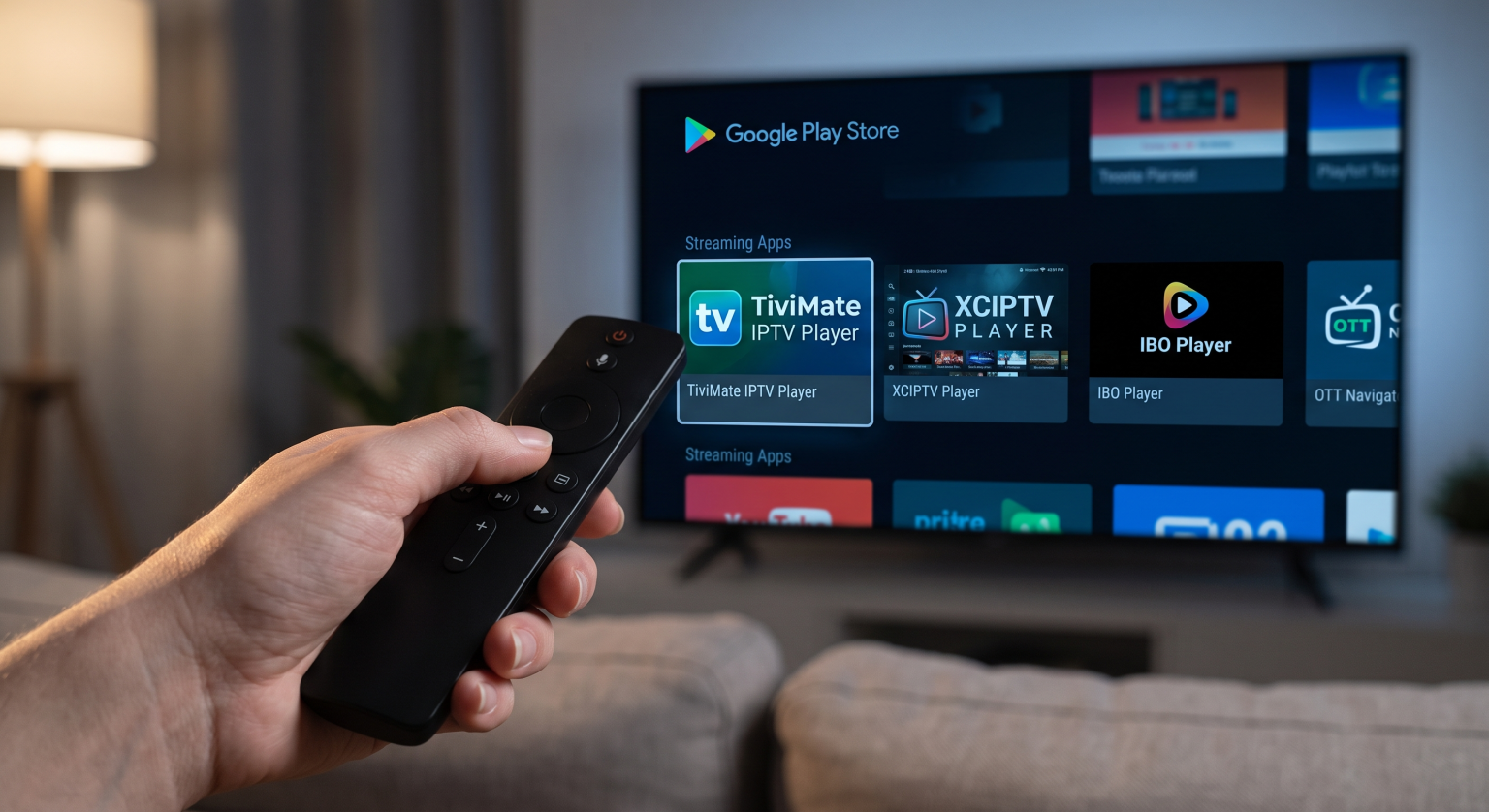
When evaluating Tizen vs Android TV IPTV options, the biggest difference is app availability. Android TV offers the largest selection of IPTV players. The Google Play Store includes advanced applications such as TiviMate, Televizo, Sparkle TV, and XCIPTV. These applications offer excellent features for Electronic Program Guides (EPG), multiple playlists, and catch-up television. Developers update Android TV apps very frequently.
The Samsung App Store on Tizen
Samsung Tizen has fewer IPTV applications. You can find popular options such as IBO Player, Smart IPTV, and Net IPTV. Some countries also have IPTV Smarters Pro in the Samsung App Store. However, application availability depends on your television model and your geographical location. Samsung sometimes removes IPTV applications from their store without warning. When Samsung removes an app, you cannot download it easily.
If you are comparing television software, our guide to the Best Smart TV OS for IPTV in 2026: Tizen vs Google TV vs webOS explains the differences between Tizen, Google TV, and webOS in detail.
App Installation and Sideloading
Installing Apps on Android TV
Installing software on Android TV is very simple. You open the Google Play Store, search for the player, and click install. Android TV also allows “sideloading”. Sideloading means you install an Android Package Kit (APK) file manually. If an application is not available in the Google Play Store, you can download the APK file from a web browser and install it directly via a USB drive or a downloader app. This guarantees that you can always use your preferred software.
Installing Apps on Samsung Tizen
Samsung Tizen makes official installations very easy. You open the Samsung App Store, search for the app, and install it. However, sideloading is extremely difficult on Samsung Tizen. You cannot install Android APK files on a Samsung television. To install unofficial software on Tizen, you must use a computer, install Tizen Studio, activate Developer Mode on the television, and push the files over a local network. This process is too complicated for most normal users.
Feature Comparison
Here is a factual comparison of both operating systems.
| Feature | Samsung Tizen | Android TV / Google TV |
| Official App Store | Samsung App Store | Google Play Store |
| Number of IPTV Apps | Limited | Very large |
| Sideloading Support | Very difficult (Developer Mode) | Very easy (APK files) |
| System Type | Closed system | Open system |
| User Interface | Fast horizontal menu | Full-screen content recommendations |
| Hardware Brands | Samsung only | Sony, Philips, TCL, Hisense |
Using TV Shadow IPTV
When you use a service like TV Shadow IPTV, you need a reliable media player. TV Shadow IPTV provides high-quality streaming access, but you must supply the software to watch the content.
Most premium services use M3U playlists or the Xtream Codes API. Android TV apps like TiviMate handle huge M3U playlists perfectly. They also load Electronic Program Guide (EPG) data very quickly. The remote control navigation on Android TV players is excellent.
On Samsung Tizen, you can use applications like IBO Player to connect to TV Shadow IPTV via Xtream Codes. This works very well for live television. However, Tizen players sometimes struggle with extremely large video-on-demand libraries. Android TV generally offers better performance for massive IPTV playlists.
Please note that not every IPTV application works perfectly on every television. Your experience will depend on the TV processor and your internet connection.
Watching Live Football
Live sports require good television hardware and software. Football moves quickly across the screen. If your television cannot process the motion, the football will look blurry.
When you stream live football, Android TV and Samsung Tizen both perform well. However, the hardware is more important than the software. For example, a premium Sony BRAVIA running Android TV will process motion excellently. A premium Samsung television running Tizen will also handle motion perfectly.
To get the best sports experience, you should use a wired Ethernet cable instead of Wi-Fi. An Ethernet cable provides a stable internet connection. This prevents the live football stream from buffering. You should also check the television refresh rate. A 120Hz television handles fast camera movements much better than a 60Hz television. You can read more about this in our guide to 60Hz vs 120Hz TV for Live Football.
If you are buying a new screen this year, read our comparison of the Best Smart TVs for IPTV in 2026: Samsung, Sony, LG & TCL Compared.
Conclusion
When comparing Tizen vs Android TV IPTV capabilities, Android TV is the clear winner for software choice. The Google Play Store offers a massive selection of advanced media players. If an app disappears from the store, Android TV allows you to install the APK file manually. This makes Android TV excellent for long-term streaming.
Samsung Tizen remains a very good operating system. It is fast, secure, and user-friendly. Applications like IBO Player work perfectly on Samsung televisions. However, the closed ecosystem means you have fewer choices. If Samsung removes your favorite player from the store, you will have limited backup options.
Choose Android TV if you want total control over your software and the best media players. Choose Samsung Tizen if you prefer the Samsung hardware and only need one simple streaming application.
Frequently Asked Questions
Can I install Android apps on Samsung Tizen?
No. Samsung Tizen uses a different programming language. You cannot install Android APK files on a Samsung television. You must use the apps available in the official Samsung App Store.
Is TiviMate available on Samsung TVs?
No. TiviMate is an Android application. It is only available on Android TV, Google TV, and Amazon Fire TV devices. Samsung users must choose alternative players like IBO Player.
Which TV operating system is faster?
Both systems are very fast on premium televisions. Samsung Tizen is often slightly faster on cheap entry-level televisions. Android TV requires a good processor to run smoothly.
Can Samsung delete IPTV apps from my TV?
Yes. Samsung can remove applications from their official store. If they remove an application, it may stop working on your television. Android TV is safer because you can manually reinstall apps using APK files.
Do I need an Android TV box if I have a Samsung TV?
You only need an Android TV box if you cannot find a good media player in the Samsung App Store. Many users connect an external Android TV box to their Samsung television to get the Google Play Store.
Will TV Shadow IPTV work on both systems?
Yes. TV Shadow IPTV provides connection details that work with many different software players. You can connect successfully using Tizen apps or Android TV apps.