
LG WebOS is a powerful platform for home entertainment, but maximizing its potential for live television requires the right software. A high-authority IPTV player must offer seamless playlist management, full EPG (Electronic Program Guide) support, and robust handling of modern video codecs.
Here is a comprehensive breakdown of the best IPTV applications available natively on LG WebOS, optimized for search visibility, performance, and seamless streaming.
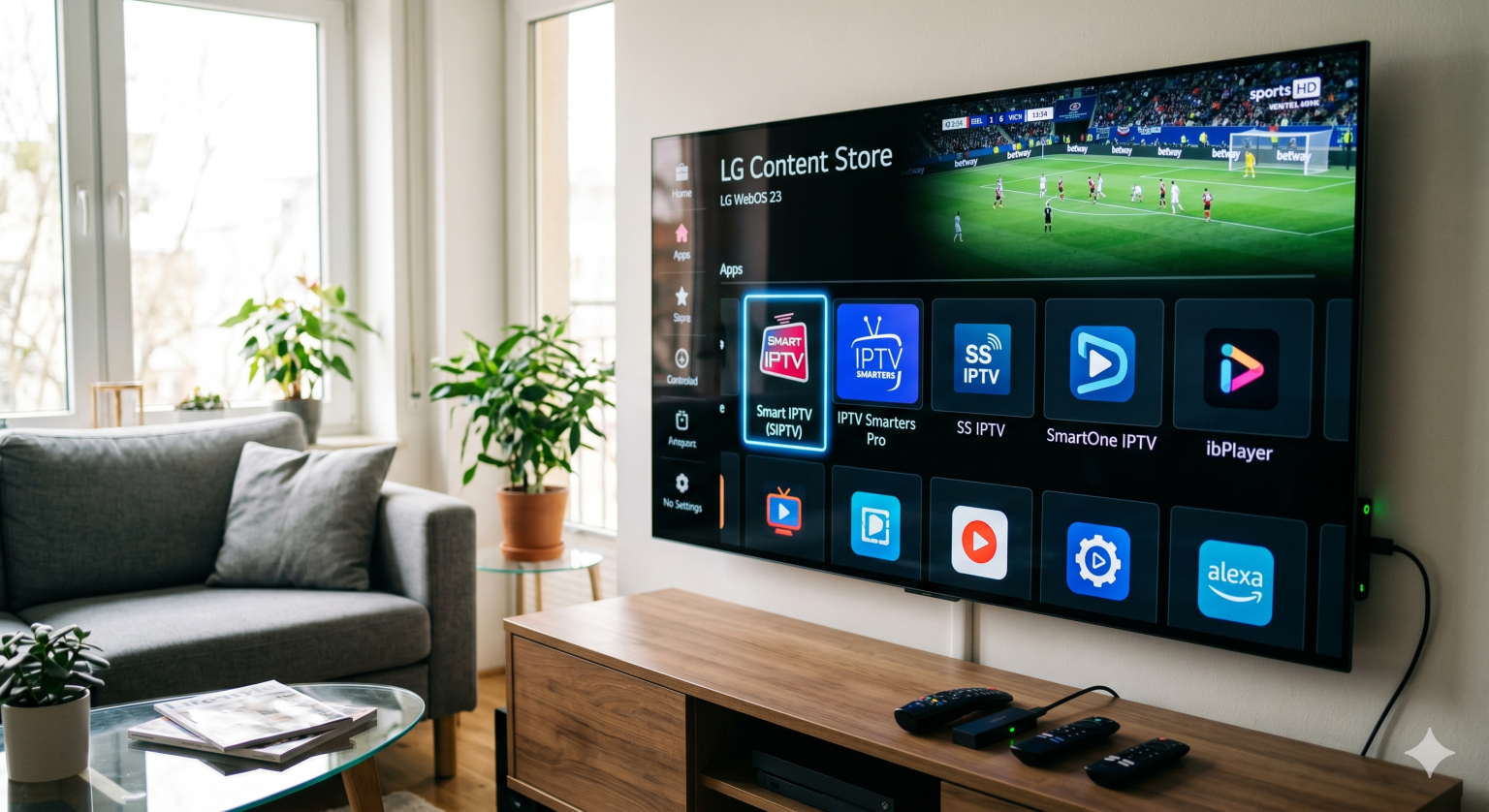
The Best Native Apps for LG Smart TVs
1. Smart IPTV (SIPTV)
Smart IPTV remains the gold standard and one of the most highly searched applications for LG displays. It is lightweight, incredibly stable, and requires no sideloading as it is available directly from the LG Content Store.
Compatibility: LG WebOS 3.0 and newer.
Key Features: Excellent memory management for large M3U playlists and comprehensive XMLTV EPG integration.
Pricing: 7-day free trial, followed by a one-time €5.49 activation fee tied to the TV’s MAC address.
2. IPTV Smarters Pro
Known for its highly intuitive interface, IPTV Smarters Pro is a favorite for users looking for a clean UI categorized by Live TV, Movies, and Series.
Compatibility: Native WebOS support available in most regional LG App Stores.
Key Features: Simple login via the Xtream Codes API (bypassing the need to copy and paste long M3U URLs), multi-screen viewing, and catch-up TV support.
Pricing: Free basic version; premium features require a subscription.
3. SS IPTV
SS IPTV was one of the pioneers of Smart TV streaming and remains a highly reliable, entirely free option. It is favored by users looking for a customizable experience without premium licenses.
Compatibility: Broad support across all LG WebOS versions, including legacy models.
Key Features: Remote playlist management via the SS IPTV web portal, parental controls, and custom UI themes.
Pricing: 100% Free.
4. SmartOne IPTV & ibPlayer
For users prioritizing modern aesthetics and fast navigation, both SmartOne IPTV and ibPlayer have emerged as strong, highly rated contenders in 2026.
Compatibility: Optimized for newer firmware (WebOS 4.0+).
Key Features: Exceptional VOD library organization, metadata fetching (IMDb ratings, posters), and multi-language support.
Pricing: Both offer fully featured free trials followed by a minor one-time activation fee (typically €2 to €3).
Hardware Compatibility & Codec Performance
When running IPTV applications directly on a television’s internal operating system, playback stability is heavily dependent on the processor and codec compatibility. To ensure a premium viewing experience, consider the following technical factors:
| Feature | Technical Requirement |
| Video Codecs | Modern LG displays provide hardware decoding for HEVC (H.265) and AV1. Ensure the selected IPTV service utilizes these high-efficiency codecs for 4K and high-bitrate HD streams to minimize bandwidth consumption and prevent buffering. |
| Network Infrastructure | A minimum sustained speed of 10 Mbps is required for 1080p streaming. For 4K UHD streams, 25+ Mbps is strictly necessary. Hardwiring the TV via Ethernet is recommended over Wi-Fi for maximum stability. |
| OS Memory Management | While many apps run on WebOS 3.0, updating the firmware to WebOS 4.0 or higher ensures better RAM allocation when loading massive M3U playlists containing over 100,000 channels and VOD assets. |
The Alternative: External Streaming Devices
Because WebOS utilizes a closed ecosystem, certain advanced applications like TiviMate (Android TV exclusive) are not natively available on the LG Content Store.
If a user requires an interface that rivals high-end cable boxes including multi-view panels and advanced recording features connecting an external device like an Amazon Fire TV Stick 4K or Apple TV 4K is the most effective workaround. This strategy allows users to leverage the LG panel’s exceptional OLED and Dolby Vision hardware while running superior Android or tvOS streaming software.