
Choosing the right television for live football requires excellent motion handling. When a football moves quickly across the screen, the picture must remain clear. Blurry images ruin the viewing experience. Samsung and Sony are two leading television manufacturers. Both brands offer high-end Smart TVs with fast refresh rates and advanced image processing.
However, Samsung and Sony use different technologies to handle fast-moving sports. Samsung uses the proprietary Tizen operating system and specific motion interpolation techniques. Sony uses the Google TV operating system and the Sony XR processor.
This guide compares Samsung and Sony Smart TVs. We examine how each brand handles live football broadcasts, motion clarity, and streaming performance. We will also look at how each television brand works with IPTV applications.
Quick Answer
Which is the better Samsung vs Sony football TV? Both brands offer excellent options, but they serve different user needs.
Sony televisions usually provide smoother, more natural motion handling because of the advanced Sony XR processor. This makes Sony excellent for traditional sports broadcasts. Samsung televisions typically offer higher peak brightness. This makes Samsung a better choice if you watch football in a very bright room with sunlight. For IPTV users, both brands support 120Hz refresh rates on premium models. A 120Hz refresh rate is essential for clear fast-moving action.
Motion Handling and Picture Processing
Motion handling is the most important feature for sports. When the camera pans across a football pitch, the green grass and the players must stay sharp.
Sony Motionflow Technology
Sony is famous for natural picture processing. Sony Smart TVs use a technology called Motionflow XR. This technology inserts extra frames between the original video frames. The Sony XR processor analyzes the video signal in real time. It detects the direction of moving objects on the screen. Sony televisions reduce motion blur very well without creating artificial visual errors. The football moves smoothly through the air.
Samsung Motion Xcelerator Technology
Samsung also offers excellent motion handling. Samsung Smart TVs use a technology called Motion Xcelerator. Samsung televisions process the image quickly and increase the sharpness of moving objects. However, Samsung’s motion processing can sometimes look slightly aggressive. This aggressive processing can create a “soap opera effect” where the motion looks unnaturally fast. You can adjust these settings manually in the Samsung picture menu to find the best balance for live football.
Refresh Rate: 60Hz vs 120Hz
The refresh rate measures how many times the television updates the picture every second.
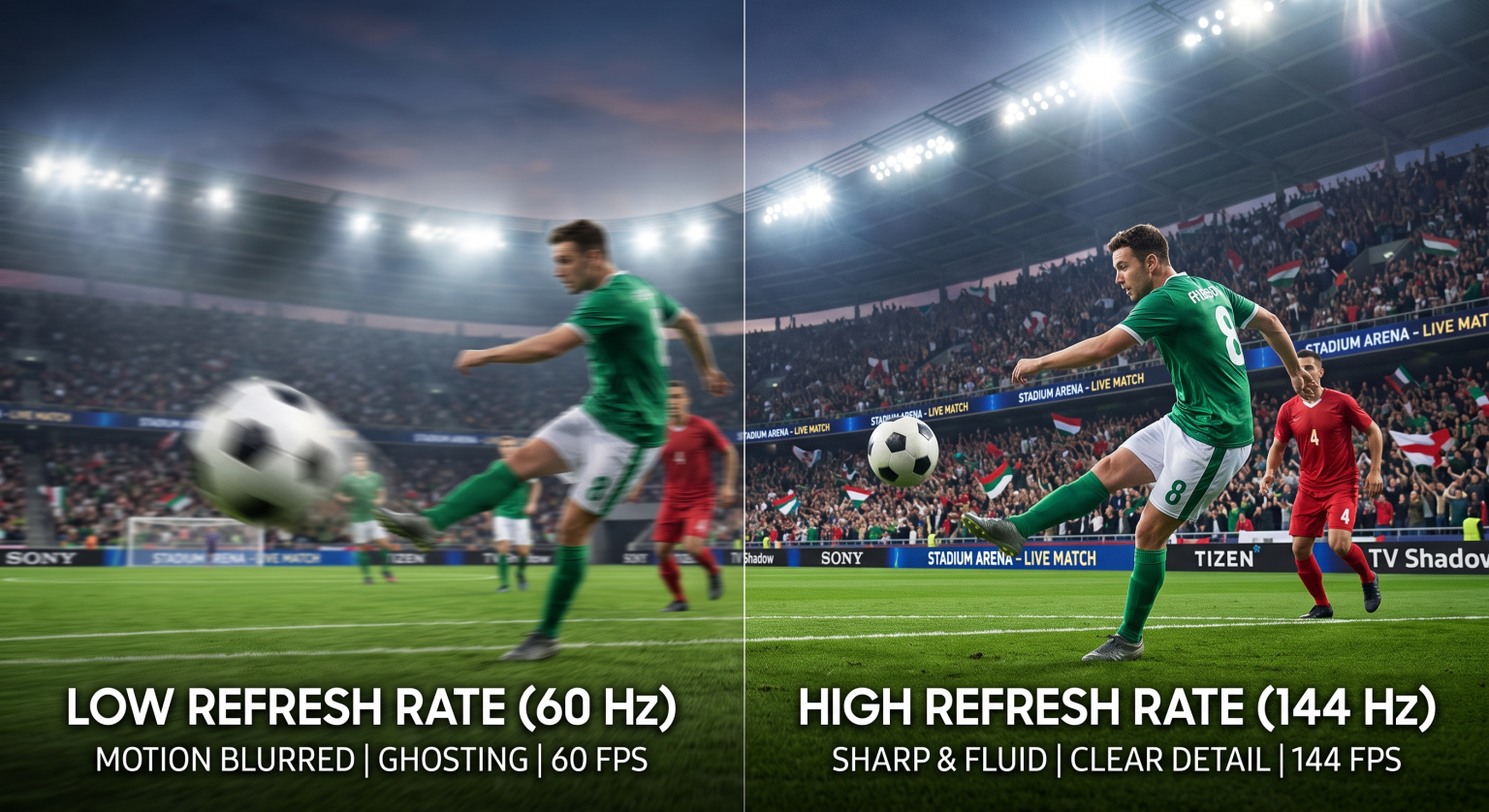
Modern Samsung and Sony televisions come with either a 60Hz panel or a 120Hz panel. A 60Hz television updates the image 60 times per second. A 120Hz television updates the image 120 times per second.
If you want the best Samsung vs Sony football TV, you must buy a model with a 120Hz panel. The higher refresh rate reduces blur when the football players run quickly. If you are deciding between two specific models, our guide comparing a 60Hz vs 120Hz TV for Live Football explains these technical differences in detail.
Picture Quality and Brightness
A football match can happen during the day or at night. The television must handle different room lighting.
Samsung focuses heavily on Mini-LED technology. Samsung calls this technology Neo QLED. Neo QLED televisions are extremely bright. If your living room has large windows and lots of sunlight, a Samsung Neo QLED television is a fantastic choice for Saturday afternoon football matches.
Sony offers both Mini-LED and OLED televisions. Sony OLED televisions offer perfect black colors and infinite contrast. However, OLED televisions are less bright than Mini-LED televisions. A Sony OLED television is the perfect choice for evening football matches in a dark room.
Comparison Table: Samsung vs Sony for Sports
| Feature | Samsung Premium TVs | Sony Premium TVs |
| Operating system | Tizen OS | Google TV |
| App ecosystem | Samsung Smart Hub | Google Play Store |
| Motion technology | Motion Xcelerator | Motionflow XR |
| Maximum refresh rate | 120Hz or 144Hz | 120Hz |
| Bright room performance | Very high (Neo QLED models) | High (Mini-LED) or Moderate (OLED) |
| Android app support | No native support | Yes (Google Play ecosystem) |
Smart TV Operating Systems and IPTV Compatibility
To watch live sports through an internet connection, you need a good streaming application. The television operating system determines which applications you can install.
Samsung Tizen OS
Samsung Smart TVs use the Tizen operating system. The Tizen menu is fast and easy to navigate. However, Tizen is a closed system. You can only install applications from the official Samsung Smart Hub. There are many good IPTV players available in the Samsung app store. These apps support M3U playlists and Xtream Codes. However, Samsung sometimes removes specific IPTV applications from their store.
Sony Google TV
Sony Smart TVs use the Google TV operating system. Google TV is based on Android. This operating system provides access to the Google Play Store. The Google Play Store has a massive selection of IPTV applications. You can also install Android applications directly using an APK file. This gives Sony owners more freedom to choose their preferred IPTV software.
If you want to read a deeper analysis of the software, please read our guide on Samsung Tizen vs Sony BRAVIA Google TV: Which Is Better for IPTV in 2026?.
Using TV Shadow IPTV
TV Shadow IPTV works perfectly on both Samsung and Sony televisions. You only need to download a compatible IPTV player application from the television app store. After installing the player application, you enter your TV Shadow IPTV subscription details. You will then have access to the Electronic Program Guide (EPG) and live channels. Neither television brand has a direct affiliation with TV Shadow IPTV. The television simply acts as the screen for the IPTV player application.
Streaming Stability for Live Football
Live football requires a very stable internet connection. A delayed video signal will cause the picture to freeze.
Both Samsung and Sony televisions include Wi-Fi adapters. Modern models support Wi-Fi 6 for fast wireless connections. However, wireless connections can experience interference from walls or other electronic devices.
For the best live football experience, always use an Ethernet cable. Connect the Ethernet cable directly from your internet router to the television. An Ethernet connection stops buffering and guarantees the highest possible picture quality.
Additionally, standard football broadcasts often use a 1080p resolution. Your 4K television must enlarge this 1080p image to fit the 4K screen. This process is called upscaling. Sony is generally considered the industry leader in upscaling low-resolution sports broadcasts. If your sports stream looks bad, our article explaining Why Does IPTV Look Blurry on a New 4K TV? offers helpful picture settings.
Conclusion
Choosing the best Samsung vs Sony football TV depends on your room environment and your software preferences.
Sony televisions with Google TV provide incredible motion handling. The Sony XR processor makes live sports look natural and smooth. Sony also gives you access to the large Google Play Store. This makes finding IPTV apps very easy.
Samsung televisions with Tizen OS offer extreme brightness. If you watch football in a room with bright sunlight, a Samsung Neo QLED television will defeat screen glare perfectly. Both brands provide a fantastic viewing experience for TV Shadow IPTV users when connected to a stable internet network. Buy a model with a 120Hz refresh rate for the best possible results.
Frequently Asked Questions (FAQ)
Does a 120Hz refresh rate make football look better?
Yes. A 120Hz refresh rate reduces motion blur. The television displays twice as many frames per second compared to a 60Hz television. This makes fast camera movements across the football pitch look much smoother.
Why does the football look blurry on my new TV?
The blur is usually caused by incorrect motion settings. Modern televisions have default settings that try to smooth the picture. Open your television settings and reduce the “judder” or “blur” reduction features.
Which Smart TV operating system is better for IPTV apps?
Google TV is generally better for IPTV apps. Google TV has the Google Play Store, which offers a larger selection of IPTV players. Samsung Tizen has good options, but the selection is smaller.
Do I need a 4K television for live football?
Yes, a 4K television is highly recommended. Even if the football match is broadcast in 1080p, a high-quality 4K television will upscale the image to look much sharper and clearer.
Should I use Wi-Fi or an Ethernet cable for live sports?
You should always use an Ethernet cable. An Ethernet cable provides a stable and direct connection to your internet router. This prevents buffering during important moments in the football match.