
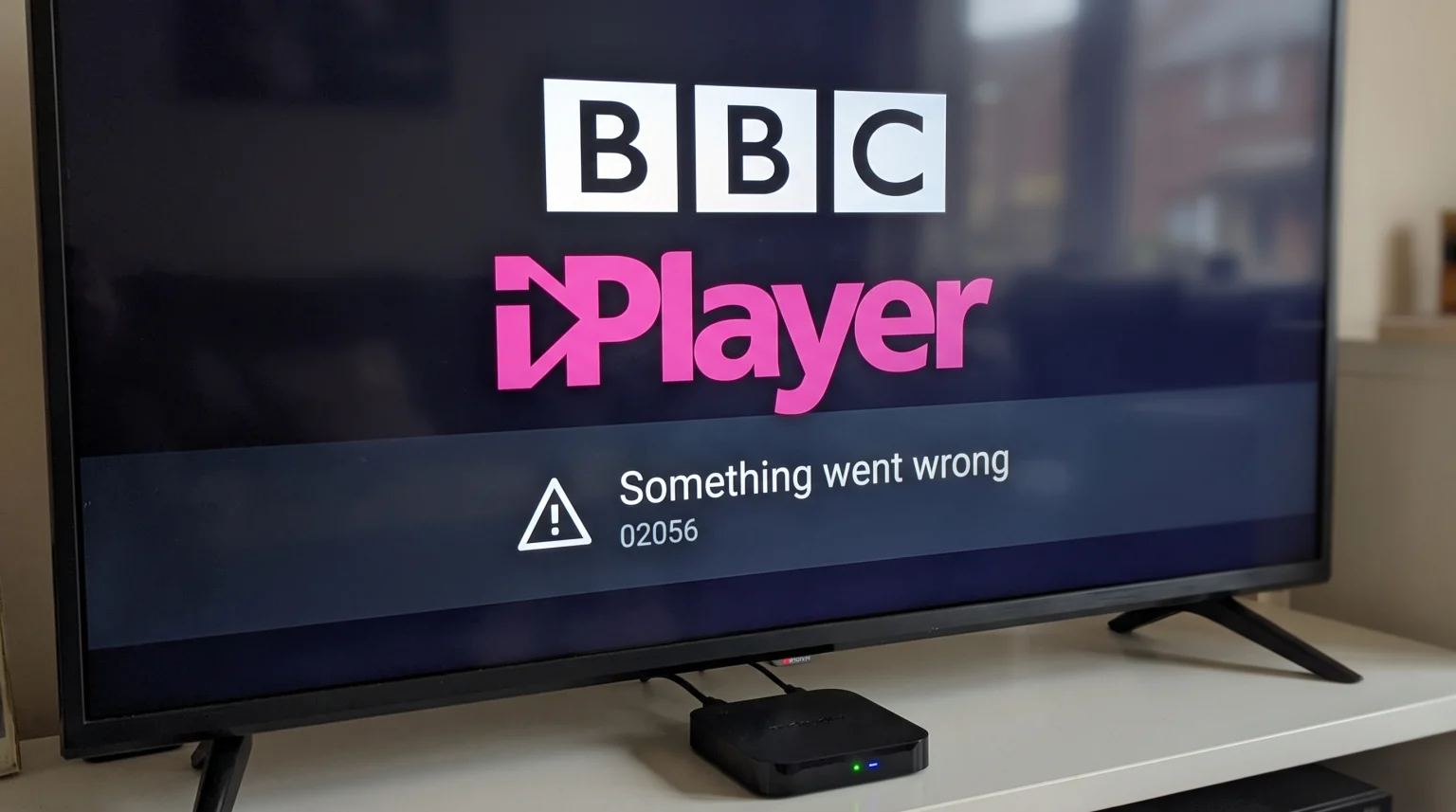
The BBC iPlayer application requires strict security standards and modern software to stream video content. In 2026, many users notice that the BBC iPlayer application stops working on their Android TV boxes. This problem usually happens on uncertified Android TV boxes. This problem also happens when an older Android TV box stops receiving official software updates from the manufacturer.
The BBC regularly updates its security rules to protect television broadcasting rights. When a media device fails to meet these new security rules, the BBC iPlayer application blocks user access. The application may crash, display a black screen, or show an error message. This guide explains the technical reasons why this happens. This guide also provides practical solutions to help you fix the problem and continue watching your favorite television shows.
Quick Answer
Why is BBC iPlayer Android TV not working on your device? The most common reason is a lack of official Google certification. The BBC blocks uncertified Android TV boxes to prevent video piracy. Another common reason is an outdated operating system. If your Android TV box uses an old Android version, the BBC iPlayer application will stop supporting that device. Finally, a broken Widevine L1 digital rights management (DRM) certificate will stop the video player from loading. To fix these problems, you must use an official, certified Android TV box that receives regular software updates.
Certified vs Uncertified Android TV Boxes
The Android operating system has two main versions for television devices. The first version is the official Android TV operating system. Google certifies devices that use this official operating system. Certified devices include the Nvidia Shield, the Google Chromecast with Google TV, and official smart televisions from Sony or Philips.
The second version is the Android Open Source Project (AOSP). Many uncertified, low-cost television boxes use AOSP. These uncertified boxes use a modified version of mobile Android. They do not have official Google certification.
The BBC iPlayer application requires official Google certification to function. The BBC uses this certification to ensure the device is secure. If you install the BBC iPlayer application on an uncertified Android box, the application will usually detect the modified operating system. When the application detects the uncertified operating system, the application will block video playback.
| Feature | Certified Android TV Box | Uncertified Android TV Box |
| Operating system | Official Android TV or Google TV | Modified mobile Android (AOSP) |
| Google certification | Yes | No |
| BBC iPlayer support | Fully supported | Blocked or unstable |
| Software updates | Regular automatic updates | Rare or no updates |
| Remote control | Designed for television screens | Often requires a computer mouse |
If you want to understand the differences between official television operating systems, read our guide on Tizen vs Google TV for IPTV Apps: What’s the Difference?.
Widevine DRM Security and Video Playback
Digital Rights Management (DRM) is a security technology. Broadcasters use DRM technology to prevent people from copying videos. The Android operating system uses a specific DRM technology called Widevine.
Widevine has different security levels. The highest security level is Widevine L1. The lowest security level is Widevine L3.
The BBC iPlayer application requires Widevine L1 security to play high-definition (HD) and 4K video content. If your Android TV box only has Widevine L3 security, the BBC iPlayer application will not work correctly. Sometimes, a software update can accidentally break the Widevine L1 certificate on an Android TV box. When the Widevine L1 certificate breaks, the security level drops to Widevine L3. When this downgrade happens, the BBC iPlayer application will immediately stop working.
You can check your device’s Widevine security level by downloading an application called “DRM Info” from the Google Play Store.
Outdated Android Operating Systems
Technology companies eventually stop supporting old software. In 2026, the BBC requires modern operating systems to run the newest version of the BBC iPlayer application.
If your Android TV box runs an old version of Android, such as Android 7 or Android 8, you will experience problems. The Google Play Store will not allow you to download the newest BBC iPlayer update. If you cannot update the application, the BBC servers will eventually block your older version from connecting.
Manufacturers of cheap Android TV boxes rarely provide operating system updates. A television box purchased five years ago may never receive a new Android version. To maintain access to official streaming applications like BBC iPlayer, you must use a device that the manufacturer actively supports with new software updates.
Regional Restrictions and Virtual Private Networks (VPNs)
The BBC iPlayer application is only available to users located inside the United Kingdom. The BBC uses internet protocol (IP) address tracking to block users from other countries.
Many users use a Virtual Private Network (VPN) to change their IP address. However, the BBC constantly updates its security systems to detect and block VPN services. If you use a VPN on your Android TV box, the BBC iPlayer application may show an error message that says, “BBC iPlayer only works in the UK.”
If BBC iPlayer stops working while you are in the United Kingdom, you must check your Android TV box settings. Ensure that no VPN application is running in the background. Ensure that your television box time zone is set correctly to United Kingdom time. Incorrect time settings can cause the application to fail its security checks.
How Application Caches Cause Streaming Errors
Sometimes, the BBC iPlayer application stops working because of corrupted data. As you use the application, the application stores temporary files on the Android TV box. These temporary files are called a cache.
If the cache becomes corrupted, the application will not load properly. The screen may freeze, or the video may buffer constantly. This problem is very common on Android TV boxes that have small storage capacities. When the storage memory becomes completely full, the application cannot save new data, and the application crashes.
You can fix this problem by deleting the temporary data. Go to the settings menu on your Android TV box. Select the application settings. Find the BBC iPlayer application. Select the option to clear the cache and clear the data. After you clear the data, you must log into your BBC account again.
IPTV Compatibility and TV Shadow IPTV
Many users buy Android TV boxes to use IPTV applications. It is important to understand that IPTV applications have different technical requirements than official broadcaster applications like BBC iPlayer.
Official broadcaster applications require Widevine L1 security and official Google certification. However, most IPTV players, such as TiviMate or Smarters Pro, do not require Widevine L1 security. These IPTV players will function correctly on both certified and uncertified Android TV boxes.
If you use a service like TV Shadow IPTV, you only need an Android TV box that can install standard IPTV player applications. TV Shadow IPTV delivers M3U playlists and Xtream Codes compatible streams. These formats work well even if the device fails the strict security checks required by BBC iPlayer.
However, using a certified Android TV box provides a better overall experience. A certified device will offer smoother menus, a better remote control experience, and stable software updates. If you experience blurry images while streaming, you should read our article explaining What Is TV Upscaling and Does It Help IPTV?.
Live Football and Sports Streaming Quality
Sports fans often notice streaming problems when watching live football on BBC iPlayer. Live football requires excellent motion handling and a stable internet connection.
If BBC iPlayer stutters or drops video quality during a live football match, the problem might be your internet connection type. Wi-Fi connections can be unstable. For live sports, you should always connect your Android TV box directly to your internet router using an Ethernet cable. An Ethernet cable provides a consistent data stream, which prevents video buffering.
The television hardware also affects live football quality. A television with a high refresh rate will display fast-moving footballs more clearly than a television with a low refresh rate. If you want to learn more about television specifications for sports viewing, read our guide on 60Hz vs 120Hz TV for Live Football.
Remember that picture processing depends on both the television screen and the Android TV box. If the Android TV box has a weak processor, the live football stream will look choppy, even if you own a very expensive television screen.
How to Fix BBC iPlayer on Android TV
If the main keyword problem BBC iPlayer Android TV not working affects your device, follow these troubleshooting steps in order.
Step 1: Restart the Device Unplug the power cable from your Android TV box. Wait for 60 seconds. Plug the power cable back into the wall. This simple action clears the temporary system memory and fixes many basic software errors.
Step 2: Update the Application Open the Google Play Store on your Android TV box. Search for the BBC iPlayer application. If an update button is visible, click the button to install the newest version.
Step 3: Update the Operating System Go to the device settings menu. Find the system information section. Select the software update option. Download and install any available system updates for your Android TV box.
Step 4: Check Storage Space Android TV boxes require free storage space to stream video properly. Go to the device settings and check your storage capacity. If the storage is full, delete old applications that you no longer use.
Step 5: Factory Reset If all previous steps fail, you can perform a factory reset. A factory reset deletes all data and restores the Android TV box to its original state. You will lose all downloaded applications and passwords. Only use this option as a final solution.
Conclusion
Understanding why BBC iPlayer stops working on some Android TV boxes in 2026 can save you hours of frustration. The main keyword problem BBC iPlayer Android TV not working is usually caused by uncertified hardware, broken DRM security, or outdated software. The BBC enforces strict security rules to protect video content.
If you own an uncertified Android TV box, you will continually face streaming errors with official broadcaster applications. To guarantee a stable streaming experience for applications like BBC iPlayer, you must invest in an officially certified device that receives regular software updates. For users of TV Shadow IPTV, remember that standard IPTV streaming players are more flexible and will function on a wider variety of Android devices. Always maintain your device software and use a wired internet connection for the best possible television viewing experience.
Frequently Asked Questions (FAQ)
Why does BBC iPlayer show a black screen on Android TV?
A black screen usually indicates a digital rights management (DRM) failure. Your device may lack the necessary Widevine L1 certification. The black screen can also happen if the application cache is corrupted. Try clearing the application cache first.
Can I install BBC iPlayer using an APK file?
A black screen usually indicates a digital rights management (DRM) failure. Your device may lack the necessary Widevine L1 certification. The black screen can also happen if the application cache is corrupted. Try clearing the application cache first.
Why does BBC iPlayer work on my phone but not my Android TV box?
Mobile phones and television boxes use different versions of the Android operating system. Your mobile phone likely has official Google certification and modern software. Your Android TV box might be uncertified or running outdated software.
Does TV Shadow IPTV include the BBC iPlayer application?
No. TV Shadow IPTV is an independent IPTV service. TV Shadow IPTV provides live television streams through compatible IPTV players. TV Shadow IPTV does not provide or host the official BBC iPlayer application. You must download the official application from the Google Play Store.
Will a VPN fix my BBC iPlayer error?
A VPN will only help if you are located outside the United Kingdom and you need a United Kingdom IP address. If you are already inside the United Kingdom, using a VPN will cause errors. The BBC blocks known VPN servers.
Why does the video buffer constantly?
Video buffering happens when your internet connection is too slow. Buffering also happens when your Android TV box uses a weak Wi-Fi signal. To fix buffering, connect your device to your router using an Ethernet cable.
Is an Amazon Fire TV Stick better than an Android TV box for BBC iPlayer?
An Amazon Fire TV Stick is an officially certified device. The BBC officially supports the Amazon Fire TV Stick. Therefore, an Amazon Fire TV Stick will usually run BBC iPlayer more reliably than an uncertified, cheap Android TV box.