
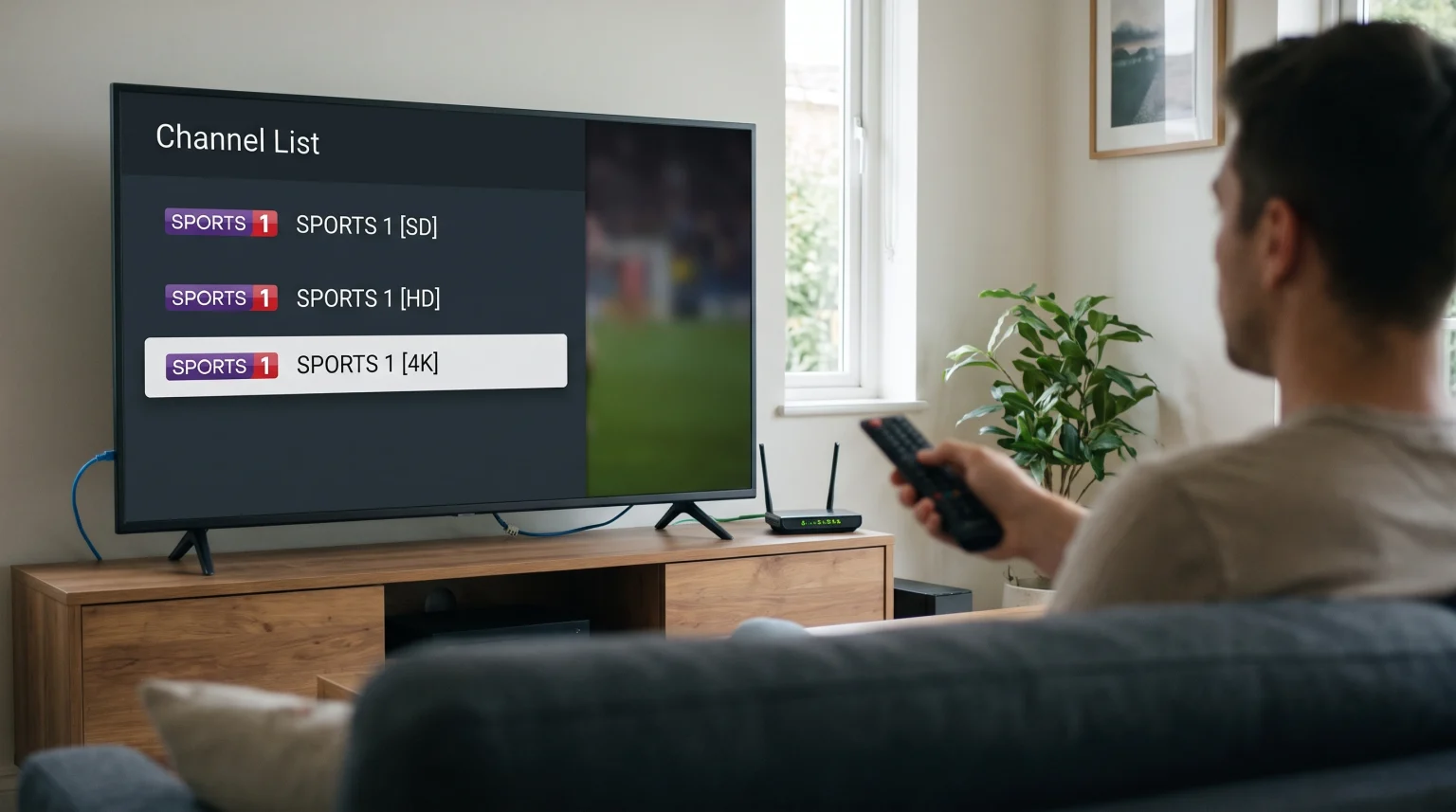
Many IPTV users notice that their channel list contains the same television channel several times. You will often see one channel labeled as SD, HD, FHD, and 4K. This creates a long list of IPTV duplicate quality channels. The reason for these duplicates is technical.
Not every user has the same internet connection. Not every user has the same television hardware. If a provider only offered a 4K version of a channel, users with slow internet connections would experience constant buffering. If the provider only offered an SD version, users with modern 4K televisions would experience poor picture quality.
Offering the same channel in multiple resolutions solves this problem. It allows the user to select the correct stream for their specific internet speed and device capabilities.
Quick Answer
Why does IPTV show the same channel in SD, HD and 4K? IPTV providers offer multiple resolutions of the same channel to support different internet speeds and devices. A 4K stream requires a fast internet connection and a compatible 4K television. An SD or HD stream requires much less bandwidth. This system ensures that users with slower internet connections can still watch television without buffering. These duplicate channels allow you to choose the most stable stream for your current setup.
Why IPTV Providers Offer Multiple Resolutions
IPTV services deliver television channels over the internet instead of through satellite cables or aerial antennas. Because internet speeds change frequently, streaming requires flexibility. Providers include IPTV duplicate quality channels to give you choices.
Standard Definition (SD)
SD is the lowest video quality available. It usually has a resolution of 480p or 576p. The picture contains fewer pixels. This means the image will look soft and lack detail on a large television screen.
Providers include SD channels for users with very slow internet connections. SD channels require very little data. They are also useful if you are watching IPTV on a mobile phone using a limited mobile data plan. If your higher-quality streams buffer constantly, switching to the SD version will usually stop the buffering. If you want to understand why low-resolution streams look bad on modern screens, read our guide exploring Why Does IPTV Look Blurry on a New 4K TV?.
High Definition (HD) and Full HD (FHD)
HD usually refers to a resolution of 720p. Full HD (FHD) refers to a resolution of 1080p. These resolutions offer a good balance between picture clarity and internet bandwidth.
FHD provides a sharp image on most televisions. It requires a moderate internet speed. Most IPTV users watch HD or FHD channels for their daily viewing. These channels look clear and rarely buffer on a standard home broadband connection.
4K Ultra High Definition (UHD)
4K resolution is 2160p. A 4K channel provides the highest possible picture quality. The image contains four times as many pixels as an FHD image.
A 4K stream requires a very fast and stable internet connection. It also requires a television or streaming device that supports 4K playback. Providers offer 4K channels for premium viewing, such as major sports events or movies.
How Internet Speed Affects Channel Choice
Your internet speed dictates which channel version you should select. Video streaming requires constant data transfer. If your television cannot download the data fast enough, the video will pause. This pause is called buffering.
By testing the different IPTV duplicate quality channels, you can find the maximum resolution your internet connection can handle.
Resolution and Bandwidth Comparison
| Video Resolution | Minimum Recommended Internet Speed | Picture Quality | Best Device to Use |
| SD (480p / 576p) | 3 Mbps to 5 Mbps | Low | Mobile phones, older televisions |
| HD (720p) | 10 Mbps to 15 Mbps | Medium | Small Smart TVs, tablets |
| FHD (1080p) | 20 Mbps to 25 Mbps | High | Standard Smart TVs, computer monitors |
| 4K (2160p) | 50 Mbps or higher | Very High | 4K Smart TVs, high-end projectors |
Note: These speeds are estimates. Network congestion and household internet usage can change the actual speed required.
Managing Duplicate Channels on Smart TVs
Having multiple versions of the same channel can make your Electronic Program Guide (EPG) difficult to navigate. Fortunately, most modern IPTV applications allow you to manage this list.
Hiding Unwanted Resolutions
Many popular IPTV apps let you hide specific channels or entire categories. If you have a fast internet connection and a 4K television, you probably do not need the SD channels. You can use your application settings to hide the SD category. This makes your channel list much shorter and easier to navigate.
TV Upscaling
If you choose to watch an HD or FHD channel on a 4K television, your television will artificially enlarge the picture to fill the screen. This process is called upscaling. Good upscaling makes an FHD channel look very similar to a 4K channel. If you want to learn more about this technology, read our explanation of What Is TV Upscaling and Does It Help IPTV?.
IPTV Player Compatibility
TV Shadow IPTV services work with many third-party applications. Applications like Tivimate or Smarters Pro can group IPTV duplicate quality channels automatically. Some applications show the channel name once, and let you press a button on your remote control to select the SD, HD, or 4K version. Check your application settings to see if this feature is available.
Which Resolution is Best for Live Football?
Watching live football or other fast-moving sports requires special consideration. For live sports, a smooth image is often more important than the total number of pixels.
Motion Handling and Bitrate
Sports streams require a high bitrate to look good. The bitrate is the amount of video data sent every second. A 4K stream with a low bitrate will look worse than an FHD stream with a high bitrate. When watching live football, compare the FHD channel and the 4K channel. Sometimes, the FHD channel will provide smoother motion.
Refresh Rates
The refresh rate of your television also affects sports viewing. A television with a 120Hz panel updates the image 120 times per second. This makes moving footballs look clear instead of blurry. If you are buying a television specifically for sports, read our comparison of 60Hz vs 120Hz TV for Live Football.
Wi-Fi versus Ethernet
Because live football channels in 4K require massive amounts of data, you should connect your television to your internet router using an Ethernet cable. An Ethernet cable provides a much more stable connection than Wi-Fi. This stability prevents buffering during important moments in the football match.
Conclusion
IPTV duplicate quality channels exist to provide a reliable viewing experience for all users. By offering the same channel in SD, HD, FHD, and 4K, providers ensure that their service works on mobile phones, older televisions, and brand-new 4K home cinemas.
Users with fast, stable internet connections can enjoy the maximum picture quality of 4K channels. Users with slower connections, or those using mobile data, can select SD or HD channels to prevent buffering. Understanding this system allows you to select the best possible stream for your hardware and internet speed. You can easily organize these channels using modern IPTV applications to keep your television guide clean and easy to use.
FAQ
Why does my IPTV buffer on 4K channels but not on HD channels?
4K channels require significantly more internet bandwidth than HD channels. If your internet connection is too slow, or if your Wi-Fi signal is weak, the television cannot download the 4K video data fast enough. Switching to the HD channel requires less data, which stops the buffering.
Can I delete the SD channels from my IPTV list?
You usually cannot delete channels from the provider’s server. However, most modern IPTV player applications allow you to hide channels or groups. You can hide the SD categories in your app settings so they no longer appear in your television guide.
Does watching 4K IPTV use more of my internet data allowance?
Yes. Streaming a 4K channel consumes much more data than streaming an FHD or SD channel. If your internet service provider limits your monthly data usage, you should monitor your consumption when watching 4K channels.