
You settle in to watch your favorite live match, but your stream refuses to load on your home Wi-Fi network. Frustrated, you disconnect from Wi-Fi, turn on cellular data, and the stream suddenly plays with zero lag.
If your IPTV works on mobile data not WiFi, your device and IPTV app are completely fine. The issue almost always points directly to restrictions, filtering, or routing conflicts imposed by your home broadband connection.
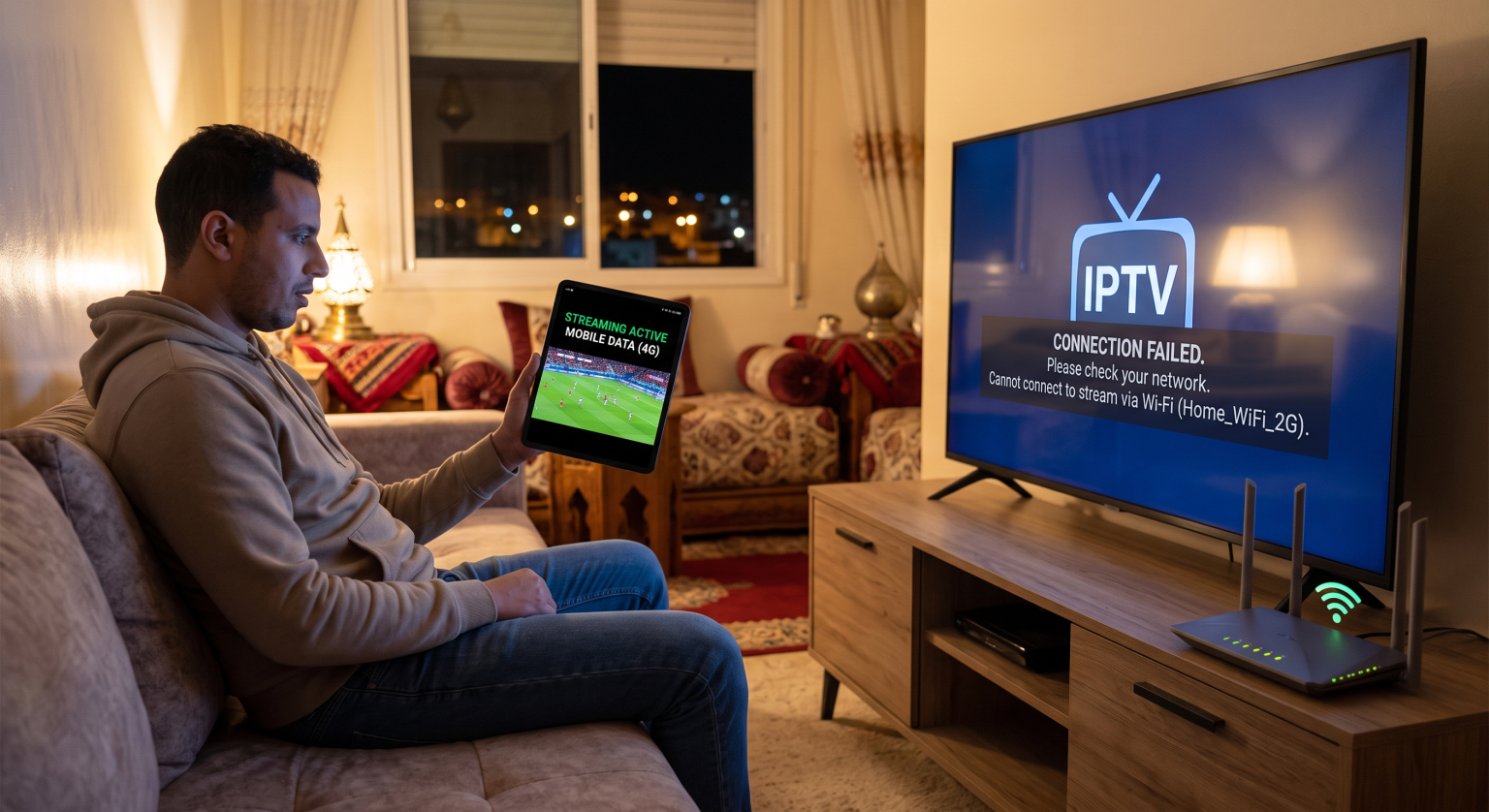
What Does It Mean When IPTV Works on Mobile Data Not WiFi?
When an IPTV stream functions properly on 4G or 5G but fails completely on home Wi-Fi, it indicates a local network bottleneck. Your mobile network operator routes traffic through an open cellular APN, whereas your home router subjects incoming packets to strict firewalls, parental filters, and ISP surveillance.
In most scenarios, this discrepancy confirms that your Internet Service Provider (ISP) is actively interfering with the connection. Home broadband networks use deep packet inspection and dynamic DNS filters that mobile networks rarely enforce on individual handheld accounts.
The Primary Culprits Behind Wi-Fi IPTV Failures in the UK
If you are streaming inside the UK, broadband providers operate under strict regulatory frameworks and court orders. Companies such as BT, Sky, Virgin Media, and TalkTalk actively deploy countermeasures to prevent access to unlicensed streaming servers.
1. ISP Throttling and Live Event Blacklists
UK broadband providers routinely deploy dynamic IP blacklists during major Premier League fixtures and sporting broadcasts. When the match starts, your ISP blocks server requests to known IPTV host servers, causing instant black screens or infinite buffering loops on home Wi-Fi.
2. Router Security Shields and Parental Controls
Most home routers ship with default digital protection suites like Sky Broadband Shield, BT Web Protect, or Virgin Web Safe. These automated security systems frequently misidentify IPTV streams as malicious P2P traffic and silently drop the connection at the router gateway.
3. DNS Hijacking and Restrictive Filtering
Your home router automatically routes web traffic through your ISP’s private DNS servers. These proprietary resolvers maintain real-time lists of blocked streaming domains, intercepting and dropping connection requests before they ever reach your IPTV provider.
Technical Comparison: Mobile Data vs. Home Broadband
The underlying network architecture explains why switching connection methods produces radically different streaming results:
| Network Parameter | Home Wi-Fi (Broadband) | Mobile Cellular Data (4G/5G) | Premium VPN on Wi-Fi |
| ISP Domain Filtering | Strict (Targeted server IP blocks) | Minimal (Standard carrier routing) | Completely bypassed via encrypted tunnel |
| DNS Resolution | ISP-controlled proprietary DNS | Carrier-assigned dynamic DNS | Secure, leak-free private DNS |
| Parental/Content Shields | Enabled by default (Web Safe/Shield) | Bypassed or easily disabled via SIM profile | Fully neutral (Encrypted payload) |
| Bandwidth Stability | High (Optimal for 4K streaming) | Variable (Subject to signal & data caps) | High (Full speed without ISP throttling) |
| Data Usage Limits | Generally unlimited | Restricted by monthly data allowances | Unlimited bandwidth |
Proven Fixes to Restore IPTV Streaming on Your Home Wi-Fi
You do not need to burn through expensive mobile data packages just to finish watching your stream. Implement these tested solutions to restore your home Wi-Fi streaming performance immediately.
1. Route Your Wi-Fi Connection Through a Streaming VPN
The most reliable method to solve this issue is installing a dedicated virtual private network. A robust VPN encrypts your entire data stream with AES-256 encryption, preventing your broadband provider from inspecting your destination IP or throttling your connection.
Download and install a verified VPN directly onto your streaming device (Firestick, Android TV, or Apple TV).
Select a high-speed local server to keep latency low.
Open your IPTV player and reload your M3U playlist or portal.
2. Update Your Router’s Default DNS Addresses
If your provider is relying strictly on DNS-level blocks, changing your DNS servers on your router or streaming device will immediately restore connectivity without costing a penny.
Go to your device’s Network Settings and select Advanced / Configure IP.
Switch the IP settings from DHCP to Static.
Enter 8.8.8.8 as DNS 1 (Google) and 1.1.1.1 as DNS 2 (Cloudflare).
Save the configuration and restart your device.
3. Disable Built-In Broadband Security Filters
If you use a major UK broadband provider, log in to your customer account portal using a web browser to modify your account-level security toggles.
Virgin Media: Open My Virgin Media, click Account Settings, choose Virgin Media Web Safe, and turn off both Virus Safe and Child Safe.
Sky Broadband: Go to your My Sky portal, find Broadband Shield, and select Disabled.
BT Broadband: Access your My BT account, locate BT Web Protect, and toggle it off.
Take Back Control of Your Streaming Setup
Dealing with black screens and endless buffering circles ruins the entertainment you pay to enjoy. When your IPTV works on mobile data not WiFi, the diagnosis is clear: your home broadband provider is blocking your access.
Upgrade your streaming hardware today with our recommended high-speed streaming VPN. Bypass broadband censorship, eliminate ISP throttling across the UK, and enjoy seamless, buffer-free 4K playback on your home Wi-Fi network right away!
Frequently Asked Questions
Why does my IPTV freeze only when major football matches are on?
UK broadband providers enforce court-ordered dynamic blocking orders that activate precisely during live Premier League and Champions League kickoff windows. Once the sporting event concludes, the restriction lifts, and your Wi-Fi stream returns to normal.
Will changing my DNS slow down my streaming speeds?
No, changing to public DNS providers like Cloudflare (1.1.1.1) or Google (8.8.8.8) often improves connection speeds. DNS resolvers only translate domain names into IP addresses and do not restrict data transfer rates.
Can my mobile network operator block IPTV later on?
Mobile operators can legally enforce similar restrictions, but cellular IP pools rotate frequently, making real-time IP blacklisting far more difficult to execute. However, relying on mobile data risks rapid data depletion and excessive carrier overage fees.