
Siadasz wygodnie, żeby obejrzeć swój ulubiony mecz na żywo, ale transmisja nie chce się załadować w domowej sieci Wi-Fi. Sfrustrowany rozłączasz się z Wi-Fi, włączasz dane komórkowe i nagle transmisja zaczyna się odtwarzać bez żadnych opóźnień.
Jeśli twój IPTV działa w sieci komórkowej, a nie przez Wi-Fi, Twoje urządzenie i aplikacja IPTV działają bez zarzutu. Problem prawie zawsze wynika bezpośrednio z ograniczeń, filtrowania lub konfliktów routingu narzuconych przez domowe łącze szerokopasmowe.
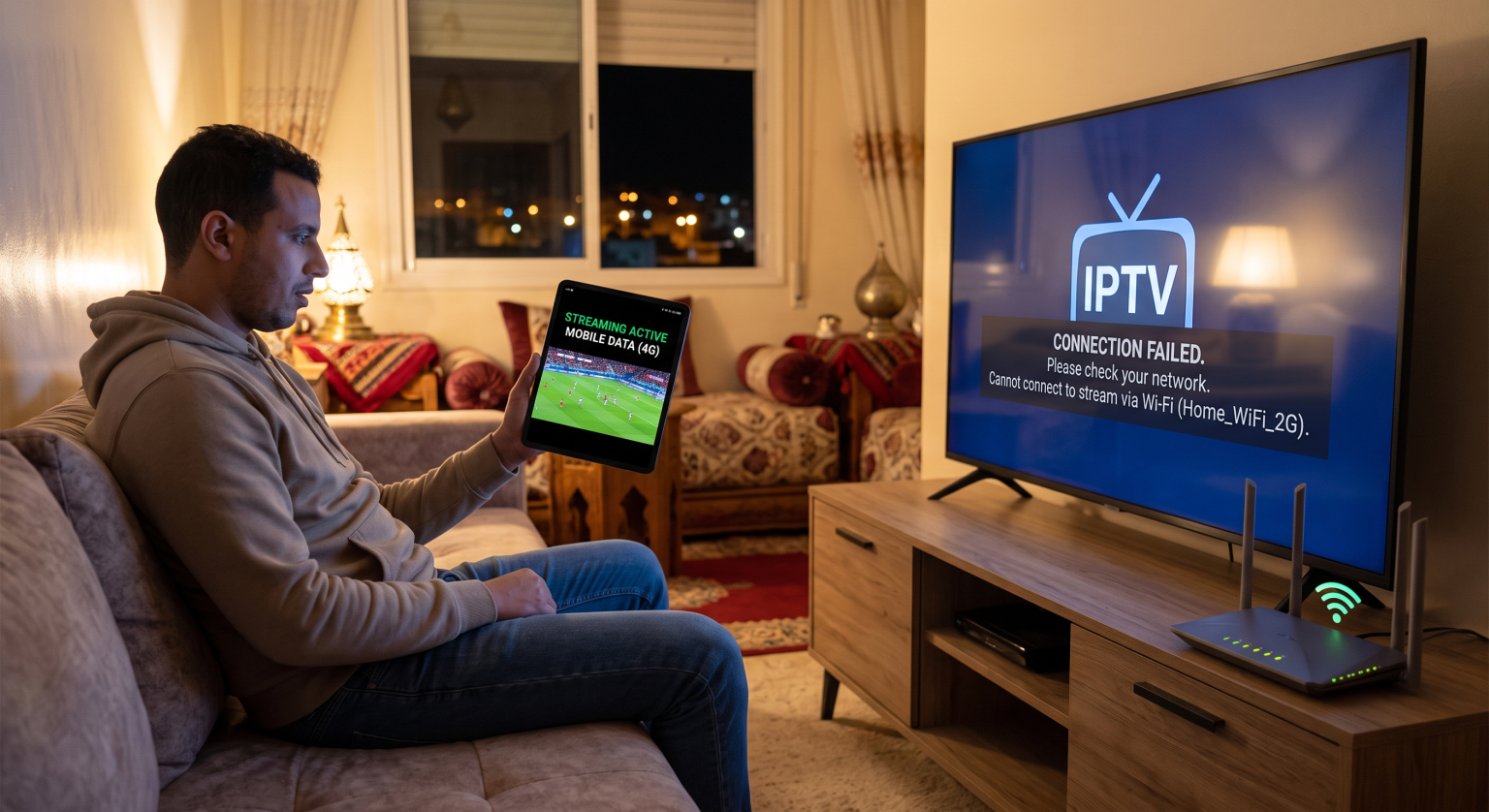
Co to znaczy, gdy IPTV działa w sieci komórkowej, a nie przez Wi-Fi?
Gdy strumień IPTV działa poprawnie w sieci 4G lub 5G, ale całkowicie zawodzi w domowej sieci Wi-Fi, oznacza to, że wąskie gardło sieci lokalnej. Operator sieci komórkowej kieruje ruch przez otwarty punkt dostępowy APN, podczas gdy router domowy poddaje przychodzące pakiety rygorystycznym zaporom sieciowym, filtrom rodzicielskim oraz nadzorowi ze strony dostawcy usług internetowych.
W większości przypadków ta rozbieżność potwierdza, że Twój Dostawca usług internetowych (ISP) aktywnie zakłóca połączenie. Domowe sieci szerokopasmowe wykorzystują głęboką inspekcję pakietów oraz filtry dynamicznego DNS, których sieci komórkowe rzadko stosują w przypadku poszczególnych kont urządzeń przenośnych.
Główne przyczyny awarii usług IPTV przez Wi-Fi w Wielkiej Brytanii
Jeśli korzystasz z serwisów streamingowych na terenie Wielkiej Brytanii, dostawcy usług szerokopasmowych podlegają rygorystycznym ramom regulacyjnym i nakazom sądowym. Firmy takie jak BT, Sky, Virgin Media i TalkTalk aktywnie wdrażać środki zapobiegające dostępowi do nielicencjonowanych serwerów strumieniowych.
1. Ograniczanie przepustowości przez dostawców usług internetowych oraz czarne listy wydarzeń na żywo
Brytyjscy dostawcy usług szerokopasmowych rutynowo stosują dynamiczne czarne listy adresów IP podczas ważnych meczów Premier League i transmisji sportowych. Gdy rozpoczyna się mecz, dostawca usług internetowych blokuje żądania kierowane do znanych serwerów hostujących IPTV, co powoduje natychmiastowe pojawienie się czarnego ekranu lub niekończące się pętle buforowania w domowej sieci Wi-Fi.
2. Funkcje zabezpieczeń routera i kontrola rodzicielska
Większość routerów domowych jest wyposażona w domyślne pakiety zabezpieczeń cyfrowych, takie jak Sky Broadband Shield, BT Web Protect lub Virgin Web Safe. Te zautomatyzowane systemy zabezpieczeń często błędnie identyfikują strumienie IPTV jako złośliwy ruch P2P i po cichu przerywają połączenie na poziomie bramy routera.
3. Przejęcie DNS i restrykcyjne filtrowanie
Domowy router automatycznie kieruje ruch internetowy przez prywatne serwery DNS dostawcy usług internetowych. Te zastrzeżone serwery rozpoznające nazwy utrzymują na bieżąco listy zablokowanych domen streamingowych, przechwytując i odrzucając żądania połączeń, zanim dotrą one do dostawcy usług IPTV.
Porównanie techniczne: transmisja danych w sieci komórkowej a domowy internet szerokopasmowy
Architektura sieci leżąca u podstaw tego rozwiązania wyjaśnia, dlaczego zmiana metod połączeń powoduje radykalnie różne wyniki przesyłania strumieniowego:
| Parametry sieciowe | Domowa sieć Wi-Fi (łącze szerokopasmowe) | Mobilny transfer danych (4G/5G) | VPN klasy premium w sieci Wi-Fi |
| Filtrowanie domen przez dostawców usług internetowych | Rygorystyczne (ukierunkowane blokady adresów IP serwerów) | Minimalne (standardowe trasowanie operatora) | Całkowicie ominięte poprzez zaszyfrowany tunel |
| Rozpoznawanie nazw DNS | Własny serwer DNS zarządzany przez dostawcę usług internetowych | Dynamiczny DNS przypisany przez dostawcę usług internetowych | Bezpieczny, szczelny prywatny serwer DNS |
| Filtry rodzicielskie/filtry treści | Włączone domyślnie (Web Safe/Shield) | Można to ominąć lub łatwo wyłączyć za pomocą profilu karty SIM | Całkowicie neutralny (zaszyfrowana treść) |
| Stabilność przepustowości | Wysoka (optymalna do strumieniowania w rozdzielczości 4K) | Zmienna (z zastrzeżeniem limitów dotyczących sygnału i danych) | Wysoka (pełna prędkość bez ograniczeń ze strony dostawcy usług internetowych) |
| Limity wykorzystania danych | Zasadniczo nieograniczone | Ograniczenia wynikające z miesięcznych limitów danych | Nieograniczona przepustowość |
Sprawdzone sposoby na przywrócenie transmisji IPTV w domowej sieci Wi-Fi
Nie musisz zużywać drogich pakietów danych komórkowych tylko po to, by dokończyć oglądanie transmisji. Skorzystaj z tych sprawdzonych rozwiązań, aby natychmiast przywrócić wydajność strumieniowania przez domową sieć Wi-Fi.
1. Przekieruj swoje połączenie Wi-Fi przez sieć VPN przeznaczoną do streamingu
Najbardziej niezawodnym sposobem rozwiązania tego problemu jest zainstalowanie dedykowanej wirtualnej sieci prywatnej (VPN). Solidna sieć VPN szyfruje cały strumień danych za pomocą algorytmu AES-256, uniemożliwiając dostawcy usług szerokopasmowych sprawdzanie adresu IP miejsca docelowego lub ograniczanie przepustowości połączenia.
Pobierz i zainstaluj sprawdzoną sieć VPN bezpośrednio na swoim urządzeniu do strumieniowego odtwarzania (Firestick, Android TV lub Apple TV).
Wybierz szybki serwer lokalny, aby zapewnić niskie opóźnienie.
Uruchom odtwarzacz IPTV i odśwież listę odtwarzania M3U lub portal.
2. Zaktualizuj domyślne adresy DNS routera
Jeśli Twój dostawca korzysta wyłącznie z blokad na poziomie DNS, zmiana serwerów DNS w routerze lub urządzeniu do strumieniowego przesyłania treści natychmiast przywróci połączenie i nie będzie Cię to nic kosztować.
Przejdź do ustawień swojego urządzenia Ustawienia sieciowe i wybierz Zaawansowane / Konfiguracja adresu IP.
Zmień ustawienia adresu IP z DHCP na Statyczne.
Wprowadź 8.8.8.8 jako DNS 1 (Google) oraz 1.1.1.1 jako DNS 2 (Cloudflare).
Zapisz konfigurację i uruchom ponownie urządzenie.
3. Wyłącz wbudowane filtry zabezpieczające połączenia szerokopasmowe
Jeśli korzystasz z usług jednego z głównych brytyjskich dostawców usług szerokopasmowych, zaloguj się do portalu klienta za pomocą przeglądarki internetowej, aby zmienić ustawienia zabezpieczeń na poziomie konta.
Virgin Media: Otwórz Moje Virgin Media, kliknij Ustawienia konta, wybierz Virgin Media Web Safe, a następnie wyłącz obie Ochrona przed wirusami oraz Bezpieczne dla dzieci.
Sky Broadband: Przejdź do swojej Moje niebo portal, znajdź Osłona szerokopasmowa, a następnie wybierz Niepełnosprawni.
BT Broadband: Uzyskaj dostęp do swojego Moje BT konto, znajdź BT Web Protect, a następnie wyłącz tę funkcję.
Odzyskaj kontrolę nad swoją konfiguracją strumieniowania
Czarny ekran i niekończące się kółko ładowania psują rozrywkę, za którą płacisz. Kiedy twój IPTV działa w sieci komórkowej, a nie przez Wi-Fi, diagnoza jest jasna: Twój dostawca domowego internetu szerokopasmowego blokuje Ci dostęp.
Już dziś zmodernizuj swój sprzęt do streamingu, korzystając z naszych rekomendacji VPN do szybkiego przesyłania strumieniowego. Omiń cenzurę łączy szerokopasmowych, wyeliminuj ograniczanie przepustowości przez dostawców usług internetowych w całej Wielkiej Brytanii i już teraz ciesz się płynnym odtwarzaniem treści w rozdzielczości 4K bez buforowania w swojej domowej sieci Wi-Fi!
Najczęściej zadawane pytania
Dlaczego moja telewizja IPTV zawiesza się tylko wtedy, gdy trwają ważne mecze piłkarskie?
Brytyjscy dostawcy usług szerokopasmowych egzekwują nakaz sądowy dynamiczne zlecenia blokujące które uruchamiają się dokładnie w czasie rozpoczęcia transmisji na żywo z meczów Premier League i Ligi Mistrzów. Po zakończeniu wydarzenia sportowego ograniczenie zostaje zniesione, a transmisja Wi-Fi wraca do normalnego trybu.
Czy zmiana ustawień DNS spowoduje spowolnienie prędkości przesyłania strumieniowego?
Nie, przejście na publiczne serwery DNS, takie jak Cloudflare (1.1.1.1) czy Google (8.8.8.8), często poprawia prędkość połączenia. Serwery DNS zajmują się jedynie przekształcaniem nazw domen na adresy IP i nie ograniczają prędkości przesyłu danych.
Czy mój operator komórkowy może w przyszłości zablokować dostęp do IPTV?
Operatorzy komórkowi mogą zgodnie z prawem wprowadzać podobne ograniczenia, jednak pule adresów IP w sieciach komórkowych ulegają częstym zmianom, co znacznie utrudnia tworzenie czarnych list adresów IP w czasie rzeczywistym. Korzystanie z mobilnego transferu danych wiąże się jednak z ryzykiem szybkiego wyczerpania limitu danych i poniesienia nadmiernych opłat za przekroczenie limitu naliczanych przez operatora.