
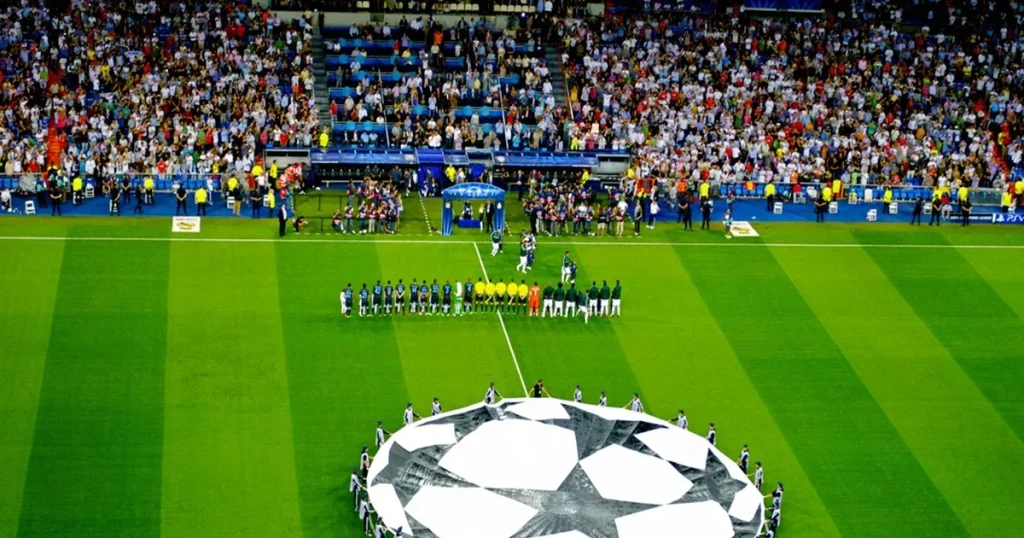
Den UEFA Champions League 2026/27 is underway, and football fans can follow Europe’s biggest club competition across Smart TVs, Fire TV Stick, Android TV, smartphones, tablets and other compatible streaming devices.
For TV Shadow IPTV customers, watching football is simple: install a compatible IPTV player, add your TV Shadow IPTV subscription details, open the sports section and choose the available live channel for the match you want to watch.
The 2026/27 Champions League league phase started on 8 September 2026 and runs until 27 January 2027, with 36 clubs competing across eight league-phase matchdays.
Watch Champions League 2026/27 with TV Shadow IPTV
TV Shadow IPTV can be used with many popular streaming devices, allowing customers to access their IPTV subscription from the device they prefer.
Compatible options include:
- Samsung Smart TV
- LG Smart TV
- Android TV
- Google TV
- Amazon Fire TV Stick
- Android smartphones and tablets
- iPhone and iPad
- Windows-pc
- Mac
- MAG devices
- Compatible IPTV boxes
The exact setup depends on the IPTV application you are using.
How to Watch Champions League on IPTV
Once your TV Shadow IPTV subscription is activated, you will receive the login information required for your IPTV player.
Depending on the application, this may include:
- Brugernavn
- Adgangskode
- Server-URL
- Xtream Codes API details
- M3U playlist, when supported
Step 1: Install a Compatible IPTV Player
Install your preferred compatible IPTV player on your Smart TV or streaming device.
For example, many IPTV applications provide an option such as:
Log ind med Xtream Codes API
Step 2: Add Your TV Shadow IPTV Details
Open the IPTV application and select the Xtream Codes login option.
Enter the information supplied with your TV Shadow IPTV subscription:
Navn på afspilningsliste: TV Shadow IPTV
Brugernavn: Your provided username
Adgangskode: Your provided password
Server-URL: Your provided TV Shadow IPTV server address
Then select Tilføj bruger, Log ind, or the equivalent button in your application.
Step 3: Allow the Content to Load
The IPTV player may take a short time to load your:
- Direkte tv
- Sport
- Movies
- Series
- EPG information
Once synchronization is complete, open Direkte tv.
Step 4: Open the Sports Section
Navigate to the available sports categories.
From there, locate the channel carrying the Champions League match available in your package and region.
You can also use your IPTV player’s search feature when available.
Champions League on Samsung Smart TV with TV Shadow IPTV
Samsung Smart TV users can use a compatible IPTV application available for their television.
The basic process is:
- Åben Apps on your Samsung Smart TV.
- Installer en kompatibel IPTV-afspiller.
- Open the application.
- Vælg Xtream Codes API if supported.
- Enter your TV Shadow IPTV login information.
- Wait for your playlist to load.
- Åben Live TV → Sports.
- Select the available match channel.
For major matches, we recommend opening the application before kickoff and checking that your stream and internet connection are working correctly.
Watch Champions League on Firestick with TV Shadow IPTV
Amazon Fire TV Stick is another popular device for IPTV streaming.
After installing a compatible IPTV player:
- Open the IPTV application.
- Vælg Xtream Codes API or your application’s supported login method.
- Add your TV Shadow IPTV credentials.
- Load your playlist.
- Åben Direkte tv.
- Navigate to the sports section.
- Choose the available Champions League broadcast.
A stable Wi-Fi connection is particularly important when watching live football.
Watch Champions League on Android TV
TV Shadow IPTV can also be configured on compatible Android TV and Google TV devices.
Åbn den Google Play Store and install a compatible IPTV player.
Then:
Open App → Xtream Codes API → Enter TV Shadow IPTV Details → Live TV → Sports
Android TV is especially convenient because many IPTV players are designed specifically for large-screen televisions and remote controls.
Watch Champions League on Your Phone or Tablet
You do not always need to be in front of your television.
A compatible IPTV player can also be used on supported smartphones and tablets.
After adding your TV Shadow IPTV subscription, open the live TV section and locate the available sports channel.
This can be useful when travelling or when another television in the house is being used, subject to your subscription’s connection limits and local access rules.
Champions League 2026/27 Matchdays
The Champions League league phase contains eight matchdays.
According to UEFA, the schedule is:
1. spillerunde: 8–10 September 2026
2. spillerunde: 13–14 October 2026
3. spillerunde: 20–21 October 2026
4. spillerunde: 3–4 November 2026
5. spillerunde: 24–25 November 2026
6. spillerunde: 8–9 December 2026
7. spillerunde: 19–20 January 2027
8. spillerunde: 27 January 2027
The league phase features 36 teams, with each club playing eight different opponents.
Big Champions League Matches This Week
Matchday 1 takes place from 8–10 September 2026. UEFA’s current schedule includes major fixtures such as Liverpool vs Atlético de Madrid, Napoli vs Arsenal, Barcelona vs Feyenoord, Bayern München vs Bodø/Glimt and others.
For TV Shadow IPTV customers, it is a good idea to prepare your IPTV player and internet connection before kickoff.
How to Avoid IPTV Buffering During Champions League Matches
Live football attracts heavy viewing demand, so preparing your setup before the match can improve your experience.
Use a Stable Internet Connection
A strong and stable internet connection is important for live IPTV.
If possible:
- Keep your TV close to your Wi-Fi router.
- Use Ethernet for compatible devices.
- Avoid downloading large files during the match.
- Stop unnecessary streams on other devices.
Restart Your IPTV App
If the stream becomes unstable, completely close your IPTV application and reopen it.
Restart Your Device
Restarting your Smart TV, Android TV box or Fire TV Stick can clear temporary memory problems.
Try Another Available Stream
When your package provides multiple legitimate sources for the same event, another available stream may perform better on your connection.
Keep Your IPTV Player Updated
Older app versions can sometimes cause playback, EPG or compatibility problems.
Check periodically for updates.
What to Do Before the Champions League Match Starts
We recommend preparing around 15–30 minutes before kickoff.
Check:
✅ TV Shadow IPTV login is working
✅ IPTV player opens normally
✅ Live TV loads correctly
✅ Sports category is available
✅ Internet connection is stable
✅ Picture and sound are working
✅ No major downloads are running
✅ Your device has been restarted if necessary
Doing these checks before kickoff can prevent last-minute problems.
TV Shadow IPTV on Multiple Devices
TV Shadow IPTV subscriptions can be used according to the number of simultaneous connections included in the customer’s package.
For example, customers with a multi-connection package can configure their subscription on compatible devices according to their plan.
Always make sure that the number of simultaneous streams does not exceed the connections included with your subscription.
Champions League IPTV Not Working? Try These Fixes
If you cannot watch a match correctly, try these basic troubleshooting steps.
IPTV Channel Is Buffering
Restart the stream and check your internet connection.
IPTV App Is Frozen
Close the application completely and reopen it.
No Channels Are Loading
Restart the application and your internet router, then reload your IPTV playlist.
Picture Works but There Is No Sound
Check your television’s audio output and restart the IPTV application.
Playlist Is Not Updating
Use your IPTV player’s Refresh Playlist, Update Playlist or similar option.
Still Having Problems?
TV Shadow IPTV customers can contact TV Shadow Support for help with their subscription or configuration.