
Hvis du stadig lejer en pladskrævende kabelboks fra din udbyder, betaler du for meget for teknologi, der hører hjemme på et museum. I 2026 er det ikke længere bare en trend at droppe kabel-tv – det er blevet normen. Men at sætte et ordentligt streaming- eller IPTV-system op derhjemme kan stadig føles som at forsøge at løse et puslespil, hvor halvdelen af brikkerne mangler.
Når man skal finde rundt i nye hardwareudgivelser og finde ud af, hvilke apps der rent faktisk indlæser en elektronisk programoversigt (EPG) uden at systemet går ned og uden at blive udsat for den frygtede »buffering circle of death« under direkte sportsudsendelser, er der mange ting, der skal være på plads. Hvis du vil have et setup, der bare fungerer, når du sætter dig i sofaen, skal du have den rigtige kombination af hardware, software og forbindelseshastighed.
Her kan du se, præcis hvordan du opbygger et ufejlbarligt streaming-system i år.
1. Giv ikke boksen skylden for en dårlig forbindelse
Inden vi overhovedet ser på hardware, skal vi lige tale om dit netværk. Den største fejl, folk begår, er at købe en streamingboks i den dyre ende, smide den ind i et skab bag tv’et og så undre sig over, hvorfor deres 4K-streaming stammer.
Livestreaming, især IPTV, er ekstremt krævende for en svag internetforbindelse. I modsætning til Netflix, der på forhånd bufferer flere minutters video, giver live-tv kun få sekunders spillerum.
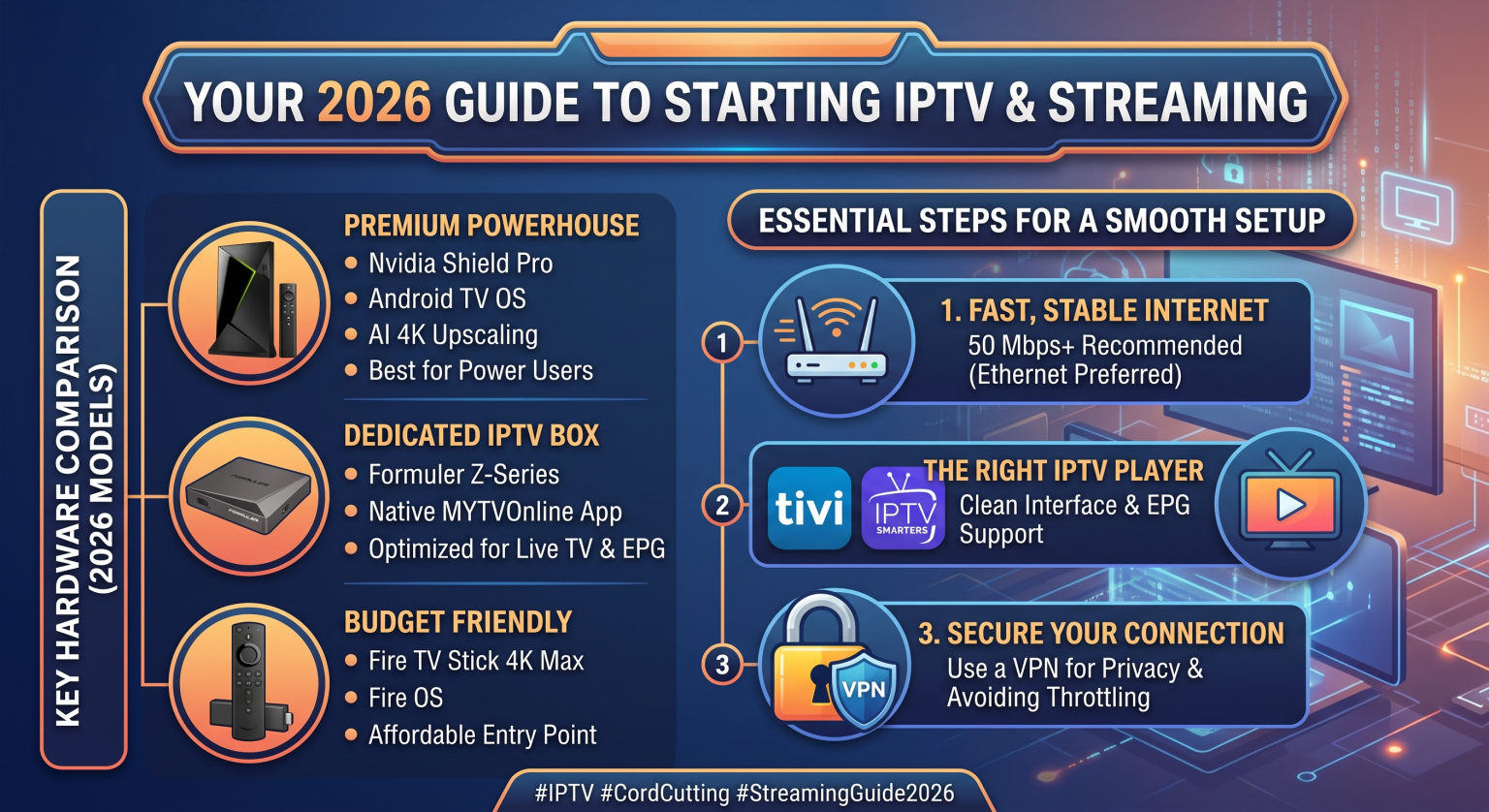
Udgangspunktet: Du har brug for en stabil downloadhastighed på 50 Mbps alene til dit tv. Hvis andre i huset spiller eller downloader filer, bør du have mindst 100 Mbps.
Kabel er kongen: Brug altid et Ethernet-kabel, hvis det er muligt. Wi-Fi er følsomt over for forstyrrelser fra vægge, mikrobølger og din nabos router.
Wi-Fi 6E: Hvis du absolut skal bruge Wi-Fi, skal du sikre dig, at din router og din streaming-enhed understøtter Wi-Fi 6 eller 6E.
2. Valg af hardware i 2026
Markedet for streaming-enheder har for nylig gennemgået en forandring. De gamle, pålidelige dongler findes stadig, men tungere og mere avancerede bokse er ved at overtage stuerne. Her er de produkter, der dominerer markedet lige nu.
Tungvægteren: Nvidia Shield TV Pro
Ja, hardwaren har været på markedet i et stykke tid, men Nvidias processor og AI-opskalering er stadig uovertruffen. Hvis du ser IPTV-streams i 720p eller 1080p, sørger Shields AI faktisk for, at de ser betydeligt skarpere ud på din 4K-tv. Den er dyr, men den klarer krævende apps, Plex-servere og Gigabit Ethernet-hastigheder uden problemer.
IPTV-specialisten: Formuler Z12 Ultra
Hvis dit primære mål er at se IPTV, er Formuler det mærke, der er sværest at slå. Z12 Ultra er skræddersyet til netop dette formål. Den leveres med Formulers egenudviklede software indbygget, som integrerer din udbyders portal fejlfrit, så den føles præcis som en premium-kabelboks. Det går lynhurtigt at skifte kanal, og fjernbetjeningen er specielt udviklet til navigation i live-tv.
Smart Home-hubben: Google TV Streamer 4K
Google har endelig udfaset de hængende Chromecast-dongler til fordel for et elegant design i form af en set-top-boks. Den har 32 GB lagerplads, 4 GB RAM og en indbygget Gigabit Ethernet-port. Det er en markant forbedring med hensyn til stabilitet og hastigheden ved indlæsning af apps, selvom den ikke har den samme rå opskaleringskraft som Shield eller den dedikerede IPTV-software som Formuler.
Budgetvalget: Amazon Fire TV Stick 4K Max (2. generation)
Til ekstra-tv’er eller når budgettet er stramt, er Firestick 4K Max er stadig et godt valg. Den understøtter Wi-Fi 6E og har tilstrækkelig ydeevne til at køre almindelige streaming-apps uden problemer. Hvad er hagen? Amazons aggressive reklamer på startskærmen og det faktum, at man som regel er nødt til at installere tredjepartsapps via sideloading IPTV-afspillere fordi de ikke er tilgængelige som standard i Amazon Appstore.
Sammenligningstabel for enheder 2026
| Enhed | Bedst egnet til | OS-platform | Lagring / RAM | Indbygget Ethernet |
| Nvidia Shield TV Pro | Avancerede brugere og hjemmebiograf | Android TV | 16 GB / 3 GB | Ja (Gigabit) |
| Formuler Z12 Ultra | Faste IPTV-seere | Android (tilpasset) | 32 GB / 4 GB | Ja (Gigabit) |
| Google TV Streamer 4K | Generelt om streaming og smarthjem | Google TV | 32 GB / 4 GB | Ja (Gigabit) |
| Fire TV Stick 4K Max | Budget / Ekstra-tv’er | Fire OS | 16 GB / 2 GB | Nej (kræver adapter) |
3. Den software, der får det til at fungere
Hardwaren er kun halvdelen af løsningen. Den app, du bruger til at afspille dine streams, er afgørende for hele din daglige oplevelse.
TiviMate (Kun Android): Dette anses af mange for at være den absolutte standard inden for IPTV-visning. Brugergrænsefladen er overskuelig, den kan håndtere flere afspilningslister samtidigt, og EPG-integrationen fungerer stort set fejlfrit. Premium-versionen er pengene værd på grund af funktioner som catch-up-tv og optagelse.
IPTV Smarters Pro: Den er meget populær, fordi den fungerer på næsten alt: Android, iOS, Windows og Samsung/LG-smart-tv. Den er brugervenlig, hvilket gør den ideel til begyndere, selvom brugergrænsefladen ikke er helt så elegant eller tilpasselig som TiviMate.
MYTVOnline (eksklusivt på Formuler): Hvis du har købt en Formuler-boks, har du ikke brug for apps fra tredjeparter. Denne indbyggede software er tæt integreret med hardwaren og giver den mest autentiske “kabelagtige” oplevelse, der findes på markedet.
4. Privatliv og sikkerhed først
Man kan ikke tale om streaming uden at nævne netværksprivatliv. Afhængigt af, hvor dine streams kommer fra, kan din internetudbyder (ISP) beslutte at begrænse din forbindelse. Hvis de registrerer stor og vedvarende videotrafik, sænker de ofte din hastighed i spidsbelastningsperioder, hvilket kan føre til buffering midt i en afgørende kamp.
Ved at bruge et pålideligt VPN (Virtual Private Network) skjules din internettrafik. Din internetudbyder ser kun krypterede data, hvilket forhindrer dem i at begrænse din forbindelseshastighed på baggrund af din specifikke aktivitet. For at opnå de bedste resultater bør du installere VPN-appen direkte på din streaming-enhed og indstille den til at oprette forbindelse automatisk ved opstart.
Konklusionen
At få det rigtige streaming-setup i 2026 handler ikke om blindt at købe det dyreste udstyr; det handler om at tilpasse hardwaren til den måde, du rent faktisk ser tv på.
Hvis du er på udkig efter et alt-i-ét-medie-kraftcenter, så vælg Nvidia Shield TV Pro. Hvis du vil have den absolut bedste, forsinkelsesfri IPTV-oplevelse med en klassisk fjernbetjeningsfølelse, er Formuler Z12 Ultra det bedste valg. Sørg for, at dit Wi-Fi fungerer, tilslut et Ethernet-kabel, hvis det overhovedet er muligt, installer en overskuelig brugergrænseflade som TiviMate, og så vil du aldrig mere savne den gamle kabelregning.