
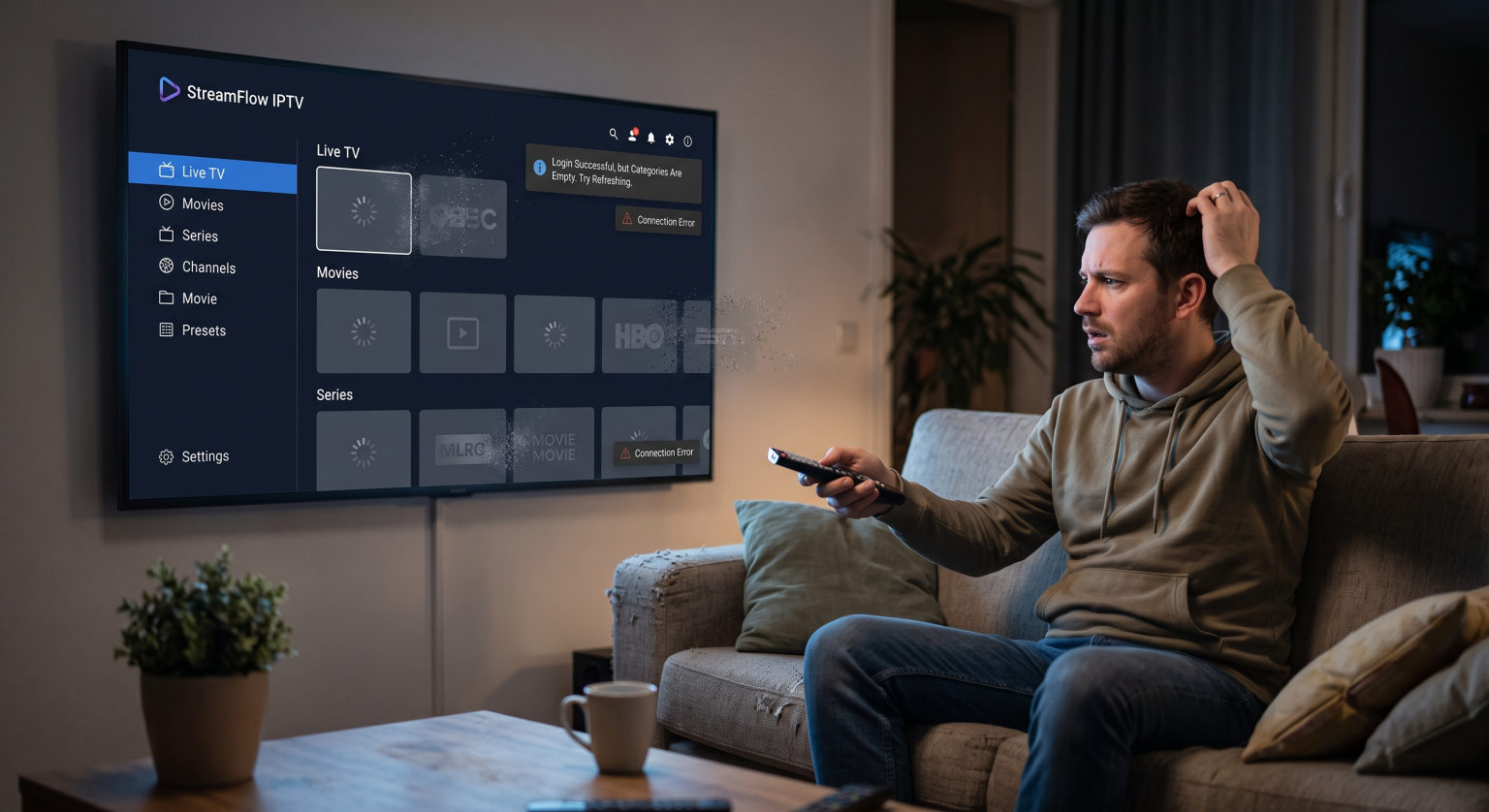
You sit down to watch the big game or your favorite show, but instead, you stare at a blank screen. Finding your IPTV categories empty after logging in is one of the most frustrating streaming issues you can encounter.
Whether you are streaming from a living room smart TV or a mobile device, users worldwide face this exact problem. Fortunately, getting your missing channels, movies, and series back is usually a quick and painless fix.
Let’s explore why your playlist is hiding and how to restore your entertainment setup immediately.
Why Are My IPTV Categories Empty?
When you log in and find your IPTV categories empty, it usually points to a communication breakdown. Your streaming app simply isn’t receiving the necessary directory data from the provider’s server.
Here are the most common culprits behind a blank VOD section or disappearing live TV channels.
1. Broken or Expired m3u Link
If your IPTV subscription issues start suddenly, you should first check your account status. An expired account will immediately block your access to the servers.
Additionally, if your provider changed their server URL, your old m3u link will fail to load any content.
2. ISP Blocking and Routing Issues
Sometimes, local internet service providers block streaming traffic without warning. Depending on your region’s internet regulations, your ISP might be temporarily restricting access to specific external servers.
Using a reliable VPN can often bypass this network interference instantly, allowing your categories to populate.
3. Outdated App Cache
Streaming apps store temporary data to help menus load faster. When this cache gets corrupted, your app might struggle to load the latest playlist updates.
Clearing the cache forces the application to fetch a fresh channel list directly from the source.
Decoding Your Missing IPTV Channels
Let’s look at the most common reasons your categories aren’t showing and how they compare to one another.
| Problemtype | Typical Symptom | Den bedste umiddelbare foranstaltning |
| Server Maintenance | All categories blank, loading wheel spins infinitely | Wait 1-2 hours or contact provider |
| ISP Blocking | App opens perfectly but playlist fails to download | Connect to a premium VPN |
| Corrupted App Cache | Some categories load, others remain completely empty | Clear app cache and restart device |
| Expired Subscription | Login fails entirely or shows exactly zero channels | Renew your IPTV plan |
How to Fix Missing IPTV Channels Fast
Ready to get your shows back if your IPTV categories remain empty? Follow these troubleshooting steps to resolve your IPTV playlist not loading.
These proven methods work across most smart TVs, Android boxes, and Firesticks.
Refresh the IPTV App Connection
Start by simply logging out of your account and logging back in. Next, look for a “Refresh Playlist” or “Update VOD” button hidden in your app’s settings menu.
This manual ping often forces the server to repopulate your empty categories instantly.
Verify Your Network Setup
Restart your router to clear any local network glitches or IP conflicts. If your server connection error persists, try switching your device from Wi-Fi to a direct Ethernet cable.
A stable, wired connection is absolutely crucial for downloading massive channel directories without interruption.
Don't Settle for an Empty Screen
Håndtering af IPTV categories empty doesn’t mean your weekend binge is ruined forever. By checking your connection, refreshing your app, and bypassing ISP blocks, you can restore your service in minutes.
For viewers looking for a flawless, buffer-free experience, having a high-quality provider makes all the difference.
Tired of constant server drops, empty categories, and missing channels? Upgrade to a premium, stable streaming experience today. [Click here to view our reliable TV Shadow IPTV subscription plans] and enjoy uninterrupted entertainment!
Ofte stillede spørgsmål (FAQ)
Why did my movies and series disappear suddenly?
This often happens when your provider updates their Video on Demand (VOD) library or migrates servers. Simply refreshing your playlist or restarting the app usually brings the missing categories back immediately.
Will uninstalling the app fix my empty categories?
Yes, uninstalling and reinstalling your player is a great way to clear deep-rooted software bugs. Just make sure you have your login credentials or m3u link saved before doing so!
Do I need a VPN if my playlist won't load?
If your local ISP is blocking the server connection, a VPN is the easiest solution. It masks your internet traffic, allowing the channel playlist to download without network restrictions.