
Samsung now offers seven years of Tizen operating system updates for new Smart televisions. This software policy extends the life of the television. The policy also gives users new software features for a longer time. But not every Samsung television receives these updates.
This article explains the new update policy. The article lists which television models qualify for the extended support plan. The article also explores how these software updates affect your overall viewing experience. Finally, we explain how this software policy impacts users who stream video via IPTV.
Hurtigt svar
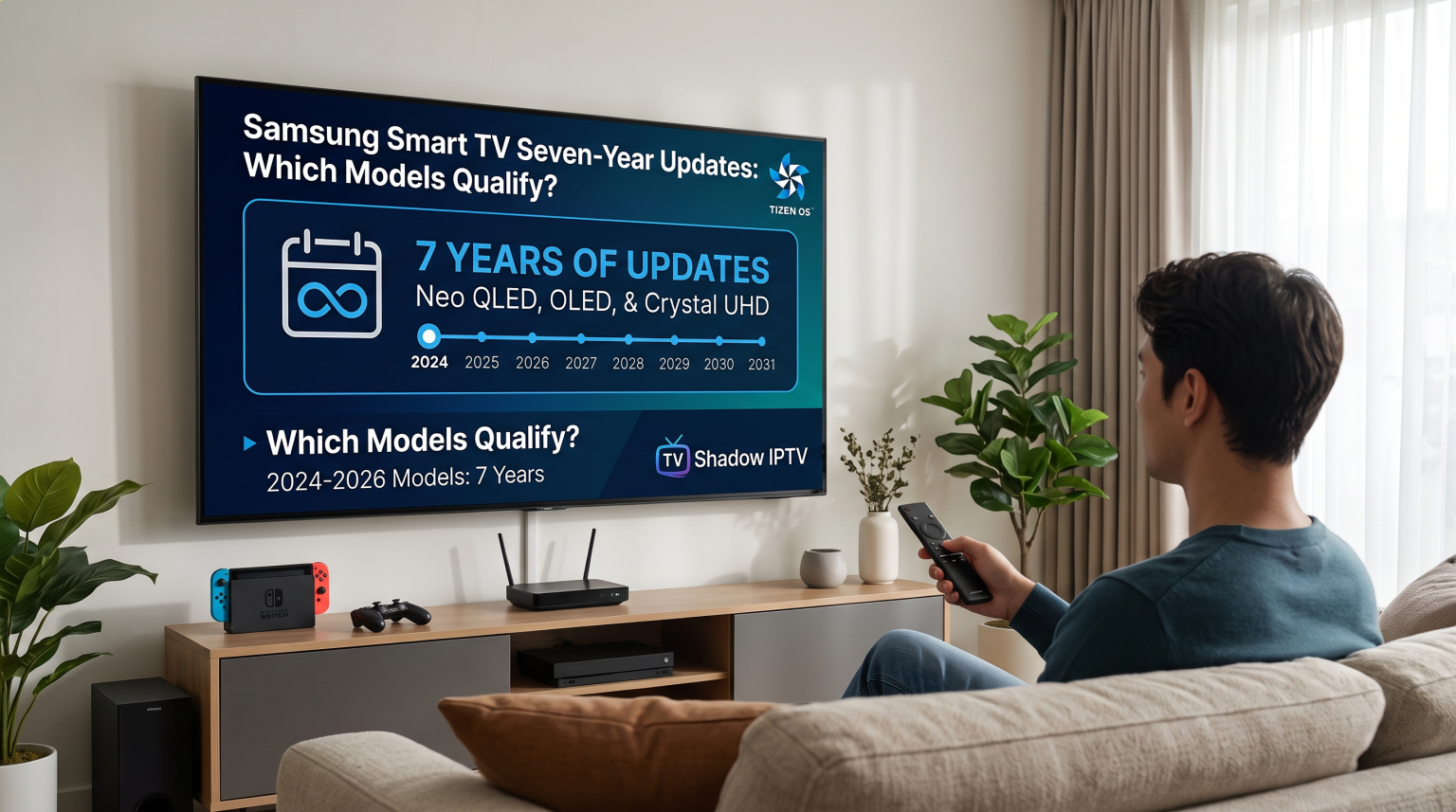
Den Samsung TV 7 years updates policy applies to all new Samsung Smart TVs released in 2024, 2025, and 2026. Certain high-end television models from 2023 also qualify for this extended support. Older Samsung models released in 2022 or earlier do not receive seven years of full system updates, but the older models still receive critical security patches. If you want the longest software support, buying a 2024 or newer Samsung model is the safest choice for the future.
The Samsung TV 7 Years Updates Policy Explained
In 2024, Samsung changed the software update strategy for Smart televisions. Previously, most Smart TVs only received major software updates for two or three years. Now, Samsung promises seven years of Tizen operating system upgrades for qualifying television models.
The new policy means a television purchased in 2024 will continue receiving new software versions until 2031. The software updates include new user interface designs. The updates also include new smart home features and important security improvements. This extended policy makes a Samsung television a safer long-term investment.
Televisions are expensive. Consumers want to keep a television for many years. When a manufacturer provides long-term software support, the television does not become obsolete quickly. The television menus remain fast. The streaming applications continue to work correctly.
Which Samsung TV Models Qualify?
The exact television model year determines if the television receives the full seven-year update plan.
2024 and Newer Models
All Samsung Smart televisions released in 2024 or later qualify for the full seven years of Tizen software updates. The policy includes all price categories. The popular Neo QLED series is included. The OLED series is included. The standard Crystal UHD models are also included. If the model number indicates a release year of 2024, 2025, or 2026, the television is part of the long-term support plan.
2023 Models
Some Samsung televisions from 2023 also qualify for the seven-year update policy. However, the seven-year policy does not apply to every 2023 model. Samsung primarily includes premium 2023 models in this program. Examples include the high-end Neo QLED 8K, Neo QLED 4K, and the S95C OLED televisions. Basic 2023 models might not receive the full seven years of support.
Older Samsung Models
If you own a Samsung television from 2022, 2021, or earlier, your television does not qualify for new feature updates. These older televisions keep the original Tizen operating system version. However, Samsung continues to send security patches and minor bug fixes to older models to keep the televisions safe from hackers.
Why Smart TV Software Updates Matter
Software updates are important for three main reasons.
First, updates provide necessary security. A Smart television connects directly to the internet. Security updates protect your personal information and your home network from internet threats.
Second, updates ensure application compatibility. Streaming applications frequently update the application software. If a television operating system is too old, new applications might stop working completely. The Samsung TV 7 years updates policy means you can install the latest streaming applications for many years without buying an external streaming device.
Third, updates improve the television interface. Samsung often redesigns the Tizen home screen. Software updates can make the television menus faster or easier to read. With regular updates, an older television feels like a new model.
Operating System Comparison: Tizen vs Google TV vs webOS
How does the Samsung update policy compare to other television brands? Other television manufacturers are also increasing software support. If you are choosing a new television, our guide to Det bedste Smart TV-operativsystem til IPTV i 2026 explains the general differences between Tizen, Google TV, and webOS.
Here is a simple comparison of the main television operating systems:
| Funktion | Samsung Tizen | Sony Google TV | LG webOS |
| Operativsystem | Tizen | Google TV (Android) | webOS |
| App-butik | Samsung Apps | Google Play Store | LG Content Store |
| Update policy | Up to 7 years (2024+ models) | Varies by model (often 3-5 years) | Up to 5 years (webOS Re:New) |
| Understøttelse af Android-apps | Ingen indbygget understøttelse | Native support | Ingen indbygget understøttelse |
| IPTV app compatibility | Høj | Meget høj | Høj |
Samsung currently offers one of the longest update policies in the television market. LG offers five years of updates for new LG models. Sony televisions use Google TV, and the Sony update timeline depends on a combination of Google software and Sony hardware support.
Samsung Tizen and LG webOS do not support Android applications. You cannot install an APK file on a Samsung television. Sony Google TV natively supports Android applications. Therefore, Sony has the largest selection of applications.
Using Samsung Tizen for IPTV
Many people use a Smart television to watch IPTV services like TV Shadow IPTV. The Samsung Tizen operating system is generally very good for this purpose.
Because the Tizen application store is very popular, many software developers create IPTV player applications specifically for Samsung televisions. You can easily find applications that support M3U playlists and Xtream Codes. These applications also support the Electronic Program Guide (EPG). The EPG is the menu that shows you what television programs are playing.
However, as mentioned, a Samsung television cannot install Android applications. You must use the applications available in the official Samsung App Store. If you prefer to use specific Android applications, a Sony television might be a better choice. You can read our detailed comparison in Samsung Tizen vs. Sony BRAVIA Google TV: Hvilket er bedst til IPTV i 2026?.
Den nye Samsung TV 7 years updates policy is excellent for IPTV users. The policy guarantees that your television will remain compatible with modern IPTV player applications until at least 2031.
The Samsung Remote Control Experience
The standard Samsung television remote control is usually small. Modern versions use a solar panel on the back to charge the battery. This solar panel means you do not need to replace the batteries manually.
The remote control is very simple and has only a few buttons. This minimalist design is easy to use for standard streaming applications like Netflix.
However, using a minimalist remote control for an IPTV application can sometimes require practice. Most IPTV applications use a large Electronic Program Guide (EPG). Navigating a large EPG is often easier with a traditional remote control that has a full number pad. But after a few days of use, most people find the modern Samsung remote control very comfortable for IPTV.
Watching Live Football on Samsung TVs
Watching live football requires a television with excellent motion handling. When the television camera moves quickly across the football pitch, the picture must remain clear and sharp.
Samsung Neo QLED and OLED models are excellent for live sports. These premium televisions have a 120Hz or 144Hz refresh rate. A high refresh rate prevents the football from looking blurry when the football moves quickly. If you want to understand more about refresh rates, read our article about 60 Hz kontra 120 Hz-tv til livefodbold.
Modern Samsung televisions also use powerful picture processing to improve image quality. A 4K television has four times more pixels than a standard HD television. If your input stream is not 4K, the television must use a process called upscaling. Upscaling makes a lower-quality video look better on a 4K screen.
Live football also benefits from High Dynamic Range (HDR) technology. Samsung televisions support a format called HDR10+. Samsung televisions do not support the Dolby Vision format. HDR10+ makes the colors of the football pitch look more natural and makes the stadium lights look brighter.
Finally, your internet connection is very important for live sports. We strongly recommend connecting your Samsung television directly to your internet router using an Ethernet cable. An Ethernet cable provides a much more stable connection than Wi-Fi. A stable connection prevents buffering during an important football match.
Konklusion
Den Samsung TV 7 years updates policy is a major advantage for television buyers. By providing updates for seven years, Samsung ensures that your television remains secure, fast, and compatible with the newest streaming applications for a very long time.
If you are buying a television for TV Shadow IPTV, a 2024 or newer Samsung model is a very safe long-term choice. The long software support means you can enjoy your favorite live football matches, series, and movies for many years without needing to buy a new television or an external streaming device. While other brands like LG and Sony also offer excellent televisions, Samsung currently offers one of the strongest commitments to software longevity in the industry.
Ofte stillede spørgsmål (FAQ)
Does the Samsung 7-year update policy apply to all TVs?
No, the seven-year policy does not apply to all televisions. The policy applies to all 2024 and newer models, and selected high-end 2023 models. Older television models do not receive seven years of updates.
Will my older Samsung TV stop working?
No, your older television will not stop working. The older television will continue to work normally. However, the television will not receive major new features. The television will only receive necessary security updates.
Do I have to pay for the Tizen OS updates?
No, you do not have to pay. Samsung provides all Tizen operating system updates completely free of charge.
How do I update my Samsung Smart TV?
You can update your television in the settings menu. Go to Settings, select Support, and then choose Software Update. You can also turn on the Auto Update feature to install updates automatically.
Can I install Android apps on a Samsung TV?
No, you cannot install Android apps on a Samsung television. Samsung televisions use the Tizen operating system. You can only install applications from the official Samsung App Store.
Are Samsung TVs good for IPTV?
Yes, Samsung televisions are very good for IPTV. The Samsung App Store has many reliable IPTV player applications available for download. These applications support standard IPTV formats.