
Smart TV operating systems decide which applications you can install. Samsung Tizen, LG webOS, and Google TV are the three most popular Smart TV platforms today. Each system has different application stores and different rules for developers.
When you buy a new television, the operating system is as important as the picture quality. Application support affects your ability to stream movies, watch live football, and use IPTV services. Samsung uses the Tizen operating system for Samsung Smart TVs. LG uses the webOS operating system for LG Smart TVs. Manufacturers such as Sony, TCL, and Hisense use Google TV.
This article compares Samsung Tizen, LG webOS, and Google TV. This comparison will help you choose the best television for your specific application needs.
Hurtigt svar
Google TV offers the widest application support because it uses the Google Play Store. You can install almost any Android TV application on Google TV. Samsung Tizen and LG webOS support all major streaming services such as Netflix, YouTube, and Amazon Prime Video. However, Samsung Tizen and LG webOS have fewer specialized applications. For users who want maximum freedom and the most IPTV applications, Google TV is the best choice. For users who only want mainstream streaming applications, Samsung Tizen and LG webOS are excellent and very user-friendly.
Understanding Smart TV Operating Systems
Every Smart TV needs an operating system. The operating system runs the applications and controls the television menus.
Samsung Tizen
Samsung builds the Tizen operating system. You will find Tizen on all new Samsung Smart TVs. The Tizen application store is a closed environment. This means developers must create applications specifically for Samsung Tizen. Samsung Tizen supports all popular global streaming services. The Tizen interface is fast and easy to navigate.
LG webOS
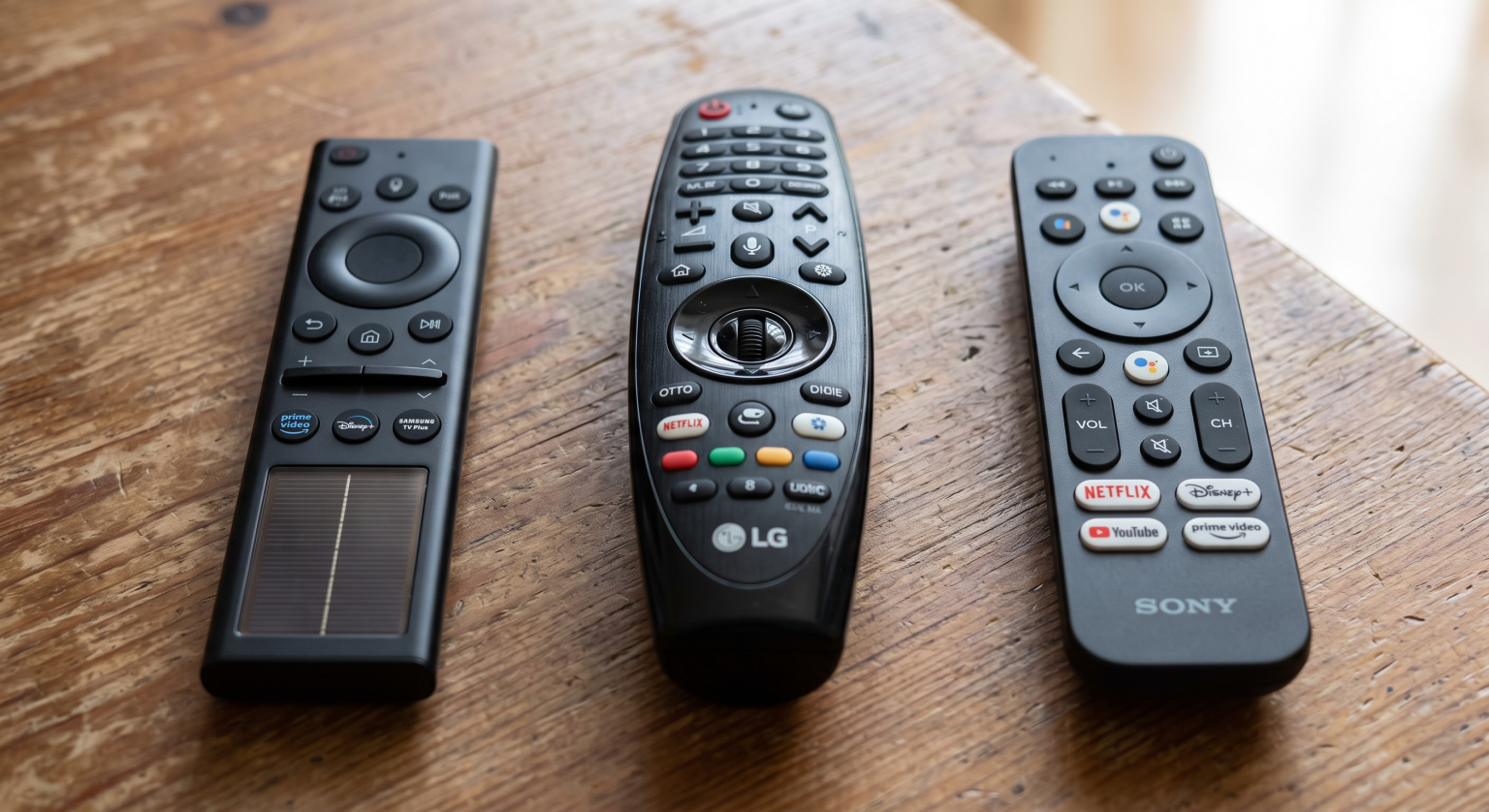
LG builds the webOS operating system. You will find webOS on all new LG Smart TVs. Like Tizen, webOS has a closed application store. Developers must write specific code for LG televisions. LG webOS is very responsive. LG televisions include a Magic Remote. The Magic Remote works like a computer mouse, allowing you to point directly at the screen.
Google TV
Google created Google TV. Google TV is based on the Android TV operating system. Television manufacturers such as Sony, TCL, and Philips use Google TV. Because Google TV uses the Google Play Store, it supports thousands of Android applications. This massive library makes Google TV the most flexible operating system for advanced users.
Indsæt din overskrift her
The biggest difference between these three systems is the application store size.
Google TV provides the largest selection. If an application exists for Android devices, an Android TV version usually exists for Google TV. You can also download VPN applications, media players, and system tools directly from the Google Play Store.
Samsung Tizen and LG webOS have smaller application stores. They focus on official video streaming services. You will easily find Disney+, HBO Max, and local television broadcaster applications. However, you will find fewer utility applications and fewer independent media players. If you want to explore the exact differences between Samsung and LG, read our guide to Samsung vs. LG Smart TV til IPTV: Tizen vs. webOS.
IPTV Compatibility
Because you are visiting TV Shadow IPTV, you probably want to know which television is best for IPTV. IPTV players require specific software to read M3U playlists and Xtream Codes.
IPTV Players on Google TV
Google TV is the best operating system for IPTV. The Google Play Store contains many highly rated IPTV players. You can install applications such as TiviMate or IPTV Smarters very easily.
Google TV also allows “sideloading”. Sideloading means you can install application files directly from the internet. If an IPTV player is removed from the Google Play Store, you can still install it via sideloading. This gives Google TV users complete control over their software.
IPTV Players on Samsung Tizen and LG webOS
Samsung Tizen and LG webOS support IPTV, but the options are limited. You can find several IPTV players in the Samsung and LG application stores. Applications such as IBO Player or Flix IPTV are frequently available.
However, you cannot install Android applications on Samsung Tizen or LG webOS. You also cannot easily sideload applications. Furthermore, application availability depends on your country and the television model. Sometimes, an IPTV application will disappear from the Samsung or LG store without warning.
To understand these limitations better, we recommend reading our detailed comparison of Tizen vs. Google TV til IPTV-apps: Hvad er forskellen?.
Live Football and Sports Streaming
Watching live football requires a good television screen and a stable operating system.
Bevægelseshåndtering og opdateringshastigheder
When you watch live football, the ball moves very quickly across the screen. A television with a 120Hz refresh rate displays fast motion much better than a television with a 60Hz refresh rate. Samsung, LG, and Sony all manufacture excellent 120Hz televisions. The operating system does not change the physical refresh rate of the screen.
Streaming Stability
Live football requires a stable internet connection. Video buffering will ruin a sports match. All three operating systems support Ethernet cables and Wi-Fi connections. An Ethernet cable provides the best stability for live football.
Google TV, Samsung Tizen, and LG webOS all run official sports applications smoothly. They also support 4K resolution and HDR (High Dynamic Range) for sports broadcasts. The picture quality depends on your specific television model, not on the operating system.
Software Updates and Long-Term Support
Televisions need software updates to keep applications working securely. In the past, manufacturers rarely updated television operating systems. This policy is finally changing.
Samsung Tizen Updates
Samsung recently announced a new, long-term update policy. Samsung will provide seven years of free Tizen operating system upgrades for its new AI televisions, starting with the 2024 models. Some high-end 2023 models will also receive these updates. This seven-year support is a major improvement for Samsung buyers.
LG webOS Updates
LG now offers the webOS Re:New program. Under the webOS Re:New program, LG provides four operating system upgrades over five years. This program guarantees that your LG television will receive new features and maintain application support for a long time.
Google TV Updates
Google TV updates depend on the television manufacturer. Sony and TCL usually provide system updates for several years. However, because Google TV applications update directly through the Google Play Store, individual applications often continue working perfectly even if the main television operating system is older.
Comparison Table: Tizen vs webOS vs Google TV
| Funktion | Samsung Tizen | LG webOS | Google TV |
| Main App Store | Samsung Apps | LG Content Store | Google Play Store |
| Support til Android-apps | Nej | Nej | Ja |
| Sideloading Apps | Very difficult | Very difficult | Yes, easy |
| Software Updates | Up to 7 years (new models) | 5 years (Re:New program) | Varies by manufacturer |
| Remote Control | Standard / Solar | Magic Remote (pointer) | Standard |
| Bedst egnet til | Mainstream streaming | Mainstream streaming | Maximum app choice |
Konklusion
Samsung Tizen, LG webOS, and Google TV are all capable Smart TV platforms. Your choice depends on how you use your television.
Samsung Tizen and LG webOS are excellent for standard streaming. They are fast, reliable, and easy to use. LG’s Magic Remote makes navigation extremely simple. Samsung’s seven-year update policy ensures a long lifespan for new models.
However, Google TV offers the best application support. The Google Play Store provides thousands of applications. The ability to sideload applications makes Google TV the best choice for IPTV users and advanced enthusiasts. If application flexibility is your priority, choose a television with Google TV.
OFTE STILLEDE SPØRGSMÅL
Can I install Android applications on Samsung Tizen?
No, you cannot install Android applications on Samsung Tizen. Samsung Tizen uses its own code format, and it cannot run Android APK files.
Does LG webOS have the Google Play Store?
No, LG webOS does not have the Google Play Store. LG televisions use the LG Content Store to download applications.
Which operating system is best for IPTV?
Google TV is the best operating system for IPTV. It offers the largest selection of IPTV players and allows users to sideload applications directly from the internet.
Can I change my TV operating system from Tizen to Google TV?
No, you cannot replace the internal operating system of your television. However, you can connect an external Google TV streaming stick to an HDMI port on your Samsung or LG television.
Do all Google TV televisions perform the same?
No, the performance depends on the television processor. A premium Sony Google TV will navigate menus much faster than a budget Google TV model.
What is sideloading on Google TV?
Sideloading is the process of installing an application directly from an installation file, instead of downloading it from the official Google Play Store.