
TM IPTV Player has released a new software update for Android TV and Google TV devices. The application now includes native language support for several European languages. The TM IPTV German language option makes television navigation much easier for German-speaking users.
This recent software update also introduces new features for Android TV users. Television viewers can now synchronize application settings across multiple devices using Google Sync. The application developers have also improved the Electronic Program Guide (EPG) and added new category management tools. This article explains the new features, discusses Android TV compatibility, and shows how these updates improve the television viewing experience.
Hurtigt svar
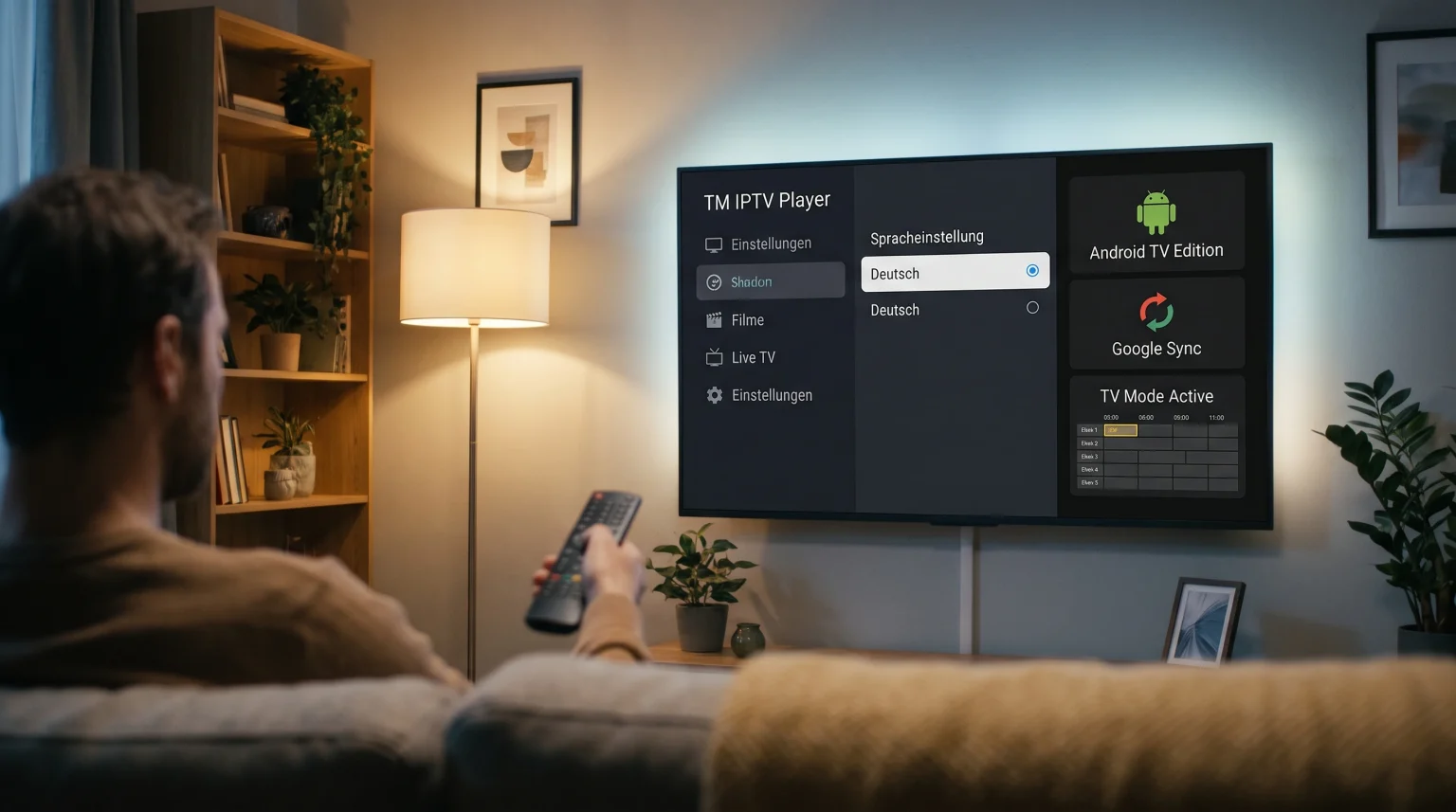
The latest TM IPTV Player update introduces full German language support for the user interface. German-speaking users can now read menus, adjust settings, and navigate the Electronic Program Guide in their native language. The application is highly optimized for Android TV and Google TV. Users can install TM IPTV directly from the Google Play store. The application features a dedicated “TV Mode” that makes remote control navigation fast and simple.
What is TM IPTV Player?
TM IPTV Player is an independent media player application. The application is available for Android phones, Android TV devices, Apple TV, and Windows computers.
The application is completely free to download and use. TM IPTV Player does not contain advertisements. The application does not use tracking software to monitor user behavior.
Users must understand that TM IPTV Player does not provide television content. The application does not sell television subscriptions. Users must connect their own authorized Xtream Codes provider account to watch television channels.
New Language Support
The most important feature for European users is the expanded language integration. The TM IPTV German language update translates the entire user interface into German.
The application now supports the following languages:
Engelsk
Tysk
Fransk
Italian
Spansk
Portuguese
Turkish
Russian
Arabic
Hebrew
Users can change the interface language at any time in the application settings menu.
Key Features for Android TV Users
The application includes many features designed specifically for modern Smart TVs. If you want to learn more about television platforms, read our guide exploring Tizen vs. Google TV til IPTV-apps: Hvad er forskellen?.
TV Mode Navigation
Television users interact with applications differently than mobile phone users. TM IPTV Player includes an optional “TV Mode”. This mode optimizes the screen layout for television remote controls. Users can navigate categories and channels easily using the directional pad (D-pad) on a standard Android TV remote control.
Google Synchronization
Many users watch television on multiple devices. The new Google Sync feature solves a common problem. Users can now synchronize their favorite channels and application settings between their Android mobile phone and their Android TV. This means users do not need to organize their channel lists twice.
Catch-Up TV Enhancements
Catch-up TV allows users to watch television programs after the original broadcast time. The latest update improves the catch-up TV menu. Users can now browse past programs by specific days. Users can also search for specific program titles within the catch-up TV menu.
Offline Downloads and Recording
TM IPTV Player supports media recording. Users can record live television directly to their device storage. Users can also schedule future recordings.
For Video on Demand (VOD) content, the application supports offline downloads. Users can download movies and television series to watch later without an internet connection. These features only work if the user’s IPTV provider supports downloading and recording.
Android TV vs Samsung Tizen for IPTV
When users buy a new television, the operating system determines which applications are available. Android TV (or Google TV) offers a different experience than Samsung Tizen.
| Funktion | Android TV (Google TV) | Samsung Tizen |
| Operating system developer | Samsung | |
| App store ecosystem | Google Play | Samsung Apps |
| TM IPTV Player availability | Available directly from Google Play | Not available natively |
| Sideloading apps | Supported via APK files | Not supported for standard users |
| Third-party app variety | Høj | Mellem |
Android TV is generally a more flexible platform for IPTV applications. Users can install TM IPTV Player directly from the Google Play store on televisions from brands like Sony, Philips, and TCL. Samsung Tizen does not support Android applications. Samsung users must use different IPTV applications available in the Samsung Apps store.
For users interested in Sony televisions, our article Er Sony BRAVIA et godt valg til IPTV i 2026? explains how the Google TV system works on premium screens.
How to Use TM IPTV for Live Football
Many users install IPTV applications specifically to watch live sports. Watching live football requires a stable internet connection and a capable television.
Bevægelseshåndtering og opdateringshastigheder
Live football features fast camera movements. To view these movements clearly, the television hardware must process motion well. A television with a 120Hz refresh rate will display fast sports more smoothly than a television with a 60Hz refresh rate. You can learn more about this technical difference in our article comparing 60 Hz kontra 120 Hz-tv til livefodbold.
Internet Connection Requirements
Live sports streaming requires constant data transfer. TM IPTV Player uses a modern ExoPlayer system to provide smooth playback. However, the application cannot fix a weak internet connection.
For the best live football experience, users should connect their Android TV to their internet router using an Ethernet cable. An Ethernet cable provides a much more stable connection than Wi-Fi. This stability prevents the television stream from pausing or buffering during an important football match.
TV Shadow IPTV-kompatibilitet
TV Shadow IPTV wants to ensure users understand how different applications and devices work together.
TM IPTV Player is fully compatible with Xtream Codes API. This means users can enter their server URL, username, and password to load their television playlist. The application also supports standard M3U and M3U8 playlist files.
Please note the following important information:
TV Shadow IPTV does not own or develop the TM IPTV Player application.
TV Shadow IPTV does not have an official relationship with Google, Samsung, Sony, or LG.
Application availability depends on the user’s country and television model.
Some Smart TV operating systems limit which applications users can install.
Users should always verify application availability in their local app store before purchasing a new television.
Konklusion
The TM IPTV German language update makes this application an excellent choice for users in Germany, Austria, and Switzerland. By adding native language support, the developers have made television navigation much easier.
The application works exceptionally well on Android TV devices. Features like Google Sync, TV Mode navigation, and offline downloads provide a premium user experience. Because the application is free and contains no advertisements, it is a very strong option for users who want a clean, modern IPTV interface. Users looking for a reliable player for their Android TV should consider testing TM IPTV Player.
Ofte stillede spørgsmål (FAQ)
Does TM IPTV Player provide television channels?
No. TM IPTV Player is strictly a media player application. The application does not contain any television channels, movies, or sports streams. Users must provide their own authorized content.
How do I change the language to German in TM IPTV Player?
Users can change the language in the application settings. Open the settings menu, select the interface options, and choose German from the language list. The entire interface will update immediately.
Is TM IPTV Player available on Samsung Smart TVs?
No. TM IPTV Player is currently available for Android TV, Android mobile devices, Apple TV, and Windows computers. Samsung televisions use the Tizen operating system, which cannot run Android applications.