
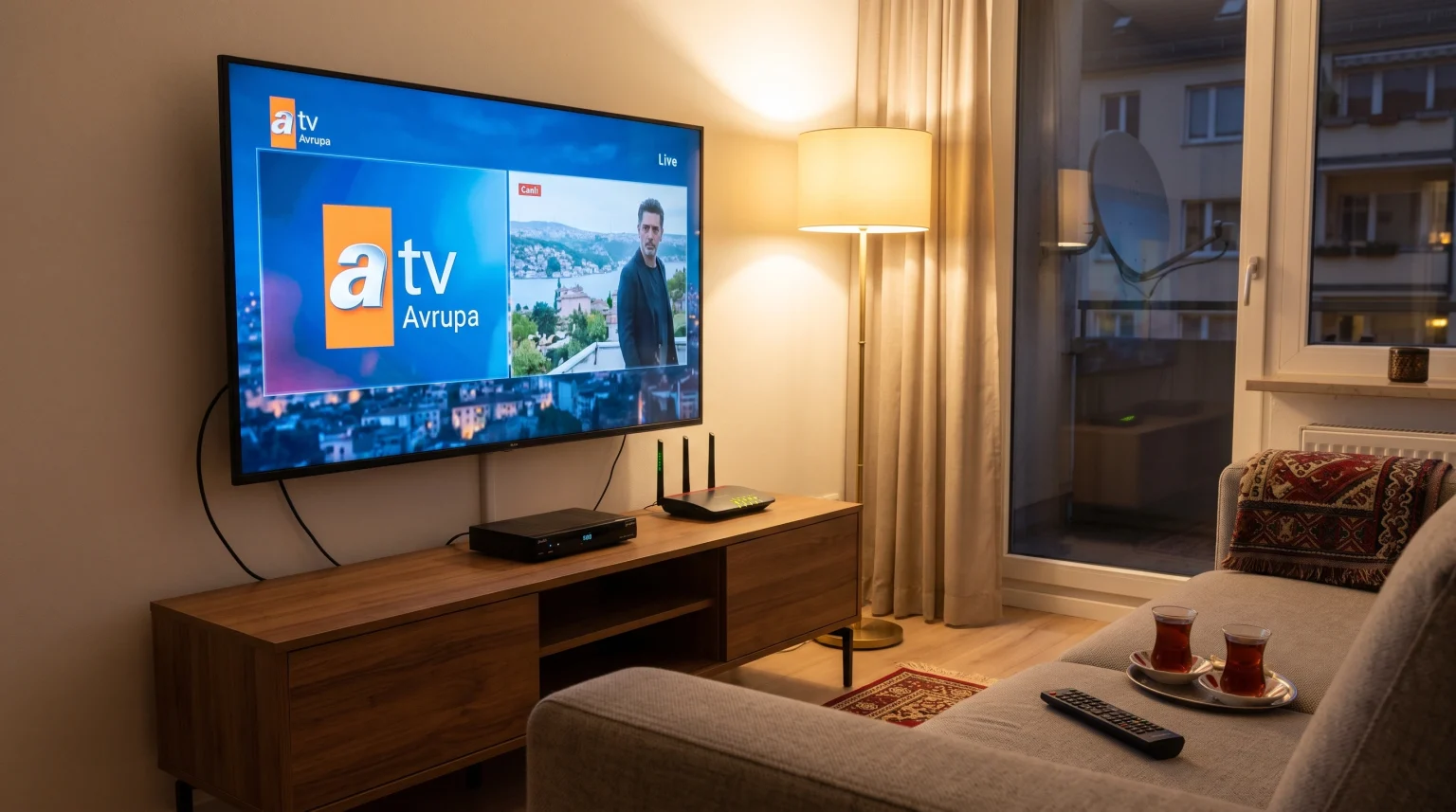
ATV Avrupa is the European broadcast version of the Turkish television channel ATV. Many Turkish-speaking households in Germany watch ATV Avrupa for Turkish drama series, daily news broadcasts, talk shows, and entertainment programs. Because ATV Avrupa is designed specifically for viewers in Europe, its broadcast schedule and advertising are adjusted for European time zones.
Viewers in Germany have several practical ways to watch ATV Avrupa. You can receive the channel via satellite on Türksat 4A, stream live broadcasts through the official ATV Avrupa website and mobile applications, or watch on a Smart TV using compatible Internet Protocol Television (IPTV) players. Each reception method has different hardware requirements, picture quality levels, and setup steps.
Kurze Antwort
You can watch ATV Avrupa in Germany in three main ways: via free-to-air satellite on Türksat 4A (42.0° East) in High Definition (HD), via the official ATV Avrupa website and mobile applications, or via a Smart TV using a compatible IPTV player. Satellite reception is suitable for households that already have a satellite dish aligned to Türksat 4A. Official web and mobile streaming is suitable for casual viewing on phones or laptops. Smart TV and IPTV setups are suitable for viewers who want to watch Turkish programs on a living-room television without installing a satellite dish.
What Is ATV Avrupa?
ATV Avrupa is an international Turkish television channel operated by Turkuvaz Media Group. The channel broadcasts in the Turkish language and targets Turkish-speaking viewers living in Germany, Austria, Switzerland, the Netherlands, France, and other European countries.
ATV Avrupa airs many of the same popular Turkish drama series, daytime shows, and news programs that appear on the domestic ATV channel in Turkey. However, ATV Avrupa uses its own broadcast feed. The European feed includes European-focused news segments, such as Avrupa Haber, and commercial breaks aimed at European audiences.
In early 2026, ATV Avrupa transitioned from Standard Definition (SD) to High Definition (HD) satellite broadcasting. This upgrade improved picture sharpness on modern televisions, especially on large 4K screens.
Main Ways to Watch ATV Avrupa in Germany
The best method to watch ATV Avrupa in Germany depends on your living situation, your internet connection, and the television equipment you already own.
1. Satellite Reception via Türksat 4A
Satellite television remains a widely used method for watching Turkish channels in Germany. ATV Avrupa broadcasts free-to-air on the Türksat 4A satellite. Free-to-air means that you do not need a monthly subscription or a smart card to decrypt the satellite signal.
However, satellite reception requires a properly aligned satellite dish pointing toward 42.0° East. Many apartment buildings in Germany restrict tenants from mounting private satellite dishes on balconies or exterior walls. Before buying satellite equipment, check your rental agreement or building rules.
2. Official Website and Mobile Applications
ATV Avrupa provides an official live stream on its website (atvavrupa.tv). You can open the live stream in a standard web browser on a laptop, desktop computer, or tablet. Note that the website may ask you to disable ad-blocking browser extensions before the video player loads.
Official mobile applications are also available for smartphones and tablets on major mobile app stores, such as the Apple App Store and Google Play. App availability and specific features can depend on your country, your device model, and current app-store policies.
3. Smart TVs and IPTV Players
Many viewers in Germany prefer to watch ATV Avrupa on a living-room television without installing a satellite dish. In this situation, an internet-based setup on a Smart TV or streaming box is often the most convenient option.
Smart TVs running operating systems such as Samsung Tizen, Google TV, Android TV, or LG webOS can run media player applications that support IPTV playlists. With a stable internet connection, you can watch Turkish channels directly through your television remote control.
Comparison of Viewing Methods for ATV Avrupa in Germany
The table below compares the main ways to watch ATV Avrupa in Germany based on hardware needs, setup effort, and daily convenience.
| Funktion | Türksat 4A Satellite | Official Website and Mobile Apps | Smart TV with IPTV Player |
| Internetverbindung erforderlich | Nein | Ja | Ja |
| Satellite dish required | Yes (aligned to 42.0° East) | Nein | Nein |
| Broadcast resolution | Full HD (1920×1080) | Depends on stream and connection | Depends on stream source and connection |
| Living-room TV usability | High (uses standard TV remote) | Low to medium (requires casting or cable) | High (uses Smart TV remote) |
| Apartment-friendly | Often restricted by building rules | Ja | Ja |
| Elektronischer Programmführer (EPG) | Basic satellite schedule data | Available on website and app | Depends on IPTV player and playlist |
Satellite reception may be suitable for homeowners who already have a dish aligned to Türksat 4A and want a broadcast signal that does not depend on home internet speed. Official websites and mobile applications may be suitable for viewers who watch primarily on smartphones, tablets, or laptops. A Smart TV with an IPTV player may be more suitable for apartment residents who want to watch Turkish programs on a main television without installing external hardware.
How to Set Up ATV Avrupa via Türksat 4A Satellite in Germany
Because ATV Avrupa updated its satellite broadcast to HD in 2026, older SD-only satellite receivers can no longer display the channel. You need a satellite receiver or a television with a built-in satellite tuner that supports Digital Video Broadcasting – Satellite Second Generation (DVB-S2) and MPEG-4 HD decoding.
Use the following official Türksat 4A satellite parameters to perform a manual channel scan:
Satellite: Türksat 4A (42.0° East, West Beam)
Frequency: 11833 MHz
Polarization: Vertical (V)
Symbol Rate: 7500
Forward Error Correction (FEC): 2/3
Modulation: DVB-S2 8PSK
To update your channel list, open the installation or channel search menu on your satellite receiver. Select Türksat 4A, choose manual transponder search, enter the parameters listed above, and start the scan. Save the new channel entry after the scan finishes.
If your signal quality is weak in Germany, check the alignment of your satellite dish and the condition of your coaxial cable. Heavy rain or snow can temporarily weaken satellite signals on the West Beam.
Watching ATV Avrupa on Smart TVs and IPTV Players
If you cannot install a satellite dish in Germany, watching Turkish television through a Smart TV and an IPTV player is a practical alternative. Understanding how Smart TV operating systems handle IPTV applications helps you avoid compatibility problems.
IPTV Player Availability and Operating Systems
Not every IPTV player works on every television. App availability depends on your country, your TV model, the model year, the operating-system version, and the manufacturer’s app-store policy.
Google TV and Android TV: Televisions from brands such as Sony BRAVIA and TCL use Google TV or Android TV. These platforms use the Google Play Store, which offers a broad selection of media players and IPTV applications.
Samsung Tizen: Samsung Smart TVs use the Tizen operating system and the Samsung Apps store. Samsung Tizen does not support Android applications from Google Play. You must use IPTV players that are specifically approved for Samsung Tizen.
LG webOS: LG Smart TVs use the webOS operating system and the LG Content Store. Like Samsung Tizen, LG webOS requires native webOS applications rather than Android applications.
If you are comparing television platforms before buying a new screen, our guide to Das beste Smart-TV-Betriebssystem für IPTV im Jahr 2026: Tizen vs. Google TV vs. webOS explains the technical differences between Tizen, Google TV, and webOS. For a closer look at how Samsung and Google handle media apps, you can also read Tizen vs. Google TV für IPTV-Apps: Was ist der Unterschied?.
Note that TV Shadow IPTV is an independent website and does not have an official relationship with Samsung, Sony, LG, Google, or any television manufacturer.
Playlist Formats: M3U and Xtream Codes
Most modern Smart TV IPTV players support two standard connection methods:
M3U Playlists: An M3U file or web link contains a structured list of channel names, categories, and stream addresses. You enter the M3U link into your IPTV player to load your channels.
Xtream Codes Application Programming Interface (API): Xtream Codes allows you to log in using a server address, a username, and a password. Many users prefer Xtream Codes because it organizes live channels, categories, and program guides automatically inside the player interface.
Before installing an IPTV player on your Smart TV, verify that the application supports the playlist format you plan to use.
Electronic Program Guide (EPG) and Remote-Control Usability
An Electronic Program Guide (EPG) displays current and upcoming program titles, start times, and episode descriptions directly on your television screen. For Turkish channels like ATV Avrupa, a working EPG is very helpful because it adjusts program times to Central European Time (CET) or Central European Summer Time (CEST) in Germany.
Remote-control usability also matters for daily viewing. On a Smart TV, look for an IPTV player that allows you to:
Switch channels using the number pad or up-and-down channel buttons.
Create a favorites list for Turkish channels so you do not have to scroll through long menus.
Open the EPG with a single button press.
Picture Quality, Upscaling, and Internet Stability
Modern televisions sold in Germany are almost exclusively 4K Ultra High Definition (UHD) models. However, ATV Avrupa broadcasts in Full HD (1920×1080), and some internet streams may deliver lower resolutions depending on the source.
How TV Upscaling Affects ATV Avrupa
When you watch a 1080p HD broadcast on a 4K television, the television’s internal processor stretches the image to fill all 4K pixels. This process is called upscaling. Good upscaling keeps text, faces, and studio graphics sharp without adding artificial grain.
If a stream looks soft or blurry on a large screen, the issue is usually a low-bitrate internet stream or weak upscaling settings. To learn more about how television processors handle HD streams, read Was ist TV-Upscaling und ist es für IPTV von Nutzen?.
Wi-Fi vs. Ethernet for Smooth Streaming
Stable internet delivery is essential when watching live television over the internet. Buffering or freezing often happens because of local network interference rather than a slow internet contract.
Ethernet Cable: Connecting your Smart TV or streaming box directly to your router with an Ethernet cable provides the most consistent connection. An Ethernet connection avoids wireless interference from neighboring apartments in Germany.
Wi-Fi Connection: If you must use Wi-Fi, connect your television to the 5 GHz Wi-Fi band instead of the 2.4 GHz band, provided your router is in the same room or nearby. The 5 GHz band offers faster speeds and less signal congestion
Schlussfolgerung
Watching ATV Avrupa in Germany is straightforward once you choose the reception method that fits your home setup. If you have a satellite dish aligned to Türksat 4A and an HD-capable DVB-S2 receiver, free-to-air satellite reception provides a reliable 1080p HD signal using the updated 2026 frequency parameters. If you live in an apartment where satellite dishes are not allowed, the official ATV Avrupa website and mobile applications offer quick access on personal devices.
For living-room viewing without a satellite dish, a Smart TV with a compatible IPTV player provides a convenient remote-control experience. Before choosing a setup, check your television’s operating system, app availability, and network connection. TV Shadow IPTV provides additional technical guides to help you compare Smart TV platforms and optimize your viewing quality.
Häufig gestellte Fragen
Is ATV Avrupa free to watch in Germany?
Yes, ATV Avrupa is free to watch via satellite and through its official website. On the Türksat 4A satellite, ATV Avrupa broadcasts free-to-air without encryption. The official website also provides a free live stream, though you may need to disable ad blockers to play the video.
Why did ATV Avrupa stop working on my satellite receiver in 2026?
ATV Avrupa stopped working on older receivers because the channel switched from SD to HD broadcasting in 2026 and updated its Türksat 4A frequency parameters. You need an HD-capable DVB-S2 satellite receiver and you must rescan using frequency 11833 MHz, Vertical polarization, and Symbol Rate 7500.
What is the difference between ATV and ATV Avrupa?
ATV is the domestic Turkish television channel designed for viewers inside Turkey, while ATV Avrupa is the European version of the channel. Both channels show many of the same Turkish drama series and entertainment programs, but ATV Avrupa adjusts its schedule, European news segments, and commercials for viewers in Europe.