
Watching the UEFA Champions League in 4K resolution provides a sharp and highly detailed picture. However, this high-quality experience is not available to every football fan. Many people buy expensive 4K televisions but still watch live matches in standard high-definition.
The problem usually depends on two main factors: the official broadcaster and the user’s device. First, the official sports broadcaster in your specific country must film and transmit the match in 4K. Many television channels still broadcast live sports in 1080p resolution because 4K transmission requires more bandwidth and costs more money.
Second, your hardware must support the specific 4K broadcast format. This hardware includes your Smart TV, your streaming device, and the specific application that you use to watch the football match. You need the correct combination of a 4K television, a fast internet connection, and a compatible streaming application to watch the Champions League in 4K.
Kurze Antwort
You can watch the Champions League in 4K only if the official broadcaster in your country provides a 4K signal. You also need a 4K television, a fast internet connection, and a compatible sports application.
For users who want a simple setup, modern Smart TVs from Samsung or LG offer built-in official sports applications. For users who want more flexibility and advanced IPTV options, a Sony television with Google TV is often the better choice. No single device guarantees 4K access without the correct broadcaster subscription.
How Broadcasters Control 4K Availability
The UEFA Champions League is an international football competition. UEFA sells the broadcasting rights to different television companies in different countries. Each television company decides how it will transmit the matches to the viewers.
In some countries, the official broadcaster provides a dedicated 4K television channel. In other countries, the broadcaster only offers a 4K stream through an official internet application. Sometimes, the broadcaster only offers 1080p high-definition video. Before you try to fix your television settings, you must check if your local broadcaster actually offers a 4K option for the Champions League.
The Role of Streaming Applications
Many official broadcasters use streaming applications to deliver 4K video. However, application availability depends on your Smart TV operating system. An application might offer 4K video on an Apple TV device but limit the video to 1080p on a Samsung Smart TV.
The television manufacturer and the broadcaster must work together to enable 4K streaming on the television. If the broadcaster does not update the application regularly for a specific television brand, you might lose the 4K feature.
Smart TV Operating Systems Compared
Your Smart TV operating system controls which applications you can install. If you are comparing television operating systems, our guide to Das beste Smart-TV-Betriebssystem für IPTV im Jahr 2026 explains the differences between Tizen, Google TV and webOS.
Here is a comparison between two popular television operating systems: Samsung Tizen and Sony Google TV.
| Funktion | Samsung Tizen | Sony Google TV |
| Betriebssystem | Tizen | Google TV |
| App-Store | Samsung Apps | Google Play Store |
| Android application support | Keine native Android-Unterstützung | Full Android ecosystem |
| IPTV application availability | Depends on TV model year | High availability |
Samsung Tizen
Samsung Smart TVs use the Tizen operating system. Tizen offers a fast interface and includes most official sports applications in the Samsung application store. However, Samsung Tizen does not support Android applications from the Google Play Store.
Samsung Tizen may be suitable for users who prefer the official Samsung interface. It is easy to use and provides good picture quality out of the box. However, if an official sports application is not available in the Samsung store in your country, you cannot install it manually.
Sony BRAVIA with Google TV
Sony BRAVIA televisions use the Google TV operating system. Google TV gives you access to the Google Play Store. This means you can install thousands of Android applications directly on the television.
Sony BRAVIA with Google TV may be more suitable for users who want deeper integration with the Android ecosystem. It offers more flexibility for third-party streaming tools and specialized media players.
Live Football and Picture Quality
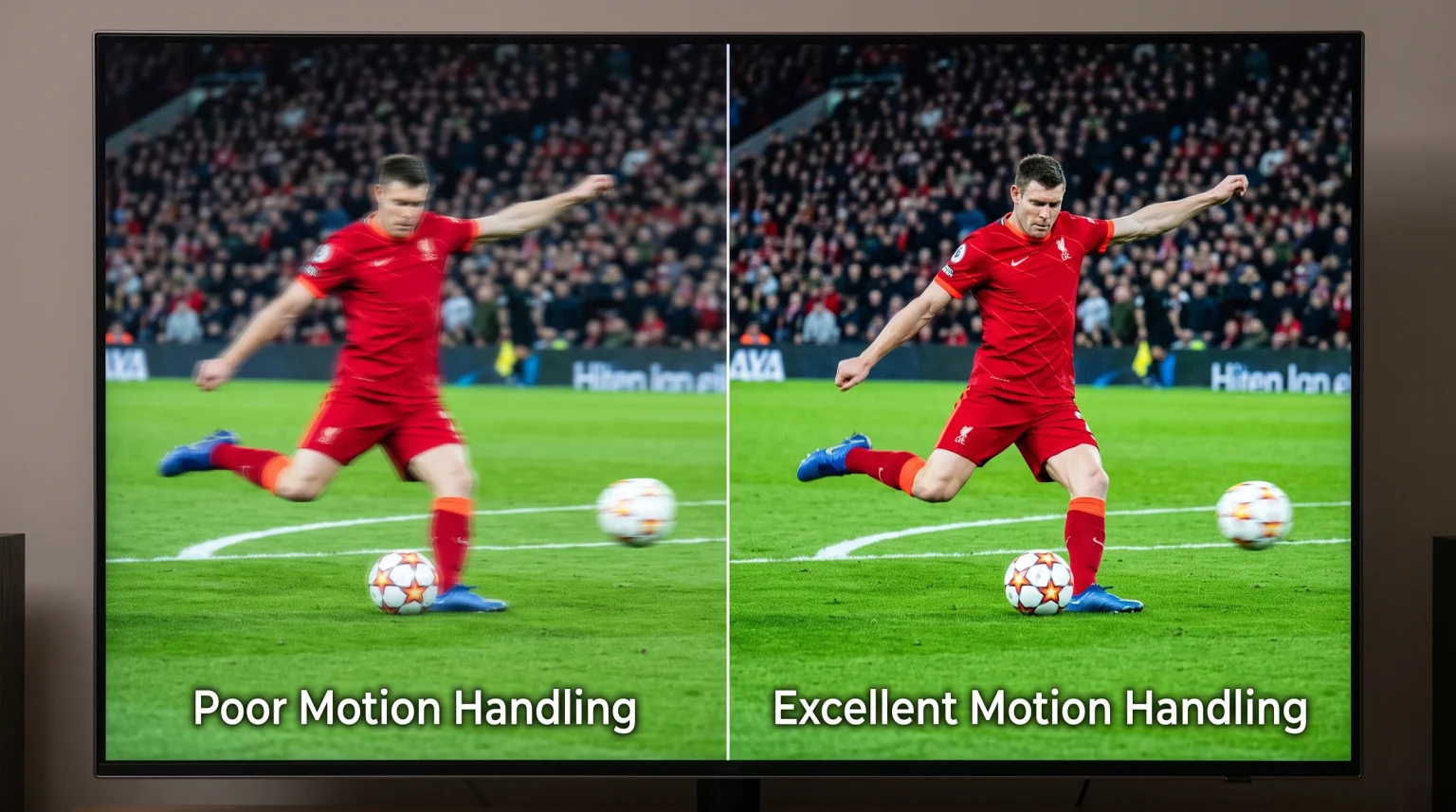
Watching live football requires specific television features. Football is a fast sport. The camera moves quickly across the green field to follow the ball.
If your television has poor motion handling, the football might look blurry when it moves. To prevent this blur, you need a television with a good refresh rate. A television with a 120Hz refresh rate updates the picture on the screen 120 times per second. This provides a smoother picture than a standard 60Hz television. If you want to learn more about this technical difference, read our article about 60-Hz- vs. 120-Hz-Fernseher für Live-Fußball.
Internet Connection for 4K Streaming
To watch the Champions League in 4K, you need a fast and stable internet connection. 4K video requires much more data than standard high-definition video. If your internet connection drops in speed, the television will lower the video quality to prevent the stream from stopping.
We recommend using an Ethernet cable instead of a Wi-Fi connection. An Ethernet cable connects your Smart TV directly to your internet router. This physical connection prevents buffering and video interruptions during an important football match.
High Dynamic Range (HDR) for Football
Some broadcasters offer Champions League matches in 4K HDR. HDR stands for High Dynamic Range. HDR makes the bright parts of the screen brighter and the dark parts darker. This is very useful for live football because stadium lighting can create strong shadows on the grass.
Both Samsung and Sony televisions support HDR. However, they support different HDR formats. Samsung televisions support HDR10+. Sony televisions support Dolby Vision. You must check which HDR format your local broadcaster uses for its 4K football streams.
Using TV Shadow IPTV for Live Sports
Many users use IPTV services to manage their streaming content. TV Shadow IPTV provides a service that works with many different devices and applications.
When you use an IPTV player, the player application must support 4K video resolution. The application must also support electronic program guides (EPG) so you can see exactly when the Champions League match starts.
IPTV Application Availability
Not all Smart TVs allow you to install third-party IPTV players. For example, Samsung and LG have strict rules for their application stores. Google TV and Android TV allow more freedom to install IPTV applications.
TV Shadow IPTV does not have an official relationship with Samsung, Sony, LG, Google or UEFA. The availability of specific football matches always depends on the original broadcasting source. Furthermore, the video quality depends strictly on the input signal. If the original source transmits the match in 1080p, TV Shadow IPTV cannot convert the match into true 4K. Our guide to Warum sieht IPTV auf einem neuen 4K-Fernseher verschwommen aus? explains more about video upscaling limitations.
Schlussfolgerung
Watching the Champions League in 4K depends entirely on your location, your official broadcaster, and your equipment. You cannot watch true 4K football if the television channel only transmits a 1080p signal.
Samsung Tizen and Sony Google TV both offer excellent 4K screens for sports. However, Google TV provides more flexibility for installing applications like IPTV players. To get the best experience with TV Shadow IPTV and live sports, ensure you have a fast internet connection, use an Ethernet cable, and choose a television with good motion handling.
Häufig gestellte Fragen (FAQ)
Why is my 4K television showing the Champions League in 1080p?
Your official broadcaster might not offer a 4K signal for the match. Even if you have a 4K television, the broadcaster must transmit the video in 4K format.
Does every Smart TV support 4K sports streaming?
No. A television might have a 4K screen, but the official sports application might limit the live stream to 1080p. This depends on the software developers.
Is Google TV better than Samsung Tizen for IPTV?
Google TV offers more application choices than Samsung Tizen. Google TV uses the Google Play Store, which contains many different IPTV players.
Do I need a 120Hz television to watch football?
No, you do not absolutely need a 120Hz television. A 60Hz television will display the match, but a 120Hz television provides smoother motion when the camera moves quickly.
Why does the football look blurry on my screen?
Blurry football is often caused by poor motion handling or a slow internet connection. Use an Ethernet cable to improve connection stability.
Does TV Shadow IPTV broadcast the Champions League?
No. TV Shadow IPTV is an IPTV service provider. TV Shadow IPTV does not own broadcasting rights for the UEFA Champions League.
Can I manually install apps on an LG Smart TV?
No. LG uses the webOS operating system. You cannot manually install Android applications on an LG Smart TV.