
The VP9 codec is a video compression technology created by Google. Many streaming platforms and IPTV services use the VP9 codec to deliver 4K video over the internet. If you want to watch high-quality video without buffering, your television must support this technology. The VP9 codec makes video files smaller while keeping the picture quality very high. This guide explains how to check TV VP9 support easily. You will learn where to find this information and why the VP9 codec matters for your daily television viewing.
Kurze Antwort
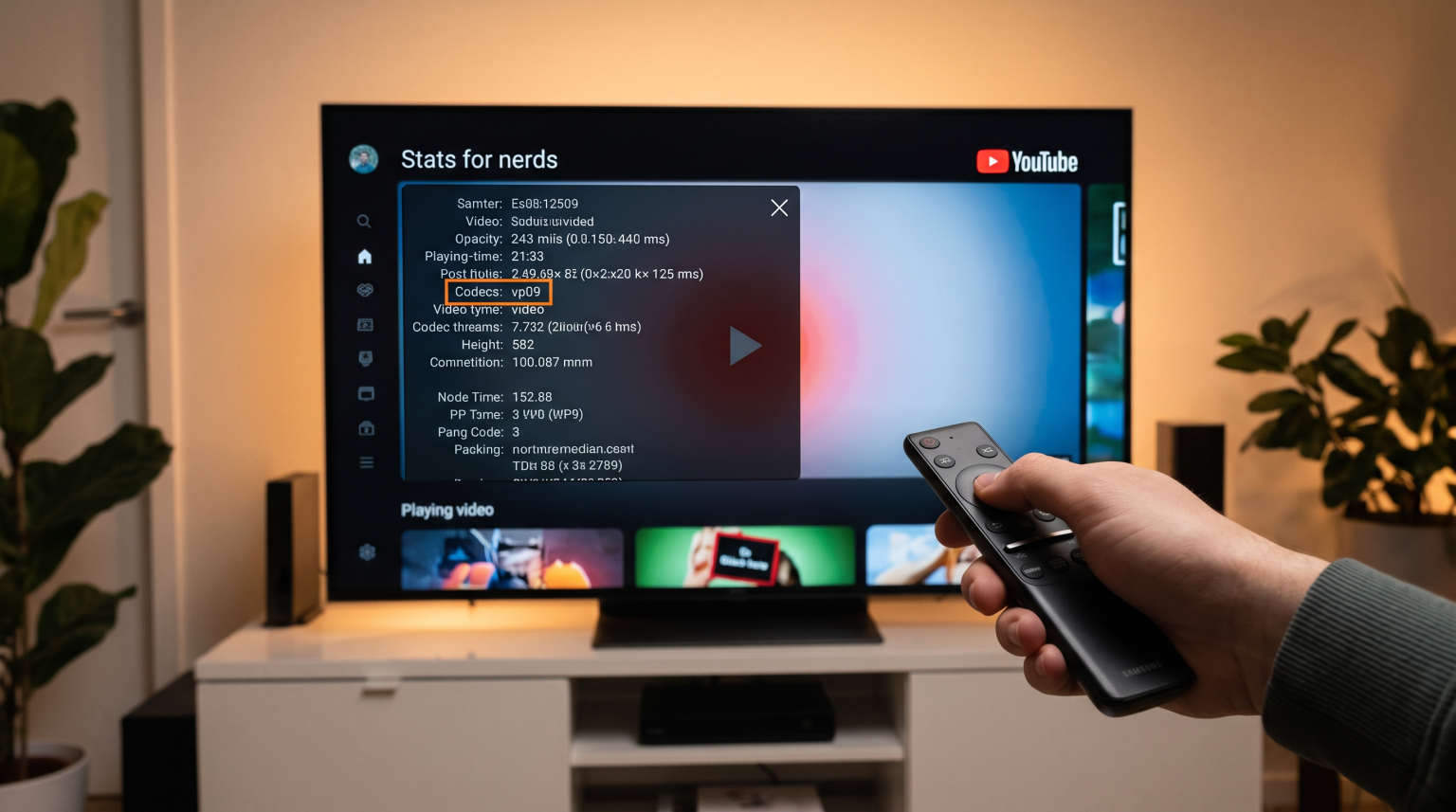
You can check TV VP9 support by looking at your television manual or the manufacturer’s website. Go to the television “Specifications” page and look for the “Video Codecs” section. You can also test VP9 support directly on your television. Open the YouTube application, play a 4K video, and activate the “Stats for nerds” feature in the video settings. If the screen shows “vp09” next to the word “Codecs”, your television hardware supports the VP9 codec.
What is the VP9 Codec?
A video codec is software or hardware that compresses and decompresses digital video. The word “codec” comes from “coder-decoder”. Video files are naturally very large. Without compression, a 4K video file would require a massive internet connection to play.
Google developed the VP9 codec as an open-source project. Google created this codec specifically to stream high-resolution video efficiently. Today, YouTube uses the VP9 codec for almost all 4K video content. If your television does not support the VP9 codec, the television will usually play a lower-resolution version of the video, such as 1080p.
4 Ways to Check TV VP9 Support on Your Device
Manufacturers do not always advertise codec support on the front of the television box. You must check the technical details. Here are four methods to confirm if your Smart TV supports the VP9 codec.
1. Read the Official Television Specifications
The most accurate method is to check the official specifications.
Find the exact model number of your television. This number is usually on a sticker on the back of the television.
Visit the official website of the television manufacturer (for example, the Samsung or LG website).
Type your model number into the search bar.
Open the “Specifications” or “Tech Specs” page.
Look for the “Video”, “Media”, or “Codecs” section.
Look for the word “VP9”. Sometimes the specification sheet will say “VP9 Profile 0” or “VP9 Profile 2”. Both indicate VP9 support.
2. Use the YouTube “Stats for Nerds” Tool
Because YouTube uses the VP9 codec heavily, the YouTube application includes a testing tool.
Open the YouTube application on your Smart TV.
Search for a “4K 60fps HDR” video.
Play the video.
Open the video player controls on your screen.
Select the “Settings” icon (the gear symbol).
Scroll down and select “Stats for nerds”.
A text box will appear on the screen. Look for the line named “Codecs”.
If the text says “vp09”, your television is actively using the VP9 codec.
3. Search Television Database Websites
Several independent websites collect technical data about televisions. Websites such as DisplaySpecifications allow you to search for your television model. When you find your model on these websites, scroll to the “Video file formats/codecs” section. This section will list all supported technologies, including VP9.
4. Check the Television Manual
If you still have the printed manual, look in the index at the back of the book. Search for “Supported Formats” or “Video Playback”. The manual usually includes a table showing exactly which video formats the television can play from a USB drive or streaming application.
VP9 Support Across Major Smart TV Brands
Most major television brands began including hardware support for the VP9 codec around 2015. However, support can vary depending on the operating system and the specific television model. If you are comparing television operating systems, Das beste Smart-TV-Betriebssystem für IPTV im Jahr 2026 explains the wider differences between Tizen, Google TV, and webOS.
Here is a simple comparison of how different Smart TV brands handle the VP9 codec.
| Television Brand | Betriebssystem | VP9 Codec Support Status |
| Samsung | Tizen | Supported on 4K models manufactured after 2015. |
| LG | webOS | Supported on 4K models manufactured after 2015. |
| Sony | Google TV / Android TV | Supported on almost all 4K models. |
| TCL | Google TV / Roku TV | Supported on modern 4K models. |
| Hisense | VIDAA / Google TV | Supported on modern 4K models. |
Samsung Tizen and VP9
Samsung uses the Tizen operating system. Most 4K Samsung televisions manufactured from 2015 onward feature hardware support for the VP9 codec. Samsung televisions also support VP9 Profile 2, which allows the television to play VP9 videos with High Dynamic Range (HDR).
Sony BRAVIA Google TV and VP9
Google created the Google TV operating system. Google also created the VP9 codec. Because of this connection, Sony BRAVIA televisions running Google TV provide excellent support for the VP9 codec.
LG webOS and VP9
LG televisions run the webOS operating system. LG added VP9 hardware decoding to its 4K televisions around 2015. Modern LG OLED and LG QNED televisions process the VP9 codec smoothly. If you are trying to decide between two major brands, read our comparison of Samsung vs. LG Smart-TV für IPTV: Tizen vs. webOS.
How VP9 Affects Your TV Shadow IPTV Experience
Many users ask how video codecs affect their IPTV service. TV Shadow IPTV delivers television channels and Video on Demand (VOD) content over the internet.
The VP9 codec is primarily important for Video on Demand content. Movie and television series files are large. Some IPTV applications and servers use modern codecs like VP9 or HEVC (H.265) to compress these files.
If an IPTV movie file uses the VP9 codec, your television must decode that file.
If your television supports the VP9 codec, the movie will play smoothly with excellent picture quality.
If your television lacks VP9 support, the IPTV application might show a black screen, play audio without video, or show an error message.
For live television channels, most global broadcasters still use the H.264 (AVC) codec or the H.265 (HEVC) codec. VP9 is less common for live IPTV broadcasting, but it remains highly important for high-quality streaming applications like YouTube.
VP9 Codec and Live Football Streaming
Watching live football requires a fast internet connection and efficient video processing. The television must process incoming data quickly to display the fast movement of the ball and the players.
The VP9 codec helps deliver a stable picture during fast movement because it uses bandwidth efficiently. However, the codec is only one part of the system. The television screen technology is equally important. To avoid blurry images during a football match, your television needs a high refresh rate. For a deeper explanation of this topic, read our guide on 60-Hz- vs. 120-Hz-Fernseher für Live-Fußball.
If your television supports the VP9 codec, the television’s internal processor is likely powerful. A powerful processor usually provides better motion handling for live football.
VP9 vs. HEVC (H.265): A Simple Comparison
You will often see the VP9 codec compared to the HEVC codec. HEVC is also known as H.265.
Both technologies do the same job. They compress 4K video files so the video can travel over the internet quickly.
VP9: Created by Google. It is free and open-source. YouTube uses VP9 extensively.
HEVC (H.265): Created by a commercial group. Companies must pay licensing fees to use HEVC. Traditional television broadcasters, IPTV services, and Netflix use HEVC extensively.
Modern 4K Smart televisions usually support both the VP9 codec and the HEVC codec. A television that supports both technologies will give you the best experience with TV Shadow IPTV and other streaming platforms.
Schlussfolgerung
Understanding how to check TV VP9 support helps you maximize your television’s capabilities. The VP9 codec is essential for watching 4K videos on platforms like YouTube without constant buffering. You can easily check if your television supports this technology by reading the manufacturer’s specifications or by using the YouTube “Stats for nerds” tool.
Most 4K televisions manufactured after 2015 by Samsung, LG, and Sony support the VP9 codec natively. A television with strong codec support will provide a better, faster, and more stable experience when using streaming applications and TV Shadow IPTV.
Häufig gestellte Fragen (FAQ)
Does my old 1080p television support the VP9 codec?
Usually, no. Manufacturers created the VP9 codec primarily for 4K video. Most older 1080p televisions only have hardware support for the older H.264 codec.
Can I download the VP9 codec to my Smart TV?
No, you cannot download a codec like a normal application. Codec support requires specific computer chips inside the television. This is called hardware decoding. If the television does not have the correct chip, a software download will not solve the problem.
Is VP9 better than H.265 (HEVC)?
Neither codec is definitively better. They offer very similar video quality and file sizes. The main difference is business. VP9 is free for companies to use, while HEVC requires licensing fees.