
Choosing the right software to watch TV Shadow IPTV requires testing. Users often install multiple applications to compare IPTV players playback accurately. You can evaluate two different players by watching the exact same channel on both applications. This direct comparison reveals differences in picture quality, channel loading speed, and interface design. A careful test helps you find the software that best matches your television hardware and your daily viewing habits.
Kurze Antwort
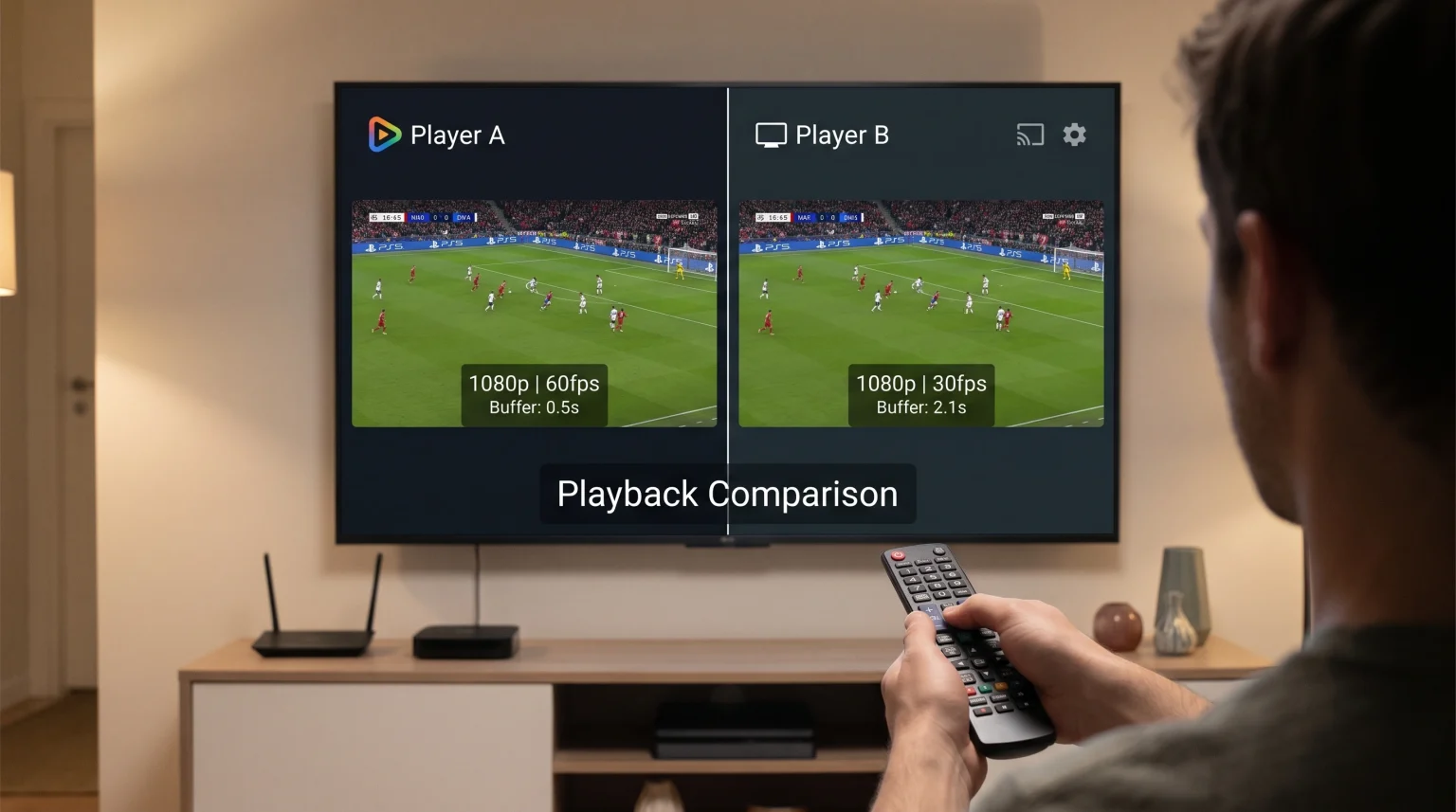
To compare IPTV players playback effectively, install two different applications on the same Smart TV or streaming device. Load the same playlist using M3U or Xtream Codes. Play the same live channel on both players. Watch for differences in picture resolution, motion smoothness, and audio synchronization. Check how many seconds the channel takes to load. Finally, compare the Electronic Program Guide (EPG) to see which application displays schedule information faster. Different users require different features based on their specific hardware.
Essential Settings Before You Compare
Before you test two applications, you must create a fair testing environment. Connect your Smart TV or streaming device to the internet router using an Ethernet cable. An Ethernet cable provides a stable network connection. Wi-Fi connections can cause random buffering. Random buffering makes it difficult to compare IPTV players playback fairly.
Ensure both applications have the latest software updates installed. Restart your television completely before starting the test. This clears the television memory and prevents older background applications from slowing down the new software.
Core Features to Test During Playback
Picture Quality and Video Processing
Play a live channel that broadcasts in 4K or 1080p resolution. Look closely at the screen in the first application. Switch to the second application and look at the same channel. One player might display sharper text on the news ticker. One player might display brighter colors.
Some applications process the video signal better than others. If you see blurred images, the application software might struggle with upscaling. Our guide on Was ist TV-Upscaling und ist es für IPTV von Nutzen? explains how television hardware affects image clarity.
Ladegeschwindigkeit des Kanals
Switch between five different channels in the first application. Count how many seconds each channel takes to load on the screen. Repeat this exact process in the second application. A good application changes channels almost instantly. Slow channel changing usually indicates poor software optimization by the application developer.
Subtitles and Multiple Audio Tracks
Many movies and documentary channels provide multiple audio languages and optional subtitles. Play a movie channel. Try to change the audio language in the first application. Try to activate the subtitles. Some applications make this process very easy. Other applications require you to navigate through many complicated menus. Check if the subtitles appear on time or if the subtitles are delayed.
Live Football and Sports Playback
Live football requires excellent motion handling. Fast camera movements across the grass can cause the football to look blurry. Play a live sports channel on both applications. Watch how the player handles the moving football and the running athletes. The video should look smooth and natural.
Your television hardware also controls motion handling. A 120Hz television displays fast sports better than a basic 60Hz television. You can learn more about these hardware limits in our comparison of 60-Hz- vs. 120-Hz-Fernseher für Live-Fußball. However, if you are testing on the same television, any difference in motion smoothness comes directly from the IPTV application.
Interface and Usability
Electronic Program Guide (EPG) Loading
The EPG shows the television schedule for the next several days. Open the EPG in the first application. Check if the text schedule loads immediately. Scroll down the long list of channels quickly. The text should remain visible without loading delays. Open the EPG in the second application and repeat the scrolling test. An excellent application stores the EPG data efficiently so you never wait for the text to appear.
Remote Control Navigation
The application must respond perfectly to your television remote control. Press the directional buttons. The menu highlight should move instantly. Some applications require many button presses to access the settings menu or the favorite channels list. Choose the application that requires fewer button presses to find your preferred content.
Playlist Format Compatibility
Different applications support different playlist formats. The two most common connection formats are M3U links and Xtream Codes API.
M3U links are very long web addresses. Xtream Codes API uses a short username, a password, and a server URL. Xtream Codes API usually loads video content and EPG data faster than M3U links. Check if both applications support your preferred login method for TV Shadow IPTV.
Smart TV Operating System Limitations
The television operating system affects how an application performs. An application might work perfectly on a Google TV device but perform poorly on a Samsung television. Developers build different versions of their software for different operating systems.
If you use multiple television brands in your house, you might need to use different applications in different rooms. Read our guide about the Das beste Smart-TV-Betriebssystem für IPTV im Jahr 2026: Tizen vs. Google TV vs. webOS to understand how the operating system changes application performance.
Comparison Table: Feature Evaluation Checklist
Use this simple checklist format to compare IPTV players playback objectively. You can write your results on a piece of paper.
| Funktion | Application A | Application B |
| Channel load time | Less than 2 seconds | More than 3 seconds |
| EPG loading speed | Sofort | Requires manual refresh |
| Xtream Codes support | Ja | Ja |
| M3U support | Ja | Nein |
| Menu navigation | Fast response | Slow response |
| Audio sync | Perfekt | Sometimes delayed |
Schlussfolgerung
To compare IPTV players playback correctly, you must isolate the software from the hardware. Use the same television, the same wired network connection, and the same live channel. Test the channel loading speeds, check the EPG design, and watch fast camera motion during live football. By evaluating these specific features directly against each other, you can select the best performing application for your TV Shadow IPTV Dienstleistung.
Häufig gestellte Fragen (FAQ)
1. Why does the same channel look different on two players?
Different applications use different video decoders. A video decoder is the internal software tool that translates internet data into a television picture. A superior decoder produces a sharper image and better colors.
2. Why does one player buffer while the other player does not?
Applications manage network data differently. One application might keep a larger data reserve in the television memory. This data reserve prevents buffering during small internet interruptions.
3. Can I use the same TV Shadow IPTV subscription on both players?
Yes, you can configure the exact same subscription on multiple applications. However, you normally cannot play video on both applications at the exact same time unless your subscription includes multiple connections.