
When you watch movies through an IPTV service, the video motion can sometimes look unnatural. The picture might stutter during slow camera movements, or the motion might look too fast and unnaturally smooth. This problem occurs when the television displays an IPTV wrong frame rate.
Televisions, streaming devices, and IPTV applications all use different methods to process video motion. Movies are traditionally filmed at 24 frames per second. However, modern televisions refresh their screens 60 or 120 times per second. If the television or the IPTV player does not convert the 24 frames correctly, the video motion will look wrong.
You can usually solve this problem by changing specific picture settings on your television and adjusting the playback settings inside your IPTV application.
Kurze Antwort
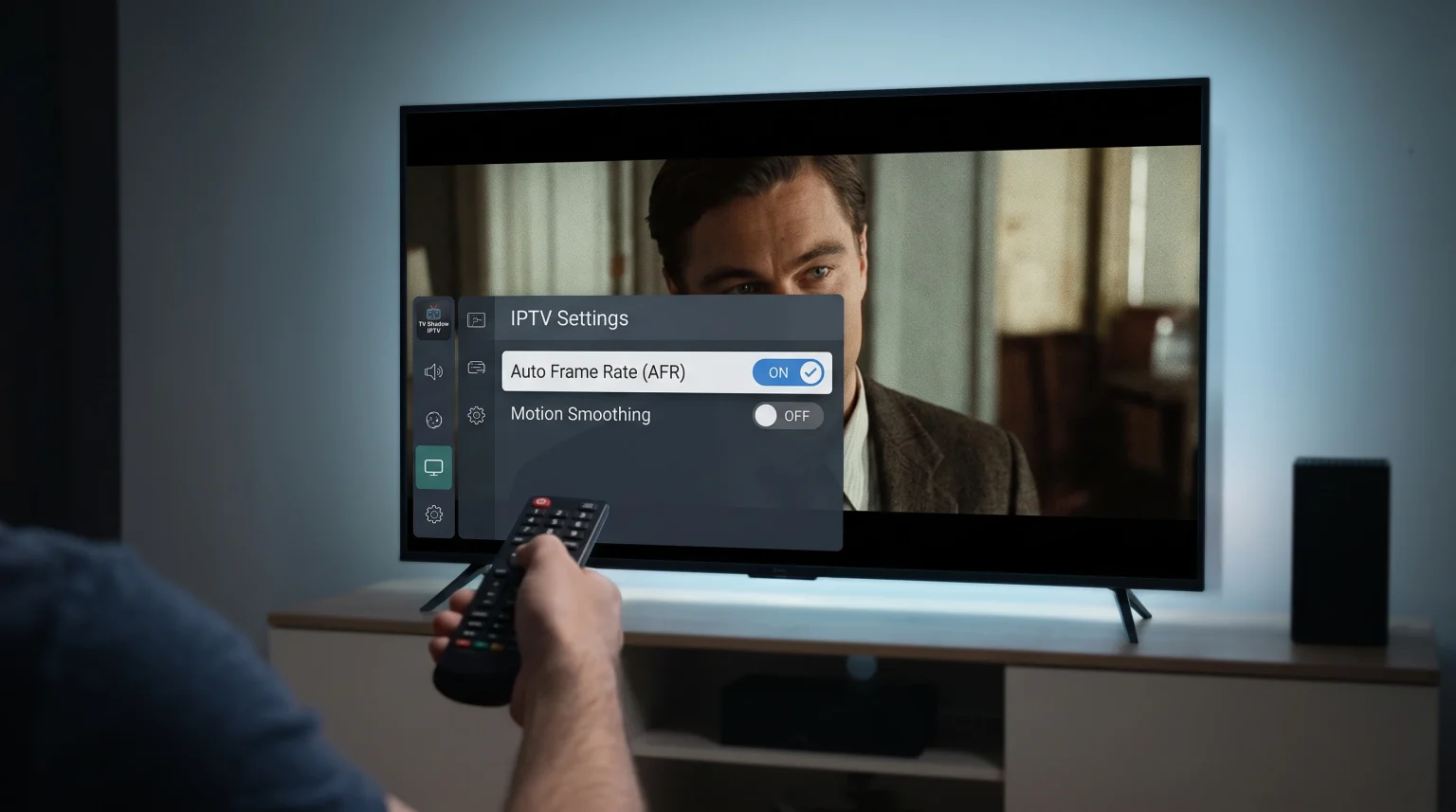
To fix an IPTV wrong frame rate, you must stop your television from adding fake frames to the video. First, open your television settings and disable the motion smoothing feature. This stops the unnatural video motion. Second, look for a feature called “Auto Frame Rate” (AFR) inside your IPTV application or your streaming box settings. Enable this feature. Auto Frame Rate forces the television screen to match the exact frame rate of the original movie, which provides smooth and natural playback.
Why Do IPTV Movies Display the Wrong Frame Rate?
A frame rate is the number of individual pictures that appear on your screen every second. We measure this in frames per second (fps). We measure the television screen refresh rate in Hertz (Hz).
These are the three most common video frame rates:
24 fps: Used for cinematic movies and premium television series.
25 or 50 fps: Used for standard television broadcasts and live sports in Europe.
30 or 60 fps: Used for standard television broadcasts and live sports in North America.
When you stream a movie, the IPTV application receives a 24 fps video file. If you use a television with a 60Hz screen, the television must fit 24 frames into 60 screen refreshes. Because 24 does not divide equally into 60, the television displays some frames longer than other frames. This unequal timing creates a visual stutter. Experts call this stutter “judder”.
To hide this judder, television manufacturers use motion smoothing technology.
The Problem With Motion Smoothing
Motion smoothing is a software feature inside the television. This software looks at the 24 frames of the movie and generates new, fake frames between the real frames. This process forces the movie to play at 60 frames per second.
While motion smoothing removes the stutter, it ruins the cinematic appearance of the movie. The movie looks like a cheap home video. If your IPTV movies look unnaturally smooth or too fast, motion smoothing is the cause.
How to Fix Television Motion Settings
The fastest way to fix an IPTV wrong frame rate is to change the picture settings on your Smart TV. Every major television manufacturer uses a different name for motion smoothing.
You must find the motion setting in your television menu and turn it off completely.
| Television Brand | Name of Motion Smoothing Feature | Recommended Setting for Movies |
| Samsung | Picture Clarity / Auto Motion Plus | Aus |
| Sony BRAVIA | Motionflow | Aus |
| LG | TruMotion | Aus |
| TCL | Action Smoothing / Motion Enhancement | Aus |
| Hisense | Motion Enhancement | Aus |
After you turn off motion smoothing, you should look for a specific cinema setting on your television. Many televisions include a feature called “24p Playback” or “Real Cinema”. You should enable this feature. This feature allows the television to adjust its refresh rate specifically for 24 fps movies without adding fake frames.
Depending on how your Das beste Smart-TV-Betriebssystem für IPTV im Jahr 2026: Tizen vs. Google TV vs. webOS, these picture settings might apply globally to the television, or they might only apply to the specific IPTV application you are using. You should adjust the picture settings while the IPTV application is playing a movie on the screen.
How to Fix IPTV Application Settings
Sometimes, changing the television settings is not enough. The IPTV application must send the correct frame rate signal to the television.
Many modern IPTV players include a feature called Auto Frame Rate (AFR). When you enable AFR, the IPTV application reads the frame rate of the video stream. The application then commands the television to change its screen refresh rate to match the video. For a movie, the application forces the television to switch to 24Hz.
To enable Auto Frame Rate:
Öffnen Sie Ihre IPTV-Anwendung.
Open the application settings.
Open the “Playback” or “Video Player” menu.
Find “Auto Frame Rate”, “AFR”, or “Match Frame Rate”.
Turn this setting ON.
Not all IPTV applications support Auto Frame Rate. If your application does not have this setting, the application might force all movies to play at 60 fps, which will cause motion problems. In this situation, you might need to test a different IPTV player.
Please note that TV Shadow IPTV does not control the software settings of third-party IPTV applications. You must configure the application settings yourself.
How to Fix Streaming Box Settings
If you use an external streaming box instead of a Smart TV application, the streaming box controls the frame rate. You must configure the operating system of the streaming box to match the frame rate of the IPTV content.
Apple TV 4K
The Apple TV 4K handles frame rates exceptionally well.
Open Settings.
Select Video and Audio.
Select Match Content.
Turn on “Match Frame Rate”.
Nvidia Shield TV
The Nvidia Shield TV uses the Android TV operating system.
Open the IPTV application and play a movie.
Open the quick settings menu on the Nvidia Shield.
Select “Match frame rate (Beta)”. You must perform this action manually when the movie starts playing.
Amazon Fire TV Stick
Open Settings.
Select Display and Sounds.
Select Display.
Select Match Original Frame Rate and turn it ON. Note that this feature only works if the specific IPTV application supports the Fire TV frame rate matching system.
Live Football vs Movies: Understanding the Difference
You must treat movies and live sports differently.
Movies require a 24 fps frame rate for a natural, cinematic appearance. However, live football requires a high frame rate for clear, sharp motion. Live sports broadcasts normally use 50 fps or 60 fps.
If you disable motion smoothing and enable Auto Frame Rate for movies, your television will play movies correctly at 24Hz. When you switch to a live football match, the Auto Frame Rate feature should detect the new 50 fps or 60 fps video stream. The application will then command the television to switch back to 50Hz or 60Hz.
If a live football match looks stuttering or slow, the Auto Frame Rate feature might be failing to switch the screen refresh rate. You can learn more about how television hardware affects sports in our guide about choosing a 60-Hz- vs. 120-Hz-Fernseher für Live-Fußball.
Resolution and Upscaling Problems
Sometimes users think they have an IPTV wrong frame rate, but the real problem is picture resolution. If the video stutters, the problem is the frame rate. If the video looks soft, pixelated, or unclear during fast motion, the problem is upscaling or internet bandwidth.
If a movie has a 1080p resolution and you play it on a 4K television, the television must artificially enlarge the picture. This process is called upscaling. Poor upscaling can make motion look slightly blurry. You can read our detailed explanation of Warum sieht IPTV auf einem neuen 4K-Fernseher verschwommen aus?.
Schlussfolgerung
Fixing an IPTV wrong frame rate requires two main steps. First, you must disable the motion smoothing features on your television, such as TruMotion or Auto Motion Plus. Second, you must enable the Auto Frame Rate matching feature on your streaming box or inside your IPTV application. By matching the television screen refresh rate to the original 24 frames per second of the movie, you will eliminate visual stutter and remove the unnatural soap opera effect. Taking the time to configure these settings will greatly improve your experience with TV Shadow IPTV.
Häufig gestellte Fragen (FAQ)
What is the correct frame rate for IPTV movies?
The correct frame rate for almost all movies is 24 frames per second (fps). Your television and your IPTV application should be configured to output movies at 24Hz without adding artificial motion smoothing.
Why do my IPTV movies look like a soap opera?
Your television has a motion smoothing feature turned on. This feature adds fake, computer-generated frames between the real frames of the movie. You must go into your television picture settings and turn off motion smoothing.
Does TV Shadow IPTV control the video frame rate?
No. TV Shadow IPTV delivers the video stream, but your local hardware controls the frame rate. Your television, your streaming device, and your IPTV application are responsible for processing and displaying the frames correctly.