
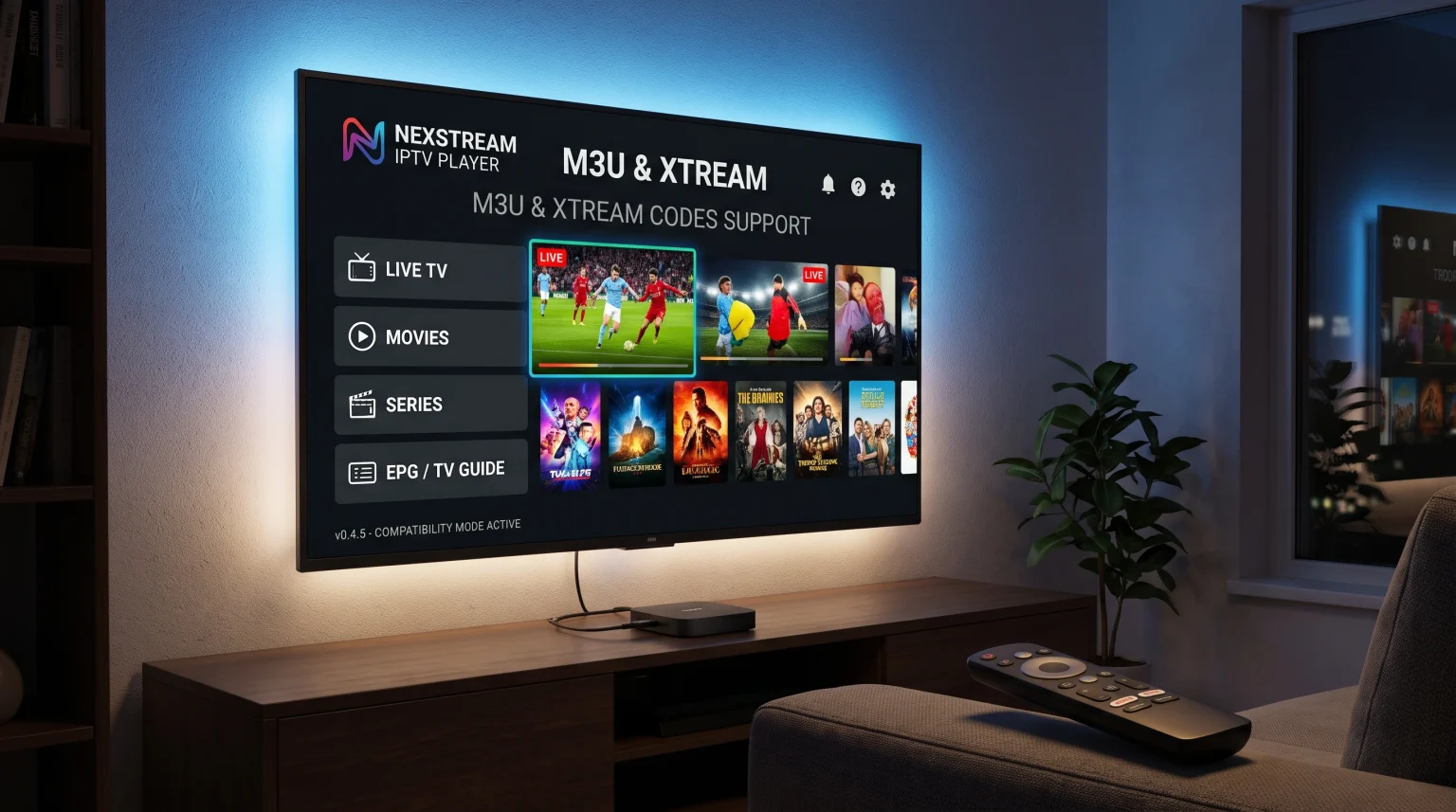
The Nexstream IPTV player is a new application for Android devices and Android TV in 2026. This application allows users to watch live television channels, movies, and series using a single interface. Users must provide their own IPTV playlists, such as those from TV Shadow IPTV. The application does not contain television channels by default.
Choosing the correct IPTV player is important for a stable streaming experience. Many older applications do not work well on modern Smart TVs. The Nexstream IPTV player solves common display problems on Android TV. The application also provides an interface designed specifically for television remote controls.
This article explains the features of the Nexstream IPTV player. We will discuss Android TV support, live football streaming, and how the application compares to other options. We will also explain how to configure the application for the best results.
Kurze Antwort
The Nexstream IPTV player is an excellent application for Android TV and Android mobile devices in 2026. The application supports M3U playlists and Xtream Codes. Nexstream features a special compatibility mode that fixes black screen errors on Android TV. The interface is fast and works perfectly with television remote controls.
Nexstream is highly recommended for users who want an easy setup process and reliable live football streaming. If you use a Samsung Tizen or LG webOS television, you cannot install Nexstream directly. The application is only available for devices that use the Android operating system.
What is the Nexstream IPTV Player?
The Nexstream IPTV player is a media player application. A software developer named DanyDev Studio created the application. You can download the application directly from the Google Play Store. The application is available for Android mobile phones, Android tablets, and Android TV devices.
The application is only a media player. Nexstream does not provide any video content, television channels, or subscriptions. You need an active subscription from an IPTV provider, such as TV Shadow IPTV. The application reads the data from your provider and displays the television channels on your screen.
Unterstützte Formate
Nexstream supports the two most common IPTV formats:
M3U Playlists: You can add a standard M3U web link to the application.
Xtream Codes: You can enter your username, password, and server URL. This method is usually faster and more reliable for large channel lists.
The application can process very large playlists without crashing. Many users have playlists with thousands of channels. Older applications often stop working when they load large amounts of data. Nexstream uses memory efficiently to prevent software crashes.
Android TV Support and Interface
Many IPTV applications are designed for mobile touch screens. When you install these mobile applications on a television, they are very difficult to use. You cannot press the buttons easily with a remote control.
The developer built the Nexstream IPTV player specifically for Android TV. The application detects when you use a television. The application automatically changes the interface to support a television remote control. You can navigate through the menus using the directional buttons on your remote control.
The Compatibility Video Mode
Android TV devices sometimes have video playback errors. A very common error is the “black screen with sound” problem. This happens when you hear the television channel audio, but the television screen remains completely black.
The Nexstream IPTV player includes a feature called Compatibility Video Mode. This feature changes how the application processes the video signal. If you experience a black screen on your Android TV device, you can activate this mode in the application settings. This feature usually fixes the display error immediately.
Elektronischer Programmführer (EPG)
The Electronic Program Guide (EPG) shows the schedule for television programs. Nexstream supports EPG data from your IPTV provider. The application displays a clear television guide with a timeline. You can see what program is playing now and what program will play next.
Nexstream also supports external XMLTV sources. If your IPTV provider does not have a complete television guide, you can add a secondary EPG link. The application combines the data automatically.
Remote Setup Feature
Typing long passwords on a television screen is frustrating. The Nexstream IPTV player offers a remote setup feature. You can configure the application on your Android mobile phone first. Then, you can push the configuration to your Android TV device over your local Wi-Fi network. This feature saves time and prevents typing errors.
Nexstream IPTV Player vs TiviMate
TiviMate is a very popular IPTV application for Android TV. We can compare the Nexstream IPTV player to TiviMate to understand the differences.
| Funktion | Nexstream IPTV Player | TiviMate |
| Betriebssystem | Android, Android TV | Android TV |
| Mobile Phone Support | Yes (Dedicated mobile interface) | No (Designed only for TV) |
| Einrichtungsmethode | Phone-to-TV transfer available | Manual typing on TV |
| Black Screen Fix | Yes (Compatibility Video Mode) | No specific compatibility mode |
| Multiple Playlists | Ja | Ja |
| Parental Control | Yes (PIN profiles) | Yes (PIN protection) |
Nexstream is very suitable for users who want to use the same application on a mobile phone and a television. TiviMate is excellent for advanced users who only watch television on a large screen. If you are choosing hardware for these applications, Die besten Smart-TVs für IPTV im Jahr 2026: Samsung, Sony, LG und TCL im Vergleich provides helpful information about Android TV models.
IPTV Compatibility with TV Shadow IPTV
The Nexstream IPTV player works perfectly with TV Shadow IPTV. Because TV Shadow IPTV supports standard M3U playlists and Xtream Codes, the connection process is very simple.
We recommend using the Xtream Codes login method with Nexstream. The Xtream Codes method organizes the TV Shadow IPTV channels, movies, and series into logical categories.
Limitations of Smart TV Operating Systems
You must remember that Nexstream requires the Android operating system.
If you have a Sony BRAVIA television or a Philips television with Google TV, you can download Nexstream directly from the Google Play Store on your television. Google TV is a modern version of Android TV.
If you have a Samsung television, your television uses the Tizen operating system. Samsung Tizen does not support Android applications. You cannot install Nexstream on a Samsung television. If you want to know more about Samsung limitations, Samsung Tizen vs. Sony BRAVIA Google TV: Was eignet sich 2026 besser für IPTV?.
If you have an LG television, your television uses the webOS operating system. LG webOS does not support Android applications.
If you have a Samsung or LG television, you have two options:
You can use a different application from the Samsung or LG app store.
You can buy an external Android TV device. You can connect a device like a Google Chromecast or an Nvidia Shield to your television using an HDMI cable. Then, you can install Nexstream on the external device.
Using Nexstream for Live Football
Many users purchase IPTV services specifically to watch live football. Live sports require a very stable video player. The football moves quickly across the screen. If the video player is bad, the football will look blurry.
The Nexstream IPTV player is very good for live football. The application supports fast channel switching. You can change football matches quickly using the arrow buttons on your remote control.
Picture Quality and Motion Handling
The application processes high-definition video efficiently. Nexstream can play 50 frames per second (fps) and 60 fps video streams smoothly. High frame rates are essential for live football. A high frame rate makes the motion look smooth and realistic.
If your television has a 120Hz screen, the application can display fast motion very clearly. For more information about screen speeds, you can 60-Hz- vs. 120-Hz-Fernseher für Live-Fußball.
Network Stability
Live football requires a very strong internet connection. A wireless Wi-Fi connection can sometimes lose data. This data loss causes the video to stop or freeze. This freezing is called buffering.
For the best live football experience with the Nexstream IPTV player, we recommend using an Ethernet cable. Connect the Ethernet cable directly from your internet router to your Android TV device. A cable connection provides a continuous data stream.
Nexstream also features an automatic failover function. If a live channel stops working, the application can automatically try to reconnect or switch to a backup stream if your provider supplies one.
Privacy and Security
Privacy is important when using IPTV applications. The developer of the Nexstream IPTV player states that the application does not collect your playlist passwords.
The application saves your Xtream Codes or M3U link locally on your physical device. The application does not send your data to a central Nexstream server. The application connects directly from your device to your IPTV provider’s server. This direct connection ensures that your subscription details remain private.
Nexstream also includes a proxy network setting. Advanced users can configure a proxy connection inside the application menu to protect their network traffic.
Schlussfolgerung
The Nexstream IPTV player is a powerful and reliable application for 2026. The application provides an excellent user experience on Android mobile phones, Android tablets, and Android TV devices.
The application solves common technical problems, such as black screens, by providing a special compatibility mode. The interface is fast, logical, and very easy to use with a standard television remote control. The ability to configure the application on a mobile phone and send the settings to a television is a very convenient feature.
For live football fans, the application offers fast channel switching and smooth video processing. Remember that you need an Android device to use this software. If you use a compatible Android TV device, the Nexstream IPTV player is an excellent choice for managing your TV Shadow IPTV-Abonnement.
Häufig gestellte Fragen (FAQ)
Can I install the Nexstream IPTV player on an Apple iPad?
No, you cannot. The application is only available for devices running the Android operating system. Apple devices use the iOS or iPadOS operating systems.
Is the Nexstream IPTV player free?
The application is free to download and use. The developer occasionally offers premium features, such as offline downloading or merging multiple playlists. You can check the Google Play Store for the current price of premium features.
Why does the screen turn black when I play a movie?
This is a known video rendering error on some Android TV devices. You can fix this easily. Open the Nexstream settings menu and activate the “Compatibility Video Mode”. This setting usually restores the picture immediately.