
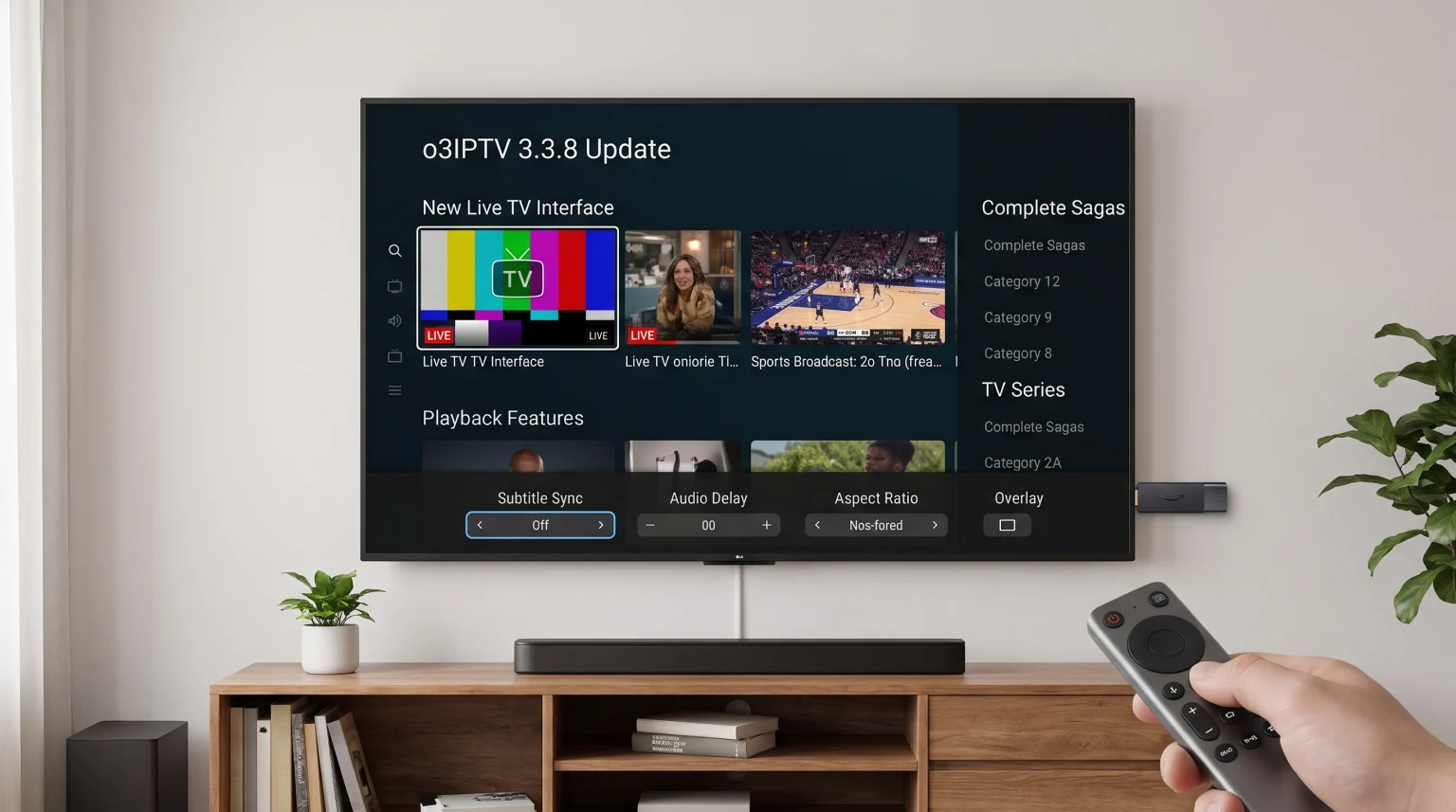
The o3IPTV 3.3.8 update is now available for download. This software update introduces new video playback features and improves the live television interface. The developers have added manual subtitle synchronization, new aspect ratio settings, and an easier way to switch television episodes. TV Shadow IPTV users can install o3IPTV 3.3.8 on Android devices, Windows computers, and Apple products. The new version makes streaming movies, television series, and live sports much easier. This article explains the new application features and shows how the software works on different Smart TV operating systems.
Kurze Antwort
The o3IPTV 3.3.8 update is a major software release for the popular IPTV media player. The new version adds custom subtitle settings, manual audio synchronization, and fast television episode switching. Users can now change video aspect ratios directly during video playback. This update is highly recommended for all current users because it fixes previous playback errors. For new users, the o3IPTV application is best suited for devices running Google TV or Android TV, because Samsung Tizen and LG webOS televisions require an external streaming stick to run the application natively.
New Playback Features in o3IPTV 3.3.8
The most important changes in the o3IPTV 3.3.8 update focus on the video player. The developers improved how users control the video during playback.
Audio and Subtitle Synchronization
Sometimes, a live television stream has a time delay between the audio track and the video picture. The new o3IPTV update allows users to synchronize the audio and subtitles manually. If the sound plays too early, the user can delay the audio track using the player menu.
The update also adds new visual options for text subtitles. Users can now change the subtitle font, the subtitle text color, and the subtitle background color. This feature makes subtitles much easier to read on bright television screens.
Instant Episode Switching
In previous application versions, users had to close the video player to select a different television episode. The o3IPTV 3.3.8 update changes this behavior. Users can now switch between different television episodes and different television seasons without leaving the video player screen. This feature makes watching multiple episodes much faster.
Aspect Ratio Presets
Different television channels use different picture formats. The o3IPTV 3.3.8 update includes new aspect ratio presets. Users can select 16:9, 4:3, 21:9, and 1:1 picture formats. This feature prevents the video picture from looking stretched or distorted on modern widescreen television screens.
User Interface Improvements
The o3IPTV developers also improved the application interface for easier menu navigation.
Complete Sagas and Movie Collections
The application now organizes related movies into complete sagas. Instead of showing many separate movie posters, the interface displays one single graphic card for an entire movie franchise. This change makes the movie library look much cleaner and easier to search.
Removed Playback Errors
Previous software versions sometimes displayed a false “Channel down” message when the television channel was actually working correctly. The o3IPTV 3.3.8 update removes this false error message. Television streams now load with fewer visual interruptions.
Smart TV Compatibility for o3IPTV
Users often want to install the o3IPTV application directly on a Smart TV. However, application availability depends strictly on the television manufacturer and the operating system. If you are comparing new televisions, our guide to the Die besten Smart-TVs für IPTV im Jahr 2026: Samsung, Sony, LG und TCL im Vergleich explains the hardware differences in detail.
Sony BRAVIA and Google TV
Sony BRAVIA televisions use the Google TV operating system. Google TV offers native support for the Android application ecosystem. Users can easily find and install the o3IPTV application directly from the official Google Play Store. Sony televisions provide excellent compatibility with most IPTV applications.
Samsung Tizen
Samsung Smart TVs use the Tizen operating system. Samsung Tizen does not support standard Android applications from the Google Play Store. Because o3IPTV is built primarily as an Android and Apple application, Samsung users cannot install the standard application directly on a Samsung television. Samsung users must purchase an external Android TV streaming stick to use the o3IPTV application. To understand these system differences better, read our article explaining Tizen vs. Google TV für IPTV-Apps: Was ist der Unterschied?.
LG webOS
LG Smart TVs use the webOS operating system. Like Samsung Tizen, LG webOS does not support standard Android applications. LG users will also need an external Google TV device or an Amazon Fire TV device to run the official o3IPTV application on an LG television.
Smart TV Operating System Comparison
This comparison table explains how different Smart TV operating systems support the o3IPTV application.
| Funktion | Sony Google TV | Samsung Tizen | LG webOS |
| Betriebssystem | Google TV | Tizen | webOS |
| App-Ökosystem | Google Play Store | Samsung Apps | LG Content Store |
| Unterstützung für Android-Apps | Native Google Play support | Keine native Unterstützung | Keine native Unterstützung |
| o3IPTV installation | Direct installation | Requires external stick | Requires external stick |
Managing User Profiles and Parental Controls
A modern television application needs good user management. The o3IPTV application allows customers to create multiple user profiles within one single account. This feature is very useful for families. Parents can create separate profiles for their children.
The application also includes strict parental controls. Users can lock specific television channels or adult content using a secure PIN code. This PIN system ensures that children cannot access inappropriate television channels.
Understanding IPTV Connection Methods
The o3IPTV application is an empty media player. The software does not include any television channels or movie content. Users must provide their own IPTV subscription. The o3IPTV application offers two main ways to connect your television provider: Xtream Codes and M3U playlists.
The Xtream Codes API
The Xtream Codes API requires a server address, a username, and a password. This connection method is highly recommended. The Xtream Codes method organizes television channels, movies, and series into separate, clean categories. The application loads the television content very quickly using this method.
The M3U Playlist File
An M3U playlist is a simple text file containing internet links for television channels. The o3IPTV application supports M3U playlists. However, an M3U file can be very large. A large M3U file takes more time to load than an Xtream Codes login. M3U files also struggle to categorize movies and television series correctly.
Using o3IPTV with TV Shadow IPTV
TV Shadow IPTV provides a high-quality streaming service that works perfectly with the o3IPTV application. We highly recommend using the Xtream Codes login method when setting up TV Shadow IPTV.
When a user connects TV Shadow IPTV to the o3IPTV application, the application automatically downloads the Electronic Program Guide (EPG). The Electronic Program Guide displays the current television schedule. The o3IPTV application syncs user favorites and viewing history across multiple devices securely.
Watching Live Football on o3IPTV 3.3.8
Many users use TV Shadow IPTV to watch live football and other sports. The o3IPTV 3.3.8 update provides a very stable software platform for live sports streaming. However, the television hardware also affects the sports viewing experience.
Bewegungsdarstellung und Bildwiederholraten
Live football requires a television with excellent motion handling. A television with a 120Hz refresh rate will display moving footballs more clearly than a television with a 60Hz refresh rate. For a detailed hardware explanation, read our comparison of a 60-Hz- vs. 120-Hz-Fernseher für Live-Fußball.
Internet Connection Requirements
Live sports streams require a stable internet connection. We always recommend connecting the television directly to the internet router using an Ethernet cable. An Ethernet cable provides a much more stable connection than a wireless Wi-Fi connection. A stable network connection prevents the football stream from stopping or buffering during important moments.
Picture Quality and Video Upscaling
When users watch live television, the picture quality depends on the source stream and the television hardware. Many live television channels broadcast in a 1080p resolution. Modern Smart TVs have a larger 4K resolution screen.
When a 1080p stream plays on a 4K television, the television processor must enlarge the picture. This process is called upscaling. A high-quality television performs excellent video upscaling. If you want to learn more about this technology, read our guide explaining Was ist TV-Upscaling und ist es für IPTV von Nutzen?. The o3IPTV 3.3.8 application delivers the raw video signal perfectly, but the television processor creates the final picture quality.
Schlussfolgerung
The o3IPTV 3.3.8 update brings excellent improvements for all users. The new audio synchronization tools and aspect ratio presets give users much more control over their video playback. The new ability to switch television episodes without leaving the video player saves a lot of time. While users with Google TV devices can install the application directly, Samsung and LG users will need a separate streaming device. Overall, o3IPTV remains a premium media player. When paired with a reliable provider like TV Shadow IPTV, the application delivers a modern and highly stable television experience.
Häufig gestellte Fragen (FAQ)
What is new in the o3IPTV 3.3.8 update?
The 3.3.8 update adds subtitle synchronization, audio synchronization, new aspect ratio settings, and fast episode switching. The developers also fixed a false “Channel down” error message.
Does the o3IPTV application include live television channels?
No, the o3IPTV application does not include any television channels. The application is an empty media player. Users must purchase a separate television subscription, such as TV Shadow IPTV, to watch content.
Can I install o3IPTV directly on a Samsung Smart TV?
No, you cannot install the standard Android version of o3IPTV directly on a Samsung Smart TV. Samsung televisions use the Tizen operating system. You must connect an external Android TV streaming device to the Samsung television.