
You buy a new 4K television, connect the device to the internet, and expect to see ultra-high-definition video everywhere. When you open a major streaming application, the picture displays in perfect 4K resolution. However, when you open a different application, the video quality drops to standard High Definition (HD).
This happens because a 4K television only displays the resolution that the specific application provides. The television hardware does not control the video source. If an application only sends a 1080p HD signal, the television must show a 1080p HD picture.
Video resolution depends entirely on software licensing, server speeds, and the original broadcast quality. Understanding how different applications process video data will help you configure your Smart TV for the best possible picture.
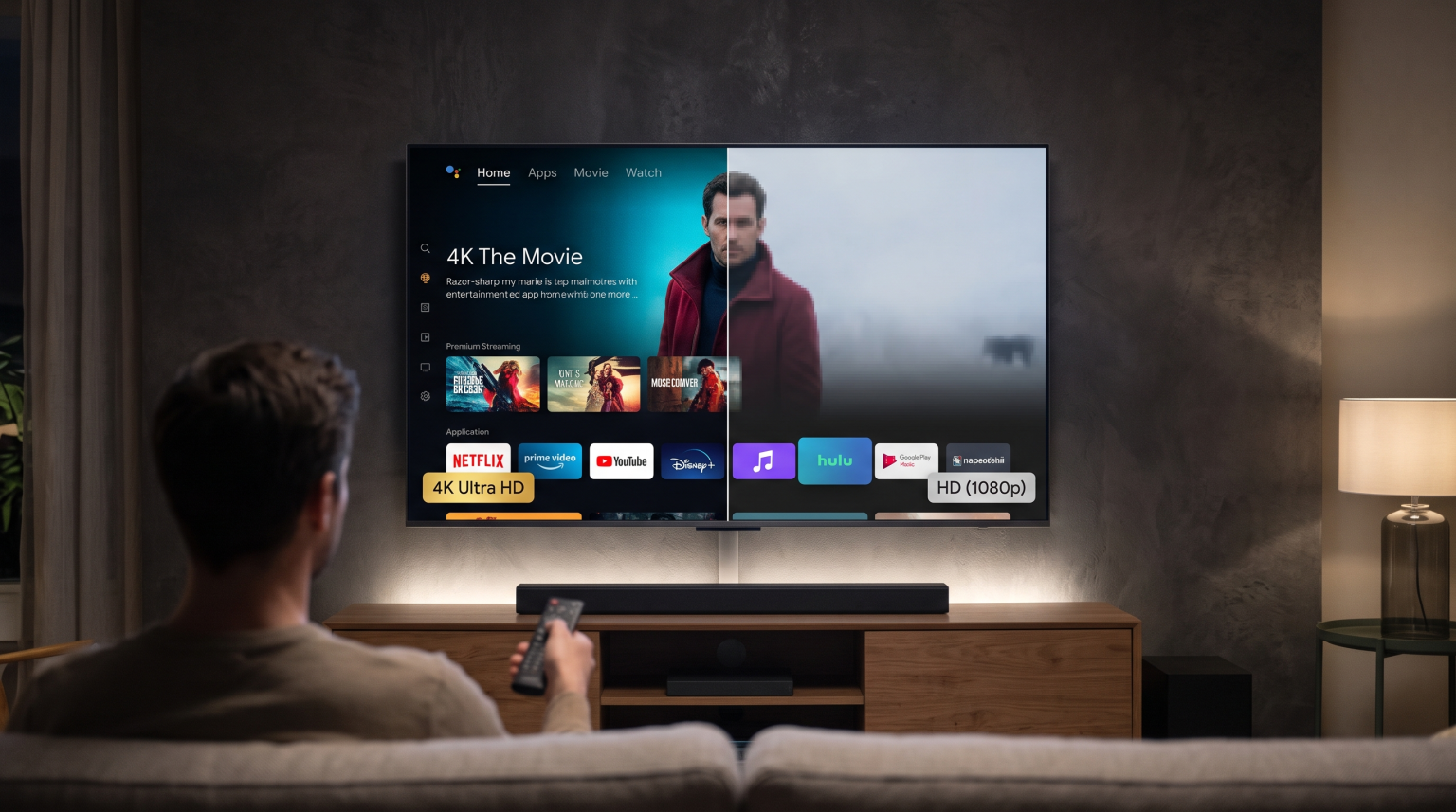
Kurze Antwort
A Smart TV shows 4K in one app but only HD in another because video resolution depends on the specific application, not just the television screen. Major streaming services like Netflix use specialized Digital Rights Management (DRM) software to unlock 4K playback. Independent apps or IPTV players may lack these DRM certificates, restricting their maximum resolution to 1080p HD. Additionally, the app’s server speed, your internet connection, and the original source file determine the final video quality on your screen.
How Application Licensing Controls Resolution
Smart TV manufacturers use a security system called Widevine Digital Rights Management (DRM). Streaming companies use this system to protect their movies from piracy.
Widevine has different security levels. The highest level is Widevine L1. If a Smart TV and an application both support Widevine L1, the application will allow 4K video streaming. If the application only supports a lower security level, like Widevine L3, the application will restrict the video to HD resolution.
This is why an official app from a major studio plays 4K video, while an independent media player on the same television only plays HD video.
Source Resolution and TV Upscaling
When an application receives an HD video stream, the television must stretch that HD video to fit the 4K screen. This process is called upscaling. If you want to understand how your television processes these images, our guide on Was ist TV-Upscaling und ist es für IPTV von Nutzen?] explains the technical details.
The television uses an internal processor to guess the missing pixels. Good upscaling makes an HD video look smooth on a 4K screen. However, upscaled HD video is never true 4K video. If the original source file inside the application is only 1080p, no television can magically add real 4K detail.
Internet Speed and App Server Differences
Your home internet speed is only one part of the video streaming process. The video must travel from the application’s server to your television.
Large technology companies operate thousands of fast video servers around the world. These servers can easily send massive 4K video files to your television without pausing.
Smaller applications use smaller servers. During busy viewing times, these smaller servers cannot send 4K video data quickly enough. To stop the video from pausing, the application automatically lowers the video quality to HD.
| Funktion | Premium Streaming Apps (e.g., Netflix) | Independent Apps / IPTV Players |
| Maximale Auflösung | 4K (2160p) | Usually HD (1080p or 720p) |
| DRM Certification | Widevine L1 (Required for 4K) | Widevine L3 or None |
| Server Bandwidth | Very High (Global CDNs) | Variable (Depends on provider) |
| Automatic Quality Drop | Rare (Requires very slow home internet) | Common (Depends on server load) |
IPTV App Compatibility and Resolution
Für Nutzer von TV Shadow IPTV, understanding application limits is very important. IPTV applications act as media players. You input your M3U playlist or Xtream Codes into the application, and the application plays the video stream.
Most live television channels broadcast in 1080p HD or 720p HD. Very few television networks broadcast standard live channels in true 4K resolution because 4K live broadcasting is very expensive.
Therefore, when you use an IPTV application on your 4K Smart TV, the stream will usually display in HD. This is normal. The IPTV application simply delivers the resolution that the original television network provided. If the source looks pixelated on a large screen, you can read our explanation on Warum sieht IPTV auf einem neuen 4K-Fernseher verschwommen aus? for troubleshooting tips.
Live-Übertragungen von Fußball und anderen Sportarten
Live sports require high video bitrates to look clear. When you watch live football, the camera moves very quickly.
If an application streams live football in heavily compressed HD, the fast camera movements will cause the grass to look blurry. A 4K television will try to upscale this blurry picture, which often makes the image look worse.
For the best live football experience:
Use a wired Ethernet cable instead of Wi-Fi. This provides a stable connection for high-bitrate video.
Turn off aggressive “motion smoothing” in your television picture settings.
Ensure your application receives a 50 frames-per-second (fps) or 60 fps video stream. A 1080p HD stream at 60 fps looks much better for live football than a fake 4K stream at 30 fps.
Schlussfolgerung
A Smart TV can only display what the application provides. Premium streaming services deliver 4K video because they possess the correct DRM security certificates, massive global servers, and native 4K movie files. Independent applications and IPTV players typically provide HD video because they rely on different servers and stream live television channels that originate in 1080p resolution. To get the best picture from every application, connect your television with an Ethernet cable and adjust your television upscaling settings.
FAQ
Why does my 4K TV say the video is 1080p?
Your television is accurately reporting the source resolution. The application is sending a 1080p HD video file, so the television displays that information on the screen.
Can an HDMI cable cause an app to show HD instead of 4K?
Internal Smart TV applications do not use HDMI cables. They run directly on the television processor. However, if you use an external streaming stick, an old HDMI cable can restrict the video to HD.
Does a fast internet connection guarantee 4K video?
No. A fast home internet connection only helps if the application server is also fast and the video source file is available in 4K resolution.