
Does it ever feel like your television is watching you? If you’ve ever wondered about smart TV apps background activity, the truth might shock you. Millions of screens across the US and globally constantly monitor viewership habits unseen. Let’s uncover how these apps operate and how you can reclaim your privacy.
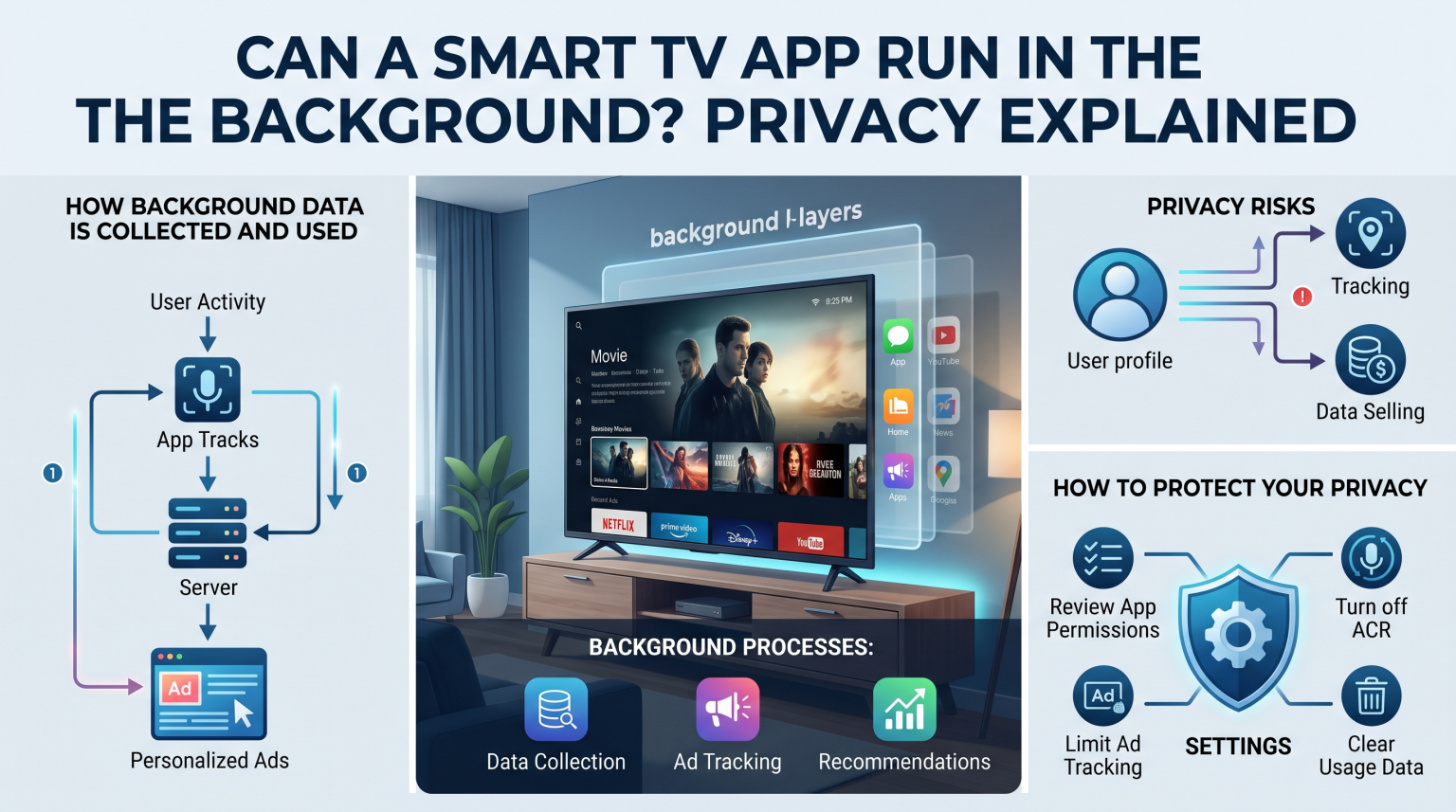
The Reality of Smart TV Apps Background Activity
Yes, smart TV applications and built-in features absolutely run in the background. While major platforms like Google TV or Samsung Tizen may pause traditional apps to save memory, system-level processes remain highly active. This invisible telemetry data collection happens 24/7 without a visible indicator.
The most concerning smart TV apps background processes involve Automated Content Recognition (ACR). ACR technology fingerprints your on-screen content up to 100 times per second, collecting massive amounts of viewing data. This means even if you’re playing a video game or using a Blu-ray player, background algorithms are still analyzing the display.
How Background Processes Impact Your Privacy
Your personal privacy takes a direct hit when background application running goes unchecked. Manufacturers routinely sell this harvested data to advertising agencies seeking to build detailed consumer profiles.
Continuous Surveillance: System apps never truly sleep, constantly scanning for audio and visual cues.
Cross-Device Tracking: Information gathered connects back to your home IP address and other devices.
Invisible Operation: You won’t see a “running” icon, making this smart TV tracking extremely stealthy.
Comparing Smart TV Tracking Features
Understanding how different brands handle these hidden services is crucial for your digital security. Below is a breakdown of how top manufacturers manage background data.
| Smart-TV-Marke | Background ACR Tech Name | Default Background Status | How to Disable Tracking |
| Samsung | Informationen zu den Informationsdiensten anzeigen | Enabled automatically | Einstellungen > Allgemein & Datenschutz > Nutzungsbedingungen & Datenschutz |
| LG | Live Plus | Enabled automatically | Settings > Advanced Settings > Live Plus |
| Roku | Smart-TV-Erlebnis | Enabled automatically | Einstellungen > Datenschutz > Smart-TV-Erlebnis |
Ways to Stop Hidden Smart TV Tracking
To eliminate smart TV apps background snooping, you must dive into the device settings. Most consumers just click “Accept All” during setup, accidentally consenting to this aggressive background operation.
Always hunt down the ACR toggles specific to your television brand. If you want absolute peace of mind, the most reliable fix is taking your television offline completely. Using a dedicated streaming box (like Apple TV) often provides far superior privacy controls compared to built-in smart interfaces.
Secure Your Living Room Today
Don’t let your television act as a surveillance device for marketers in your region or abroad. Take control of your household’s digital footprint today by auditing your television settings! Dive into your menus right now to disable ACR, or consider upgrading to a privacy-focused streaming device to stop smart TV apps background data collection for good.
How Do You Stop Background Apps on Smart TVs?
This video offers a visual step-by-step walkthrough on how to manage and stop background apps on your smart TV to enhance both performance and privacy.
„Das fragen andere Nutzer auch“ (PAA)
Do smart TV apps run when the TV is off?
No, traditional apps stop when the power is off, but modern sets remain in “standby mode” to maintain network connections and perform system updates. True background data collection happens while the screen is actively on but the app is minimized.
Can I delete background system apps?
Unfortunately, you cannot delete core system applications that monitor telemetry data. You can only disable their permissions through your television’s deeper privacy menus.
Does a VPN stop background tracking?
A VPN encrypts your traffic but won’t stop the smart TV apps background software from collecting data. The best defense is disabling ACR in the settings or disconnecting the TV from the internet entirely.