
The Sony BRAVIA 9 II is a flagship smart television released in 2026. This television uses the Google TV operating system. For the first time, Sony includes Google Gemini AI integration directly in the television software.
This integration changes how users interact with their television. Users can control settings, search for movies, and find information using natural voice commands.
This article explains the new features of the Sony BRAVIA 9 II. We will examine the hardware specifications, the Gemini AI capabilities, and the television’s performance for live football. We will also discuss how the Sony BRAVIA 9 II works with IPTV applications, including how users can connect to services like TV Shadow IPTV.
Kurze Antwort
The Sony BRAVIA 9 II with Gemini is a premium 4K television. It uses the Google TV operating system and features advanced voice control through Google Gemini.
This television is suitable for users who want deep Google ecosystem integration and voice-controlled settings. It offers excellent app compatibility for IPTV users.
However, users who prefer a simpler, traditional television menu might prefer a system like Samsung Tizen. The best choice depends on whether you value advanced artificial intelligence features or a basic user interface.
What is Google Gemini for TV?
Google Gemini is an artificial intelligence assistant. In 2026, Google added Gemini features to the Google TV operating system. The Sony BRAVIA 9 II uses these new features.
Previously, televisions used Google Assistant for basic voice commands. Gemini for TV understands complex, natural language.
Users do not need to use exact command words. You can speak to the television naturally. The Gemini assistant uses a microphone built into the television or the remote control.
New Voice Control Capabilities
Gemini for TV allows users to adjust television settings using voice commands.
For example, a user can say, “Make the colors on my screen pop”. The Gemini AI understands this command and automatically increases the color saturation and contrast.
Users can also say, “Optimize the picture quality for live sports”. The television will automatically change the picture settings and motion handling to match the content. This makes the Sony BRAVIA 9 II very easy to use for people who do not like navigating complex settings menus.
Advanced Content Discovery
Finding movies and shows is easier with Gemini. Users can ask specific questions.
For example, a user can ask, “What are some movies like Mission Impossible but funnier?”. Gemini will analyze the request and provide a list of action-comedy movies.
The Gemini system also provides narrated overviews of news and sports. If a user asks a factual question, Gemini can create visual presentations on the television screen to explain the topic.
Operating System Comparison
When choosing a new television in 2026, buyers often compare the Sony BRAVIA 9 II with Google TV against Samsung televisions using the Tizen operating system.
Both systems are fast and support 4K streaming. However, their app stores and artificial intelligence features are different. If you want to learn more about different operating systems, read our guide to the Das beste Smart-TV-Betriebssystem für IPTV im Jahr 2026.
Sony Google TV vs. Samsung Tizen
| Funktion | Sony BRAVIA 9 II (Google TV) | Samsung Tizen |
| Betriebssystem | Google TV | Tizen |
| AI Assistant | Google Gemini | Bixby |
| App-Ökosystem | Google Play Store | Samsung Apps |
| Unterstützung für Android-Apps | Native support for Android TV apps | Keine native Android-Unterstützung |
| Voice settings control | Advanced natural language (Gemini) | Basic command words (Bixby) |
| Menu style | Content-focused home screen | Application-focused bottom bar |
The Sony BRAVIA 9 II with Google TV is suitable for users who want access to the large Google Play Store. Samsung Tizen is suitable for users who want a very fast, streamlined menu interface.
Using IPTV on the Sony BRAVIA 9 II
The Sony BRAVIA 9 II is an excellent television for IPTV. Because it uses Google TV, it has full access to the Google Play Store.
Verfügbarkeit der IPTV-App
Google TV supports thousands of applications. This includes many popular IPTV players. Users can easily download apps like TiviMate, Smarters Pro, or XCIPTV directly from the Google Play Store.
This is a major advantage over televisions with closed operating systems. You do not need to use a separate streaming device like an Amazon Fire TV Stick. The Sony BRAVIA 9 II can run IPTV applications natively.
Connecting to TV Shadow IPTV
If you have an active subscription with TV Shadow IPTV, you can use it easily on the Sony BRAVIA 9 II.
Open the Google Play Store on the television.
Download your preferred IPTV player application.
Öffnen Sie die Anwendung.
Enter your M3U link or Xtream Codes login details provided by TV Shadow IPTV.
The television’s processor is powerful. It loads the Electronic Program Guide (EPG) very quickly. The remote control is also comfortable for navigating long channel lists.
Please note that app availability can depend on your specific country and current Google Play Store policies. TV Shadow IPTV provides the connection details, but users must choose and download their own IPTV player application. To compare more television models, you can read our article about the Die besten Smart-TVs für IPTV im Jahr 2026: Samsung, Sony, LG und TCL im Vergleich.
Watching Live Football on the Sony BRAVIA 9 II
Live sports require a television with good hardware. Fast-moving football matches can look blurry on cheap televisions. The Sony BRAVIA 9 II includes specific features to improve live football viewing.
Bewegungsdarstellung und Bildwiederholfrequenz
The Sony BRAVIA 9 II has a native 120Hz refresh rate panel. This means the screen updates 120 times per second.
A 120Hz refresh rate is very important for live football. It keeps the moving ball looking sharp. The television also uses Sony’s XR Motion processor. This processor analyzes the video signal and reduces motion blur without making the picture look artificial.
Internet Connection for Sports
Live football requires a stable internet connection. A weak connection causes buffering and low picture quality.
The Sony BRAVIA 9 II includes modern Wi-Fi technology. However, for the best live football experience, we recommend using the television’s Ethernet port. Connecting a network cable directly from your internet router to the television guarantees the most stable connection. This is especially important when streaming 4K sports content.
Picture Quality and Hardware Specifications
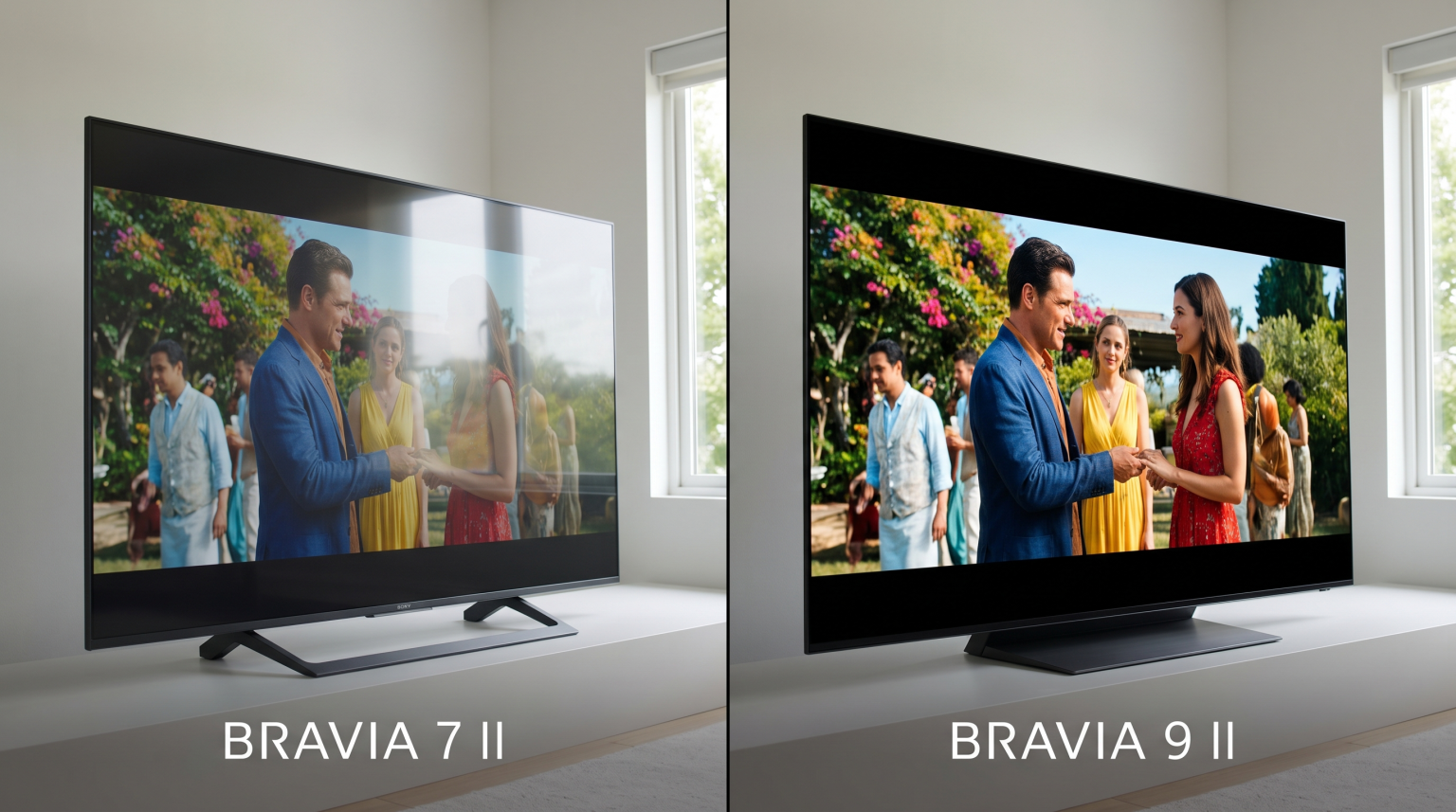
The Sony BRAVIA 9 II is a premium Mini-LED television. Mini-LED technology uses thousands of tiny lights behind the screen.
Brightness and Contrast
The Mini-LED backlighting allows the television to be extremely bright. This is useful if you watch television in a room with large windows and lots of sunlight.
The television also has excellent local dimming. Local dimming turns off the backlight behind dark areas of the picture. This creates deep black colors. The contrast is very similar to an OLED television, but the Mini-LED screen can achieve higher peak brightness.
HDR-Unterstützung
The Sony BRAVIA 9 II supports multiple High Dynamic Range (HDR) formats. It supports HDR10, HLG, and Dolby Vision.
Dolby Vision provides the best color accuracy for movies and supported streaming services. When you watch Dolby Vision content, the television automatically adjusts the brightness and colors for every scene.
Software Updates and Longevity
Sony usually provides software updates for several years. Because the Gemini AI features are new in 2026, Google will likely release many updates to improve the artificial intelligence.
These updates happen automatically when the television is connected to the internet. Users do not need to download files manually. The Google TV operating system also updates applications in the background. This ensures your IPTV players and streaming applications always have the latest security patches.
Häufig gestellte Fragen
Does the Sony BRAVIA 9 II support Android applications?
Yes. The Sony BRAVIA 9 II uses the Google TV operating system. This system is based on Android. You can download Android TV applications directly from the Google Play Store on the television.
Do I need a separate device for TV Shadow IPTV?
No. Because the television has the Google Play Store, you can download IPTV player applications directly to the television. You do not need an extra streaming stick to use TV Shadow IPTV.
Can Gemini change television settings?
Yes. Google Gemini on the Sony BRAVIA 9 II can control hardware settings. You can ask Gemini to change the brightness, switch picture modes, or adjust the sound volume using natural language.
Is a 120Hz television better for sports?
Yes. A 120Hz television updates the image twice as fast as a standard 60Hz television. This makes fast movement, like a flying football, look much smoother and clearer.
Does Gemini require a subscription on the TV?
No. The Gemini features built into the Google TV operating system on the Sony BRAVIA 9 II do not require an extra monthly payment. The features are included with the television software.