
Die Wahl des richtigen Mediaplayers entscheidet über den Erfolg oder Misserfolg Ihres Live-TV-Streaming-Erlebnisses. Beim Vergleich von TiviMate vs. IBO Player, die eigentliche Entscheidung hängt von Ihrem Betriebssystem ab: Möchten Sie ein leistungsstarkes Kraftpaket für Android TV oder eine nahtlos integrierte App, die direkt auf Smart-TVs von Samsung und LG läuft?
In den gesamten Vereinigten Staaten kündigen immer mehr „Cord-Cutter“ ihre herkömmlichen Kabelpakete in Rekordzahlen. Um eine reibungslose Live-Wiedergabe, Sportübertragungen in HD-Qualität und zuverlässige EPG-Zeitpläne zu genießen, benötigen Sie die richtige Software für Ihre Wohnzimmerausstattung.
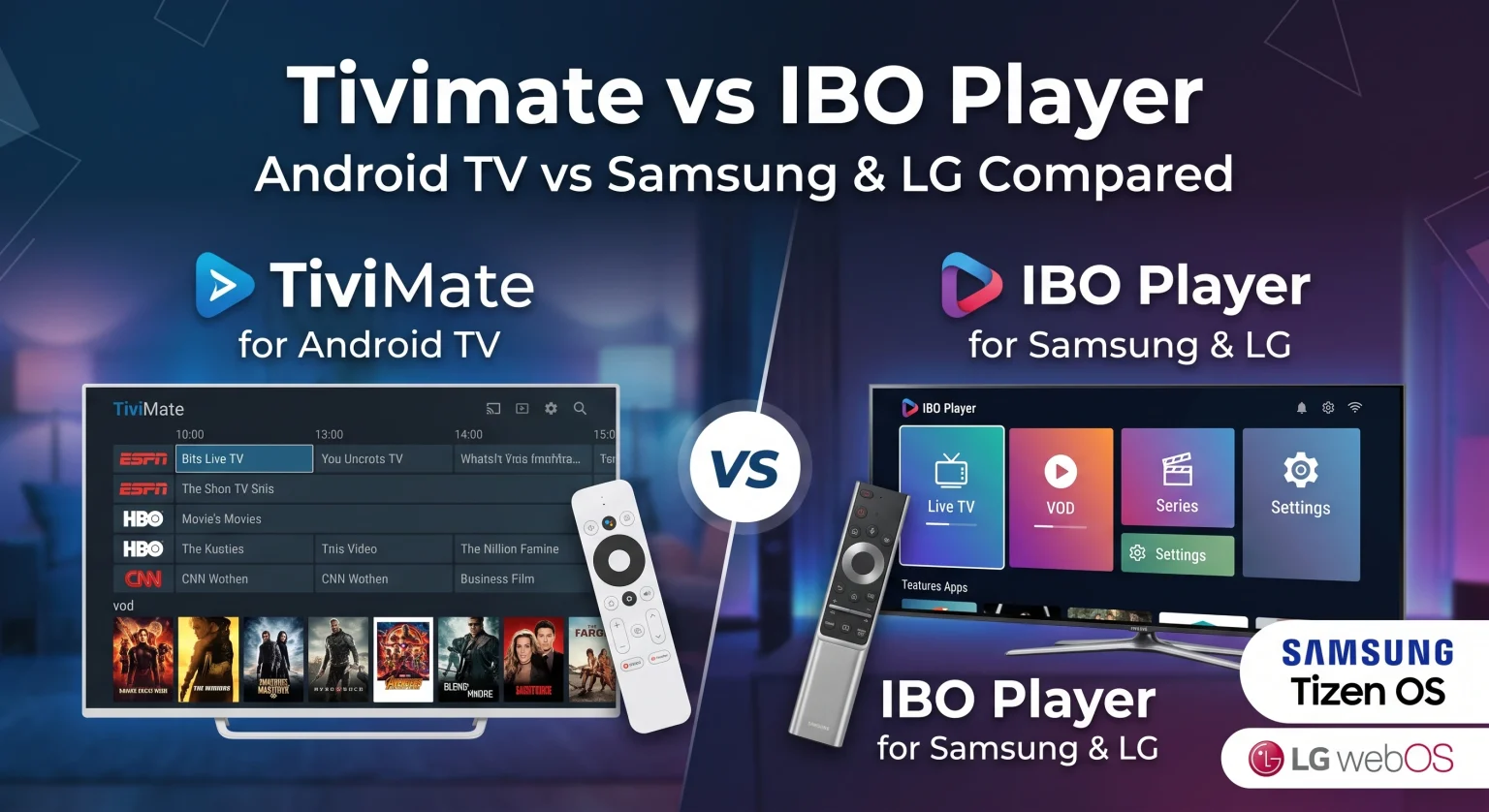
Was ist TiviMate? Das ultimative Android-TV-Kraftpaket
TiviMate gilt weithin als der Goldstandard unter den Live-TV-Playern für Geräte mit Android TV, Google TV und Amazon Fire OS. Die App wurde speziell für Fernsehbildschirme und Fernbedienungen entwickelt und bietet ein ebenso flüssiges Erlebnis wie hochwertige Kabel- und Satelliten-Set-Top-Boxen.
Wichtigste Funktionen des TiviMate IPTV-Players
EPG in Kabelfernsehqualität: Bietet ein anpassbares Rasterlayout Elektronischer Programmführer (EPG) mit schnellem Kanalwechsel und Sortierung nach Kategorien.
Multi-View-Funktion: Sehen Sie sich bis zu 9 Kanäle gleichzeitig auf High-End-Geräten wie dem Nvidia Shield TV oder Chromecast mit Google TV an.
Aufnahme nach Zeitplan: Zeichnen Sie Live-Übertragungen direkt auf einem lokalen Speichermedium oder einem Netzwerkspeicher (NAS) auf.
Integration mehrerer Wiedergabelisten: Mehrere hinzufügen M3U-Playlist URLs oder Xtream Codes API Anmeldedaten nahtlos.
Was ist IBO Player? Die native Lösung für Samsung und LG
IBO-Spieler ist ein universeller Mediaplayer, der entwickelt wurde, um das größte Problem beim Streaming auf Smart-TVs zu lösen: die plattformübergreifende Kompatibilität. Im Gegensatz zu Mitbewerbern, die auf Android beschränkt sind, lässt sich der IBO Player nativ auf Samsung-Smart-TVs (Tizen OS) und LG-Smart-TVs (webOS).
Wichtigste Funktionen des IBO Players
Umfassende Unterstützung nativer Betriebssysteme: Funktioniert reibungslos auf Samsung Tizen, LG webOS, Apple TV, iOS und Android, ohne dass externe Dongles erforderlich sind.
Aktivierung des Webportals: Verwalten und aktualisieren Sie Ihre Wiedergabelisten aus der Ferne über ein Online-Browserportal, indem Sie die MAC-Adresse und den Geräteschlüssel Ihres Geräts verwenden.
Schnelles Laden des Streams: Ausgestattet mit einer leichtgewichtigen Video-Engine, die 4K-Streams mit minimalen Pufferverzögerungen dekodiert.
Einfache Fernsteuerung: Speziell für die Verwendung mit den Standard-Fernbedienungen „Samsung OneRemote“ und „LG Magic Remote“ entwickelt.
TiviMate vs. IBO Player: Direktvergleich der Funktionen
| Funktionsmerkmale / Technische Daten | TiviMate IPTV-Player | IBO-Spieler |
| Unterstützte Plattformen | Android TV, Google TV, Fire TV Stick, Nvidia Shield | Samsung (Tizen), LG (webOS), Android TV, Apple TV, Fire TV, Windows |
| Optimale Hardware-Kombination | Android-TV-Boxen & Amazon Fire TV | Native Samsung- und LG-Smart-TVs |
| Benutzeroberfläche (UI) | Schlichtes Design im Dark-Mode-Stil, ähnlich einer Set-Top-Box | Schlicht, minimalistisch, auf Kacheln basierend |
| EPG-Funktionen | Mehrere Datenquellen, planmäßige Aktualisierung, benutzerdefinierte Logos | Einfache Zeitleistenansicht aus einer Quelle |
| Mehrbildschirm-Modus | Ja (bis zu 9 Bildschirme auf unterstützter Hardware) | Keine native Multi-View-Funktionalität |
| Aufzeichnung & Nachholen | Ja (lokaler Speicher und SMB-/NAS-Unterstützung) | Abhängig vom Anbieter der Wiedergabeliste (keine lokale Aufzeichnung) |
| Vorgehensweise zum Einrichten einer Wiedergabeliste | Direkt auf dem Gerät über die Fernbedienung oder die Companion-App | Online-Webportal unter Verwendung der MAC-Adresse und des Geräteschlüssels |
| Preisstruktur | Kostenlose Version; Premium für ca. $9,99 pro Jahr oder ca. $34,99 auf Lebenszeit | 7-tägige kostenlose Testphase; einmalige Geräteaktivierung (~$8–$10) |
Vergleich von Benutzeroberfläche, Leistung und Benutzererfahrung
Benutzerfreundlichkeit von EPG und TV-Programmzeitschriften
Was die Darstellung des Programmführers und die Reaktionsgeschwindigkeit angeht, ist TiviMate unangefochten führend. Sie können die Höhe der Senderzeilen anpassen, die Schriftgröße ändern, Vorschaufenster ein- und ausschalten sowie individuelle Senderlogos festlegen.
IBO Player bietet eine übersichtliche und funktionale Benutzerführung, lässt jedoch Möglichkeiten zur umfassenden Anpassung der Benutzeroberfläche vermissen. Für das gelegentliche Stöbern reicht es aus, doch begeisterte Sportfans werden die eher schlichte Darstellung bemerken.
Verwaltung von Wiedergabelisten und Unterstützung mehrerer Bildschirme
Mit TiviMate können Sie mehrere Wiedergabelisten organisieren, Kanalgruppen ausblenden und einheitliche Favoritenlisten direkt auf Ihrem Bildschirm erstellen. Darüber hinaus bietet die App Mehrbildschirm-Anzeige ermöglicht es US-Sportfans, mehrere Football-, Basketball- oder Eishockeyspiele gleichzeitig zu verfolgen.
Mit IBO Player wird die Verwaltung von Wiedergabelisten vom Fernsehbildschirm auf ein cloudbasiertes Web-Dashboard verlagert. Diese Lösung ist besonders praktisch für Nutzer, die es nicht mögen, lange URLs mit einer herkömmlichen TV-Fernbedienung einzugeben.
TiviMate vs. IBO Player in den USA: Preise, Geräteunterstützung und Einrichtung
Auf dem US-Markt entscheidet in der Regel die Akzeptanz der Hardware darüber, wer der Gewinner im TiviMate vs. IBO Player Debatte.
Wenn Ihr Wohnzimmer auf eine Amazon Fire TV Stick 4K Max, Nvidia Shield, oder Google TV, TiviMate bietet ein unvergleichliches Erlebnis für Enthusiasten. Für TiviMate Premium ist entweder ein Jahresabonnement (~$9,99/Jahr) oder eine einmalige Lebenszeitlizenz (~$34,99) erforderlich, die über die TiviMate Companion-App bis zu 5 Geräte abdeckt.
Wenn sich Ihre Heimausstattung um einen Samsung Neo QLED oder LG OLED-Fernseher Und wenn Sie keinen externen Streaming-Dongle an Ihrer Wandhalterung baumeln haben möchten, ist der IBO Player die erste Wahl. Nach einer 7-tägigen Testphase fällt für den IBO Player eine einfache, einmalige Aktivierungsgebühr pro Gerät an (etwa $8 bis $10).
Das Fazit: Für welchen IPTV-Player sollten Sie sich entscheiden?
Wählen Sie TiviMate Wenn Sie ein Android TV oder einen Firestick besitzen und High-End-Funktionen wie Multi-View, Aufzeichnung und umfassende EPG-Anpassungsmöglichkeiten nutzen möchten.
Wählen Sie IBO-Spieler Wenn Sie eine Plug-and-Play-Lösung wünschen IPTV-Player für Samsung Smart TV oder LG webOS ohne in zusätzliche Streaming-Hardware investieren zu müssen.
Beide Apps überzeugen in ihren jeweiligen Ökosystemen und bieten „Cord-Cutter“ in den USA und weltweit eine zuverlässige Streaming-Leistung in HD-Qualität.
Sind Sie bereit, Ihr Home-Entertainment-System auf ein neues Niveau zu heben? Überprüfen Sie noch heute Ihre Geräte im Wohnzimmer, laden Sie den kompatiblen Player herunter und aktivieren Sie Ihre Testversion, um reibungsloses Live-TV-Streaming zu genießen!
Häufig gestellte Fragen (PAA)
Kann ich TiviMate direkt auf einem Samsung- oder LG-Smart-TV installieren?
Nein, TiviMate kann nicht direkt auf Fernsehern von Samsung (Tizen OS) oder LG (webOS) installiert werden. Um TiviMate auf diesen Geräten nutzen zu können, müssen Sie ein externes Android-TV-Gerät anschließen, beispielsweise einen Amazon Fire TV Stick, Google Chromecast oder Nvidia Shield.
Bietet der IBO Player Live-Kanäle oder Filme an?
Nein, der IBO Player ist ausschließlich eine Medienplayer-Anwendung. Er stellt keine Medieninhalte, Kanäle oder Stream-Links bereit; Sie müssen Ihre eigene gültige M3U-Playlist oder die Anmeldedaten Ihres Anbieters bereitstellen.
Ist TiviMate kostenlos, oder brauche ich die Premium-Version?
TiviMate bietet eine kostenlose Version mit grundlegenden Wiedergabefunktionen für Kanäle an, doch für wichtige Funktionen wie EPG-Aktualisierungen, Favoritenverwaltung, zeitgesteuerte Aufnahmen und Multi-View ist ein Upgrade auf TiviMate Premium erforderlich.