
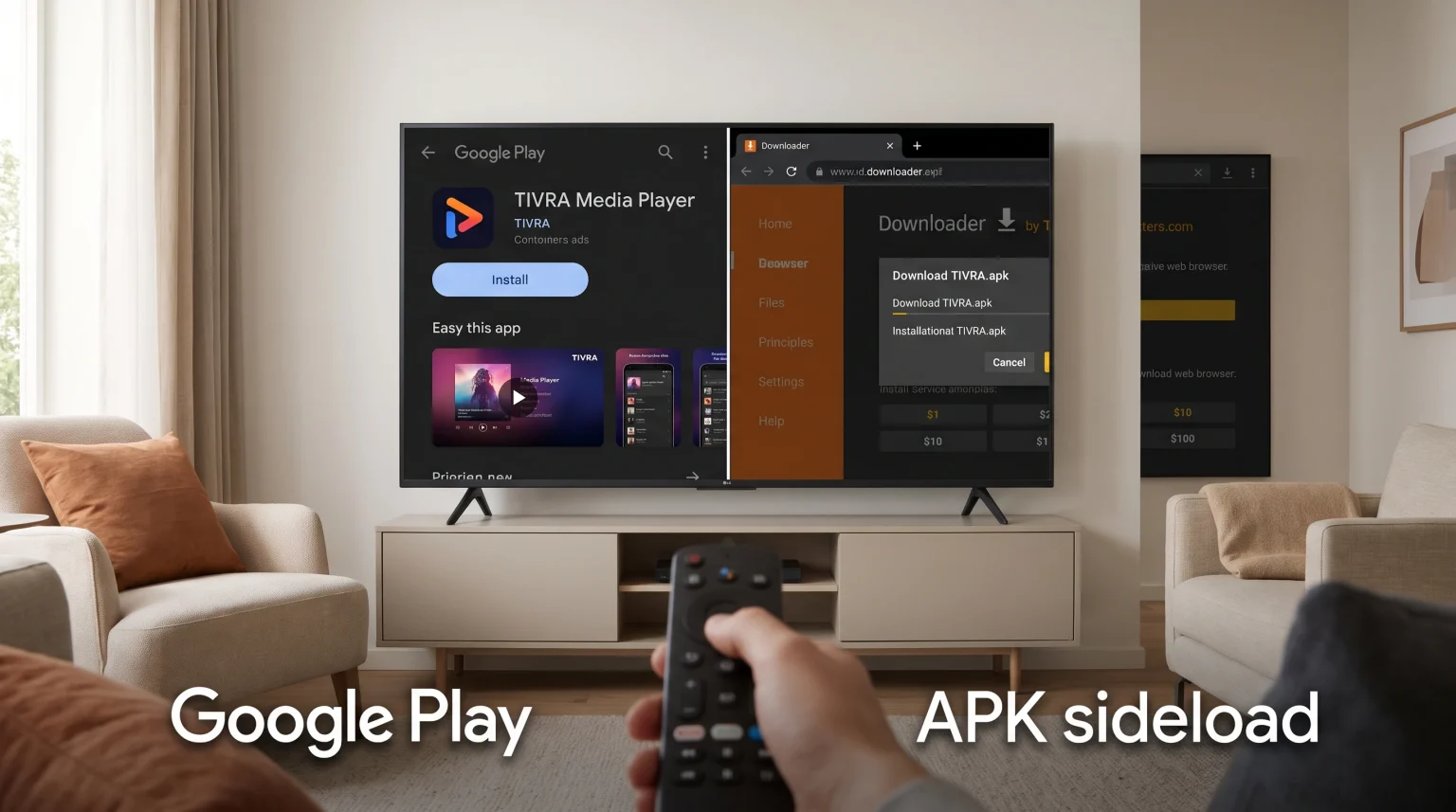
Many IPTV users ask questions about the TIVRA Google Play APK version. You can download the TIVRA application from the official Google Play Store. You can also download the TIVRA APK file directly from the developer. Both versions are the same media player, but they have important differences.
These differences affect how you install the application on your television. The differences also affect how the application receives software updates. Furthermore, the differences change how you pay for premium features.
This article explains the exact differences between the Google Play version and the APK version. This information will help you choose the correct TIVRA version for your Smart TV or streaming device.
Kurze Antwort
The main difference is how the application is installed and updated. The Google Play version installs automatically on Android TV and Google TV devices. The Google Play Store manages all software updates and payments.
The APK version requires manual installation. This manual installation is called sideloading. The APK version often includes an internal update system. Some users prefer the APK version because it bypasses Google Play Store restrictions. Both versions work perfectly with TV Shadow IPTV.
Main Differences Between TIVRA Versions
The TIVRA player provides the same basic video playback on both versions. However, the user experience regarding maintenance and installation is very different.
Application Installation
The Google Play version is very easy to install. You open the Google Play Store on your Smart TV. You search for the TIVRA application. Then you click the download button. The installation happens automatically in a few seconds.
The APK version requires a manual process. This process is called sideloading. You cannot find the APK version in the Google Play Store. You must download the APK file from a web browser. Most users use an application called Downloader to install the APK file on their television. Sideloading takes more time than using the Google Play Store.
Software-Updates
Software updates are very important for IPTV (Internet Protocol Television) players. Updates fix bugs and improve streaming stability.
The Google Play version updates automatically in the background. Google controls these software updates. Sometimes, Google delays updates for several days to check the software code.
The APK version receives updates directly from the TIVRA developer. The APK version often updates faster than the Google Play version. The APK version usually shows a notification on your television screen when a new update is ready. You must click the notification to install the update.
Payments and Premium Features
TIVRA offers a premium version with extra features.
If you use the Google Play version, you pay for the premium features through your Google account. This payment process is very secure. You can manage your subscription inside the Google Play Store.
If you use the APK version, you usually pay through a separate website. You manage your subscription directly with the TIVRA developer. Some users prefer this direct payment method.
Content Restrictions
Google Play has strict rules for application developers. Sometimes, Google forces IPTV applications to limit certain features to comply with store policies.
The direct APK version does not follow Google Play rules. The APK version often has fewer restrictions.
Kompatibilität der Geräte
You must have a compatible device to use TIVRA.
The Google Play version is available for devices that run the Android TV operating system or the Google TV operating system. Popular devices include Sony BRAVIA televisions, Chromecast with Google TV, and Nvidia Shield.
The APK version is also compatible with Android TV and Google TV devices. Additionally, you must use the APK version if you have an Amazon Fire TV device. Amazon Fire TV does not have the Google Play Store. Therefore, Fire TV users must sideload the TIVRA APK file.
Comparison: TIVRA Google Play vs APK
| Funktion | Google Play Version | APK Version |
| Installation method | Automatic via app store | Manual sideloading |
| Software-Updates | Automatic by Google | Manual or internal updater |
| Payment system | Google Play billing | Developer website |
| Google restrictions | Ja | Nein |
| Amazon Fire TV support | Nein | Ja |
| Best for | Anfänger | Advanced users |
TIVRA and TV Shadow IPTV Compatibility
TIVRA is an empty media player. The TIVRA application does not include any channels, movies, or television shows. You must add your own IPTV service.
Both the Google Play version and the APK version work excellently with TV Shadow IPTV.
You can connect TV Shadow IPTV to the TIVRA application using an M3U playlist. You can also use Xtream Codes login details. We recommend using Xtream Codes for the fastest setup.
TIVRA supports the Electronic Program Guide (EPG). The EPG shows you the television schedule. Both versions of TIVRA load the TV Shadow IPTV channel list very quickly. The user interface is identical on both versions. The remote control navigation works perfectly on both versions.
If you want to learn more about television operating systems, read our guide to Das beste Smart-TV-Betriebssystem für IPTV im Jahr 2026.
Watching Live Football on TIVRA
Many people use the TIVRA application to watch live football and other sports. TIVRA recently added a new Sports Hub feature. The Sports Hub shows live match scores directly inside the IPTV player.
For the best live football experience, the TIVRA version does not matter. The picture quality depends entirely on your television hardware and your internet connection.
We recommend connecting your television to the internet router with an Ethernet cable. Ethernet is more stable than Wi-Fi. A stable internet connection stops the live football stream from pausing.
A television with a 120Hz refresh rate also makes the moving football look smoother than a 60Hz television. If you are buying a new television specifically for sports, read our detailed comparison of OLED vs. Mini-LED bei Live-Fußballübertragungen.
Schlussfolgerung
Choosing between the TIVRA Google Play version and the TIVRA APK version is simple. The Google Play version is easier to install and updates automatically. The APK version requires manual installation but often receives software updates faster. The APK version is also necessary for Amazon Fire TV devices.
Both versions deliver excellent performance for streaming live television. Both versions work perfectly with TV Shadow IPTV. If you want a simple setup process, choose the Google Play version. If you are an advanced user who wants the newest features immediately, choose the APK version.
Häufig gestellte Fragen
What is the TIVRA Google Play APK version?
The phrase “TIVRA Google Play APK version” refers to the two different ways to install the TIVRA player. You can install the application from the Google Play Store, or you can install the APK file directly.
Is the TIVRA APK safe to install on my television?
Yes, the TIVRA APK is safe if you download the file from the official developer website. You should never download APK files from unknown websites. Unknown websites can add malicious software to the APK file.
Do both TIVRA versions have the Sports Hub feature?
Yes. Both the Google Play version and the APK version include the Sports Hub. The Sports Hub provides live scores for sports matches.