
Modern 4K televisions feature more than eight million pixels. However, most standard television broadcasts and IPTV streams do not provide a native 4K signal. Instead, these services usually provide a 720p or 1080p HD signal. The television must stretch this smaller image to fit the large 4K screen.
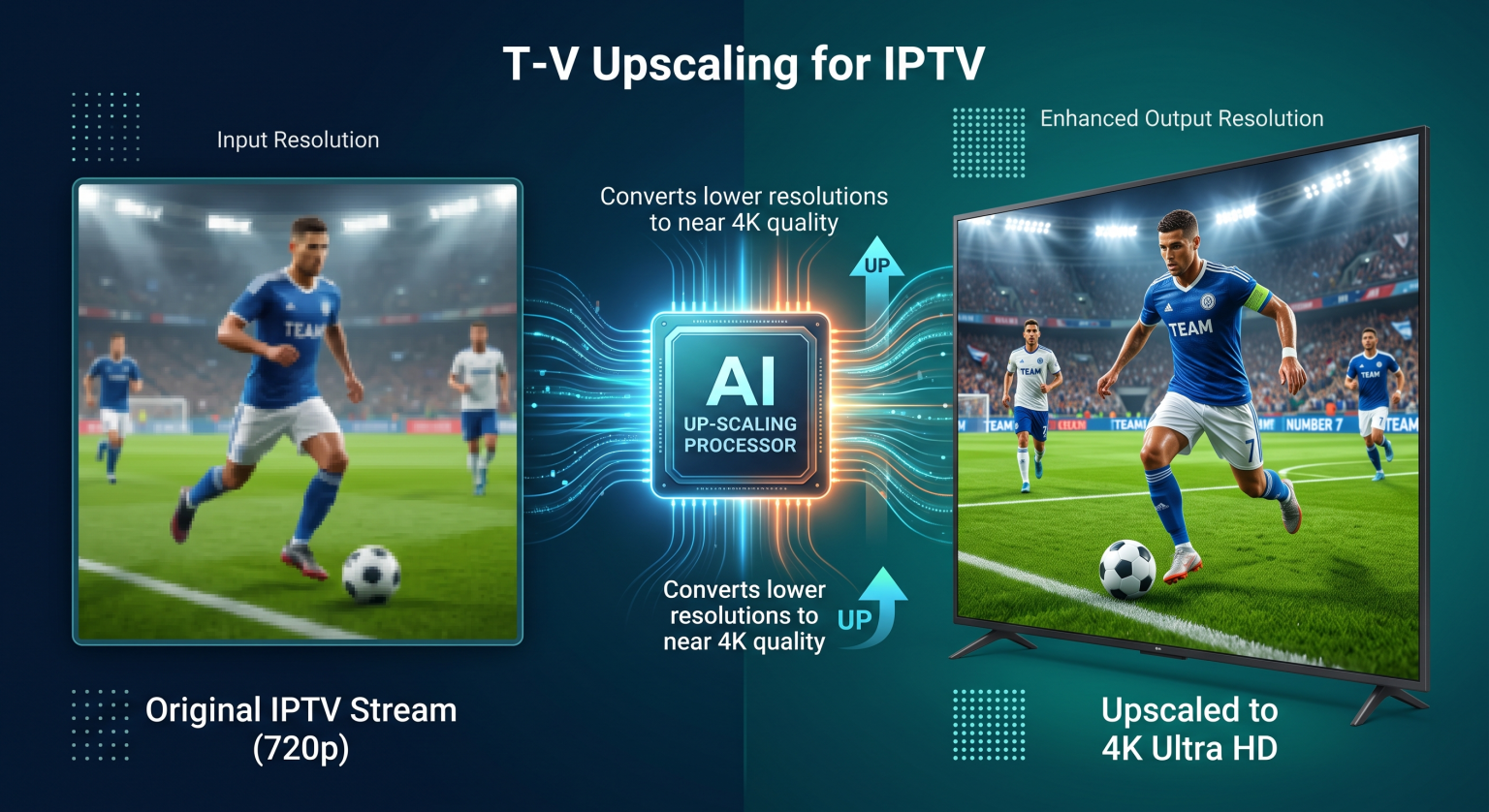
This process is called TV upscaling. Television manufacturers use advanced processors and artificial intelligence to add missing pixels to the image. This process happens instantly while you watch video.
Many users wonder if TV upscaling IPTV streams provides a better viewing experience. This article explains how TV upscaling works, how the technology affects IPTV services, and what this means for watching live football.
Kurze Antwort
Does TV upscaling improve IPTV and live football? Yes, but the final result depends entirely on the original video quality.
Good TV upscaling makes a high-bitrate 1080p IPTV stream look almost identical to native 4K video. However, TV upscaling cannot fix a low-quality or heavily compressed video stream. For live football, upscaling improves the sharpness of the players and the field. But for a smooth football broadcast, the television’s motion processing and refresh rate are much more important than the resolution upscaling.
What is TV Upscaling?
A 4K television has a specific physical resolution. The screen contains 3840 vertical pixels and 2160 horizontal pixels.
A standard 1080p HD video contains only 1920 vertical pixels and 1080 horizontal pixels. If a 4K television played a 1080p video directly without modifying the signal, the video would only fill one quarter of the television screen. The rest of the screen would be black.
To solve this problem, the television uses an upscaling processor. The processor analyzes the incoming 1080p video signal. The processor calculates what colors and shapes should exist between the original pixels. The processor then creates new, artificial pixels to fill the empty space. This process expands the video to fill the entire 4K screen.
High-end televisions from brands like Sony, Samsung, and LG use artificial intelligence for this process. The television processor compares the video signal to a database of images to make the new pixels look realistic.
How TV Upscaling Affects IPTV Quality
Many IPTV services deliver content in 720p or 1080p resolutions to save internet bandwidth. Because of this, TV upscaling IPTV streams is a daily reality for most users.
The success of the upscaling process depends on the “bitrate” of the IPTV stream. Bitrate is the amount of data transferred per second.
High-Bitrate IPTV Streams
If you use a high-bitrate 1080p stream, the television processor receives clear information. The processor can easily calculate the missing pixels. The final upscaled image on your 4K television will look sharp, detailed, and vibrant.
Low-Bitrate IPTV Streams
If an IPTV stream has a low bitrate, the video is heavily compressed. Heavy compression creates blocky artifacts and visual noise in the video signal.
When the television receives a compressed low-bitrate signal, the upscaling processor struggles. The processor cannot tell the difference between the actual video details and the compression artifacts. The television will upscale the compression artifacts. This makes the blocky areas look larger and more obvious. If you want to understand this problem in detail, read our guide explaining Warum sieht IPTV auf einem neuen 4K-Fernseher verschwommen aus?.
Does TV Upscaling Improve Live Football?
Live football is one of the most difficult types of video for a television to process. The camera pans quickly across a green field. The players wear bright colors and move very fast. The football is small and travels rapidly through the air.
TV upscaling improves the sharpness of the live football broadcast. Good upscaling makes the player names on the shirts easier to read. Good upscaling also makes the individual blades of grass look more distinct.
However, upscaling does not improve motion.
When you watch live football, smooth motion is more important than pure sharpness. If the football leaves a blurry trail across the screen, upscaling will not fix the problem. Motion handling depends on the television’s refresh rate and motion interpolation settings.
For the best live football experience, you need a high-quality IPTV stream providing 50 frames per second (fps) or 60 frames per second (fps). You also need a television that handles motion well. Read our comparison to understand the 60-Hz- vs. 120-Hz-Fernseher für Live-Fußball.
Comparing Video Resolutions on a 4K TV
This table explains how different video sources look after a 4K television applies the upscaling process.
| Video Source Quality | Upscaled Result on a 4K TV | Best Viewing Purpose |
| Native 4K | Excellent clarity. No upscaling is necessary. | Premium movies and high-end special events. |
| 1080p (High Bitrate) | Very good clarity. The image looks almost identical to 4K. | General IPTV viewing and live football broadcasts. |
| 720p (High Bitrate) | Acceptable clarity. Some softness is visible around small text. | Older television shows and standard news channels. |
| Low Bitrate Video | Poor clarity. Upscaling makes compression blocks very visible. | Not recommended for large screens. |
IPTV Apps and Smart TV Processing
When you use an IPTV service, you typically install an IPTV player application on your Smart TV. Common applications include Smart IPTV, TiviMate, or IPTV Smarters Pro. You connect to your IPTV provider using an M3U playlist or Xtream Codes login.
It is important to understand that the IPTV application does not perform the video upscaling. The application simply receives the video data from the internet. The application passes the video data to the television’s internal processor. The television processor performs all the upscaling work.
For this reason, the television hardware is very important. A premium Sony BRAVIA television and a budget television will display the exact same IPTV stream differently. The premium television uses a better processor, so the upscaled IPTV stream looks sharper and cleaner. If you are buying a new television, research Die besten Smart-TVs für IPTV im Jahr 2026: Samsung, Sony, LG und TCL im Vergleich.
Using a premium service like TV Shadow IPTV ensures your television receives a stable, clean source signal. A clean source signal gives your television processor the best possible starting point for upscaling.
How to Get the Best Picture Quality for IPTV
You can change several settings on your television to improve the upscaled picture quality for IPTV and live football.
Verwenden Sie eine kabelgebundene Ethernet-Verbindung: A stable internet connection prevents the video stream from dropping to a lower resolution. Connect your television directly to your internet router using an Ethernet cable.
Turn Off Noise Reduction: Most televisions have a setting called “Noise Reduction” or “MPEG Noise Reduction”. This setting tries to remove digital noise. However, this setting often makes faces look like plastic. Turn this setting off for high-quality IPTV streams.
Adjust Motion Settings Carefully: For live football, you want smooth motion. Look for a setting called “Motionflow” (Sony), “Picture Clarity” (Samsung), or “TruMotion” (LG). Set this to a low or medium level. If you set the motion setting too high, the football may look unnatural.
Select the Right Picture Mode: Modern televisions have different picture modes. Choose “Standard” or “Movie” mode for television shows. Choose “Sports” mode for live football, but remember to lower the brightness slightly if the green grass looks too artificial.
Schlussfolgerung
TV upscaling is a necessary technology for modern televisions. Because native 4K content is still rare in daily broadcasting, your television must upscale standard video signals. TV upscaling IPTV streams provides excellent results when the original stream is a high-bitrate 1080p video.
For live football, upscaling ensures the field and players look sharp on a large screen. However, you still need a television with good motion processing and a stable provider like TV Shadow IPTV to ensure a smooth, clear viewing experience. The quality of the final image always depends on the quality of the original video signal.
Häufig gestellte Fragen (FAQ)
Does upscaling cause input lag on a television?
Yes, upscaling requires processing time, which creates a very small delay (input lag). This delay is usually less than 20 milliseconds. This delay does not affect watching IPTV or live football. The delay only matters for competitive video gaming.
Can upscaling make a 720p stream look exactly like a native 4K stream?
No. A 720p stream contains very little original data. The television processor must invent millions of missing pixels. The final image will look acceptable, but it will never look as sharp or detailed as a native 4K video.
Why does my live football stream look blurry on a new 4K TV?
The stream likely has a low bitrate or a low frame rate. A 4K television will make a low-quality video look worse because the screen is larger and more detailed. The television magnifies the flaws in the video stream.
Should I turn off upscaling on my television?
You cannot turn off upscaling. If you turned off upscaling, a 1080p video would only occupy a small square in the middle of your large 4K screen. The television must upscale the image to fill the physical screen.
Does my IPTV app control the upscaling process?
No. The IPTV application only receives the data stream. The physical processor inside your television handles the upscaling process entirely.