
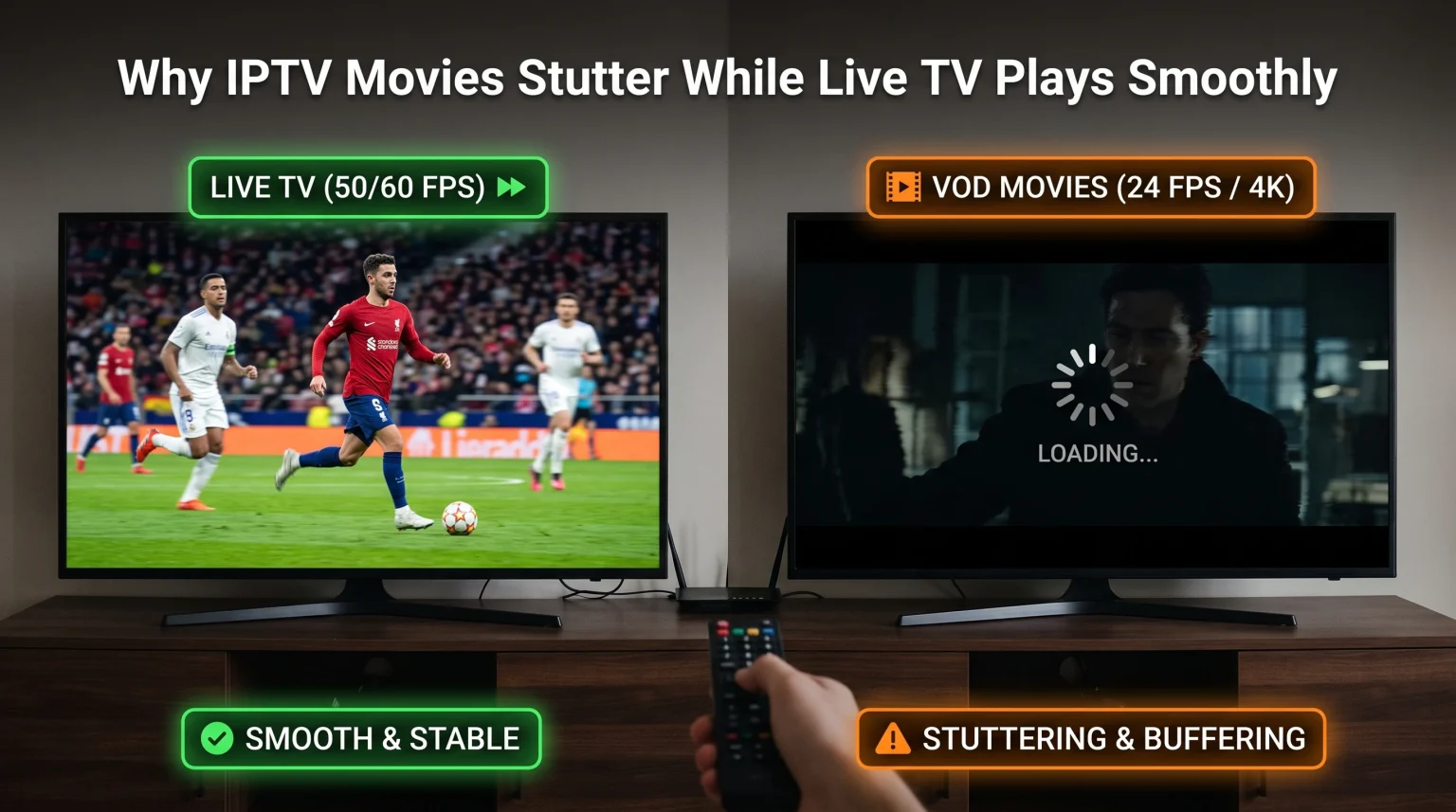
Many users experience a specific problem when using internet television services. Live television channels, including sports and news, play perfectly without interruption. However, when the user tries to watch a movie or television series on demand, the video freezes, skips frames, or stops completely. This problem is very common and usually has clear technical causes.
Live television and Video on Demand (VOD) use different streaming technologies. They also require different amounts of internet data and use different server networks. Furthermore, movies and live television use different frame rates. This means your television processes the images differently.
This article explains why IPTV movies stuttering happens. It also provides technical solutions to help you fix the problem and improve your viewing experience.
Kurze Antwort
IPTV movies stutter while live television plays smoothly for three main reasons. First, movies require more internet data because they usually have a higher resolution and higher bitrate than live television. Second, movies are recorded at 24 frames per second, while live television is broadcast at 50 or 60 frames per second. If your television does not adjust its refresh rate, the movie will skip frames. Finally, IPTV providers often store movies on different servers than live channels. If the movie server is busy, the movie will pause to load data.
Technical Differences Between Live TV and Movies
To understand why IPTV movies stuttering occurs, you must understand how streaming technology works. Live television and VOD movies operate very differently.
Live Television Streams
Live television broadcasts are optimized for speed and stability. Providers compress the video data so it can travel quickly across the internet. The goal is to keep the delay as small as possible. The bitrate for live television is usually constant. This makes it easier for your television or streaming device to process the data stream continuously.
Video on Demand (Movies)
Movies in a VOD library are static files. These files are usually much larger than a live stream. Many VOD movies use 4K resolution and High Dynamic Range (HDR). This requires a very high bitrate. The data flow for a movie can also change from second to second. A dark, quiet scene requires less data. A fast action scene with bright lights requires massive amounts of data. If your internet connection or device processor cannot handle this sudden increase in data, the movie will stutter.
The Frame Rate Mismatch (24p Judder)
The most common reason for a skipping image during movies is a frame rate mismatch.
Movies in the cinema are recorded at 24 frames per second (fps). Most live television is broadcast at 50 fps (in Europe) or 60 fps (in North America).
When you watch a live football match at 50 fps on a 50Hz or 100Hz television screen, the images match the screen’s refresh rate perfectly. The video looks smooth.
When you watch a 24 fps movie, a 60Hz television screen struggles to display the frames evenly. The television must show some frames two times and other frames three times. This creates a visual effect called “judder” or “stutter”. The camera movement will look unnatural or shaky.
If you want to understand more about screen refresh rates, our guide to 60-Hz- vs. 120-Hz-Fernseher für Live-Fußball explains this hardware feature in detail.
Server Load and Network Routing
IPTV services use complex server networks. The server that sends you a live television channel is rarely the same server that sends you a VOD movie.
Live television uses specialized distribution servers designed to send the same data to thousands of people at the same time. VOD requires a direct, individual connection between the server and your device.
If thousands of people try to watch different movies from the same VOD server at the same time, that specific server can become overloaded. When the server cannot send data fast enough, your video player runs out of buffered data. The movie will freeze until more data arrives. Because the live television servers are separate, your live channels will continue to work perfectly.
Hardware and Processor Limitations
Modern video files use advanced compression codes. The most common code for 4K movies is HEVC (H.265).
Decoding a 4K HEVC movie requires a very strong computer processor. Many older televisions, cheap streaming sticks, and standard Android television boxes have weak processors. These processors can easily decode the H.264 video used for live television. However, they overheat or fail when trying to decode a heavy 4K VOD movie.
If you suspect your television processor is too weak, you can read our article about Warum sieht IPTV auf einem neuen 4K-Fernseher verschwommen aus?.
Comparing Live TV and VOD Requirements
| Funktion | Live Television | VOD Movies |
| Beschluss | Usually 720p or 1080p | Often 4K |
| Video Codec | Usually H.264 | Often HEVC (H.265) |
| Frame Rate | 50 fps or 60 fps | 24 fps |
| Bitrate | Low to medium | High and variable |
| Server Connection | Shared distribution | Direct individual connection |
| Puffergröße | Small | Groß |
Optimizing TV Shadow IPTV for Movies
When using TV Shadow IPTV or similar services, you can change settings in your IPTV player to improve movie playback.
Most modern IPTV applications support both M3U playlists and Xtream Codes API. Xtream Codes API is generally better for VOD libraries because it organizes the movies and series more efficiently.
To stop IPTV movies stuttering, try these application settings:
Change the video decoder: Most IPTV apps allow you to choose between “Hardware decoding” and “Software decoding”. If hardware decoding causes stuttering, switch to software decoding.
Increase the buffer size: The buffer is the amount of video your device downloads in advance. A larger buffer stops the movie from freezing when your internet speed drops for a few seconds.
Change the media player engine: Applications like Tivimate or Smarters allow you to use an external player (like VLC Player or MX Player) for VOD. External players are often better at decoding heavy movie files.
Live-Fußball und Bewegungsabläufe
Watching live football requires different technology than watching a cinematic movie. Live football requires excellent motion handling to keep the fast-moving ball in focus.
For the best live football experience, your television must process a 50 fps or 60 fps signal without adding artificial delay. We strongly recommend using an Ethernet cable instead of Wi-Fi for live sports. An Ethernet cable provides a stable, continuous data stream. Wi-Fi connections often have micro-interruptions that cause the stream to drop out right before a goal.
How to Fix IPTV Movies Stuttering
If your movies continue to freeze while live television works, follow these steps:
Verwenden Sie ein Ethernet-Kabel: Connect your television directly to your internet router with a cable. Wi-Fi is often too unstable for high-bitrate 4K movies.
Select a Lower Resolution: If a 4K movie freezes constantly, choose the 1080p (Full HD) version of the same movie from the VOD menu.
Restart Your Router: Your internet router can store temporary data that slows down direct server connections. Restarting the router clears this memory.
Turn On “Match Frame Rate”: If your streaming device (such as an Apple TV or Nvidia Shield) has a “Match Frame Rate” setting, turn it on. This forces the device to output exactly 24 frames per second for movies, removing visual judder.
Update Your IPTV Application: Developers frequently release updates that improve how the application handles heavy video files.
If you are planning to buy a new television to solve these hardware problems, read our comparison of the Die besten Smart-TVs für IPTV im Jahr 2026: Samsung, Sony, LG und TCL im Vergleich.
Schlussfolgerung
The difference between live television and VOD movies is highly technical. IPTV movies stuttering is usually caused by heavy 4K file sizes, frame rate mismatches, or separate VOD servers that are under heavy load. Live television streams are lighter and easier for your device to process continuously.
By switching to an Ethernet connection, increasing your application’s buffer size, and using hardware that matches the correct frame rate, you can significantly improve your movie viewing experience. When choosing equipment and applications for TV Shadow IPTV, always prioritize devices with strong processors and gigabit Ethernet ports to handle both live sports and cinematic VOD flawlessly.
Häufig gestellte Fragen (FAQ)
Why does my IPTV freeze only on VOD?
VOD movies require a higher data bitrate and use different servers than live television. If the VOD server is overloaded or your internet connection cannot handle the high bitrate, the movie will freeze. Live television uses less data and different servers.
Does a faster internet connection fix IPTV movies stuttering?
Yes, but only if your current internet connection is too slow. You need a stable speed of at least 25 Mbps for a 4K movie. However, if the provider’s movie server is overloaded, a faster home internet connection will not solve the problem.
Should I use Wi-Fi or Ethernet for VOD movies?
You should always use an Ethernet cable. Wi-Fi signals can be blocked by walls or disturbed by other devices. Ethernet provides the stable, continuous data transfer required for large movie files.
What is frame rate judder?
Frame rate judder is a visual stutter that happens when a 24-frame-per-second movie is played on a 60-frame-per-second television screen. The television cannot divide the frames equally, causing panning camera shots to look shaky.
Can an external video player fix VOD stuttering?
Yes. Video players like VLC Player have advanced software decoders. They can often process heavy movie files better than the default player built into your IPTV application.
Does clearing the application cache help?
Yes. When a streaming application stores too much temporary data, it can slow down your device. Clearing the application cache frees up system memory, which helps the device process large movie files.