
When you buy a new Smart TV, the refresh rate is an important specification. Many modern televisions feature a 120Hz screen, while standard televisions use a 60Hz screen.
A television refresh rate determines how many times the screen updates the image per second. A higher refresh rate is excellent for modern video game consoles. However, many users want to know if a 120Hz television will improve their 120Hz IPTV streaming experience.
This article explains how a television refresh rate affects live streaming. We will discuss frame rates, picture processing, and live sports broadcasts. This information will help you decide which television specification is necessary for your entertainment setup.
Quick Answer
A 120Hz television does not directly improve the frame rate of an IPTV stream. Most IPTV services broadcast live television at 25, 30, 50, or 60 frames per second. A television cannot create real video frames that do not exist in the original broadcast.
However, 120Hz televisions usually contain superior picture processors. These powerful processors improve color, reduce motion blur, and upscale low-resolution images much better than 60Hz televisions. Therefore, a 120Hz television generally provides a better IPTV picture, but the television processor is the main reason for the improvement, not the refresh rate alone.
What Is a 120Hz Refresh Rate?
The term “Hz” stands for Hertz. Hertz measures how many times per second a screen can draw a new image.
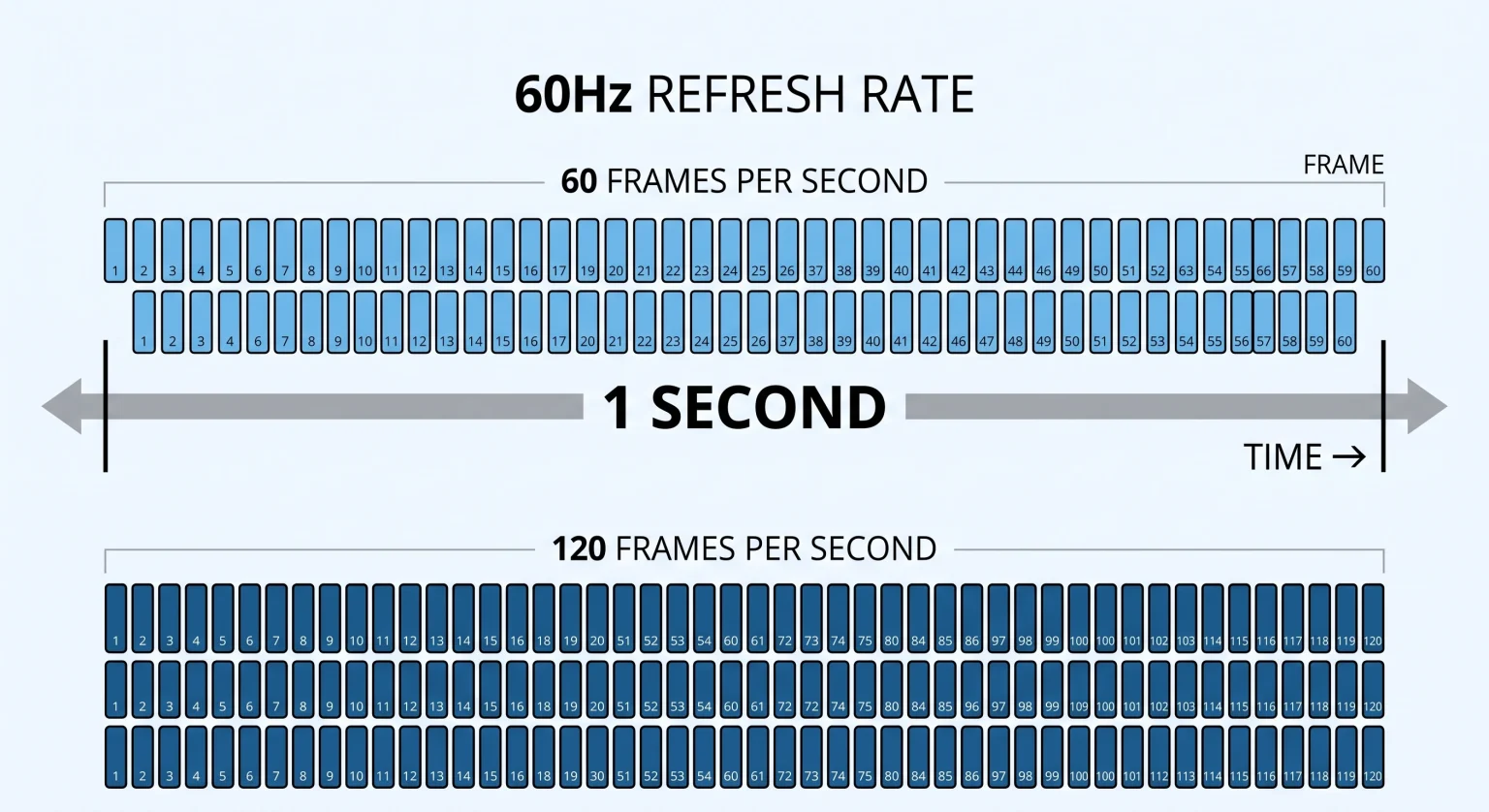
A 60Hz television can draw 60 images per second. A 120Hz television can draw 120 images per second.
Video content is measured in Frames Per Second (FPS). For the best visual experience, the television refresh rate should match the video frame rate. If you play a video game at 120 FPS on a 120Hz television, the motion will look perfectly smooth.
However, television broadcasts do not work exactly like video games. Television broadcasts have fixed frame rates.
How IPTV Broadcasts Work
To understand if 120Hz IPTV streaming is possible, you must understand how television channels are broadcast.
Traditional television networks record and broadcast their content at specific frame rates. These frame rates depend on the region and the type of content.
Standard European Television: Broadcasts at 25 FPS or 50 FPS.
Standard American Television: Broadcasts at 30 FPS or 60 FPS.
Cinema Movies: Recorded at 24 FPS.
IPTV services deliver these exact broadcasts over the internet. When you watch a live television channel through an IPTV provider, you receive the original frame rate.
Currently, no major television network broadcasts live television at 120 FPS. Therefore, you cannot watch native 120 FPS live television, regardless of your television hardware.
60Hz vs 120Hz Televisions for IPTV
This table explains the differences between a 60Hz television and a 120Hz television when you use an IPTV application.
| Feature | 60Hz Television | 120Hz Television |
| Maximum screen updates | 60 times per second | 120 times per second |
| IPTV sports playback | Supports up to 60 FPS | Supports up to 60 FPS |
| Picture processor quality | Usually basic processors | Usually premium processors |
| 24 FPS movie playback | May show small movement errors (judder) | Plays perfectly smooth |
| Motion blur reduction | Average | Excellent |
| Price category | Budget and mid-range | Mid-range and premium |
Watching Live Football on a 120Hz Television
Live sports require fast motion handling. When the camera moves quickly across a football pitch, the picture must remain clear.
Many buyers choose a 120Hz television specifically for live sports. If you are comparing televisions for sports, you should read our guide about 60Hz vs 120Hz TV for Live Football.
A 120Hz television displays fast motion better than a 60Hz television for two reasons.
First, 120Hz televisions usually feature better screen panels. These panels have a faster “pixel response time”. Pixel response time measures how quickly a single pixel can change color. A faster pixel response time prevents moving objects from leaving a blurry trail on the screen.
Second, a 120Hz television can use a technology called motion interpolation. Motion interpolation analyzes the 60 FPS sports broadcast. The television processor then creates artificial frames and inserts these artificial frames between the real frames. This process can make a football match appear slightly smoother.
Picture Processing and TV Upscaling
When you buy a 120Hz television from brands like Samsung, Sony, or LG, you are buying their premium models. Premium models include the most advanced picture processors.
An IPTV broadcast is often compressed to save internet bandwidth. A basic 60Hz television will display this compressed video exactly as it receives it.
A premium 120Hz television uses an advanced processor to improve the video. The processor analyzes the video signal in real time. The processor cleans digital noise, sharpens edges, and corrects colors. This process is called upscaling. If you want to understand this process in detail, read our article explaining What Is TV Upscaling and Does It Help IPTV?.
The upscaling process makes the IPTV stream look much better. The visual improvement comes from the expensive processor, but you usually must buy a 120Hz television to get the expensive processor.
Smart TV Operating Systems and IPTV Apps
The television hardware is only one part of the IPTV experience. You also need a good Smart TV operating system to run your IPTV applications.
Most 120Hz televisions use one of three main operating systems:
Samsung Tizen: Used on Samsung QLED and Neo QLED televisions.
LG webOS: Used on LG OLED and QNED televisions.
Google TV: Used on Sony BRAVIA televisions and TCL televisions.
Each operating system has different IPTV applications available in its application store. For a detailed comparison of these systems, read our guide to Best Smart TV OS for IPTV in 2026: Tizen vs Google TV vs webOS.
Your IPTV service will function exactly the same on a 60Hz television and a 120Hz television. For example, TV Shadow IPTV supports standard M3U links and Xtream Codes. You can use any compatible IPTV player application on your television to connect to TV Shadow IPTV. The connection process does not change based on the television refresh rate.
Why IPTV Streams Can Look Blurry on 4K Televisions
Sometimes users buy a new 120Hz 4K television, but their IPTV stream looks blurry. The refresh rate is not the problem.
A 4K television has over eight million pixels. If the original IPTV broadcast is only in 720p or 1080p resolution, the television must stretch the image to fill the screen. If the original video quality is low, stretching the image makes the video look blurry.
Internet speed is another major factor. A stable internet connection is required for high-quality streaming. We strongly recommend connecting your television directly to your internet router using an Ethernet cable. An Ethernet cable is much more stable than a Wi-Fi connection.
If you experience poor picture quality on a new television, you can learn how to fix the problem by reading our troubleshooting guide: Why Does IPTV Look Blurry on a New 4K TV?.
Do You Need 120Hz for Movies?
Live IPTV television is broadcast at 25, 30, 50, or 60 frames per second. However, cinema movies are recorded at 24 frames per second.
When you watch a movie through a Video on Demand (VOD) section in an IPTV application, the movie plays at 24 frames per second.
A 120Hz television is perfect for 24 frames per second movies. The number 120 divides exactly by 24 (120 / 24 = 5). The television simply displays each movie frame five times. The motion is perfectly smooth.
A 60Hz television struggles with 24 frames per second movies. The number 60 does not divide exactly by 24. To display the movie, a 60Hz television must display some frames two times and other frames three times. This unequal timing creates small stuttering movements during slow camera pans. This stuttering is called “judder”.
Therefore, a 120Hz television provides a noticeably better experience for watching movies.
Conclusion
A 120Hz refresh rate does not magically add frames to an IPTV stream. Because television networks broadcast at a maximum of 60 frames per second, a 60Hz television is technically fast enough for live IPTV streaming.
However, buying a 120Hz television is still a very smart choice for IPTV users. Manufacturers only put 120Hz screens inside their premium television models. These premium televisions contain advanced picture processors. The processor upscales the video, improves the colors, and reduces motion blur during fast football matches.
Furthermore, a 120Hz television plays cinema movies perfectly smoothly without judder.
If you want the best possible visual experience for live sports and movies, a premium 120Hz television is an excellent investment. TV Shadow IPTV works perfectly on all modern Smart TVs, allowing you to enjoy high-quality entertainment regardless of the television you choose.
Frequently Asked Questions (FAQ)
Does a 120Hz television stop IPTV buffering?
No. A 120Hz television does not stop buffering. Buffering is caused by internet connection problems or server problems. The television refresh rate only controls the screen hardware. To fix buffering, you should improve your internet speed or use an Ethernet cable.
Can I watch 120 FPS live television on IPTV?
No. Television networks do not record or broadcast live television at 120 FPS. Most live sports broadcasts operate at a maximum of 60 FPS. Your television will display the 60 FPS broadcast normally.
Should I turn on motion smoothing for IPTV?
This depends on your personal preference. Motion smoothing can make live sports look clearer. However, motion smoothing can make cinema movies look unnatural. Many people prefer to turn off motion smoothing when watching movies.
Does TV Shadow IPTV support 120Hz streaming?
TV Shadow IPTV delivers high-quality streams based on the original broadcast source. If a sports channel broadcasts in 50 FPS or 60 FPS, TV Shadow IPTV provides that frame rate. You can watch TV Shadow IPTV perfectly on both 60Hz televisions and 120Hz televisions.