
The Electronic Program Guide (EPG) is very important for IPTV users. A good EPG makes finding television channels easy. However, some Smart TVs load the EPG slowly. Some Smart TVs also have slow channel switching. Fast channel switching is also called “zapping speed”.
To get the best experience, you must choose a television with a good operating system. You also need a television with a fast processor and enough computer memory (RAM).
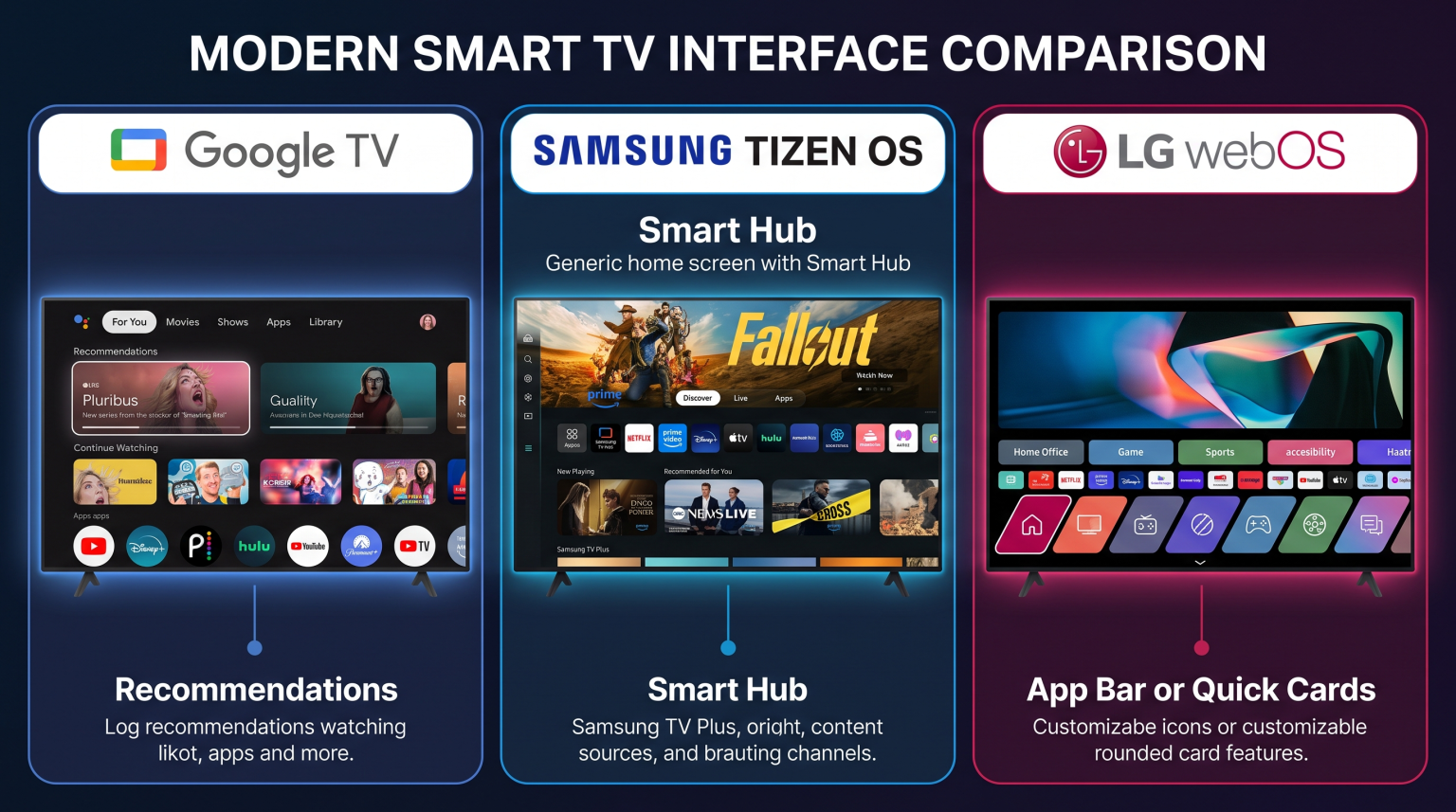
This article explains how to choose the best TV for IPTV EPG in 2026. This guide will help you understand the differences between Samsung, Sony, and LG televisions for IPTV use.
Quick Answer
The best TV for IPTV EPG and fast channel switching is generally a Sony BRAVIA television running Google TV. Google TV offers direct access to the Google Play Store. The Google Play Store contains the most advanced IPTV player applications.
These Android-based applications load EPG data very quickly. They also switch channels faster.
Samsung Smart TVs (Tizen) and LG Smart TVs (webOS) are also good choices. However, Samsung and LG have fewer IPTV applications available. For the fastest EPG loading and the fastest channel switching, a Google TV device or an Android TV device is the recommended choice.
Why Hardware Matters for IPTV EPG
Hardware means the physical parts inside the television. When you use an IPTV application, the application downloads a large EPG file. This EPG file is often in XMLTV format.
An XMLTV file contains thousands of text lines. The television must process this text quickly to show the TV guide.
Processor Speed
A fast processor (CPU) reads the EPG file quickly. High-end televisions from 2026 have strong processors. A strong processor prevents the IPTV application from freezing when you scroll through channels.
Memory (RAM)
RAM is the short-term memory of the television. When you scroll down the EPG, the television keeps the EPG data in the RAM. If the television does not have enough RAM, the EPG will scroll slowly. Televisions with 3GB or 4GB of RAM provide a very smooth EPG experience.
Channel Switching Speed
Fast channel switching requires good hardware. When you change an IPTV channel, the television must stop the first video stream. Then, the television must start the second video stream. A fast processor and a fast internet connection make channel switching happen in less than one second.
Best Smart TV Operating Systems for IPTV
The operating system controls which applications you can install. The operating system is the most important factor for IPTV EPG performance.
If you are comparing television operating systems, our guide to Best Smart TV OS for IPTV in 2026 explains the differences between Tizen, Google TV and webOS.
Sony BRAVIA (Google TV)
Google TV is an excellent operating system for IPTV. Google TV provides access to the Google Play Store. The Google Play Store offers many professional IPTV applications.
Applications on Google TV can handle very large EPG files. These applications also offer fast channel switching. Sony BRAVIA televisions from 2026 use powerful processors. This combination of Google TV and powerful Sony hardware provides the best IPTV experience.
Samsung (Tizen)
Samsung Smart TVs use the Tizen operating system. Tizen is a fast operating system. However, Tizen does not support Android applications from Google Play. You must use applications from the official Samsung Apps store.
The Samsung Apps store has good IPTV players. But the Samsung Apps store has fewer options than Google TV. The available Tizen IPTV applications usually have good EPG support. Channel switching speed on Samsung Tizen is acceptable, but it can depend on the specific application used.
Read more in our article: Is Samsung Tizen Good for IPTV in 2026?
LG (webOS)
LG Smart TVs use the webOS operating system. webOS is very easy to use. LG televisions use a “Magic Remote” that acts like a computer mouse. This remote control makes navigating the EPG very simple.
Like Samsung, LG does not use Google Play. The LG Content Store has a limited number of IPTV applications. The best IPTV applications on LG webOS handle EPG updates well. Fast channel switching works correctly if you use a wired Ethernet internet connection.
Comparison Table: Smart TV Operating Systems
| Feature | Sony BRAVIA (Google TV) | Samsung (Tizen) | LG (webOS) |
| Operating System | Google TV | Tizen | webOS |
| App Store | Google Play Store | Samsung Apps | LG Content Store |
| IPTV App Choice | Very large | Medium | Medium |
| EPG Performance | Very fast | Fast | Fast |
| Remote Control Style | Standard buttons | Minimalist buttons | Magic Remote (pointer) |
| Android App Support | Yes | No | No |
Remote Control Usability
The remote control is very important for channel switching.
Sony BRAVIA remotes usually have standard number buttons. You can type a channel number to switch channels quickly.
LG webOS uses the Magic Remote. You can point at the television screen to select a channel from the EPG. This feature is very fast.
Samsung Tizen uses a minimalist remote control. Modern Samsung remotes have no number buttons. You must open a menu on the television screen to type numbers. This digital menu can make channel switching slower for IPTV users.
IPTV Compatibility: M3U and Xtream Codes
To use TV Shadow IPTV, your Smart TV must have a compatible IPTV player application. TV Shadow IPTV works with standard IPTV formats. These formats include M3U playlists and Xtream Codes API.
M3U Playlists vs Xtream Codes API
An M3U playlist is a simple text link. An M3U playlist contains a list of video streams. To get the EPG, you must add a second text link called an XMLTV link.
Xtream Codes API uses a username and a password. When you use Xtream Codes API, the IPTV application downloads the channels and the EPG together.
Xtream Codes API usually provides faster EPG loading than M3U playlists. Most modern Smart TVs support M3U and Xtream Codes API.
However, operating system limitations exist. Google TV allows you to install applications that support advanced Xtream Codes features. Samsung Tizen and LG webOS have fewer applications that support full Xtream Codes integration. If you want the easiest EPG setup, choose a television that supports advanced IPTV players.
App Installation and Sideloading
Installing applications on Google TV is very simple. You open the Google Play Store and search for an IPTV player.
Installing applications on LG and Samsung is also simple using their official app stores. However, if an application is removed from the LG or Samsung store, you cannot install it easily.
On Google TV, you can manually install Android applications using a USB flash drive. This process is called sideloading. Sideloading guarantees that you can always use your favorite IPTV application, even if it leaves the official app store. Samsung Tizen and LG webOS do not support sideloading Android applications.
Live Football and Sports Viewing on IPTV
Many people use IPTV to watch live football and other sports. Live sports require a fast screen refresh rate. The refresh rate is how many times the screen updates per second.
For live football, you should buy a television with a 120Hz refresh rate. A 120Hz television makes the football move smoothly across the screen. A 60Hz television can make fast movement look blurry.
To understand this difference, read our guide about choosing a 60Hz vs 120Hz TV for Live Football.
Motion handling is also important. Motion handling is the television’s ability to keep fast objects sharp. Sony and LG are famous for excellent motion handling during live sports.
When watching live sports on IPTV, internet stability is critical. Always connect your Smart TV to your internet router using an Ethernet cable. An Ethernet cable provides a more stable connection than Wi-Fi. This stable connection prevents the football match from stopping or buffering.
Wi-Fi vs Ethernet for Channel Switching
Fast channel switching requires fast data delivery. When you change a channel, the television requests a new video stream.
Wi-Fi signals can experience interference from other devices in your home. This interference causes temporary delays. A delay makes channel switching feel slow.
An Ethernet cable connects the television directly to the internet router. An Ethernet cable has no wireless interference. For the fastest zapping speed and the fastest EPG loading, always use an Ethernet cable.
Conclusion
Choosing the best TV for IPTV EPG requires looking at the operating system and the hardware. In 2026, Google TV offers the best app ecosystem for IPTV. A Sony BRAVIA television provides powerful hardware to run Google TV smoothly.
Samsung Tizen and LG webOS are also high-quality options. They have excellent picture quality for live football. However, Samsung and LG offer fewer IPTV application choices than Google TV.
Always remember that EPG speed and fast channel switching depend on your internet connection. Connect your Smart TV with an Ethernet cable for the best IPTV performance.
Frequently Asked Questions (FAQ)
What is an IPTV EPG?
An EPG is an Electronic Program Guide. The EPG shows a schedule of television programs. The EPG tells you what is playing now and what will play later.
Why is my IPTV EPG loading slowly?
The EPG loads slowly if the television has a weak processor or low RAM. A slow internet connection can also delay the EPG download. Finally, the EPG file might be too large for the IPTV application to process quickly.
Which TV brand has the fastest channel switching for IPTV?
Sony BRAVIA televisions with Google TV generally offer the fastest channel switching. This speed happens because Google TV supports the most advanced Android IPTV applications. These applications are optimized for fast video loading.
Can I install Android IPTV apps on a Samsung TV?
No, you cannot install Android applications on a Samsung Smart TV. Samsung uses the Tizen operating system. You must download IPTV applications directly from the official Samsung Apps store.
Does a wired Ethernet connection improve EPG loading?
Yes, a wired Ethernet connection improves EPG loading. An Ethernet connection is faster and more stable than Wi-Fi. The television can download the large XMLTV file much faster over an Ethernet cable.
Does TV Shadow IPTV sell televisions?
No, TV Shadow IPTV does not sell televisions. TV Shadow IPTV provides an IPTV service. You can use TV Shadow IPTV on many different Smart TVs and streaming devices.