
Are you frustrated with a clunky interface and want to change IPTV player apps? You might be worried that switching to a new application will delete your favorite channels or ruin your active subscription. The good news? Your subscription is completely safe.
Whether you are streaming from North America, Europe, or anywhere globally, changing your viewing application does not alter your underlying account. Let’s break down exactly how this works and why upgrading your app is a risk-free process.
Why You Can Change IPTV Player Without Losing Channels
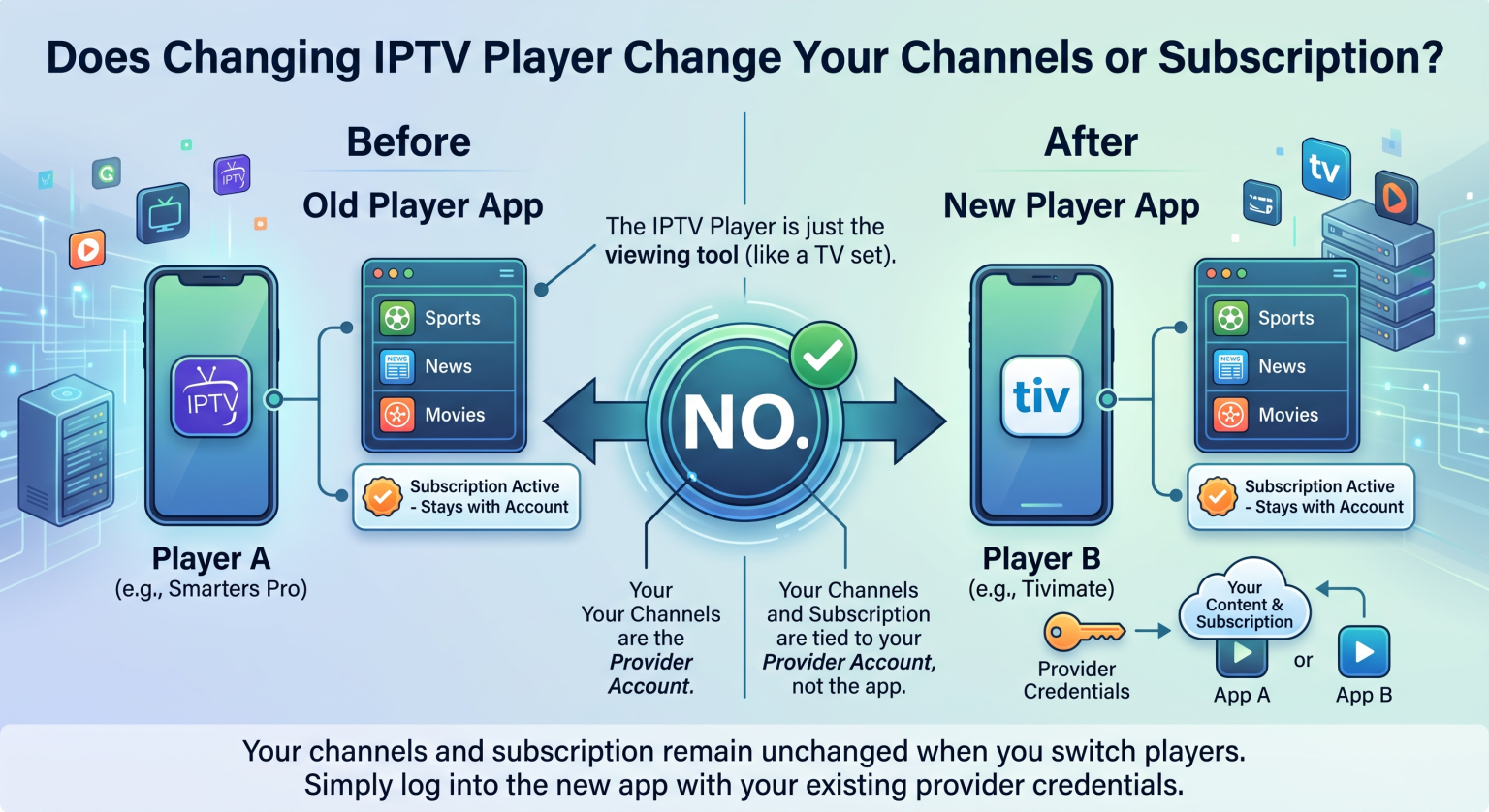
To understand why your channels stay safe, you need to know how these streaming ecosystems function. An IPTV app is essentially an empty media shell. It contains no native content, movies, or live TV streams on its own.
Your actual channel list and account validity are tied directly to your IPTV provider. When you decide to change IPTV player formats, you are simply changing the “television set,” not the “cable company” supplying the signal.
The Difference Between App and Service
Many beginners confuse their streaming interface with their actual subscription service. If you pay a monthly fee to access live TV, you are paying a provider, not the app developers.
Because the app merely reads the data provided by your host, you can swap between dozens of different players without ever touching your billing or subscription status.
Component Comparison: What Actually Changes?
If you are still nervous about making the switch, review this breakdown. Here is exactly what happens to the different components of your streaming setup when you transition to a new app:
| Component | Role in Your Streaming Setup | Does It Change with a New App? |
| IPTV Player (The App) | Renders the video, menus, and user interface (UI). | Yes. You get a new design, better navigation, and different features. |
| IPTV Provider (Service) | Hosts the servers and authorizes your account access. | No. Your billing, account status, and provider remain identical. |
| M3U Playlist / EPG | Contains your specific channels, VODs, and TV guide. | No. The exact same list simply reloads inside your new application. |
What Happens When You Switch Your Streaming Interface?
When you finally install a new player, the only things that change are cosmetic and functional. You might notice that your Electronic Program Guide (EPG) loads significantly faster. You may also gain access to better categorized menus, easier search functions, or multi-screen viewing features.
However, your actual IPTV service remains entirely untouched. Every single live channel, movie, and series you had on the old app will populate into the new one.
Steps to Safely Transition to a New App
Ready to make the jump? Follow these simple steps to transition seamlessly without losing access to your media:
Locate your credentials: Find your M3U playlist URL or your Xtream Codes API login (username, password, and server URL).
Download the new app: Install your chosen media player on your Smart TV, Firestick, or mobile device.
Input your details: Enter your provider’s credentials exactly as they appeared in your old app.
Allow it to sync: Give the new app a few minutes to download your channel list and EPG data.
Ready to Upgrade Your Streaming Experience?
You no longer have to suffer through a lagging, outdated menu. Now that you know you can change IPTV player apps without risking your subscription, it’s time to upgrade your viewing experience.
Want to unlock the ultimate live TV experience? Pair your brand-new premium app with a high-speed, buffer-free streaming service today. [Click here to explore our top-rated IPTV subscription plans] and start watching your favorite channels in stunning 4K resolution!
Frequently Asked Questions (People Also Ask)
Do I have to pay again if I change my IPTV player?
No, you do not have to pay your IPTV provider again. However, while many players (like Smarters or VLC) are free, some premium apps (like Tivimate) require a one-time fee to unlock advanced interface features.
Will my favorites list transfer to the new app?
Usually, no. Because your “Favorites” list is saved locally within the specific app’s settings, you will likely need to re-favorite your top channels once you log into the new player.
What is the best IPTV app to switch to?
This depends on your device. Tivimate is widely considered the best for Android TV and Firestick due to its premium DVR features, while IPTV Smarters Pro is highly recommended for cross-platform compatibility.