
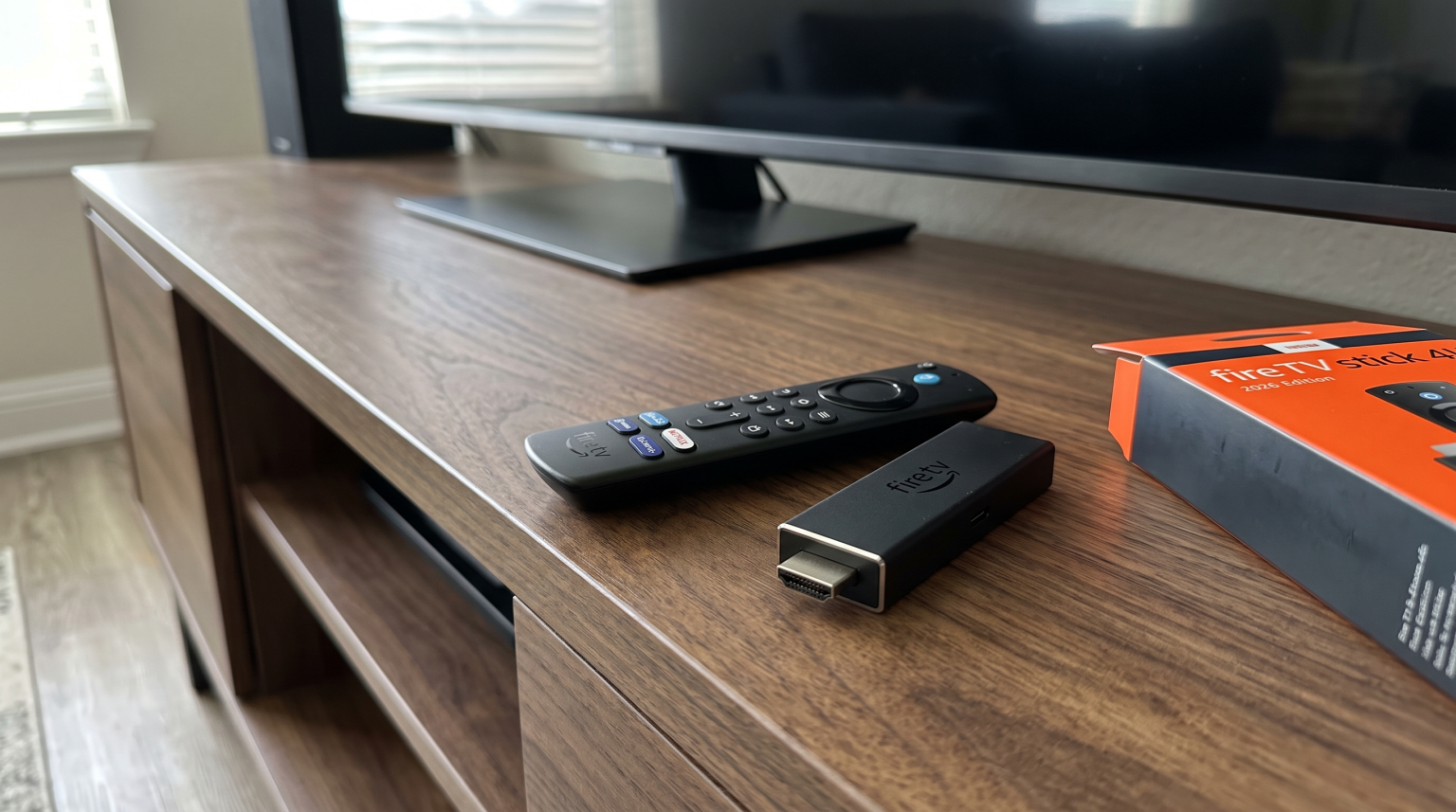
Amazon released the new Fire TV Stick 4K in late 2026. This new streaming device introduces significant hardware improvements and a completely new operating system. For many years, IPTV users preferred Amazon Fire TV devices because they could easily install Android applications. However, the 2026 model changes this situation completely. Amazon replaced the Android-based Fire OS with its own proprietary software called Vega OS. This change affects how users download, install, and use streaming applications. If you use third-party IPTV players, you must understand these software changes before you buy the new 2026 device. This article explains the new hardware features, the operating system limitations, and how the new Fire TV Stick 4K handles live sports and IPTV services.
Quick Answer
The biggest change in the 2026 Fire TV Stick 4K is the switch from Fire OS to Vega OS. This new operating system does not support Android applications. You can no longer sideload Android APK files using the Downloader application. If you only use official applications from the Amazon Appstore, the new device offers a faster processor and a better Wi-Fi 6 connection. However, if you need to install third-party IPTV players, you should choose the Fire TV Stick 4K Max instead. The Max model still uses the Android-based Fire OS.
Understanding Vega OS and the End of Fire OS
Amazon used Fire OS for over a decade. Fire OS is a customized version of the Android operating system. Because Fire OS used Android technology, Fire TV devices easily accepted standard Android installation files. These files are called APK files.
In 2026, Amazon replaced Fire OS with Vega OS on the standard Fire TV Stick 4K. Vega OS is a proprietary operating system. Amazon built Vega OS completely from scratch. Vega OS does not contain Android code.
Because Vega OS lacks Android code, the operating system physically cannot run Android applications. The operating system does not understand APK files.
This transition means Amazon now controls the entire software environment on the 2026 Fire TV Stick 4K. Amazon forces all software developers to build specific applications for Vega OS.
The Sideloading Block on the 2026 Fire TV Stick 4K
Sideloading is the process of installing software from outside the official application store.
Historically, IPTV users relied heavily on sideloading. Users enabled a setting called “Developer Options”. Then, users downloaded the Downloader application to install independent IPTV players directly from the internet.
The 2026 Fire TV Stick 4K completely blocks this process. Vega OS does not have a “Developer Options” menu. Vega OS does not have an option to allow unknown applications.
Even if you install the Downloader application from the official Amazon Appstore, the Downloader application cannot execute APK files on Vega OS. When you try to open an APK file, the operating system blocks the action.
You can only install applications that Amazon officially approves and places inside the Amazon Appstore.
Hardware Updates: Faster Processor and Wi-Fi 6
While the software creates new restrictions, the physical hardware of the 2026 Fire TV Stick 4K offers noticeable improvements.
The device includes a new 1.7GHz quad-core processor. Amazon states this new processor opens applications 35 percent faster than the previous generation. The processor also handles video playback 20 percent faster. This speed improvement makes menu navigation feel much smoother.
The 2026 model also introduces Wi-Fi 6 connectivity. Wi-Fi 6 is a modern wireless standard. Wi-Fi 6 manages multiple connected devices much better than older Wi-Fi standards. If your home has many smart devices connected to the internet, Wi-Fi 6 prevents the streaming stick from losing internet speed.
The visual output supports 4K resolution at 60 frames per second. The device supports High Dynamic Range formats including HDR10, HDR10+, and HLG.
Device Storage Limitations and IPTV Applications
The 2026 Fire TV Stick 4K includes 8 gigabytes of internal storage.
For modern streaming devices, 8 gigabytes is a small amount of storage. The Vega OS system files occupy a significant portion of this space. Users typically have only 4 or 5 gigabytes of free space for applications.
Fortunately, IPTV applications are usually small in file size. M3U players and Xtream Codes applications do not require much storage space.
However, if you download many mainstream applications like Netflix, Disney+, and Prime Video, the storage will fill quickly. When a streaming stick has no free storage, the device becomes very slow. Live video streams may pause more often.
To keep the 2026 Fire TV Stick 4K running smoothly, you should delete applications that you do not use regularly.
The Redesigned Fire TV Remote Control
Amazon includes a new remote control with the 2026 Fire TV Stick 4K.
The physical shape is different from older models. The remote control is slimmer and easier to hold.
The buttons have a new tactile design. The buttons provide better physical feedback when you press them. This helps users find the correct buttons in a dark room without looking at the remote control.
The remote control connects to the streaming stick using Bluetooth 5.3 technology. Bluetooth 5.3 uses less battery power and maintains a stronger connection to the streaming stick.
What This Means for IPTV Apps and TV Shadow IPTV
Because this article is for TV Shadow IPTV, we must explain how these changes affect IPTV users.
TV Shadow IPTV provides an IPTV service, not a specific proprietary application. To watch TV Shadow IPTV, you need an IPTV player application.
On older Fire TV devices, users often sideloaded independent Android IPTV players. On the 2026 Fire TV Stick 4K, this sideloading process is impossible.
Therefore, you must search the official Amazon Appstore for an approved IPTV player.
If you find an approved IPTV player in the Amazon Appstore, you can install the application. Then, you can enter your M3U playlist link or your Xtream Codes login details.
M3U playlists and Xtream Codes still function normally inside approved applications. The streaming formats do not change.
However, the selection of IPTV players in the official Amazon Appstore is limited. Amazon frequently removes IPTV applications from its store. If Amazon removes your favorite player, you cannot sideload the application to get it back.
If you want to explore how television software affects IPTV applications, read our guide about Best Smart TV OS for IPTV in 2026.
Managing the Electronic Program Guide (EPG)
The Electronic Program Guide (EPG) is essential for IPTV users. The EPG displays the television schedule and live program information.
Processing a large EPG file requires strong hardware. Some EPG files contain schedule data for thousands of channels. On older streaming sticks, loading a large EPG file often caused the device to freeze or crash.
The new 1.7GHz quad-core processor in the 2026 Fire TV Stick 4K handles EPG data very well. The processor organizes the schedule information quickly. When you scroll through the television guide, the menu moves smoothly without pausing.
However, EPG performance also depends on the application you use. Because Vega OS restricts you to official applications, you must test different approved applications to find one that manages EPG data efficiently.
Comparison: Fire TV Stick 4K (2026) vs Fire TV Stick 4K Max
If you require third-party Android applications, you do not have to abandon Amazon devices completely. Amazon still sells the Fire TV Stick 4K Max. The 4K Max model still uses the older, Android-based Fire OS.
| Feature | Fire TV Stick 4K (2026) | Fire TV Stick 4K Max |
| Operating system | Vega OS (Proprietary) | Fire OS (Android-based) |
| App ecosystem | Amazon Appstore only | Amazon Appstore + Sideloading |
| Android APK support | No native Android support | Supports Android APK files |
| Sideloading ability | Blocked completely | Supported via Developer Options |
| Processor | 1.7GHz quad-core | 2.0GHz quad-core |
| Storage capacity | 8 gigabytes | 16 gigabytes |
| Wi-Fi standard | Wi-Fi 6 | Wi-Fi 6E |
The 2026 Fire TV Stick 4K is suitable for casual users who only watch official streaming applications. The Fire TV Stick 4K Max is the better choice for advanced IPTV users because the Max model allows Android application sideloading.
Live Football and Sports Streaming Quality
Live football and fast sports require excellent hardware. The 2026 Fire TV Stick 4K handles live sports efficiently when you use an approved application.
The 1.7GHz quad-core processor processes the live video signal quickly. This speed prevents the video from pausing during important sports moments.
For live sports, the internet connection is the most important factor. Wi-Fi 6 is very helpful for live football. Wi-Fi 6 maintains a steady data flow, which reduces buffering.
However, for maximum stability during live football matches, a wired Ethernet connection is always better than Wi-Fi. The 2026 Fire TV Stick 4K does not have a built-in Ethernet port. You must buy an official Amazon Ethernet adapter separately. The adapter connects to the power cable and provides a direct network connection.
If you watch live football and the image looks blurry, the streaming stick is usually not the problem. The visual quality depends heavily on your television settings and the original broadcast signal.
If you experience image problems on a modern television, read our guide about Why Does IPTV Look Blurry on a New 4K TV?.
Powering the Device Directly From the Television
A small but useful hardware update is power efficiency. The 2026 Fire TV Stick 4K uses less electrical power than older models.
In many cases, you can power the streaming stick directly from the USB port on your television. You simply connect the included USB cable from the streaming stick to the television.
This feature is very convenient if you do not have enough electrical outlets near your television. It is also helpful when you travel and use the streaming stick in a hotel room.
However, older televisions might not provide enough power through the USB port. If the television USB port lacks power, the streaming stick will display a warning message on the screen. In that situation, you must use the included wall adapter.
Conclusion
The New Fire TV Stick 4K 2026 introduces important physical upgrades. The faster processor and the Wi-Fi 6 technology create a very smooth streaming experience. The redesigned remote control improves daily usability.
However, the software changes are dramatic. By replacing Fire OS with Vega OS, Amazon stopped Android application support on this standard 4K device. You can no longer sideload custom applications or independent IPTV players. You must rely entirely on the official Amazon Appstore.
For general consumers, the 2026 Fire TV Stick 4K is an excellent and fast streaming device. But for dedicated IPTV users who require custom Android applications, this specific model is restrictive. Users who want TV Shadow IPTV via custom Android players should purchase the Fire TV Stick 4K Max instead, because the Max model continues to support the flexible Fire OS platform.
Frequently Asked Questions (FAQ)
Does the 2026 Fire TV Stick 4K support Android applications?
No. The 2026 Fire TV Stick 4K uses Vega OS. Vega OS is not based on Android and cannot run Android applications.
Can I still use the Downloader application?
You can download the Downloader application from the official store. However, you cannot use the Downloader application to install APK files on the 2026 Fire TV Stick 4K.
Which Fire TV Stick allows sideloading in 2026?
The Fire TV Stick 4K Max still uses the Android-based Fire OS. The Max model allows users to sideload Android applications.
Is the 2026 Fire TV Stick 4K suitable for IPTV?
Yes, but only if you use an IPTV player that is officially available in the Amazon Appstore. You cannot install independent IPTV players.
Does TV Shadow IPTV work on the new Fire TV Stick?
Yes. You can use TV Shadow IPTV if you download a compatible M3U or Xtream Codes player from the official Amazon Appstore.
How do I get a wired internet connection for live sports?
You must purchase an official Amazon Ethernet adapter. The adapter connects between your router and the streaming stick power cable.