
Many people want to watch IPTV directly on a television. They do not want to connect an external Amazon Firestick or an Android TV box. Choosing the correct television makes this possible. The operating system of the television controls which IPTV applications you can install.
If you choose the correct television, you can install an IPTV application directly from the official app store. This keeps your television area clean because you do not have extra cables. This also allows you to control everything with one remote control.
This article explains the differences between the major Smart TV operating systems in 2026. We will compare Google TV, Samsung Tizen, and LG webOS. We will also explain the hardware features that are important for streaming live sports and movies.
Respuesta rápida
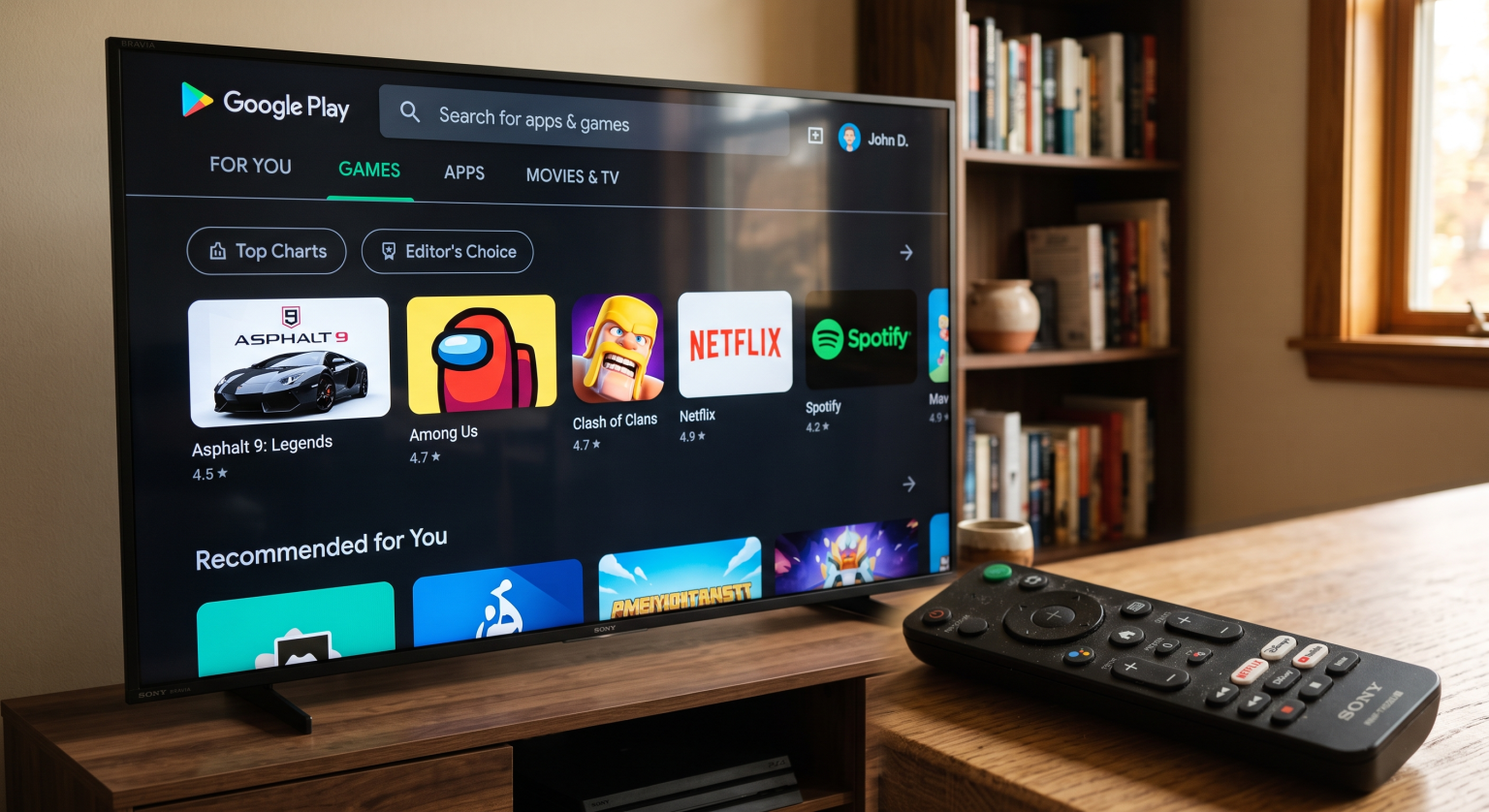
The best Smart TV for IPTV without an external device is a television with the Google TV operating system, such as a Sony BRAVIA or a TCL. Google TV provides direct access to the Google Play Store. This allows you to install popular Android IPTV applications easily.
Samsung televisions use the Tizen operating system. LG televisions use the webOS operating system. Both Samsung and LG offer good IPTV applications, but they do not support Android applications. Google TV offers the most flexibility for IPTV users.
Operating Systems: Google TV vs Tizen vs webOS
When you buy a television without an external streaming stick, the operating system is the most important feature. The operating system determines the app store. The app store determines which IPTV applications you can download.
Google TV is an Android-based operating system. Manufacturers like Sony, TCL, and Hisense use Google TV. This operating system supports the Google Play Store. The Google Play Store contains thousands of applications.
Samsung uses the Tizen operating system. Tizen is a closed operating system created by Samsung. Tizen has the Samsung Apps store. The Samsung Apps store is smaller than the Google Play Store.
LG uses the webOS operating system. webOS is a closed operating system created by LG. webOS has the LG Content Store. The LG Content Store is also smaller than the Google Play Store.
If you are comparing television operating systems, our guide to Los mejores televisores inteligentes para IPTV en 2026: comparación entre Samsung, Sony, LG y TCL explains these differences in more detail.
Comparison Table
| Característica | Sony Google TV | Samsung Tizen | LG webOS |
| Sistema operativo | Google TV (Android) | Tizen | webOS |
| Tienda de aplicaciones | Google Play Store | Samsung Apps | LG Content Store |
| Compatibilidad con aplicaciones para Android | Sí | No | No |
| Disponibilidad de la aplicación de IPTV | Excelente | Bien | Bien |
| App installation | Official store and sideload | Official store only | Official store only |
The Google TV Advantage for IPTV
If you want to use IPTV without a Firestick, Google TV is usually the best choice. A Sony BRAVIA television or a TCL television with Google TV works exactly like an Android box.
You can open the Google Play Store and download many advanced IPTV applications. For example, you can install applications directly on the television. You do not need to connect another device to the HDMI port.
Google TV also allows you to install applications from outside the official store. This process is called sideloading. Sideloading gives you more flexibility. If an IPTV application is not available in your country’s official store, you can still install the application manually using an APK file.
The Google TV interface is very easy to use with the television remote control. Google TV also receives frequent software updates from Google. These software updates keep the operating system fast and secure.
Using IPTV on Samsung Tizen
Samsung is a very popular television brand. Samsung televisions have excellent picture quality and bright screens. However, Samsung Tizen does not support Android applications. You cannot install Android applications on a Samsung television.
You can still watch IPTV on a Samsung television. Samsung has IPTV players in the official Samsung Apps store. The availability of these applications depends on your country and your television model. Application availability can change over time.
On a Samsung television with Tizen, you can often find applications like Smart IPTV, IBO Player, or SmartOne IPTV. These applications allow you to enter an IPTV playlist link.
These native Tizen applications work well for basic streaming. However, the application interfaces are sometimes simpler than the interfaces on Google TV. You also cannot sideload applications on Samsung Tizen. You must use the applications that Samsung approves for your region.
To learn more about the differences, read our guide about Tizen frente a Google TV para aplicaciones de IPTV: ¿en qué se diferencian?.
Using IPTV on LG webOS
LG televisions are famous for their OLED screen technology. OLED televisions display perfect black colors. Like Samsung, LG webOS does not support Android applications. You cannot install Android applications on an LG television.
You must use the LG Content Store to find IPTV applications. The LG Content Store usually offers applications like Smart IPTV, IBO Player, and Easy IP TV. The exact applications available depend on your country and your LG television model.
The LG Magic Remote makes navigation very easy. The Magic Remote operates like a computer mouse on the television screen. This is very useful when you want to click on a specific television channel in an IPTV application.
However, webOS has the same limitation as Tizen. You cannot sideload applications. You are limited to the official LG Content Store. Some older LG televisions may also process large IPTV playlists slowly.
Hardware Features for IPTV Streaming
The operating system is important, but the internal hardware of the television is also important. When you stream video directly on the television, the television uses its internal processor and memory.
A television with a strong processor opens IPTV applications faster. The processor also helps to navigate the Electronic Program Guide (EPG) quickly. The EPG is the schedule that shows you what television programs are currently playing. A weak processor can make the EPG load very slowly.
Storage space is another factor. Smart televisions have limited internal storage space. Google TV televisions usually offer enough storage for multiple streaming applications. However, you should check the storage capacity before you buy a television. You cannot easily expand the storage space on most televisions.
Internet connectivity is extremely important for IPTV. Most Smart televisions have a built-in Wi-Fi receiver. However, Wi-Fi signals can fluctuate. Fluctuating Wi-Fi signals can cause the video stream to freeze or buffer.
For the best results, you should use the Ethernet port on the television. Connecting an Ethernet cable from your internet router directly to the television provides a stable connection. A stable connection is required for high-quality IPTV streams.
Important TV Features for Live Football
Many users buy an IPTV subscription specifically to watch live football and other sports. If you watch sports, you must consider the display hardware of the television.
The refresh rate is a very important specification. Televisions usually have a 60Hz refresh rate or a 120Hz refresh rate. A 120Hz television updates the image on the screen 120 times every second. This makes fast movement look very smooth. Our guide about a Televisores de 60 Hz frente a 120 Hz para ver el fútbol en directo explains this technology completely.
Motion handling is also critical. Good motion handling prevents the football from looking blurry when the camera moves fast. Sony BRAVIA televisions are famous for excellent motion handling because of their advanced picture processors.
Picture processing helps to improve the video quality. Sometimes, an IPTV stream has a lower resolution than your 4K television. The television processor must upscale the image to fit the 4K screen. High-end televisions from Sony, Samsung, and LG have excellent upscaling technology. This makes lower-quality streams look much better on a large screen.
How TV Shadow IPTV Works on Smart TVs
TV Shadow IPTV works perfectly on modern Smart televisions. You do not need a Firestick or an Android box to use our service. TV Shadow IPTV does not have an official relationship with Samsung, Sony, LG, Google, or any other television manufacturer. However, our service uses standard IPTV formats that work on almost all platforms.
Our service provides an M3U link. An M3U link is a web address that contains the channel playlist. We also provide Xtream Codes API credentials. Xtream Codes API is a login method that uses a username, a password, and a server URL.
You can enter these details into almost any IPTV application on Google TV, Tizen, or webOS. When you add the TV Shadow IPTV details to an application, the application downloads the channel list. The application also downloads the EPG data.
The quality of the interface depends on the specific IPTV application you choose. TV Shadow IPTV delivers the video stream, but the IPTV application controls how the channels look on your screen.
Conclusión
You do not need an external Firestick or Android box to enjoy IPTV. A modern Smart television can run IPTV applications directly from its internal memory.
A television with Google TV, such as a Sony BRAVIA or TCL, is the best choice for maximum application compatibility. Google TV allows you to install powerful Android applications easily. Samsung Tizen and LG webOS are also good choices because of their excellent picture quality. Samsung and LG do not support Android applications, but they offer alternative IPTV applications in their official stores.
Remember to connect your television to the internet with an Ethernet cable for the most stable IPTV experience.
Preguntas frecuentes
Can I install Android applications on a Samsung Smart TV?
No, you cannot install Android applications on a Samsung Smart TV. Samsung televisions use the Tizen operating system. Tizen is a closed system and does not support the Google Play Store.
Do I need a Firestick if my television has Google TV?
No, you do not need a Firestick if your television has Google TV. Google TV includes the Google Play Store. You can install Android IPTV applications directly on the television memory.
Why is my IPTV video buffering on my new television?
Your IPTV video is buffering because the internet connection is unstable. We strongly recommend connecting an Ethernet cable directly from your internet router to the television instead of using a wireless Wi-Fi connection.
What is an M3U link?
An M3U link is a specific web address provided by your IPTV service. The IPTV application uses this M3U link to download the complete list of live channels and video-on-demand content to your television.
Can I watch live football on a 60Hz television?
Yes, you can watch live football on a 60Hz television. However, a 120Hz television handles fast motion much better. A 120Hz television provides a smoother picture during fast sports broadcasts.
Does TV Shadow IPTV have its own Smart TV application?
No, TV Shadow IPTV does not have a dedicated application in the television app stores. You must download a standard IPTV player application and enter your TV Shadow IPTV subscription details into that player.