
Si has dedicado algo de tiempo a buscar un buen Abono IPTV, ya sabes cómo va esto. Casi todas las páginas web afirman tener los mejores servidores del mundo, sin interrupciones y con todos los canales del planeta en una calidad impecable de 4K. Pero en cuanto das los datos de tu tarjeta de crédito, el gran partido se cuelga justo antes del pitido final.
La única forma de distinguir a los proveedores de calidad de los revendedores que exageran sus promesas es llevar a cabo una evaluación rigurosa durante el periodo de prueba gratuito. Saber exactamente cómo probar un Servicio IPTV Si lo haces antes de darte de alta, te ahorrarás meses de frustración.
A continuación te ofrecemos el protocolo de pruebas paso a paso que debes seguir la próxima vez que actives una prueba de IPTV de 24 horas.
Antes de entrar en detalle con los pasos concretos, he elaborado una matriz de evaluación interactiva. A medida que avances en tu periodo de prueba, ajusta los controles deslizantes que aparecen a continuación para calcular una puntuación objetiva del proveedor que estás probando.
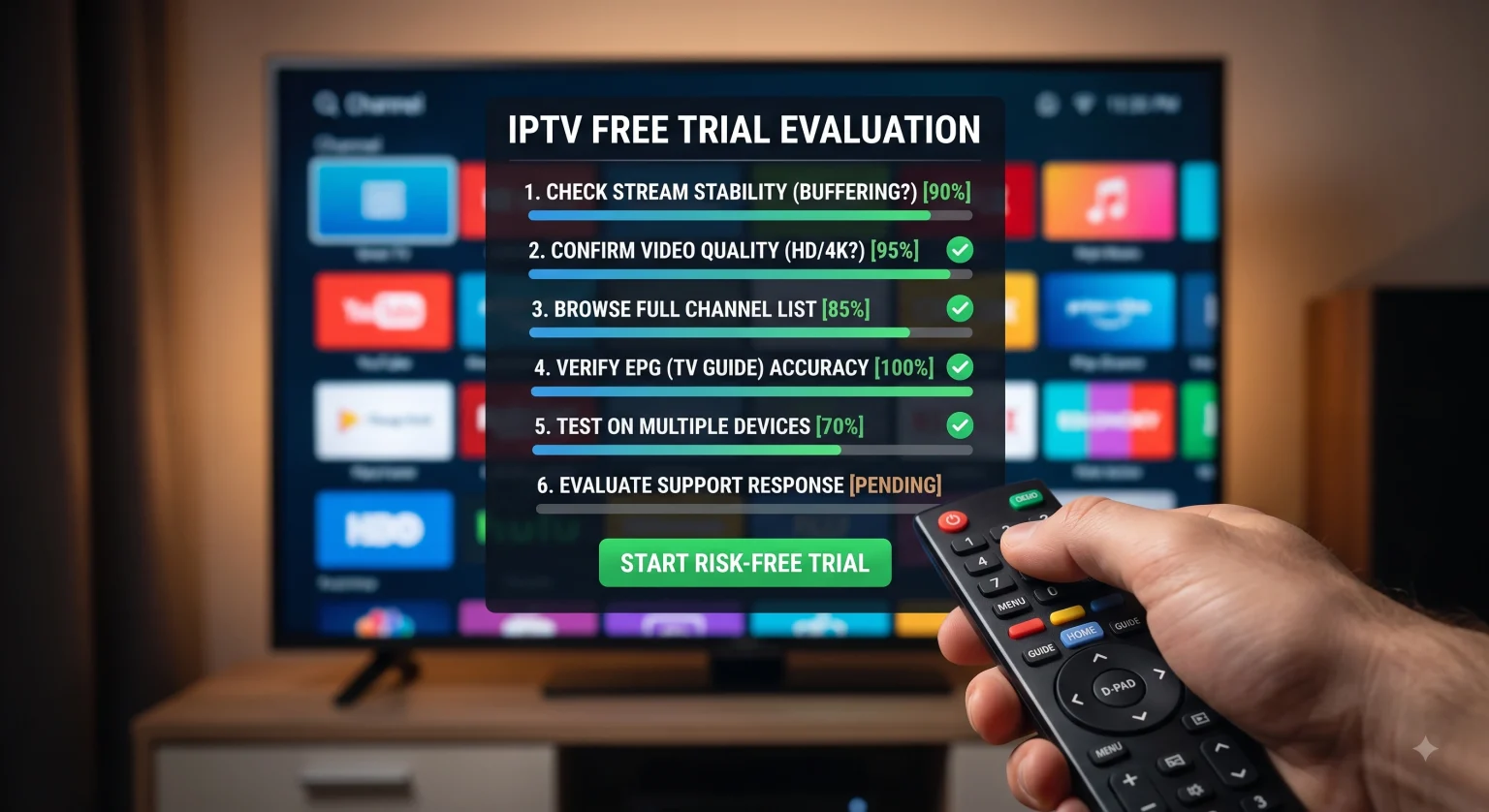
¿Cómo se realiza la prueba?
1. Realizar la prueba de estrés en hora punta
Los servidores de cualquier empresa pueden ofrecer una transmisión fluida a las 10:00 de la mañana de un martes. La verdadera prueba tiene lugar cuando millones de personas se conectan exactamente al mismo tiempo.
Para saber en qué consiste realmente la infraestructura de un proveedor, debes probar el servicio durante las horas de mayor tráfico por la noche, normalmente entre las 19:00 y las 23:00, hora local. Busca un evento importante en directo, como un partido de fútbol muy esperado o un telediario en horario de máxima audiencia, y deja el canal puesto. Si la retransmisión empieza a repetirse en bucle, a congelarse o a perder el audio, es que sus servidores no aguantan la carga. Si se entrecorta ahora, también lo hará cuando realmente te interese verlo.
2. Comprueba el estado de tu propia red
Antes de culpar al proveedor de IPTV por los retrasos en la reproducción, debes comprobar tu propia configuración. Una transmisión de IPTV requiere un flujo de datos continuo e ininterrumpido, lo que significa que una prueba básica de velocidad de descarga no te dará una visión completa de la situación.
No solo buscas una velocidad elevada en megabits por segundo (Mbps); lo que buscas es estabilidad. Esto es lo que realmente importa para que todo vaya sobre ruedas Retransmisión por IPTV:
Velocidad de descarga: Se necesitan unos 10 Mbps estables para los canales HD estándar, pero si quieres disfrutar de un streaming en 4K auténtico y sin interrupciones, necesitas un mínimo de 25 Mbps.
Latencia (Ping): Esto mide la velocidad a la que tu dispositivo se comunica con el servidor. Este valor debe ser inferior a 50 milisegundos. Una latencia elevada supone un retraso enorme cada vez que intentas cambiar de canal.
Fluctuación: Esto permite realizar un seguimiento de las variaciones en tu latencia. Si el jitter supera los 20 ms, se producirán desincronizaciones de audio y pixelación.
Consejo de experto: Si puedes, olvídate del wifi. Conectar tu dispositivo de streaming directamente al router con un cable Ethernet es la forma más rápida de solucionar los problemas de buffering.
3. Comprueba la EPG (Guía electrónica de programación)
Una lista de canales enorme no sirve de nada si no sabes qué están emitiendo. Durante el periodo de prueba, navega por la guía de programación y haz clic en al menos 50 canales diferentes de distintas categorías (deportes, películas, noticias locales).
¿Coinciden los datos de la guía con el vídeo que se está reproduciendo realmente en la pantalla? Muchos proveedores poco rigurosos recogen datos de la guía electrónica de programación (EPG) de baja calidad que son tremendamente inexactos, lo que hace imposible programar grabaciones o encontrar programas concretos.
4. La prueba del “fantasma” del servicio de atención al cliente
Si tu servicio deja de funcionar un sábado por la tarde, necesitas saber que alguien se va a encargar de arreglarlo.
No esperes a que surja un problema. Envía un mensaje al equipo de atención al cliente del proveedor o abre un ticket mientras aún estés en el periodo de prueba gratuito. Haz una pregunta sencilla y concreta; por ejemplo: “¿Cuál es el calendario de mantenimiento de vuestros servidores?”.” o “¿Qué pasa con mis créditos de prueba si me suscribo?”.
Si tardan 48 horas en responder, o si la única asistencia que ofrecen es un grupo de Telegram sin supervisión, con miles de usuarios y sin administradores, aléjate. Los servicios fiables te responderán en unas horas.
Señales de alerta frente a señales positivas: en qué hay que fijarse
Cuando compares diferentes pruebas gratuitas de IPTV una al lado de otra, ten a mano esta lista de comprobación para detectar las estafas antes de pagar.
| Característica | 🚩 Señales de alarma (Aléjate) | 🟢 Indicadores positivos (proveedor fiable) |
| Duración del ensayo | Promete una prueba “gratuita” de 14 o 30 días (que a menudo es una trampa para recopilar datos). | Ofrece una prueba realista de 24 a 48 horas con acceso completo para probar el servicio. |
| Formas de pago | Solo acepta criptomonedas o pagos irreversibles y rechaza los procesadores habituales. | Acepta tarjetas de crédito habituales, PayPal o pasarelas de pago de confianza. |
| Promesas | Afirma ofrecer “canales 4K ilimitados” sin ningún tipo de buffering. | Es sincero respecto a los requisitos de conexión a Internet y recomienda una conexión por cable. |
| Transparencia | No hay condiciones de uso, política de reembolso ni datos de contacto físicos. | Políticas claras sobre el uso aceptable, los límites de los dispositivos y los reembolsos por tiempo de inactividad. |
Reflexiones finales
Contratar una suscripción a IPTV no debería ser una apuesta arriesgada. Si consideras tu prueba gratuita de 24 horas como una prueba de calidad, protegerás tu bolsillo y tu entretenimiento del fin de semana. Recuerda poner a prueba los servidores en las horas punta, optimizar tu propia conexión a Internet y exigir un servicio de atención al cliente eficaz. Si un servicio no supera alguna de estas pruebas fundamentales, deja que caduque el periodo de prueba y pasa al siguiente.