
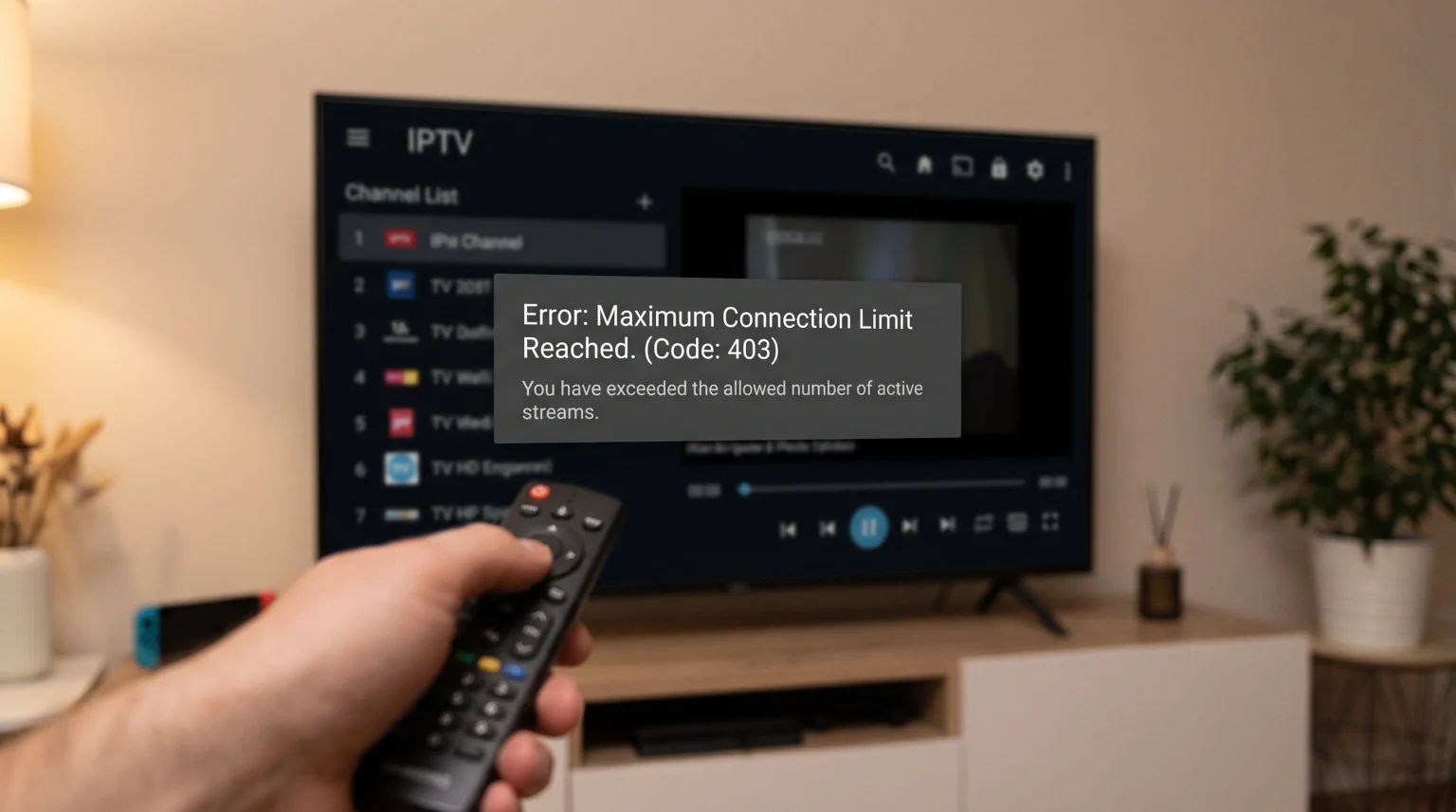
You turn on your Smart TV to watch a stream. The screen goes black, and a message appears. The message says you have reached your maximum connection limit. However, you are only watching on one device. This situation is frustrating. It is known as an IPTV false connection limit error.
Every IPTV (Internet Protocol Television) provider gives you a specific number of allowed connections. This number dictates how many screens you can watch at the same time. If your plan allows one connection, playing a second stream will trigger an error. A false error happens when the provider’s server counts a stream that does not actually exist. This guide explains why this happens and how you can fix it quickly.
Respuesta rápida
An IPTV false connection limit error usually happens when a previous stream does not close correctly on the server. This creates a “ghost session.” The server believes you are still watching a stream. This often occurs if the application crashes, your network drops, or you turn off the TV without exiting the application first. To fix this error, fully close the IPTV application on all your devices. Wait for one to two minutes. This waiting time allows the server to clear the ghost session automatically. Then, open the application again.
What Causes an IPTV False Connection Limit Error?
To understand the error, you must understand how the server works. When you select a channel, the application requests a stream from the server. The server registers one active connection. When you stop watching, the application sends a signal to close the connection.
If the server does not receive this closing signal, the connection remains open. The server holds this connection until a programmed timeout occurs. This timeout usually takes 30 to 60 seconds. During this time, the server thinks your account is full. If you try to open a new stream, you will see the IPTV false connection limit error.
Several common situations cause this missing signal.
Improper Application Shutdown
The most common cause is how you turn off your television. Many people press the power button on the remote control while a live stream is still playing. On modern televisions, the power button does not turn off the television completely. It puts the television into standby mode. The IPTV application remains suspended. The application never sends the closing signal to the server.
Application Crashes
Sometimes, the IPTV player application freezes or crashes. If the application stops working suddenly, it cannot communicate with the server. The server keeps the connection open until it realizes the application is gone.
Network Interruptions
A temporary drop in your internet connection can cause the same problem. If your Wi-Fi signal drops for a few seconds, the stream stops. However, the server might not register the disconnection immediately. When your internet reconnects, your application tries to start a new stream. The server rejects it because the old stream is still registered.
Changing Channels Too Fast
When you change channels, the application must close the first stream and open a second stream. If you press the channel buttons very quickly, the server might not process the closing signals fast enough. The server briefly counts multiple active streams. This will trigger a temporary connection limit error.
How Smart TV Operating Systems Handle Background Applications
Modern Smart TVs manage applications similarly to smartphones. They keep applications running in the background so they open faster the next time. This feature is convenient, but it frequently causes an IPTV false connection limit error.
The three most popular Smart TV operating systems handle background applications differently. If you are reading our guide on El mejor sistema operativo para Smart TV para IPTV en 2026, you know that the operating system affects your experience.
Smart TV Operating System Comparison
| Característica | Samsung Tizen | LG webOS | Sony Google TV |
| Background application behavior | Suspends the application to resume quickly later. | Keeps recent applications active in the background. | Can run applications and background processes continuously. |
| Automatic stream closing | Often fails if the user presses the TV power button. | Often fails if the user switches directly to a different HDMI port. | Depends on how the specific IPTV application is programmed. |
| How to fully close the application | Hold the “Back” button on the remote control for three seconds. | Open the Recent Applications menu and close the application manually. | Go to TV Settings, select Applications, and choose “Force Stop”. |
How to Fix the IPTV False Connection Limit Error
You can resolve this error quickly by following these steps in order.
Step 1: Fully Close the Application
Do not simply press the home button. You must force the application to stop. On Samsung Tizen, hold the back button. On Android TV or Google TV, use the settings menu to force stop the application. If you watch on a mobile phone, swipe the application away from your recent applications list.
Step 2: Wait Two Minutes
Patience is the most important step. When you close the application, you must wait for the server timeout. The server needs time to scan for inactive connections and delete them. Wait for at least 60 to 120 seconds. Do not try to open the application during this time.
Step 3: Restart Your Device
If waiting does not work, restart your device. Unplug your television or streaming stick from the electrical outlet. Leave it unplugged for 30 seconds. Plug it back in. This process clears the device memory. It guarantees that no background applications are running.
Step 4: Check Your Account Security
If the error continues, someone else might be using your account. If you shared your password with a friend, they might be watching at the same time. Contact your provider and ask them to change your password. Never share your subscription details on public websites.
Why Connection Limits Matter for Live Football
An IPTV false connection limit error is especially annoying during live football matches. When a goal happens, you do not want to see a black screen.
Sports viewers often switch between multiple matches quickly. As explained earlier, fast channel switching can confuse the server. To avoid this, pause for two seconds before selecting a new channel.
A stable network is also critical for live sports. Network drops create ghost connections. For the best stability, connect your Smart TV directly to your router using an Ethernet cable. If you must use Wi-Fi, use the 5GHz frequency band. It provides faster speeds and less interference than the 2.4GHz band. If you are comparing televisions for sports, you can read our comparison of Televisores de 60 Hz frente a 120 Hz para ver el fútbol en directo to understand how television hardware affects motion quality.
Choosing the Right Application for TV Shadow IPTV
Not all IPTV applications are equal. Some applications manage connections better than others. A well-programmed application will always send the proper disconnect signal when you close a stream.
Al utilizar TV Shadow IPTV, choose an application that supports your preferred playlist format. Most modern applications support the M3U playlist format and the Xtream Codes API (Application Programming Interface). Xtream Codes is generally better for connection management. It communicates more efficiently with the server.
A good application should also provide a clear Electronic Program Guide (EPG). The EPG is the menu that shows the television schedule. Applications that load the EPG quickly usually have better background connection management.
Remember that TV Shadow IPTV is an independent service. TV Shadow IPTV does not have an official relationship with Samsung, Sony, LG, or Google. Application availability depends on your country and your television model year. For example, some older Samsung televisions cannot download the newest IPTV players from the Samsung app store.
Conclusión
An IPTV false connection limit error is a temporary communication failure between your television and the provider’s server. It does not mean your account is broken. It usually means an application crashed, the internet dropped, or the television was turned off incorrectly.
To solve the problem, remember the golden rule: fully close the application and wait two minutes. By understanding how your Smart TV operating system handles background applications, you can prevent this error from happening in the future. Always use a wired internet connection when possible, and ensure you use a high-quality IPTV application to manage your streams efficiently.
Preguntas frecuentes (FAQ)
What does "connection limit reached" mean in IPTV?
This means the server counts more active video streams than your subscription allows. If you pay for one connection, you cannot watch on two televisions simultaneously.
How long does a ghost connection last?
A ghost connection usually lasts between 30 seconds and two minutes. The server is programmed to drop connections that stop responding after this time limit.
Does changing the channel use a new connection?
Yes, temporarily. The application must open the new channel while closing the old channel. Good applications do this instantly. If the application is slow, the server might count two connections for a few seconds.