
Many users buy a new television and rely entirely on the included software. However, built-in television software often becomes slow or outdated after a few years. Users must then choose between continuing to use the built-in Smart TV applications or purchasing an external streaming device.
When comparing a streaming device vs Smart TV apps, the most important consideration is long-term performance. A television display can function perfectly for a decade, but the internal processor and operating system usually become obsolete much sooner. This article explains the technical differences, software lifespans, and performance advantages of both options so you can make the best choice for your home entertainment system.
Respuesta rápida
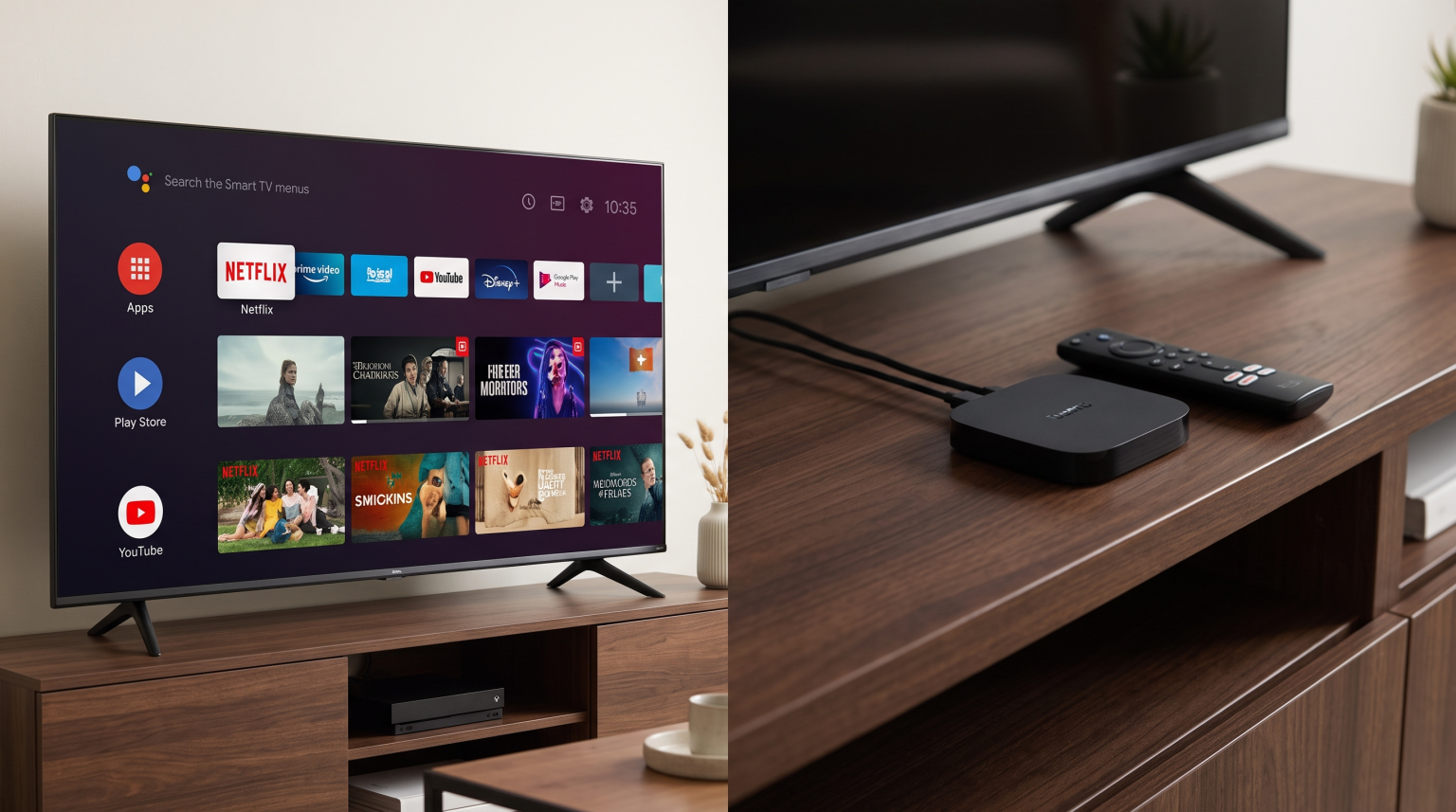
When comparing a streaming device vs Smart TV apps, an external streaming device almost always lasts longer. Television manufacturers typically stop providing major operating system updates after two to five years. Without updates, built-in Smart TV applications lose features, lose security support, or stop working entirely.
In contrast, premium external streaming devices receive software updates for longer periods. External devices also have faster processors and more internal memory. When built-in television applications become slow, buying a new streaming device is much cheaper than replacing the entire television.
Hardware Components and Processor Speed
Every Smart TV contains an internal computer. This internal computer features a processor, Random Access Memory (RAM), and storage space.
Television manufacturers must keep production costs low. Therefore, they often install basic processors and limited storage space in their televisions. A new television may work smoothly during the first year. However, as applications receive updates, the applications become larger and require more processing power. The basic television processor quickly struggles to run these updated applications. This causes slow menu navigation and frequent application crashes.
External streaming devices are dedicated computing units. Devices like the Apple TV 4K, NVIDIA Shield, or premium Google TV boxes contain powerful processors. Because these devices only perform one task streaming media manufacturers optimize the hardware specifically for application performance. A premium streaming device will open menus faster, load applications quicker, and provide a smoother user experience than most built-in Smart TV applications.
Software Updates and Operating System Support
The operating system determines which applications you can install. The longevity of your streaming setup depends heavily on software update policies.
Smart TV Update Policies
Historically, television manufacturers abandoned software updates quickly. In 2026, brands like Samsung and LG have improved their update policies for premium models, sometimes offering up to five years of updates. However, budget televisions and mid-range televisions still receive very few updates. If you use a television operating system like Samsung Tizen or LG webOS, the application store is controlled completely by the television manufacturer. If the manufacturer stops supporting your television model, application developers will also stop updating their applications for your specific television.
For a deeper understanding of television operating systems, read our guide on the El mejor sistema operativo para Smart TV para IPTV en 2026: Tizen, Google TV y webOS.
Streaming Device Update Policies
External streaming devices usually offer superior software longevity. Apple often supports the Apple TV hardware with new software for six or seven years. NVIDIA has supported the NVIDIA Shield with updates for many years. Google and Amazon also maintain their streaming devices with regular security and feature updates. Because these devices use standardized operating systems like tvOS or Android TV, application developers continue to build and update applications for these devices long after a Smart TV stops receiving support.
Feature Comparison
This table explains the main differences between an external streaming device and built-in Smart TV apps.
| Característica | Built-In Smart TV Apps | External Streaming Device |
| Hardware replacement cost | Very high (requires replacing the television) | Low (requires replacing only the small device) |
| Operating system updates | Usually 2 to 5 years | Usually 4 to 7 years |
| Processing speed | Often basic and becomes slow over time | Usually fast and remains smooth over time |
| Storage space | Usually limited (often 4GB to 8GB) | Usually larger (often 16GB to 128GB) |
| Installation effort | None (software is already inside the television) | Minimal (requires one HDMI cable and a power cable) |
| Remote control | Uses the standard television remote control | Uses a separate remote control (can often control the television via HDMI-CEC) |
Using IPTV Apps: Streaming Device vs Smart TV Apps
If you use an IPTV service, application availability is highly important. IPTV users need reliable media players to load M3U playlists or connect via Xtream Codes.
When comparing a streaming device vs Smart TV apps for IPTV, external devices offer more choices. Android-based streaming devices provide access to the Google Play Store. The Google Play Store contains hundreds of IPTV player applications. These applications support Electronic Program Guides (EPG), subtitles, and multiple audio tracks.
Built-in Smart TV operating systems have stricter limitations. Samsung Tizen and LG webOS do not support Android applications. You must use the IPTV applications available in the official Samsung or LG application stores. These official stores have fewer IPTV applications. Additionally, Samsung and LG occasionally remove IPTV applications from their stores due to internal policy changes.
When using a service like TV Shadow IPTV, an external Android streaming device provides the most reliable experience. You can easily install your preferred IPTV player, manage your EPG, and change channels quickly using the streaming device remote control. If you are looking for a new television, you can review our recommendations for the Los mejores televisores inteligentes para IPTV en 2026: comparación entre Samsung, Sony, LG y TCL.
Watching Live Football and Sports
Watching live football requires a stable stream and excellent motion handling. When you watch a fast-moving football match, both the streaming device and the television display must work together.
The external streaming device or the built-in Smart TV application receives the internet signal. The device processes the video data. Then, the television display shows the image.
An external streaming device can process high-bitrate video streams very efficiently. If you connect the streaming device directly to your internet router using an Ethernet cable, you will experience less buffering during important football matches. Many Smart TVs have slow internal Wi-Fi antennas and slow Ethernet ports. A premium streaming device often features faster network components.
However, the external streaming device cannot improve the physical refresh rate of your television display. If your television has a 60Hz panel, the streaming device cannot force the television to display 120Hz. To learn more about refresh rates and sports viewing, read our comparison of a Televisores de 60 Hz frente a 120 Hz para ver el fútbol en directo.
Long-Term Cost Efficiency
Purchasing an external streaming device requires a small initial payment. This payment usually ranges from $40 to $150. Many users avoid this cost because their new television already has built-in applications.
However, the external streaming device saves money over time. After four years, a television display usually still looks excellent. However, the built-in Smart TV applications will likely become frustratingly slow. If you rely only on built-in Smart TV applications, you might feel forced to buy a completely new television to regain a fast user interface.
If you use an external streaming device, you only need to buy a new $50 streaming device to restore maximum speed and access the newest applications. You can continue using your expensive television display for many more years.
Conclusión
When evaluating a streaming device vs Smart TV apps, the external streaming device is the better long-term choice. Built-in Smart TV applications offer excellent convenience when you first buy a television. However, television hardware is rarely powerful enough to maintain fast performance after several years of software updates.
By purchasing an external streaming device, you gain a faster processor, more storage space, and a longer period of software support. This separation of display hardware and smart software allows you to keep your television screen for many years while easily upgrading your applications whenever necessary. For IPTV users specifically, an external device ensures constant access to the best media players and the most reliable streaming experience.
Preguntas frecuentes (FAQ)
Does an external streaming device improve picture quality?
No, an external streaming device does not upgrade your television screen. If your television has a maximum resolution of 1080p, a 4K streaming device will only display a 1080p image. However, a premium streaming device might process the video signal faster, which reduces stuttering and improves the viewing experience.
Can I use a streaming device on any Smart TV?
Yes. You can use an external streaming device on any television that has an available HDMI port. You simply plug the streaming device into the HDMI port and select that HDMI input on your television menu.
Why are my Smart TV apps buffering?
Built-in Smart TV applications often buffer because the television has a weak internal Wi-Fi receiver or a slow processor. An external streaming device usually has stronger Wi-Fi antennas and can process the video stream much faster.
Do I need to use two remote controls?
Usually, no. Most modern streaming devices support a technology called HDMI-CEC. This technology allows the streaming device remote control to turn on the television and adjust the television volume. You can usually put your television remote control in a drawer and use only the streaming device remote control.
Which device type is better for IPTV applications?
An external Android streaming device is generally better for IPTV applications. External Android devices have access to the large Google Play Store. Built-in television operating systems like Samsung Tizen or LG webOS have smaller application stores with fewer IPTV application choices.
Will a streaming device make my old television faster?
Yes, a streaming device will make your software experience faster. The streaming device bypasses the old television software. You will use the fast menu system of the streaming device instead of the slow menu system of the television.