
Many users buy a new 4K television and expect a perfect picture immediately. However, when they watch IPTV, the image sometimes looks blurry, pixelated, or soft. This happens because a 4K television screen contains over eight million pixels. If the IPTV video stream sends a low-resolution signal, the television must stretch the small image to fill the large screen. This stretching process reduces image sharpness. A new television cannot magically create missing details from a low-quality video source. To fix a blurry image, you must understand video resolution, streaming bitrate, and television upscaling.
Respuesta rápida
IPTV looks blurry on a new 4K television because the original video resolution is lower than the television screen resolution. Most IPTV channels broadcast in Standard Definition (SD) or High Definition (HD). The 4K television must use an internal processor to stretch this smaller image to fit the screen. This process is called upscaling. If the IPTV stream has a low video bitrate or high data compression, the television magnifies these visual errors. To achieve a sharp image, you need a high-bitrate video stream, a stable wired internet connection, and correct television picture settings.
Understanding TV Upscaling
A 4K television has a specific resolution of 3840 x 2160 pixels. This means the screen uses millions of individual dots of light to build the picture. Older televisions used a 1080p resolution, which contains far fewer pixels.
Many television channels still broadcast in 720p or 1080p resolution. When you watch a 1080p video on a 4K television, the television receives an image that is too small for the screen. The television processor must guess how to fill the empty space. This mathematical guessing process is called upscaling.
Premium televisions from brands such as Sony, Samsung, and LG use advanced processors for upscaling. They analyze the video frame and add artificial detail. Cheaper televisions have weaker processors. When a weak processor upscales a video, the final image often looks soft or blurry.
If you want to understand more about this specific technology, read our detailed guide explaining ¿Qué es la mejora de resolución de la televisión y es útil para la IPTV?.
The Importance of Video Bitrate
Resolution is only one part of overall picture quality. Video bitrate is equally important. Bitrate is the amount of digital data transferred per second in a video stream.
A 1080p video with a high bitrate looks very sharp. A 1080p video with a low bitrate looks blurry and shows blocky artifacts on the screen.
IPTV providers often compress video streams to save server bandwidth. Heavy data compression reduces the bitrate. When your 4K television receives a highly compressed video, the upscaling processor magnifies the compression errors. This makes the picture look much worse than it would on an older, smaller television.
Comparison of Video Resolutions on a 4K TV
| Video Source | Resolución | TV Upscaling Required | Typical Visual Result on a 4K TV |
| Standard Definition (SD) | 720 x 480 | Alto | Very blurry, blocky pixels |
| Alta definición (HD) | 1920 x 1080 | Medio | Slightly soft, acceptable quality |
| 4K Ultra HD | 3840 x 2160 | Ninguno | Very sharp, clear detail |
How Internet Connection Affects Picture Quality
A blurry IPTV image is frequently the result of a slow or unstable internet connection. When your internet speed decreases, many IPTV applications automatically lower the video resolution. The app does this to prevent the video from stopping completely.
Wi-Fi vs Ethernet
Wireless internet (Wi-Fi) is convenient, but the signal fluctuates. Walls, doors, and other electronic devices interfere with Wi-Fi signals. This interference causes brief drops in data transfer.
A wired Ethernet cable provides a stable, continuous flow of data. For the best IPTV experience on a 4K television, always connect your television to your internet router using an Ethernet cable. This guarantees that the television receives the maximum available data for the video stream.
Watching Live Football on a 4K TV
Live sports require fast motion handling. During a football match, the camera moves quickly across the green grass. A blurry image during a fast football match is a common complaint among new 4K television owners.
When a television struggles to process fast motion, it creates a visual effect called motion blur. The football player or the ball leaves a visual trail on the screen.
To reduce motion blur, you need a television with a good refresh rate. The refresh rate is how many times the screen updates the image per second. A 120Hz television updates the screen 120 times per second. A 60Hz television updates the screen 60 times per second. A 120Hz television displays fast sports much more clearly.
For a detailed technical comparison, read our guide about Televisores de 60 Hz frente a 120 Hz para ver el fútbol en directo.
How to Improve IPTV Picture Quality
You can adjust several things to fix a blurry IPTV image on your 4K television. You do not need to buy a new television to see improvements.
Adjusting TV Settings
Manufacturers often sell televisions with incorrect default picture settings. These default settings can make standard video look bad.
Turn off “Eco Mode” or “Energy Saving Mode”. These modes reduce screen brightness and make the picture look flat.
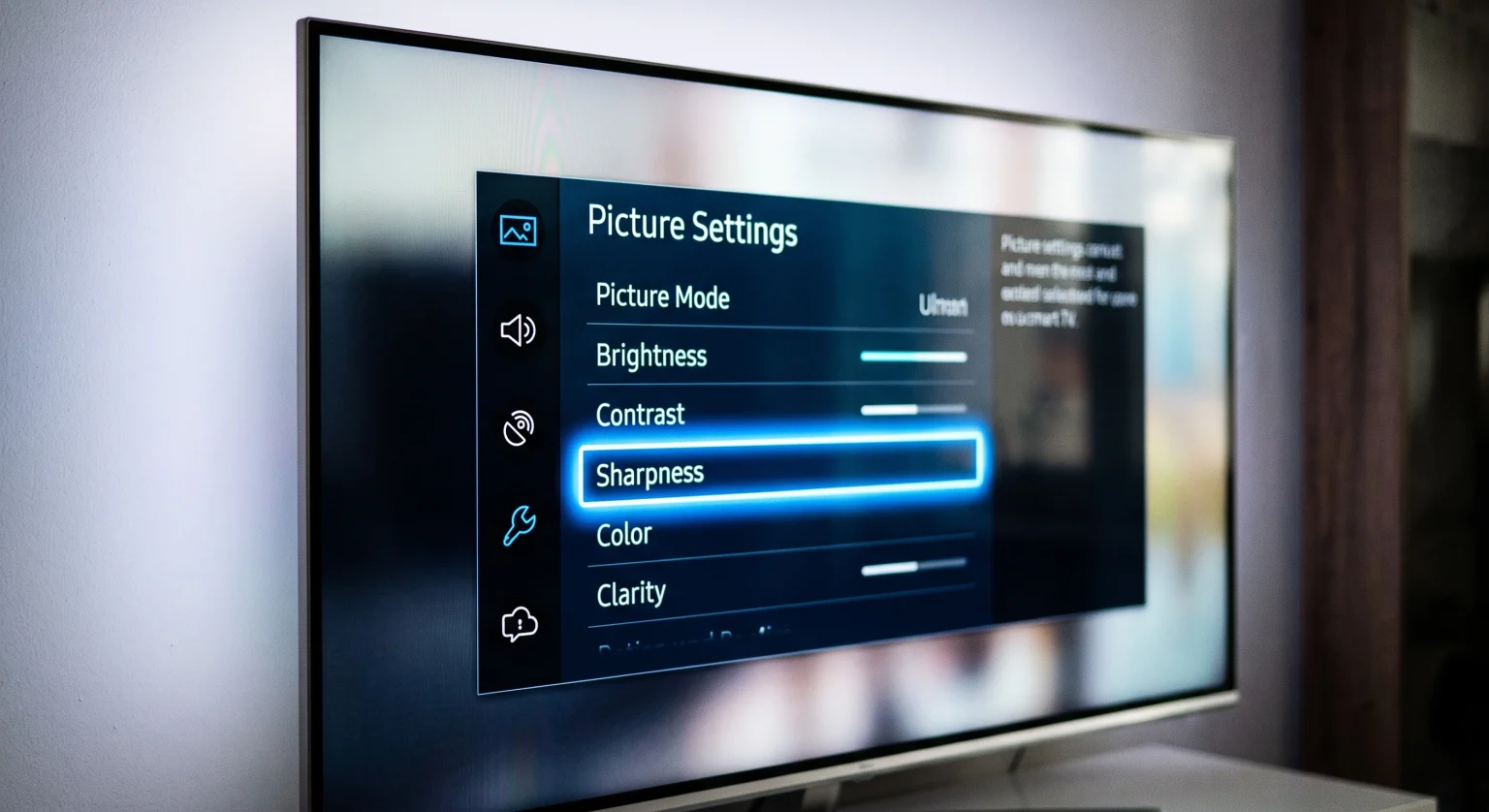
Turn down the “Sharpness” setting. Adding artificial sharpness to a low-quality IPTV stream makes the image look unnatural. Set the sharpness level low.
Disable “Motion Smoothing”. This feature tries to make video look smooth, but it often creates visual errors during fast sports. Manufacturers use different names for this feature, such as TruMotion or Auto Motion Plus.
Choosing the Right IPTV App
The IPTV application you use can affect picture quality. Some apps process video decoding better than others.
For users with a modern Smart TV, you need an application that supports high-quality M3U playlists and Xtream Codes. The application should allow hardware decoding. Hardware decoding uses the television’s internal processor to play the video smoothly.
Si utilizas TV Shadow IPTV, you will need a reliable IPTV player. The operating system of your television determines which applications you can install. Samsung Tizen and LG webOS have specific application stores. Google TV and Android TV use the Google Play Store, which offers different application choices.
You can read our comparison of the El mejor sistema operativo para Smart TV para IPTV en 2026: Tizen, Google TV y webOS to understand how your television software affects your viewing experience.
Conclusión
Experiencing a blurry picture on a new 4K television is frustrating. This issue usually occurs because the television must stretch a low-resolution IPTV stream to fit a large 4K screen. To fix an IPTV blurry 4K TV problem, check your video source resolution and the video bitrate.
Connect your television to the internet using an Ethernet cable to ensure a stable signal. Finally, adjust your television picture settings to turn off artificial sharpness and artificial motion smoothing. By understanding how your television processes video, you can enjoy a much better viewing experience with TV Shadow IPTV.
Preguntas frecuentes
Why does regular cable television look better than IPTV on my 4K TV?
Regular cable television broadcasts often use less data compression than standard IPTV streams. A higher bitrate provides a cleaner digital signal for the television processor to upscale.
Will a faster internet speed make my IPTV less blurry?
Yes, if your current internet connection is too slow. A faster connection stops the IPTV app from automatically lowering the video resolution. However, if the source video has a low resolution, fast internet will not fix the image.
Does TV Shadow IPTV provide 4K channels?
The availability of 4K channels depends on the specific original broadcaster. TV Shadow IPTV supports the playback of high-resolution video streams when the source provides them.
Should I buy a smaller TV to make IPTV look better?
A smaller television conceals visual imperfections. A 1080p video looks sharper on a 43-inch television than on a 75-inch television. However, you do not need to buy a smaller television. You can improve the picture by adjusting your 4K television settings.
Is a wired Ethernet connection really necessary for a 4K Smart TV?
Yes, a wired connection is highly recommended for streaming video. An Ethernet cable prevents signal drops and keeps the data speed consistent. This is extremely important for watching live sports without interruptions.
Can a bad HDMI cable cause a blurry picture?
If you use an external streaming device, a broken HDMI cable can cause visual errors. However, a bad HDMI cable usually causes the screen to flash black or show digital snow. It rarely causes a soft or blurry picture.