
You sit down to enjoy a live game in the living room, but suddenly the screen freezes. Why? Because someone just logged into the same account in the bedroom. If your IPTV stops second TV streams instantly, you are likely hitting a strict connection limit set by your provider.
Let’s dive into exactly why this happens and how you can easily fix it so the whole house can watch their favorite shows uninterrupted.
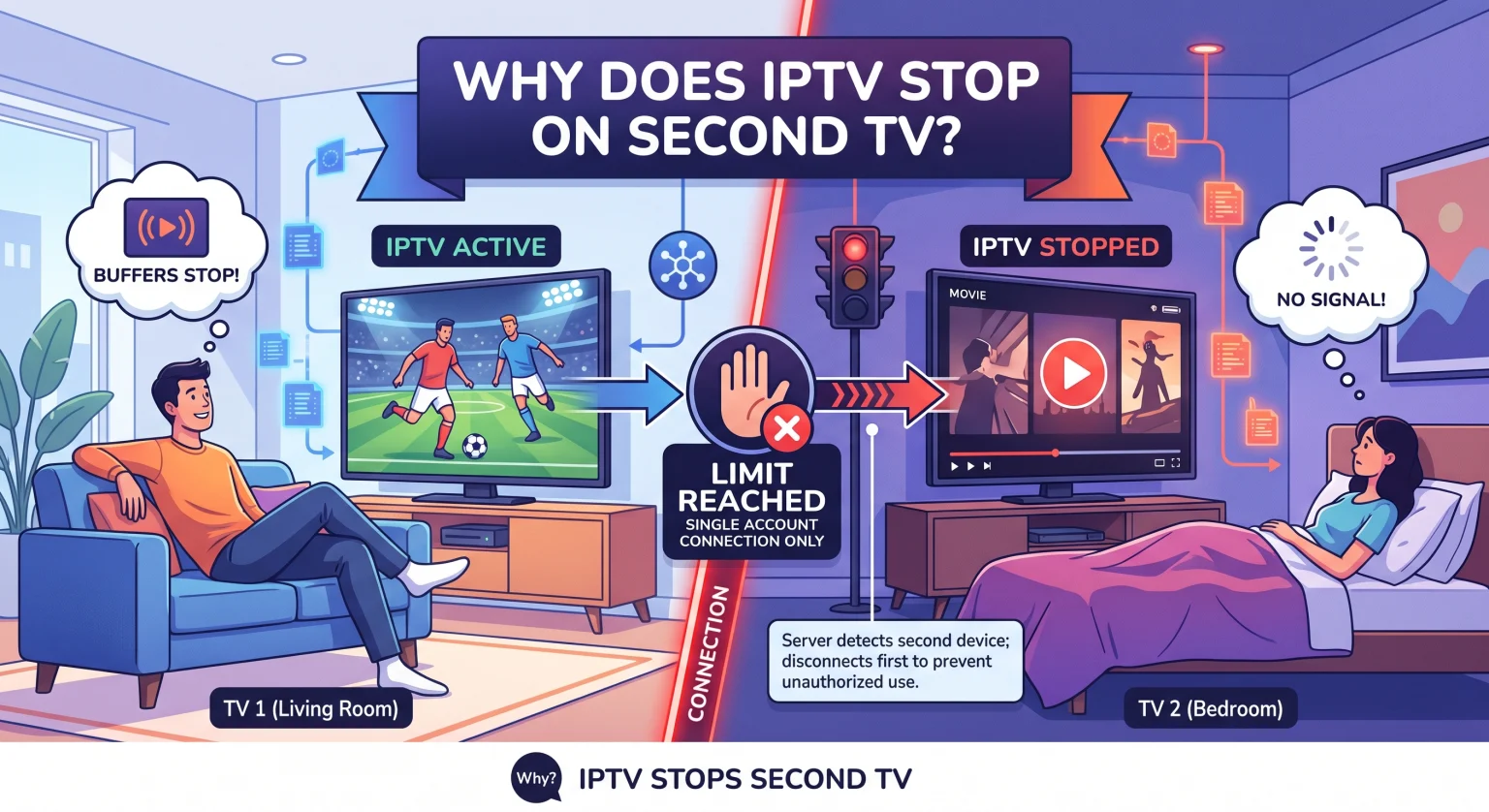
The Real Reason Your IPTV Stops Second TV Playback
The most common reason for your stream dropping is that you are on a single connection plan. Most standard IPTV subscriptions only allow one active stream at a time to prevent unauthorized account sharing.
When their servers detect a second device trying to pull data using the same credentials, the system automatically kicks the first device off. This is a built-in security measure designed to protect the provider’s bandwidth.
If you want to watch on multiple devices, you have to play by the server’s rules. This usually involves understanding how your provider tracks your usage via IP addresses or MAC addresses.
Understanding Simultaneous Connections and IP Limits
Providers use two main methods to enforce their streaming limits. The first is IP address restriction, meaning you can only stream from one home Wi-Fi network at a time. The second is a strict limit on simultaneous connections, regardless of where the devices are located.
If you are constantly dealing with stream buffering or sudden shut-offs, it is time to evaluate your current subscription model. Check out how different plan structures compare below.
IPTV Subscription Plans Compared
| Plan Type | Simultaneous Connections allowed | Ideal para |
| Basic / Single Plan | 1 dispositivo | Solo viewers watching on a main TV. |
| Multi-Room Plan | 2-3 Devices | Couples or small families on the same Wi-Fi. |
| Premium Family Plan | 4+ Devices | Large households with multiple TVs and tablets. |
How to Watch on Multiple Devices Without Interruptions
If you are tired of the constant freezing every time someone else turns on the TV, you have a few permanent solutions. You do not have to settle for a frustrating viewing experience.
Here are the best ways to resolve the issue:
Upgrade your subscription: Reach out to your provider and ask to upgrade to a multiroom IPTV plan.
Use the same Wi-Fi network: Some providers allow two connections if they share the exact same IP address (meaning both TVs are in the same house).
Purchase a secondary line: If your provider doesn’t offer multi-connection plans, you may need to buy a second, discounted line for the bedroom TV.
Avoid Account Sharing with Friends
It can be tempting to split the cost of a service with a friend across town. However, logging in from two completely different IP addresses is a massive red flag for providers. This will almost always result in an immediate account ban or cause your stream to drop continuously.
Ready for Uninterrupted Streaming?
Stop fighting over who gets to watch TV tonight. If you are tired of a service that constantly freezes or drops your connection, it is time to upgrade to a premium provider that actually supports your household’s needs. Click here to explore our top-rated Multi-Room IPTV Plans and enjoy seamless, buffer-free streaming on every screen in your home today!
Preguntas frecuentes (FAQ)
Can I use my IPTV subscription on two devices?
Yes, but only if you have purchased a plan that explicitly allows for multiple simultaneous connections. If you only have a single-connection plan, your IPTV stops second TV playback to prevent server overload.
How do I bypass the IPTV single connection limit?
You cannot safely bypass this limit without risking a permanent ban from your provider. The only legitimate way to fix this is to upgrade your account to include multiple connections.
Why does my IPTV buffer on multiple devices?
Even if you have a multi-connection plan, streaming on several TVs requires a very fast internet connection. If you lack the necessary bandwidth (usually at least 50 Mbps per active HD stream), all connected devices will experience severe stream buffering.