
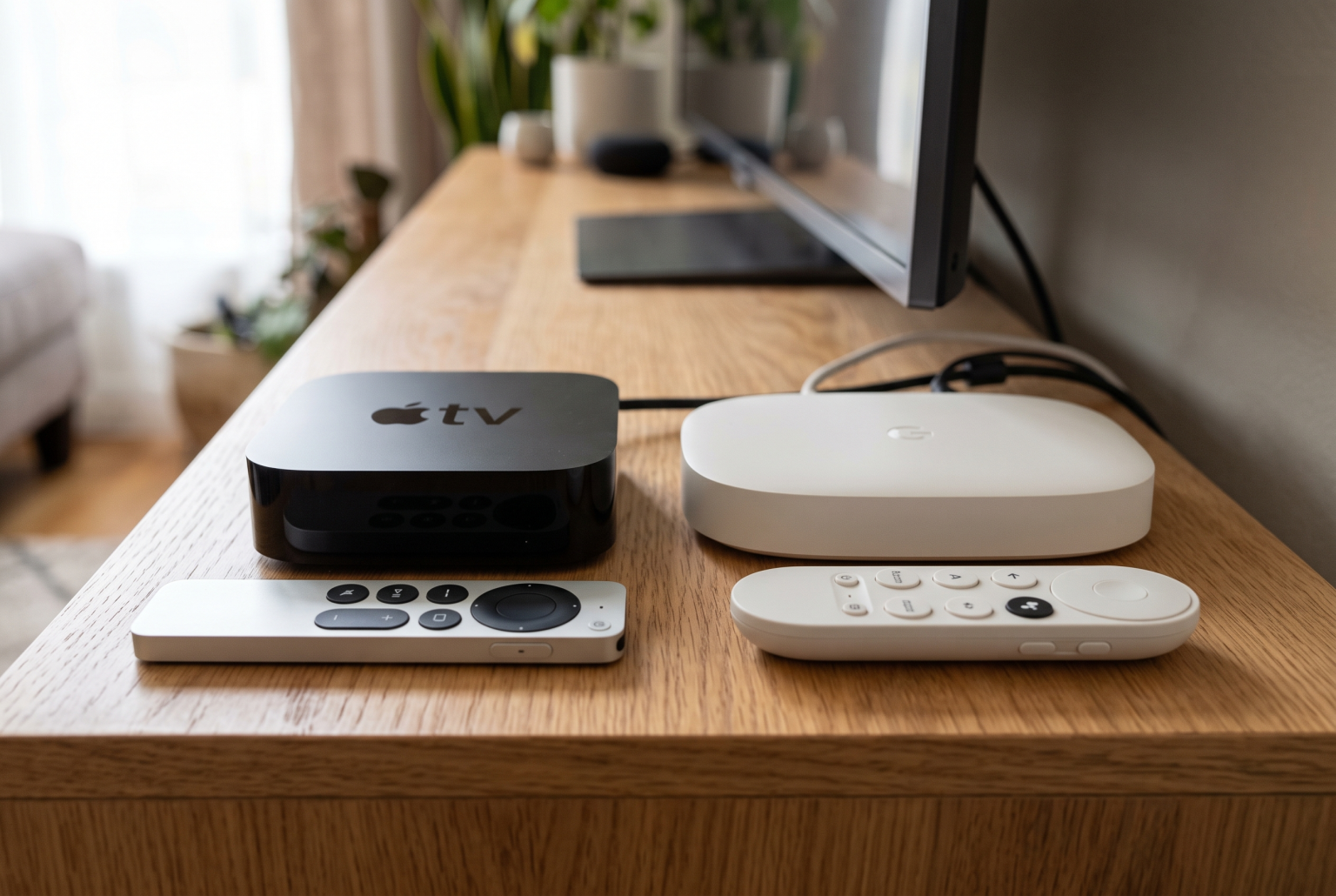
When you want to watch IPTV, choosing the right media player is very important. Many users compare the Apple TV 4K and the Google TV Streamer. Both devices offer excellent picture quality and fast performance. However, they use different operating systems and support different applications.
If you use TV Shadow IPTV, you need a device that runs your favorite IPTV applications smoothly. The Apple TV 4K uses the tvOS operating system. The Google TV Streamer uses the Android TV operating system. This difference affects how you install applications and how you watch live television.
This article compares the Apple TV 4K and the Google TV Streamer. We will look at hardware specifications, IPTV application availability, remote controls, and live sports performance to help you make the best choice.
Réponse rapide
Which device is better for an Apple TV vs Google TV IPTV setup?
The Google TV Streamer is the best choice for most IPTV users. It uses the Android TV operating system, which gives you access to the Google Play store. The Google Play store contains hundreds of dedicated IPTV applications. You can also install custom Android applications easily.
The Apple TV 4K offers a faster processor and a premium interface. However, the Apple App Store has strict rules. There are fewer IPTV applications available for the Apple TV 4K. Choose the Apple TV 4K only if you already use many Apple devices and you know your preferred IPTV application is available on tvOS.
Hardware and Specifications Compared
Both devices offer modern hardware designed for 4K video streaming. The Apple TV 4K uses the Apple A15 Bionic processor. The Google TV Streamer uses a MediaTek processor.
The Apple processor is significantly faster than the Google processor. However, both devices are powerful enough to stream 4K video and live television without problems.
Here is a simple comparison table showing the main technical specifications.
| Fonctionnalité | Apple TV 4K (Wi-Fi + Ethernet) | Lecteur Google TV |
| Système d'exploitation | tvOS | Android TV (Google TV) |
| Processeur | Apple A15 Bionic | MediaTek MT8696 |
| Mémoire (RAM) | 4 GB | 4 GB |
| Storage space | 128 GB | 32 GB |
| Ethernet connection | Ethernet Gigabit | Ethernet Gigabit |
| Prise en charge du HDR | HDR10, HDR10+, Dolby Vision | HDR10, HDR10+, Dolby Vision |
| Boutique d'applications | Apple App Store | Google Play |
Note: The Apple TV 4K is also available in a cheaper version with 64 GB of storage, but that version does not include an Ethernet port.
Operating Systems and App Stores
The biggest difference between these two devices is the operating system. The operating system controls which applications you can install.
Apple tvOS
The Apple TV 4K runs tvOS. This operating system is very fast and never displays third-party advertisements on the home screen. The user interface is clean and simple. However, Apple controls the Apple App Store very strictly. Apple frequently removes IPTV applications from the store if they violate Apple’s rules. You cannot easily install applications from outside the Apple App Store.
Google TV
The Google TV Streamer runs the Android TV operating system with the Google TV interface. The Google TV interface shows many content recommendations on the home screen. Sometimes these recommendations feel like advertisements. However, the Google Play store is very open. Google allows many different IPTV applications in the store. If an application is not in the Google Play store, you can manually install the Android application file (APK). This process is called “sideloading”.
If you are curious about how Google TV compares to television software, our guide to Meilleur système d'exploitation pour Smart TV dédié à l'IPTV en 2026 explains the differences in more detail.
IPTV App Availability
For TV Shadow IPTV users, application availability is the most important factor. You need an application that can read M3U playlists or connect via Xtream Codes.
Apps on the Google TV Streamer
The Google TV Streamer is excellent for IPTV. The Google Play store contains the most popular IPTV players. You can easily download applications such as TiviMate, Smarters Pro, and XCIPTV. TiviMate is often considered the best IPTV application because it has a fantastic Electronic Program Guide (EPG). TiviMate is only available on Android devices.
Apps on the Apple TV 4K
The Apple TV 4K has fewer IPTV options. TiviMate and Smarters Pro are not officially available on the Apple TV 4K. Instead, Apple TV users must use alternatives such as iPlayTV, UHF, or Snappier. These applications work well, but they offer fewer customization options than the best Android applications.
User Interface and Navigation
When you watch television every day, you want an easy menu system.
The Apple TV 4K presents a simple grid of application icons. You select your IPTV application, open it, and start watching. The system is extremely responsive. The Apple TV 4K does not try to guess what you want to watch. It just shows your applications.
The Google TV Streamer focuses on content discovery. The home screen shows movies and television shows from your different streaming services. However, this feature does not integrate well with custom IPTV applications. Your IPTV channels will not appear on the main Google TV home screen. You must open your IPTV application first. Once you open the application, the speed depends on the application you chose.
Remote Control Differences
The remote control is your primary connection to your television.
The Apple TV 4K uses the Siri Remote. This remote is made of aluminum and feels very premium. It uses a touch-sensitive clickpad. You can swipe your finger to scroll through long IPTV channel lists quickly. However, the Siri Remote does not have colored buttons or dedicated channel-up and channel-down buttons. Some users find it difficult to use with traditional IPTV interfaces.
The Google TV Streamer includes a standard plastic remote control. It features a traditional directional pad with physical clicks. The remote is longer and more comfortable to hold than previous Google remotes. It also has a customizable button. You can program this button to open your favorite IPTV application instantly. This is a very useful feature for TV Shadow IPTV users.
Performance for Live Football and Sports
Watching live football requires excellent video processing. If the device cannot process motion correctly, the football will look blurry when it moves across the screen.
Both the Apple TV 4K and the Google TV Streamer handle live football very well. They both support 4K resolution at 60 frames per second (60Hz). This specification is perfect for sports broadcasting.
The Apple TV 4K has a technical advantage here. The A15 Bionic processor is incredibly powerful. It can process high-bitrate video streams effortlessly. If your IPTV provider sends a very high-quality 4K sports channel, the Apple TV 4K will display it perfectly without stuttering.
The Google TV Streamer also plays 4K sports streams smoothly. The MediaTek processor handles standard IPTV formats without issues. Both devices feature a function called “frame rate matching”. This function ensures the video output matches the original broadcast speed, which prevents jerky camera movements during football matches.
If you are buying a new television specifically for sports, you might also want to read our article about Téléviseurs 60 Hz ou 120 Hz pour le football en direct.
Wi-Fi vs Ethernet Connectivity
IPTV requires a very stable internet connection. Live television streams do not buffer data in the same way that Netflix does. If your internet connection drops for one second, your live football match will pause.
For the best experience, you should connect your media player directly to your internet router using an Ethernet cable.
The Google TV Streamer includes a Gigabit Ethernet port on the back of the device. This is included in the standard purchase price.
The Apple TV 4K offers two different models. The cheaper 64 GB model only has Wi-Fi. It does not have an Ethernet port. The more expensive 128 GB model includes a Gigabit Ethernet port. If you buy the Apple TV 4K for IPTV, you must buy the 128 GB version to get the Ethernet connection.
Both devices support fast Wi-Fi protocols. However, even the fastest Wi-Fi can suffer from interference from walls or other electronic devices. Always use the Ethernet port for TV Shadow IPTV if possible.
Which is Better for Your IPTV Setup?
Choosing between the Apple TV 4K and the Google TV Streamer depends on how you want to use the device.
The Google TV Streamer is the most practical choice for IPTV. The Android TV operating system gives you total freedom. You can install the best IPTV applications from the Google Play store. If an application is missing, you can install it manually. The remote control is easy to use for television channels, and the included Ethernet port guarantees a stable connection.
The Apple TV 4K is the best choice if you demand premium hardware. The processor is incredibly fast, and the menus are perfectly smooth. It is also the logical choice if you already use an iPhone, iPad, or Mac. However, you must accept that your choice of IPTV applications will be limited. You must also spend more money to buy the 128 GB version with the Ethernet port.
Foire aux questions
Can I install TiviMate on the Apple TV 4K?
No, TiviMate is not available for the Apple TV 4K. TiviMate is an Android application. It only works on Android TV devices like the Google TV Streamer.
Does TV Shadow IPTV work on both devices?
Yes, TV Shadow IPTV works on both devices. However, you must use different player applications. On Google TV, you can use applications from the Google Play store. On Apple TV, you must use applications from the Apple App Store.
Which device is faster for changing IPTV channels?
The channel changing speed depends mostly on your IPTV provider and your internet connection. However, the Apple TV 4K has a faster processor, which can make the IPTV application menus feel slightly faster.
Do I need a Google account to use the Google TV Streamer?
Yes, you need a free Google account to set up the Google TV Streamer and to download applications from the Google Play store.
Can I watch 4K live football on both devices?
Yes, both the Apple TV 4K and the Google TV Streamer support 4K resolution at 60 frames per second. They will both display 4K live sports perfectly if your provider offers 4K channels.
Why is an Ethernet connection important for IPTV?
An Ethernet cable provides a direct and stable connection to your internet router. Wi-Fi signals can be interrupted by walls or other devices. Live IPTV streams require constant data. A stable Ethernet connection prevents the video from pausing.