
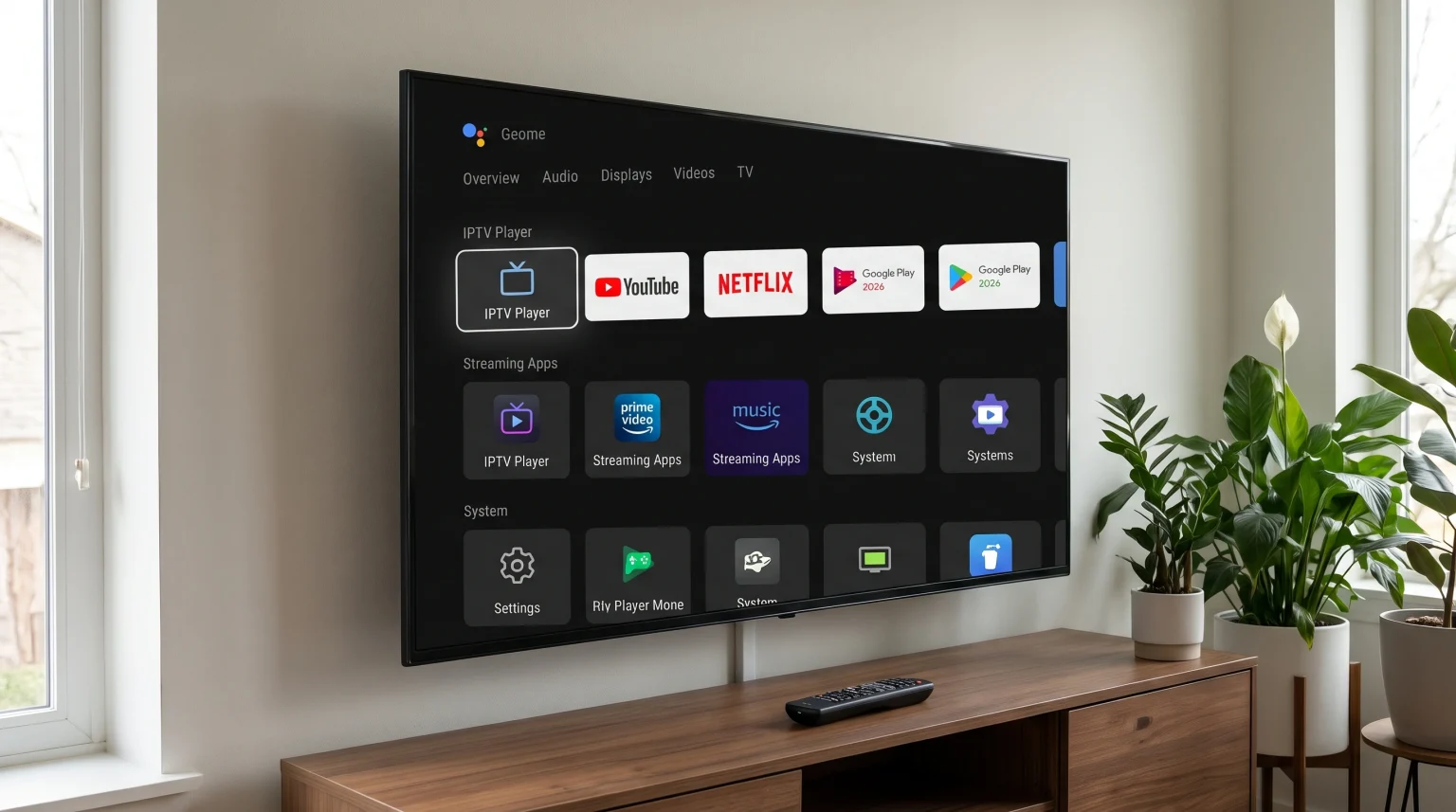
Google TV provides many excellent streaming features, but the default home screen displays large advertisements and sponsored recommendations. Many television owners want a clean interface that shows only their installed applications. Replacing the default system interface with a custom launcher solves this problem. A custom launcher removes unwanted advertisements, organizes your applications, and improves device speed.
This article explains how to choose the best Google TV launcher 2026 options for your television or streaming device. We compare the most popular third-party launchers available this year, including Projectivy Launcher, FLauncher, and ATV Launcher. We also explain how these alternative launchers improve the daily viewing experience for IPTV users streaming through TV Shadow IPTV and other digital services.
Réponse rapide
Les best Google TV launcher 2026 alternative depends on your exact technical needs. Projectivy Launcher is the best overall choice because Projectivy offers a completely ad-free experience with excellent customization options and modern design. FLauncher is the best open-source option for users who want a very simple, fast, and secure interface. ATV Launcher remains the best choice for older devices with limited memory. All three alternative launchers allow you to organize your favorite IPTV apps and streaming applications directly on the main screen without sponsored video content.
Why Replace the Default Google TV Launcher?
The official Google TV operating system receives frequent software updates. In 2026, the default Google TV interface includes banner advertisements that occupy half of the television screen. The interface also suggests movies and television shows from streaming services you do not pay for or use.
These background features consume system memory and processor power. This memory usage can make the television menu feel slow and unresponsive when you use the remote control.
A third-party launcher replaces the official Google TV home screen. Alternative launchers provide several technical benefits:
No advertisements: Alternative launchers remove sponsored banners completely from the screen.
Faster navigation: Custom launchers use less system memory than the default Google TV interface.
Custom application order: Users can place their most important applications at the very top of the screen.
Direct boot: Many custom launchers open your favorite IPTV player automatically when you turn on the television.
If you are comparing television operating systems before buying a new television, read our guide explaining the Tizen vs Google TV pour les applications IPTV : quelle est la différence ?.
Top Alternative Launchers for Google TV in 2026
Projectivy Launcher
Projectivy Launcher is currently the most popular alternative launcher for Google TV and Android TV devices. The developer updates Projectivy frequently in 2026. Projectivy provides a premium visual experience without requiring a complicated installation process.
Interface design: Projectivy features a clean, dark design. Users can change the background colors, add custom wallpapers, and organize application icons into horizontal categories.
Performances : Projectivy is highly optimized. The launcher opens applications instantly and does not slow down the television processor.
Unique features: Projectivy includes parental controls and direct input shortcuts. Users can switch to a specific HDMI port directly from the home screen. Projectivy also supports transparent application cards.
Projectivy is highly suitable for users who want an ad-free television experience that still looks modern and professional.
FLauncher
FLauncher is a free, open-source launcher built specifically for Android TV and Google TV. Open-source means the software code is public, and FLauncher does not track user data or collect personal information.
Interface design: FLauncher uses a very simple grid layout. The user interface does not contain complicated menus or dynamic widgets. The screen only displays application icons organized by category.
Performances : FLauncher is extremely lightweight. FLauncher uses almost zero system memory, making the television operate much faster.
Unique features: Users can manage application categories manually and hide system applications that they cannot uninstall. FLauncher contains absolutely zero advertisements.
FLauncher is suitable for users who want the fastest possible performance, strict privacy, and a minimalist design.
ATV Launcher
ATV Launcher is an older software application, but ATV Launcher remains very popular in 2026. ATV Launcher works perfectly on traditional Android TV streaming boxes and modern Google TV televisions.
Interface design: ATV Launcher resembles a traditional computer desktop or tablet screen. Users can add specific widgets to the screen, such as a local weather display or a digital clock.
Performances : ATV Launcher works very well on older devices with limited processing power.
Unique features: Users can change the color, size, and shape of the application icons. ATV Launcher allows users to hide the top status bar for a cleaner look.
ATV Launcher is suitable for users who want to customize every small detail of their television screen.
Launcher Comparison Summary
This comparison table highlights the main factual differences between the top three alternative launchers.
| Fonctionnalité | Projectivy Launcher | FLauncher | ATV Launcher |
| Price | Free (Premium features available) | 100% Free (Open-source) | Free (Pro version available) |
| Advertisements | Aucun | Aucun | Aucun |
| Interface style | Modern horizontal rows | Simple application grid | Traditional desktop style |
| System memory usage | Faible | Very low | Faible |
| Custom backgrounds | Oui | Oui | Oui |
| Widget support | Non | Non | Oui |
How Alternative Launchers Affect IPTV
Using a custom launcher significantly improves the IPTV viewing experience. Launchers do not change how the video stream works, but launchers change how you access the video content on your television.
Faster Application Access
When you use a service like TV Shadow IPTV, you need an IPTV player application. The default Google TV launcher often hides side-loaded applications. A side-loaded application is an application installed outside the official Google Play Store. Alternative launchers display all installed applications automatically. You can place your preferred IPTV player exactly where you want it on the screen.
Automatic Application Start
Many alternative launchers, including Projectivy, offer a feature called “Launch on Boot”. This feature allows the television to open a specific application automatically when the television turns on. You can configure the television to open your IPTV player immediately. This automatic process removes the need to navigate the television menu with the remote control.
Device Performance and EPG Loading
IPTV players require system memory to load the Electronic Program Guide (EPG) and to process Xtream Codes or M3U playlist data. Because alternative launchers use much less system memory than the default Google TV interface, the television has more memory available for the IPTV player. This extra memory can make the EPG load faster and improve remote control response times while browsing television channels.
If you want to buy a new television specifically for streaming, read our complete guide comparing the Les meilleurs téléviseurs connectés pour l'IPTV en 2026 : comparaison entre Samsung, Sony, LG et TCL.
Live Football and Sports Streaming Considerations
Watching live football requires a stable television system. When you watch fast-moving sports, the television processor must work hard to maintain smooth motion handling and process high-quality video signals.
A heavy operating system interface can sometimes cause minor system delays. If the television processor is busy loading background advertisements on the home screen, the video processing might suffer temporarily. Installing a lightweight alternative launcher stops background advertisements from downloading. This process frees the television processor to focus entirely on the sports stream, reducing stuttering and buffering.
Furthermore, a clean launcher ensures your television prioritizes internet bandwidth for the video stream. For the most stable live football experience, always connect your television to your internet router using an Ethernet cable instead of a Wi-Fi connection.
However, the launcher does not change the television’s hardware specifications. A custom launcher will not increase the television’s physical refresh rate. If your television has a 60Hz panel, the television will remain a 60Hz panel after installing a new launcher.
To understand how television hardware affects sports viewing, read our detailed explanation about Téléviseurs 60 Hz ou 120 Hz pour le football en direct.
Installation and Compatibility in 2026
Installing an alternative launcher on Google TV requires specific steps. Google prefers users to use the default home screen.
First, you must download the alternative launcher from the Google Play Store or sideload the application using a downloader tool. Projectivy Launcher and FLauncher are available directly in the Google Play Store on most devices.
Second, you must disable the default Google TV launcher. On older operating systems, you can simply select the new launcher as the default home application. However, recent Google TV security updates often block this simple method.
To bypass this restriction in 2026, users normally install a secondary utility application called “Launcher Manager” or use ADB (Android Debug Bridge) commands. These tools disable the official Google interface and force the remote control’s home button to open your new custom launcher.
Compatibility depends on the device manufacturer. Sony BRAVIA televisions with Google TV usually support alternative launchers. External devices like the Nvidia Shield TV and various Google TV streaming sticks also support alternative launchers. Always check your specific television model settings before attempting to modify system files.
Conclusion
Replacing the default television interface is a highly effective way to improve your daily streaming experience. The best Google TV launcher 2026 alternative gives you complete visual control over your television screen.
Projectivy Launcher provides the best balance of modern design and easy configuration. FLauncher is the perfect choice for users who want maximum speed and zero visual distractions. ATV Launcher offers excellent customization for users who prefer a traditional computer desktop style.
By removing sponsored content and system advertisements, these alternative launchers make your television faster. A faster television ensures your IPTV applications open quickly, your EPG loads without delay, and your live sports streams run smoothly. Choose the launcher that best fits your daily viewing habits and enjoy a clean, personalized entertainment system.
Foire aux questions (FAQ)
Will a custom launcher delete my installed applications?
No, a custom launcher will not delete your applications. The custom launcher only changes the visual interface of the television screen. All your installed applications, account data, and system settings remain completely safe on the television storage.
Is it legal to change the Google TV launcher?
Yes, changing the launcher is completely legal. Google TV is based on the Android operating system. The Android operating system is specifically designed to allow users to customize their interface.
Does a custom launcher improve picture quality?
No, a custom launcher does not change picture quality. Picture quality depends on the television screen hardware, the video stream resolution, and the television display settings. The launcher only improves menu navigation speed.