
Television manufacturers constantly update their operating systems. TiVo OS is a Smart TV platform used by several television brands in 2026. Many users want to know if they can use IPTV services on these televisions.
This guide explains how TiVo OS works with streaming applications. It covers how to find compatible software in the official app store. It also explains the technical differences between TiVo OS and other operating systems.
Si vous utilisez un service tel que TV Shadow IPTV, you need a compatible media player. Some television operating systems restrict which applications you can install. We will look at the exact capabilities of TiVo OS. We will also discuss how these televisions handle live sports broadcasts and high-definition video.
Réponse rapide
Yes, you can install IPTV players on TiVo OS Smart TVs, but your options are limited. TiVo OS uses its own official application store. It does not use the Google Play Store. You cannot install standard Android television applications.
You must search the TiVo OS store to see which IPTV players are currently available in your region. If your preferred application is missing, you cannot install it manually. In that situation, the best solution is to connect an external streaming stick to your television using an HDMI cable.
Understanding TiVo OS on Smart TVs
TiVo is famous for digital video recorders. Today, the company also makes an operating system for Smart TVs. Several television manufacturers use TiVo OS instead of creating their own software.
TiVo OS focuses on content discovery. The interface combines movies and television shows from different streaming services onto one screen. This design helps users find content quickly.
However, the application ecosystem is smaller than other platforms. TiVo OS does not support Android applications natively. The television manufacturer controls the official application store.
Si vous souhaitez comparer les systèmes d'exploitation pour téléviseurs, consultez notre guide sur Meilleur système d'exploitation pour Smart TV dédié à l'IPTV en 2026 : Tizen, Google TV et webOS en comparaison] explains the differences between major platforms.
IPTV App Availability on TiVo OS
To use a service like TV Shadow IPTV, you need an IPTV player application. These applications read M3U playlists or connect via Xtream Codes.
On TiVo OS, you must use the official app store. The availability of IPTV players depends on three factors:
The television manufacturer
Your country
The current store policies
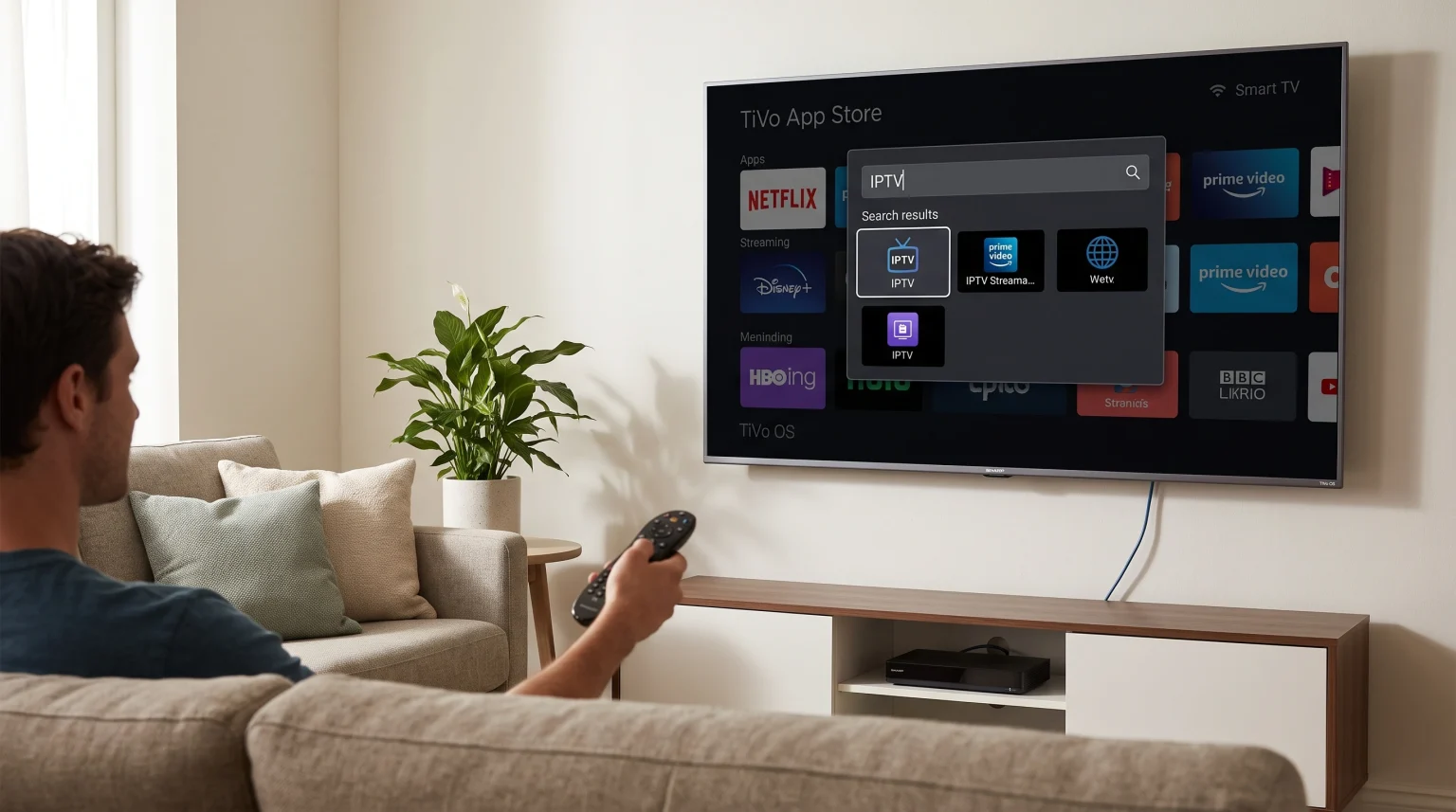
Some generic IPTV players are available in the TiVo store. You can search the store using terms like “IPTV”, “M3U”, or “Stream Player”.
Application Installation Rules
TiVo OS is a closed system. You cannot install applications from outside the official store. This process is often called “sideloading”. Sideloading is possible on Android TV, but it is impossible on TiVo OS.
If the application you want is not in the TiVo store, you cannot add it to the television.
Comparison: TiVo OS vs Google TV for IPTV
Understanding the differences between operating systems helps you make the right choice. Here is how TiVo OS compares to Google TV regarding streaming applications.
| Fonctionnalité | TiVo OS | Google TV |
| Official store | TiVo App Store | Google Play Store |
| Number of IPTV apps | Limité | Très élevé |
| Prise en charge des applications Android | Non | Oui |
| Manual installation | Not possible | Possible via APK files |
| User interface style | Content-focused | App and content-focused |
If application selection is very important to you, Google TV offers more options. You can read more about this in our article about Tizen vs Google TV pour les applications IPTV : quelle est la différence ?.
Watching Live Football on TiVo OS Televisions
Many people buy Smart TVs to watch live football. Live sports require good television hardware and a stable internet connection.
When you watch live football through an IPTV application, the television must process fast movement. This is called motion handling. If the television has a 60Hz refresh rate, fast objects might look slightly blurred. If the television has a 120Hz refresh rate, the movement will look smoother.
If you are buying a new television specifically for sports, read our guide on Téléviseurs 60 Hz ou 120 Hz pour le football en direct.
To get the best results for live sports:
Connect your television to your router with an Ethernet cable.
Do not use a Wi-Fi connection if the router is far away.
Turn off unnecessary picture processing settings on the television.
Ensure your IPTV player is updated to the latest version.
Alternative Solutions for TiVo OS Users
What happens if you buy a TiVo OS television and cannot find a good IPTV player? You do not need to buy a new television.
You can bypass the TiVo operating system completely. You can buy an external streaming device, such as a Google TV stick or an Amazon Fire TV Stick.
Connect the streaming device to an HDMI port on the back of the TiVo OS television. Switch the television to that HDMI input. You can then use the operating system on the streaming stick. This method gives you access to thousands of applications, including many excellent IPTV players.
Conclusion
TiVo OS offers a clean and modern interface for finding movies and television shows. However, its closed application system creates limitations for IPTV users.
You can use IPTV players on TiVo OS, but your choices are restricted to the official application store. You cannot manually install outside applications. If the available applications do not meet your needs, you must connect an external streaming stick via HDMI.
By understanding these technical limitations, you can choose the right setup for your TV Shadow IPTV service. Always use a wired internet connection for the best experience when watching live sports.
Foire aux questions (FAQ)
Can I install Android applications on TiVo OS?
No. TiVo OS is not based on the Android television system. You cannot install Android APK files on a TiVo OS television.
Does TV Shadow IPTV have an official TiVo OS application?
TV Shadow IPTV is a service provider, not an application developer. You must use a third-party IPTV player application to connect to the TV Shadow IPTV service.
How do I search for IPTV apps on my TiVo TV?
Press the home button on your remote control. Navigate to the application store section. Use the search function and type “IPTV”. The store will show all compatible applications currently available in your region.
Why does my live football stream buffer on my Smart TV?
Buffering usually happens because of a slow internet connection. The television Wi-Fi receiver might be weak. Connecting the television directly to the internet router with an Ethernet cable often solves this problem.
Can I add an M3U playlist to a TiVo OS television?
Yes, but only if you can find a compatible IPTV player application in the official TiVo store. The application will process the M3U playlist.