
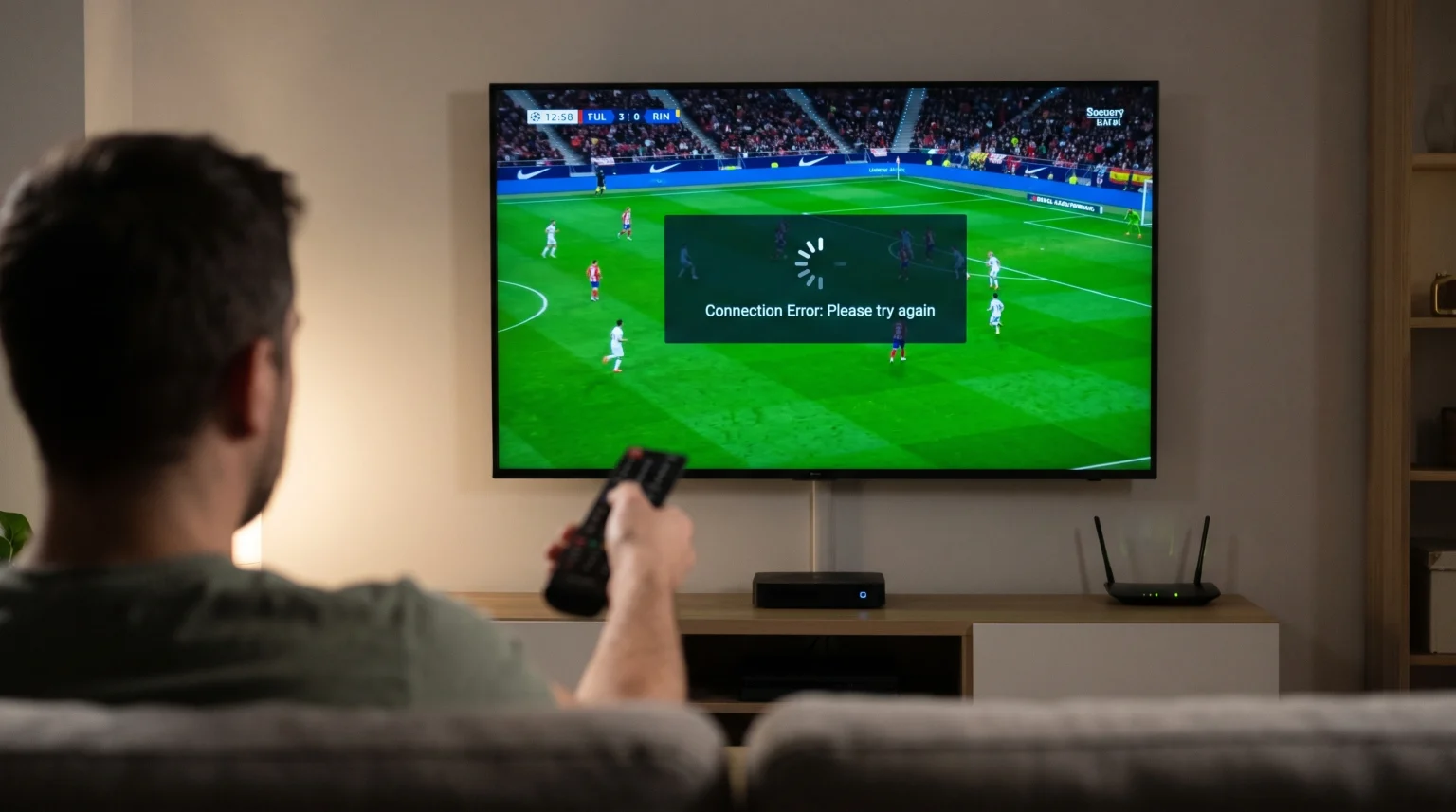
Many users experience a connection error when they change IPTV channels too fast. This problem happens on Smart TVs, Android TV boxes, and mobile devices. When you press the channel button rapidly, the streaming application sends multiple requests to the server. If the server receives too many requests at the same time, it temporarily blocks the connection.
This article explains why these errors occur during rapid channel switching. We will explore how the server handles connection limits and how your media player manages stream data. We will also explain how you can prevent this error for a smoother viewing experience.
Réponse rapide
An [IPTV connection error switching channels] occurs because the streaming application sends a new connection request before closing the previous connection. Most IPTV subscriptions allow only one active connection. When you change channels very quickly, the server calculates that you are trying to watch two channels simultaneously. The server then blocks the new request to prevent account sharing. To fix this error, wait three to five seconds between channel changes. This delay gives the server enough time to disconnect the old stream and authorize the new stream.
How IPTV Server Connections Work
To understand the connection error, you must understand how the server authorizes your device. When you select a channel, your application sends your account credentials to the server. The server verifies your account and starts sending the video data.
When you switch to a new channel, the application must send a “stop” command for the first channel. Then, the application must send a “play” command for the second channel. If you switch channels rapidly, the “stop” command might arrive late. The server receives the second “play” command while the first channel is still active.
Because your account only allows one connection, the server rejects the second command. Your television screen will show a connection error or a playback failure message.
Common Causes of Channel Switching Errors
Several technical factors cause connection errors during rapid channel changes.
The Subscription Connection Limit
Most IPTV providers limit accounts to one simultaneous connection. This limitation prevents users from sharing one subscription with multiple households. When you switch channels too fast, you create a second temporary connection. This action violates the one-connection rule. The server software automatically detects the violation and blocks the video stream.
Server Security and Anti-Abuse Protection
IPTV servers use automated security systems to block cyber attacks. If a user presses the channel button ten times in two seconds, the application sends ten rapid requests to the server. The server security system identifies this rapid activity as an attack. The system will temporarily block your IP address to protect the server hardware. This block usually lasts for a few minutes.
Slow Hardware and Application Delay
The speed of your Smart TV or streaming box affects how fast the application sends commands. Older Smart TVs have weak processors and limited memory. If you use a slow device, the application needs more time to close the previous video stream. For users exploring hardware upgrades, our guide to Les meilleurs téléviseurs connectés pour l'IPTV en 2026 : comparaison entre Samsung, Sony, LG et TCL explains how processor speed improves app performance.
Hardware vs. Software Connection Factors
This table explains how different components affect the channel switching speed.
| Component | Function | Impact on Channel Switching |
| Server Connection Limit | Controls active streams. | Exceeding the limit causes immediate connection errors. |
| Smart TV Processor | Processes app commands. | Slow processors delay the command to stop the previous channel. |
| IPTV Application | Manages video playback. | Some applications close streams faster than other applications. |
| Network Connection | Transmits data requests. | Weak Wi-Fi delays commands and causes communication errors. |
How to Prevent the IPTV Connection Error
You can stop connection errors by changing your viewing habits and adjusting your device settings.
Pause Between Channel Changes
The most effective solution is patience. Wait three to five seconds before selecting a new channel. Do not press the channel up or down button rapidly. Use the Electronic Program Guide (EPG) to find the channel you want to watch. Select the channel directly from the menu instead of scrolling through live channels.
Adjust the Player Buffer Size
The buffer size controls how much video data the application downloads before playing the video. A large buffer creates a smooth video image, but a large buffer increases the time required to switch channels. If your application has a buffer setting, change the setting to “Small” or “Zero”. A smaller buffer allows the application to close the connection faster. If you notice bad video quality after changing this setting, our article explaining Pourquoi l'IPTV est-elle floue sur un téléviseur 4K neuf ? can help you adjust your display settings.
Use a Wired Ethernet Connection
Wi-Fi connections often lose small amounts of data. If the Wi-Fi connection loses the “stop” command, the server keeps the first channel active. A wired Ethernet cable provides a stable connection. The Ethernet cable ensures the server receives every command instantly. This stability reduces connection errors significantly.
Why This Happens During Live Football
Connection errors happen frequently during live football matches. Many viewers switch between different sports channels to check multiple match scores.
During popular football matches, the IPTV servers manage high volumes of traffic. To maintain server stability for all users, the system administrators configure the security software to be very strict. The server enforces the single-connection limit aggressively.
When you change sports channels quickly, the strict server rules detect the overlapping connections immediately. The server will block the stream. For the best sports viewing experience, choose one match and do not change channels rapidly. If you are comparing operating systems for sports viewing, you can read our comparison of Meilleur système d'exploitation pour Smart TV dédié à l'IPTV en 2026 : Tizen, Google TV et webOS en comparaison.
TV Shadow IPTV Compatibility and Best Practices
TV Shadow IPTV supports many popular streaming applications across different Smart TV operating systems. Our service works with M3U playlists and Xtream Codes API login methods.
To experience the fewest connection errors, we recommend using the Xtream Codes API method. The Xtream Codes API communicates with the server faster than a standard M3U file. This fast communication helps the application close old connections quickly.
TV Shadow IPTV does not control how your specific television processor manages application memory. If you use an older television, we recommend using a dedicated external device like an Android TV box or a Google TV Streamer. External devices generally have faster processors than built-in Smart TV operating systems. Faster processors prevent the application freezing that causes connection errors.
TV Shadow IPTV does not have an official relationship with television manufacturers like Samsung, Sony, or LG. The performance of the application depends entirely on your local hardware and internet setup.
Conclusion
An [IPTV connection error switching channels] is a common and normal technical protection. The error happens because the server receives a request for a new channel before the old channel has disconnected. This triggers the system to block the connection to prevent account sharing or network abuse.
You can prevent these errors easily. Wait a few seconds between channel changes, use the Electronic Program Guide to navigate, and connect your device with an Ethernet cable. Upgrading slow hardware to a fast streaming device also helps the application send commands efficiently. By understanding how TV Shadow IPTV connects to the server, you can manage your viewing habits and enjoy uninterrupted streaming.
Foire aux questions (FAQ)
Why does the screen go black when I change channels?
A black screen means the application is waiting for video data. The application has sent the request, but the server has not authorized the new connection yet. If the screen remains black, the server has blocked the connection.
Does a faster internet connection fix channel switching errors?
A faster internet connection helps, but it does not completely fix the error. The error happens because of connection limits on the server, not just download speed. A stable connection is more important than a fast connection.
How long should I wait before changing the channel?
You should wait three to five seconds between channel changes. This time allows the application to stop the first video stream completely before starting the next video stream.