
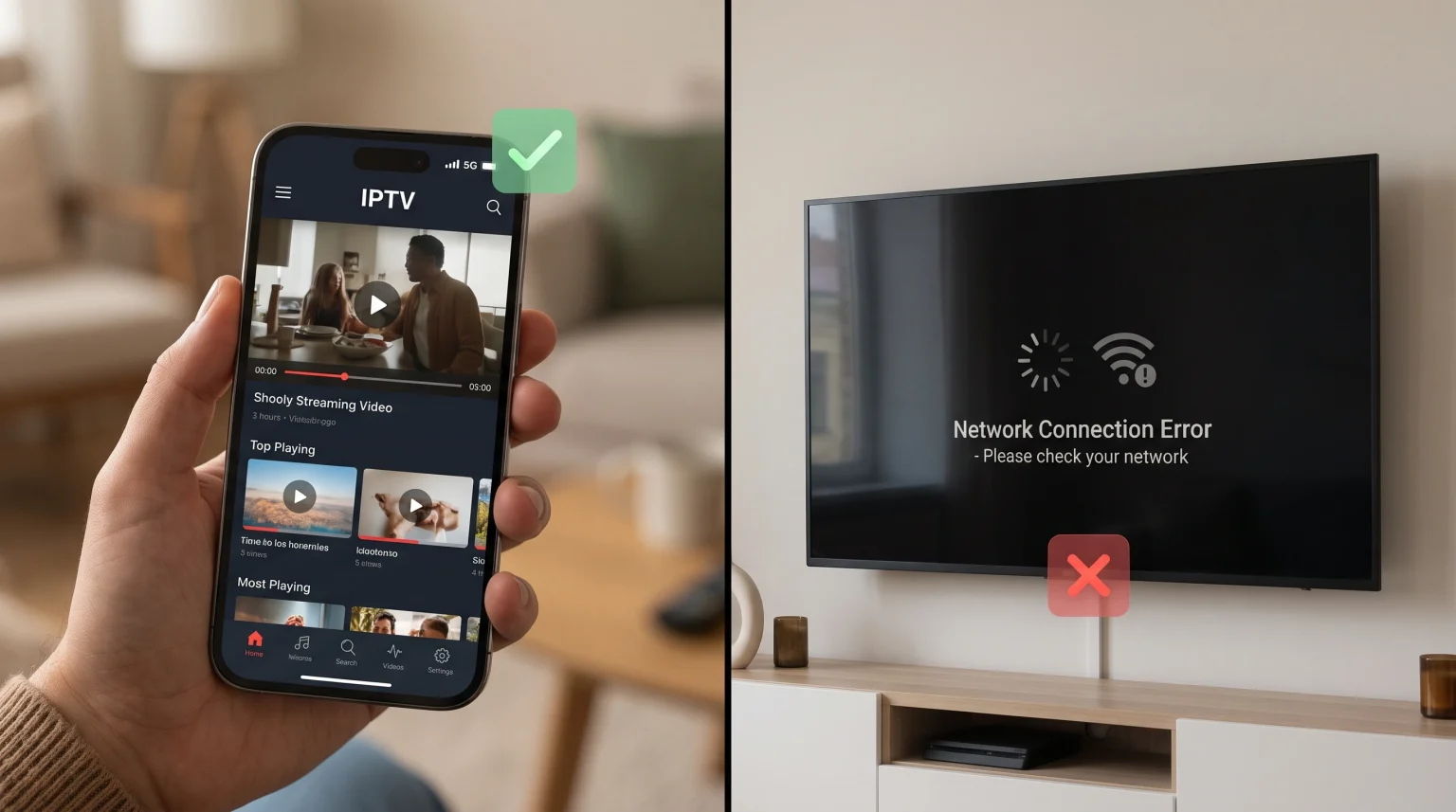
Many users experience a specific connection problem with digital streaming. The IPTV service works perfectly on a mobile smartphone using a 4G or 5G data network. However, the same IPTV service stops working when the device connects to the home Wi-Fi network.
This situation proves that the IPTV service and the IPTV application are functioning correctly. The streaming server is online. Your user account is active. The failure happens entirely because of the home internet connection. The problem exists inside your local router settings or within the network rules created by your home Internet Service Provider (ISP).
This guide explains why this network conflict happens and provides practical solutions to restore your home Wi-Fi streaming connection.
Réponse rapide
When an L'IPTV fonctionne via les données mobiles, et non via le Wi-Fi, the cause is usually a network block created by your home Internet Service Provider (ISP). Many home ISPs use aggressive web filters, custom DNS servers, or strict router firewalls that prevent IPTV connections. Mobile data network providers usually apply fewer security filters to mobile traffic. To fix the home Wi-Fi problem, you can change your device DNS settings, turn off the default ISP family safety filters in your customer account, or use a Virtual Private Network (VPN) to bypass the network restrictions.
Main Reasons Your Home Wi-Fi Blocks IPTV
There are several technical reasons why a home Wi-Fi network fails to connect while a mobile data connection succeeds.
Internet Service Provider (ISP) Blocking
Home broadband providers actively monitor internet traffic. Some ISPs block connections to specific streaming servers or IPTV portals. They do this during popular live events to reduce network traffic. Mobile network operators generally use different traffic management rules, which is why the mobile data connection continues to work normally.
Default ISP Safety Filters
Many large ISPs activate “Family Safety” or “Web Safe” filters automatically on new broadband accounts. These filters block websites and server IP addresses that are not categorized in standard databases. Because IPTV servers use direct IP connections, the safety filter often blocks the IPTV traffic by mistake. Mobile phone plans do not always activate these same aggressive web filters by default.
DNS Server Problems
The Domain Name System (DNS) translates web addresses into server IP addresses. Home broadband routers use the ISP’s default DNS servers. If the ISP decides to block an IPTV portal address, the home DNS server will refuse to connect. Mobile phones connect to different DNS servers operated by the mobile network provider, allowing the connection to succeed.
Router Firewall Rules
Home internet routers include built-in hardware firewalls. Some modern routers include advanced security software that blocks unknown video streaming protocols. If the router detects continuous video traffic from an unrecognized server, the router firewall may block the connection automatically.
Mobile Data vs Home Wi-Fi for IPTV
This table compares how both network types process IPTV traffic.
| Fonctionnalité | Mobile Data Network (4G/5G) | Wi-Fi à domicile (haut débit) |
| Default ISP Blocking | Usually low | Often high |
| Family Safety Filters | Rarely activated by default | Frequently activated by default |
| Network DNS | Controlled by mobile operator | Controlled by home broadband ISP |
| Local Router Firewall | Aucun | Active on home router |
| Streaming Stability | Varies based on signal strength | Usually stable (if not blocked) |
How to Fix IPTV Not Working on Wi-Fi
You can resolve these connection errors by changing specific network settings.
1. Disable ISP Web Filters
Log into your home broadband customer account on your ISP website. Search for settings named “Web Safe,” “Family Shield,” “Parental Controls,” or “Broadband Shield.” Turn these security filters completely off. Restart your home router. This simple step fixes the problem for many users.
2. Modifier vos paramètres DNS
You can change the DNS address on your Smart TV or streaming device. Instead of using your ISP DNS, use a public DNS provider.
Google Public DNS: 8.8.8.8 and 8.8.4.4
Cloudflare DNS: 1.1.1.1 and 1.0.0.1
Changing the DNS helps bypass basic ISP blocks without reducing your internet speed.
3. Utilisez un réseau privé virtuel (VPN)
If disabling web filters and changing DNS does not work, you must use a VPN. A VPN encrypts all internet traffic leaving your device. Your home ISP cannot see what servers you are connecting to, and they cannot see the video traffic. Because the ISP cannot read the encrypted data, the ISP cannot block the IPTV connection.
Best Connection for Live Football on IPTV
Watching live football requires a fast and stable data connection. Live sports streams contain fast motion and require constant data transfer without interruption.
While mobile data might bypass ISP blocks, home internet usually provides better long-term stability for a 90-minute football match. If your Wi-Fi signal is weak, you should connect your Smart TV directly to the router using an Ethernet cable. An Ethernet cable removes Wi-Fi signal interference and provides a stable data stream for live sports.
If you experience poor picture quality during sports, the problem might be your television hardware instead of your internet connection. You can read our guide explaining Pourquoi l'IPTV est-elle floue sur un téléviseur 4K neuf ?] for television picture settings. You should also ensure you are using a television capable of handling fast motion. You can review our comparison of a Téléviseurs 60 Hz ou 120 Hz pour le football en direct to understand refresh rates.
Compatibilité TV Shadow IPTV
TV Shadow IPTV is a digital service that delivers media streams to compatible devices. TV Shadow IPTV is compatible with multiple network connections, including home broadband and mobile data networks.
The service functions using standard IPTV protocols, including M3U playlists and Xtream Codes API. This means the service works with most popular media player applications available on Smart TVs, Android devices, and mobile phones.
If your home ISP blocks streaming traffic, TV Shadow IPTV is fully compatible with standard VPN applications. If you are preparing to upgrade your television hardware for better app compatibility, you can read our guide explaining Meilleur système d'exploitation pour Smart TV dédié à l'IPTV en 2026 to understand the differences between Tizen, Google TV, and webOS.
Conclusion
It is completely normal to experience situations where an IPTV service works on a mobile data network but fails on home Wi-Fi. This problem rarely indicates an issue with your Abonnement à TV Shadow IPTV or your streaming application.
Instead, the error confirms that your home Internet Service Provider is applying strict firewall rules, DNS blocks, or family web filters to your local network. By disabling your ISP parental controls, changing your device DNS settings, or installing a VPN application, you can bypass these network restrictions and restore your home streaming connection.
Foire aux questions (FAQ)
Why does my IPTV say "connection error" on Wi-Fi?
Your home internet router or your Internet Service Provider is blocking the connection to the IPTV server. This usually happens because of default security filters on your broadband account.
Can my internet provider block IPTV?
Yes. Internet Service Providers can monitor your network traffic and block connections to specific streaming servers or IP addresses.
Will a VPN fix my IPTV Wi-Fi connection?
Yes, a VPN usually fixes this problem. A VPN encrypts your connection, preventing your internet provider from seeing and blocking the IPTV video traffic.