
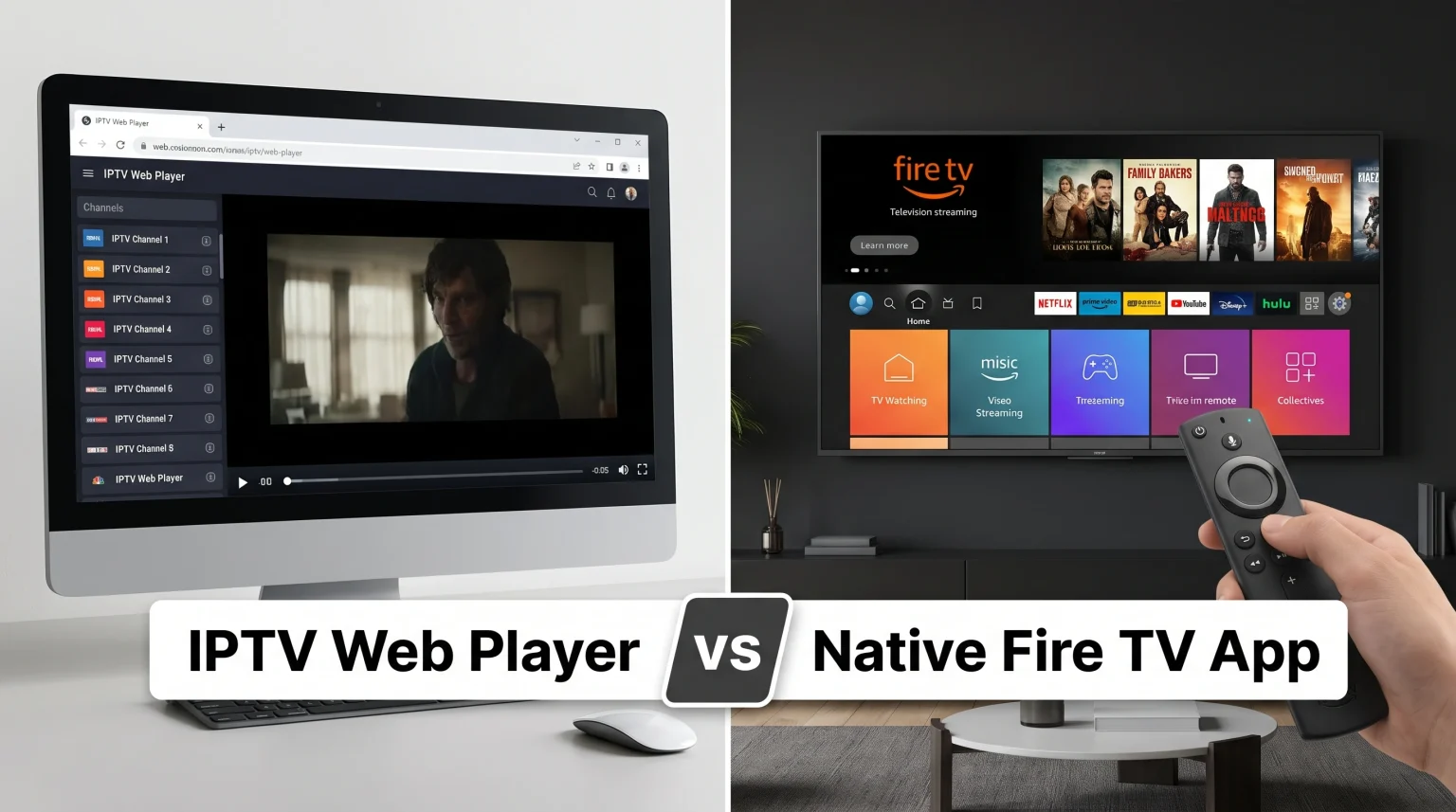
An IPTV web player runs directly inside a web browser like Google Chrome, Safari, or Microsoft Edge. A native Fire TV app is a software application that you download and install directly onto an Amazon Fire TV device. Many users ask whether an IPTV web player or a native application provides the best television streaming experience.
The choice between an IPTV web player and a native Fire TV app depends on the user’s hardware. Web players require no installation and work on almost any computer or mobile device. Native applications require specific operating systems but offer better hardware integration.
This article explains the technical differences between an IPTV web player and a native Fire TV application. We will compare performance, remote control usability, video codec support, and software compatibility for 2026.
Réponse rapide
A native Fire TV app is usually better for live television streaming on a television screen. Native applications support more video codecs, load the Electronic Program Guide (EPG) quickly, and work perfectly with the Amazon remote control.
An IPTV web player is better for users who want to watch television on a computer. An IPTV web player is also useful when a television operating system blocks third-party application installations. Choose a native application for television screens and a web player for desktop computers.
What Is an IPTV Web Player?
An IPTV web player is a website interface that plays live television streams. The user opens a web browser and navigates to the web player URL. The user then enters their IPTV subscription details, such as an M3U link or Xtream Codes login information.
The web player uses the web browser’s video engine to play the media. The web player does not store files permanently on the device. All processing happens inside the web browser application.
IPTV web players are highly compatible. If a device has a modern web browser, the device can usually run an IPTV web player.
What Is a Native Fire TV App?
A native Fire TV app is software programmed specifically for the Amazon Fire TV operating system. The user installs the application from the official Amazon Appstore. Alternatively, the user can install a native application manually using an Android APK file. This manual installation process is called sideloading.
A native application stores data on the internal storage of the Amazon Fire TV device. The native application can communicate directly with the device processor and the device graphics chip. This direct communication allows the native application to play video very smoothly.
Performance: Video Codecs and Formats
Live television streams use specific digital formats. The two most common streaming protocols are HLS (HTTP Live Streaming) and MPEG-TS (MPEG Transport Stream).
An IPTV web player relies on the web browser for codec support. Web browsers process HLS streams well. However, web browsers often struggle to play MPEG-TS streams. If an IPTV web player tries to play an unsupported MPEG-TS stream, the video might freeze, or the video might have no audio.
A native Fire TV app contains its own media decoders. Popular native applications use advanced media engines like VLC or ExoPlayer. These media engines can play both HLS streams and MPEG-TS streams without errors. For this reason, a native Fire TV app generally provides fewer playback errors than an IPTV web player.
Amazon Fire TV Operating Systems in 2026: Fire OS vs Vega OS
When comparing an IPTV web player and a native Fire TV app, users must understand Amazon’s current software systems. In 2026, Amazon uses two different operating systems for Fire TV devices.
Fire OS Devices
Older Amazon devices and premium devices use Fire OS. Fire OS is based on the Android operating system. Devices like the Fire TV Stick 4K Plus, the Fire TV Stick 4K Max, and the Fire TV Cube run Fire OS. These devices allow users to install native Android APK applications.
Vega OS Devices
Newer entry-level devices use Vega OS. Amazon introduced Vega OS on devices like the 2025 Fire TV Stick 4K Select and the 2026 Fire TV Stick HD. Vega OS is based on Linux, not Android. Vega OS does not support Android APK files. Users cannot sideload third-party native Android IPTV applications onto a Vega OS device.
If a user owns a Vega OS device, the user must use official applications from the Amazon Appstore. If an official application is not available, the user might need to use an IPTV web player in the Amazon Silk browser. If you want to understand television operating systems better, read our guide to Meilleur système d'exploitation pour Smart TV dédié à l'IPTV en 2026.
Interface and Usability
The user interface experience differs significantly between web players and native applications.
Remote Control Navigation
A native Fire TV app is designed for a television remote control. The user can press the directional buttons to navigate menus quickly. The user can press the channel up and channel down buttons to change television channels instantly.
An IPTV web player is designed for a computer mouse and a computer keyboard. Using an IPTV web player on a television is difficult. The user must use the television remote control to move a virtual mouse pointer across the screen. This virtual mouse pointer is slow and imprecise.
Guide électronique des programmes (EPG)
The Electronic Program Guide (EPG) displays the television schedule. An EPG file can be very large. A native Fire TV app downloads the EPG file and stores the data on the device memory. The native application can display the schedule instantly when the user presses a button.
An IPTV web player must load the EPG data through the web browser. This process can consume significant browser memory. If the web browser runs out of memory, the IPTV web player might crash or operate very slowly.
Tableau comparatif
This table summarizes the main differences between an IPTV web player and a native Fire TV application.
| Fonctionnalité | IPTV Web Player | Native Fire TV App |
| Installation | No installation required | Requires downloading from an app store or APK sideloading |
| Compatibilité des appareils | Works on PC, Mac, tablets, and smartphones | Works only on compatible Fire TV or Android TV devices |
| MPEG-TS support | Poor (limited by the web browser) | Excellent (uses built-in application decoders) |
| Remote control navigation | Difficult (designed for a computer mouse) | Excellent (designed for a television remote control) |
| EPG loading speed | Plus lent | Plus rapide |
| Storage space required | Very low | Modéré |
Compatibilité TV Shadow IPTV
TV Shadow IPTV provides a flexible service that works with many different software options. TV Shadow IPTV supports standard M3U playlists and Xtream Codes API login methods.
Users can enter their TV Shadow IPTV credentials into a compatible IPTV web player on a desktop computer. This method is excellent for watching television while working at a desk.
For the television room, users can configure their TV Shadow IPTV credentials inside a native Fire TV application. TV Shadow IPTV does not have an exclusive relationship with Amazon or any television manufacturer. The user is free to choose the software application that best fits their device. If you are comparing different television brands, you can read our article about Tizen vs Google TV pour les applications IPTV : quelle est la différence ? pour en savoir plus.
Diffusion en direct de matchs de football et d'autres événements sportifs
Watching live sports requires excellent video performance. Live football contains fast camera movements and detailed motion.
A native Fire TV app is generally superior for live football. Native applications can match the television’s refresh rate more accurately. Native applications also reduce buffering because the software processes the video data very efficiently.
An IPTV web player might cause small stutters during fast sports action. The web browser adds an extra layer of processing. This extra processing can slightly delay the video frames.
To improve live football streaming on any application, connect your device to the internet router using an Ethernet cable. A wired Ethernet connection is always more stable than a Wi-Fi connection. You can also read our guide explaining Téléviseurs 60 Hz ou 120 Hz pour le football en direct to understand hardware requirements for sports viewing.
Conclusion
Understanding the difference between an IPTV web player and a native Fire TV app helps users achieve the best streaming quality.
An IPTV web player is a highly accessible tool. The web player requires no installation and works perfectly on desktop computers and laptop computers. However, an IPTV web player is not optimized for television remote controls or complex video codecs like MPEG-TS.
A native Fire TV app provides the best experience for television screens. Native applications offer fast menu navigation, quick EPG loading, and excellent live sports playback. When using devices like the Fire TV Stick 4K Plus with Fire OS, native applications deliver maximum performance. TV Shadow IPTV is compatible with both web players and native applications, giving users the freedom to choose their preferred software.
Foire aux questions (FAQ)
Can I use an IPTV web player on the Amazon Silk Browser?
Yes, you can load an IPTV web player inside the Amazon Silk browser on a Fire TV Stick. However, navigation will be difficult because you must use the remote control as a virtual mouse. Video performance may also be lower than a native application.
Does Vega OS support native IPTV apps?
Vega OS only supports native applications that are available in the official Amazon Appstore. Vega OS does not support third-party Android APK installations.
Why does the IPTV web player buffer on my television?
The IPTV web player might buffer because the television web browser lacks memory or processing power. Television web browsers are not optimized for heavy continuous video streaming. A native application uses device resources more efficiently.