
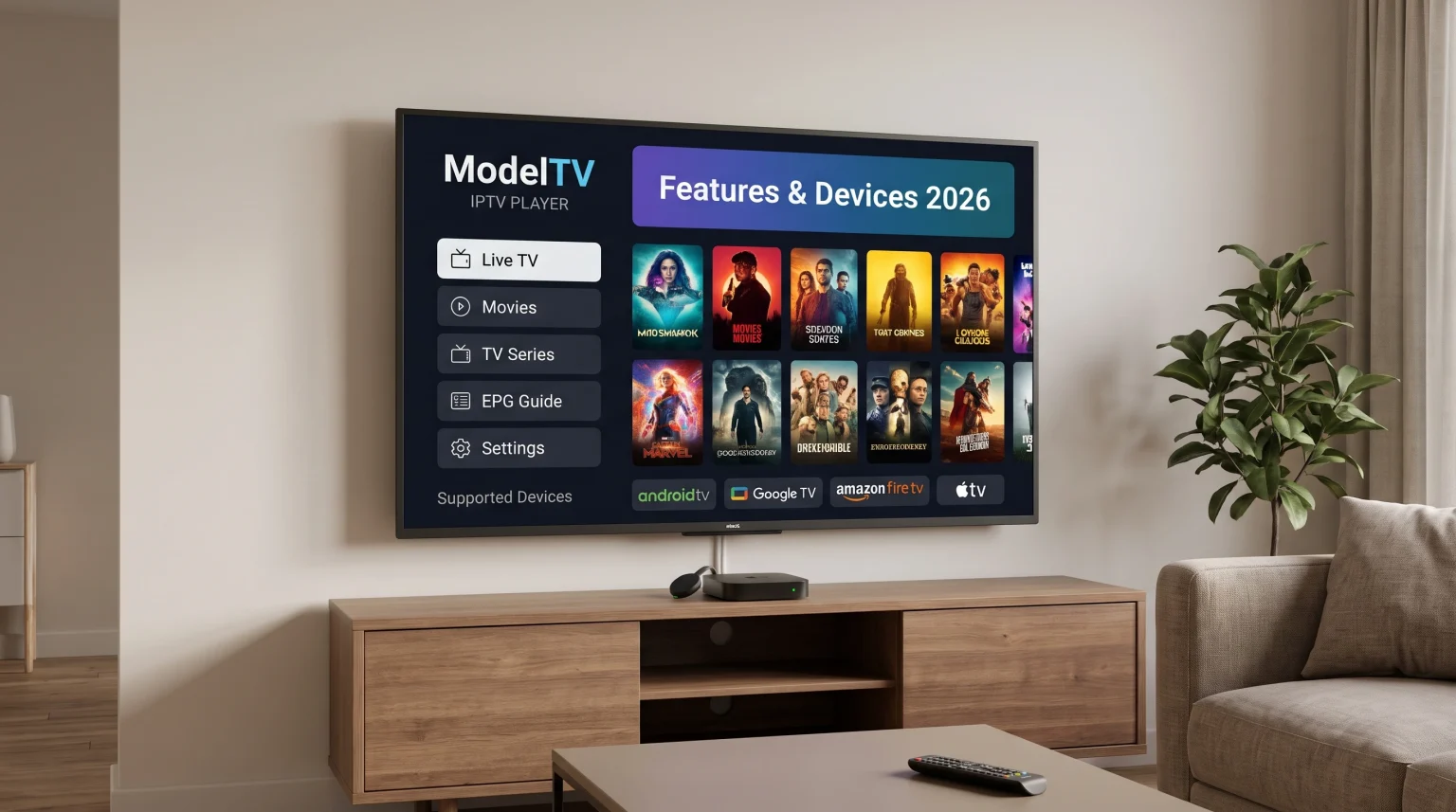
ModelTV IPTV player is a popular media application for 2026. This player allows users to organize and watch live television, movies, and series. ModelTV does not provide any video content. Users must add their own M3U playlists or Xtream Codes. ModelTV IPTV player is available for free and does not display advertisements. The application works on multiple operating systems, including Android TV, Google TV, Amazon Fire TV, and Apple iOS.
Many Smart TV users want to know if their television supports ModelTV IPTV player natively. Television operating systems such as Samsung Tizen and LG webOS have different application stores than Google TV. This article explains which devices support ModelTV IPTV player directly. This article also explores the main features, setup options, and Les meilleurs téléviseurs connectés pour l'IPTV en 2026 : comparaison entre Samsung, Sony, LG et TCL.
Réponse rapide
ModelTV IPTV player natively supports Android TV, Google TV, Amazon Fire TV, iPhone, iPad, and Apple TV. The application is completely free and ad-free. ModelTV IPTV player accepts M3U playlists and Xtream Codes from your IPTV provider. Samsung Smart TVs and LG Smart TVs do not support the ModelTV application natively. Users with Samsung Tizen or LG webOS televisions must use a compatible external device, such as a Chromecast with Google TV or an Amazon Fire TV Stick, to use ModelTV IPTV player.
Supported Devices for ModelTV IPTV Player
ModelTV IPTV player supports a wide range of modern devices in 2026. Users can install the application directly from official application stores. For specific Android devices, users can also download the APK file manually.
Android TV et Google TV
Android TV and Google TV devices offer full support for ModelTV IPTV player. Users can download the application directly from the Google Play Store. The application interface is optimized for television remote controls. ModelTV integrates smoothly with the Google TV home screen. Supported televisions include Sony BRAVIA, Philips, TCL, and Hisense models that use the Google TV operating system. External media boxes such as the Nvidia Shield TV and Chromecast with Google TV also support the application natively.
Amazon Fire TV
Amazon Fire TV devices support ModelTV IPTV player perfectly. Users can install the application on the Amazon Fire TV Stick, Amazon Fire TV Cube, and televisions with built-in Fire TV software. Because Amazon Fire OS is based on the Android operating system, the application performs very well. If the ModelTV application is not visible in the local Amazon Appstore, users can install the APK file using the Downloader application.
Apple Devices (iPhone, iPad, and Apple TV)
ModelTV IPTV player is officially available on the Apple App Store. The application supports the iPhone, the iPad, and the Apple TV. For the Apple TV, users need the tvOS 16.0 operating system or a newer version. The Apple version includes synchronization features via Apple iCloud. Users can start watching a movie on an iPhone and continue watching the same movie on an Apple TV.
Samsung Tizen and LG webOS
Samsung Smart TVs use the Tizen operating system. LG Smart TVs use the webOS operating system. Neither Samsung nor LG supports ModelTV IPTV player natively. The Samsung Apps store and the LG Content Store do not offer the ModelTV application. Users with these televisions have two options. The first option is to buy an external Google TV device or an Amazon Fire TV device. The second option is to install a different IPTV application that is Smart TV Samsung ou LG pour l'IPTV : Tizen ou webOS ?.
Key Features of ModelTV IPTV Player
ModelTV IPTV player offers several premium features completely for free. The application provides a modern user interface, fast navigation, and advanced media management.
Expérience sans publicité
Many free IPTV applications show intrusive advertisements on the screen. ModelTV IPTV player is completely ad-free. Users can navigate menus, switch television channels, and watch content without video advertisements or banner advertisements. This ad-free design improves the user experience significantly and makes the application feel like premium software.
Playlist Formats (M3U and Xtream Codes)
ModelTV IPTV player supports standard IPTV playlist formats. Users can connect their IPTV service using an M3U URL or via the Xtream Codes API. The Xtream Codes method requires a server URL, a username, and a password. When the user enters these details, ModelTV downloads the channel list, the video-on-demand library, and the Electronic Program Guide automatically.
Profiles and Device Synchronization
ModelTV IPTV player allows users to create multiple user profiles. Different family members can have separate favorites lists and separate watch histories within the same application. The application also synchronizes data across multiple devices. If a user adds a new playlist on a smartphone, the playlist automatically appears on their Android TV. This data synchronization is end-to-end encrypted for user privacy.
Guide électronique des programmes (EPG)
A good Electronic Program Guide is essential for live television. ModelTV IPTV player features a fast and accurate Electronic Program Guide. The guide displays live television schedules in a clear grid format. Users can see what television programs are currently playing and what programs will play next. The guide data loads quickly from the IPTV provider server.
Video on Demand (VOD) Management
ModelTV IPTV player organizes movies and television series into a clean catalog. The application fetches poster images, cast information, and plot summaries automatically. Users can filter movies by genre or search for specific titles. The media player supports multiple audio tracks and multiple subtitle files. This makes watching international movies very easy.
Smart TV Operating System Comparison
When choosing a television for ModelTV IPTV player, the operating system is the most important factor. The following table compares three major Smart TV platforms in 2026. If you want to learn more about these differences, read our guide on the Meilleur système d'exploitation pour Smart TV dédié à l'IPTV en 2026 : Tizen, Google TV et webOS en comparaison.
| Fonctionnalité | Google TV (Android TV) | Samsung Tizen | LG webOS |
| Système d'exploitation | Google TV | Tizen | webOS |
| Official application store | Google Play | Samsung Apps | LG Content Store |
| Native ModelTV app support | Oui | Non | Non |
| Installation method | Google Play Store | Requires external media box | Requires external media box |
| General IPTV app ecosystem | Global availability | Depends on region | Depends on region |
Google TV is the best choice for users who want to run ModelTV IPTV player natively on their television. Samsung Tizen and LG webOS require users to select alternative applications or purchase an external streaming stick.
Compatibilité TV Shadow IPTV
Users often ask how their IPTV service interacts with different media players. TV Shadow IPTV provides the server connection, while the media player application handles the visual user interface.
ModelTV IPTV player is highly compatible with standard IPTV services. Users can input their M3U link or Xtream Codes credentials into ModelTV. Once connected, ModelTV IPTV player will display the channels and video-on-demand content beautifully. TV Shadow IPTV does not have an official relationship with ModelTV or any television manufacturer. The user is always responsible for entering their connection details correctly into the application.
If you use a Samsung or LG television without an external device, you cannot use ModelTV. In this situation, you must download a different application from your television’s application store to access your TV Shadow IPTV service.
Watching Live Football on ModelTV
Live football and other sports require good hardware and efficient software. ModelTV IPTV player is excellent for sports fans because the application is stable and changes channels quickly.
For the best live football experience, use a wired Ethernet connection instead of a wireless Wi-Fi connection. An Ethernet cable provides a stable internet signal. A stable signal prevents the video stream from buffering during an important sports match.
The television hardware also affects live football picture quality. A television with a Téléviseurs 60 Hz ou 120 Hz pour le football en direct will display fast-moving footballs more smoothly than a television with a 60Hz refresh rate. Additionally, users should turn on the television’s motion smoothing features specifically designed for sports. ModelTV IPTV player can process high-definition and 4K video streams easily, but the final picture quality depends entirely on your television screen and your internet download speed.
Conclusion
ModelTV IPTV player is a powerful, ad-free application for organizing media in 2026. The application offers premium features such as user profiles, fast navigation, and automatic device synchronization without any cost.
Android TV, Google TV, Amazon Fire TV, and Apple devices support ModelTV natively. The application performs flawlessly on these operating systems. However, users with Samsung Tizen or LG webOS televisions must use an external streaming device to access ModelTV. For users with compatible devices, ModelTV IPTV player is one of the best applications for watching live television, movies, and series smoothly.
Foire aux questions
What is ModelTV IPTV player?
ModelTV IPTV player is a media application that plays live television, movies, and series. The application requires the user to provide their own playlist, such as an M3U link or Xtream Codes. ModelTV does not provide any video content.
Is ModelTV IPTV player free?
Yes, the application is completely free to download and use. ModelTV IPTV player does not contain advertisements. There is no premium subscription required to unlock the basic features.
Can I install ModelTV on a Samsung Smart TV?
No, Samsung Smart TVs use the Tizen operating system. The ModelTV application is not available in the Samsung application store. Samsung users must use an external device like a Google TV stick or choose a different native application.