
Many users watch IPTV on a Dreambox receiver. A Dreambox uses the Enigma2 operating system. This operating system organizes television channels into groups. These channel groups are called “bouquets”.
When you load a large IPTV playlist, the channel list can become confusing. Modern IPTV subscriptions contain thousands of channels. You need to organize these channels to find your favorite programs quickly. Customizing your channel list makes the television experience much better.
This guide explains how to manage Dreambox IPTV bouquets. We will look at computer software, receiver plugins, and M3U file conversion. You will learn the exact steps to organize your IPTV channels effectively.
Réponse rapide
To organize Dreambox IPTV bouquets, you can use channel editor software on your computer. The most popular program is DreamboxEDIT.
First, connect the software to your Dreambox using your local IP address. Download your current channel list from the receiver to your computer. Second, create a new bouquet folder for your IPTV channels. Third, copy the IPTV streams into this new folder. Finally, send the updated channel list back to your Dreambox and restart the user interface.
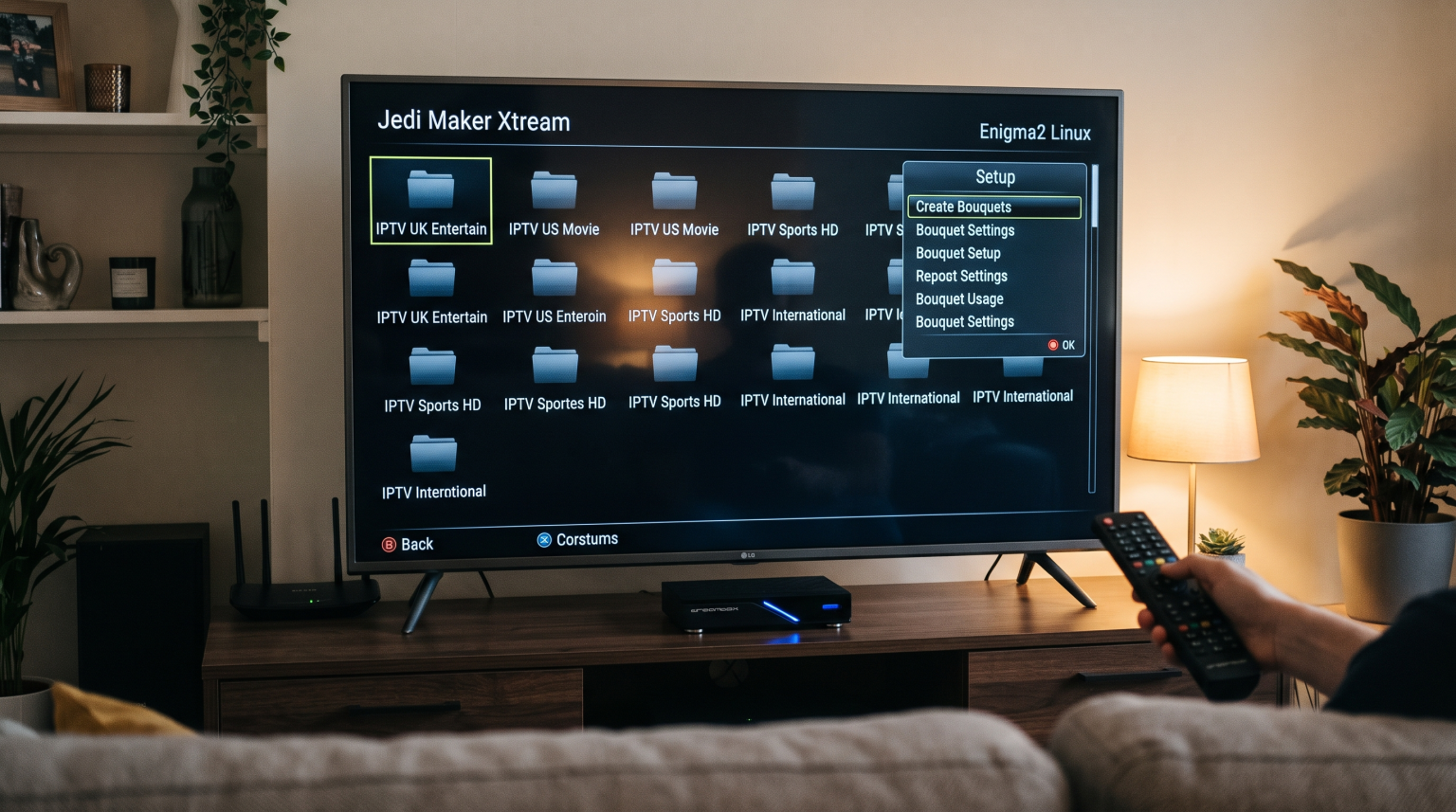
Alternatively, you can use Enigma2 plugins like Jedi Maker Xtream to automatically convert an IPTV M3U link into standard Dreambox bouquets.
Why Organize Dreambox IPTV Bouquets?
An unorganized channel list is difficult to use. Organizing your channels provides several important benefits.
First, you can separate channels by language or country. Second, you can create specific groups for movies, news, and sports. Third, you can remove channels that you never watch.
The Enigma2 operating system allows you to mix traditional satellite channels and IPTV channels. You can place a satellite television channel and an IPTV channel in the same bouquet. This integration makes the Dreambox very popular for power users. However, setting this up requires the correct tools.
Software Options for Dreambox Channel Editing
You usually need a computer to arrange Dreambox IPTV bouquets efficiently. The remote control is too slow for moving hundreds of channels.
Two main software programs exist for this task: DreamboxEDIT and E-Channelizer. Both programs run on Windows computers.
DreamboxEDIT This is the standard software for Enigma2 receivers. It is free to use. The interface is older, but the software is very stable. It allows you to drag and drop channels between different bouquets.
E-Channelizer This is a modern alternative. It has a graphical interface that is easier to read. It offers advanced tools for managing channel logos (picons) and Electronic Program Guide (EPG) references. There is a free version and a paid premium version.
Channel Editor Comparison
| Fonctionnalité | DreamboxEDIT | E-Channelizer |
| Système d'exploitation | Windows | Windows |
| Price | Gratuit | Free (Basic) / Paid (Premium) |
| User interface | Classic | Moderne |
| Picon support | Oui | Yes (Advanced tools included) |
| IPTV stream support | Oui | Oui |
How to Convert M3U Links Into Enigma2 Bouquets
Most IPTV providers supply an M3U link. An M3U link is a web address that contains your entire channel list. The standard Enigma2 operating system does not read M3U links directly. You must convert the M3U link into a Dreambox bouquet format.
You can do this using Enigma2 plugins directly on the receiver.
Jedi Maker Xtream This is a very popular plugin. You enter your IPTV provider details into the plugin. The plugin connects to the provider server. It downloads the channel list and automatically creates Dreambox IPTV bouquets. It can also update the bouquets automatically when the provider adds new channels.
X-Streamity This plugin works differently. Instead of creating standard Enigma2 bouquets, X-Streamity acts as a separate application inside the Dreambox. You open X-Streamity to view your IPTV channels in a customized menu. This is useful if you want to keep your satellite channels and IPTV channels completely separate.
Step-by-Step: Using DreamboxEDIT
If you prefer to organize channels manually, use DreamboxEDIT. Follow these steps to create custom Dreambox IPTV bouquets.
Step 1: Connect the software Open DreamboxEDIT. Go to the settings menu. Enter the IP address of your Dreambox. The default username is usually “root”. Leave the password empty unless you changed it. Test the connection.
Step 2: Download the current list Click the “FTP” button. Select “Receive Files from Dreambox”. The software will download your existing satellite and IPTV channels to your computer.
Step 3: Create a new bouquet Look at the right side of the screen. This area shows your bouquets. Right-click in an empty space. Select “Insert new user bouquet”. Name the bouquet “My IPTV Favorites”.
Step 4: Add IPTV channels Look at the middle of the screen. This area shows all available channels. Select the IPTV channels you want. Drag them into your new bouquet on the right side.
Step 5: Send the list back Click the “FTP” button again. Select “Send Files to Dreambox”. When the transfer finishes, click “Reload Settings on Dreambox”. The receiver will restart the user interface. Your new bouquets are now ready to use.
If you decide that a Dreambox is too complicated, you might prefer a modern television. Our guide to Meilleur système d'exploitation pour Smart TV dédié à l'IPTV en 2026 explains the differences between Tizen, Google TV, and webOS platforms.
Organizing Live Football and Sports Channels
Sports fans often use a Dreambox to watch live football. Organizing your sports channels properly is very important for game days.
You should create a specific bouquet named “Live Sports”. Place all your football, racing, and tennis channels in this folder. This prevents you from searching through hundreds of channels when a match begins.
Connection and Picture Quality
When you watch live football through IPTV, network stability is crucial. Always connect your Dreambox to your internet router using an Ethernet cable. Wi-Fi connections can drop packets. Dropped packets cause the IPTV stream to freeze or stutter during fast motion.
Picture processing also matters. A Dreambox sends the video signal to your television. Your television must process the fast movement of the football. If the picture does not look clear, the problem might be the television settings. You can read more about this in our guide: Pourquoi l'IPTV est-elle floue sur un téléviseur 4K neuf ?].
How TV Shadow IPTV Works With Dreambox
If you use TV Shadow IPTV, you can integrate the service easily with a Dreambox.
TV Shadow IPTV supports the Xtream Codes API and standard M3U playlists. These formats work perfectly with Enigma2 plugins like Jedi Maker Xtream.
When you use TV Shadow IPTV on a Dreambox, you receive:
Complete channel categories
Electronic Program Guide (EPG) data
Fast channel zapping
Compatibility with Dreambox remote controls
For the best experience, we recommend using a plugin to generate your Dreambox IPTV bouquets. This ensures that your channel list updates automatically when TV Shadow IPTV adds new content.
Conclusion
Creating Dreambox IPTV bouquets is the best way to manage a large channel list. You have two main methods. You can use computer software like DreamboxEDIT for complete manual control. Alternatively, you can use Enigma2 plugins like Jedi Maker Xtream for automatic M3U conversion.
A well-organized channel list saves time and makes watching television much more enjoyable. By grouping your sports, movies, and international channels, you can navigate your TV Shadow IPTV service perfectly using your standard remote control.
Foire aux questions (FAQ)
What is an Enigma2 bouquet?
A bouquet is a customized folder or category of television channels on a Linux-based receiver. It acts like a favorites list, allowing you to group specific channels together.
Can I use an M3U file directly on a Dreambox?
No, the standard Dreambox channel list does not read M3U files directly. You must convert the M3U data into Enigma2 bouquet files using computer software or a receiver plugin.
Do I need a computer to edit Dreambox channels?
You do not strictly need a computer. You can use plugins like Jedi Maker Xtream directly on the receiver. However, a computer with DreamboxEDIT makes custom sorting much faster.