
Choosing the right television for Internet Protocol Television (IPTV) requires an understanding of software, hardware, and app support. Samsung and Sony are two of the largest television manufacturers in the world. However, Samsung and Sony use completely different operating systems. Samsung televisions run Samsung Tizen OS. Sony BRAVIA televisions run Google TV, which is built on the Android TV operating system.
The choice between Samsung Tizen vs Sony Bravia directly impacts how you install IPTV applications, navigate live television channels, and watch live sports. Both platforms can stream IPTV services, including TV Shadow IPTV, through dedicated media player applications. Yet, each system offers distinct advantages in application variety, user interface customization, and video processing. This comparison analyzes the strengths, limitations, and key technical differences between Samsung Tizen and Sony BRAVIA Google TV in 2026.
Réponse rapide
Sony BRAVIA Google TV is generally better for advanced IPTV users because the Google Play Store offers a wider selection of dedicated IPTV player applications, such as TiviMate and OTT Navigator. Sony BRAVIA also allows manual application installation. Samsung Tizen is an excellent choice for users who want a simple interface, fast navigation, and standard IPTV applications such as IBO Player or Smart IPTV. Both brands deliver outstanding picture quality, but Sony BRAVIA offers more software flexibility for custom playlist management.
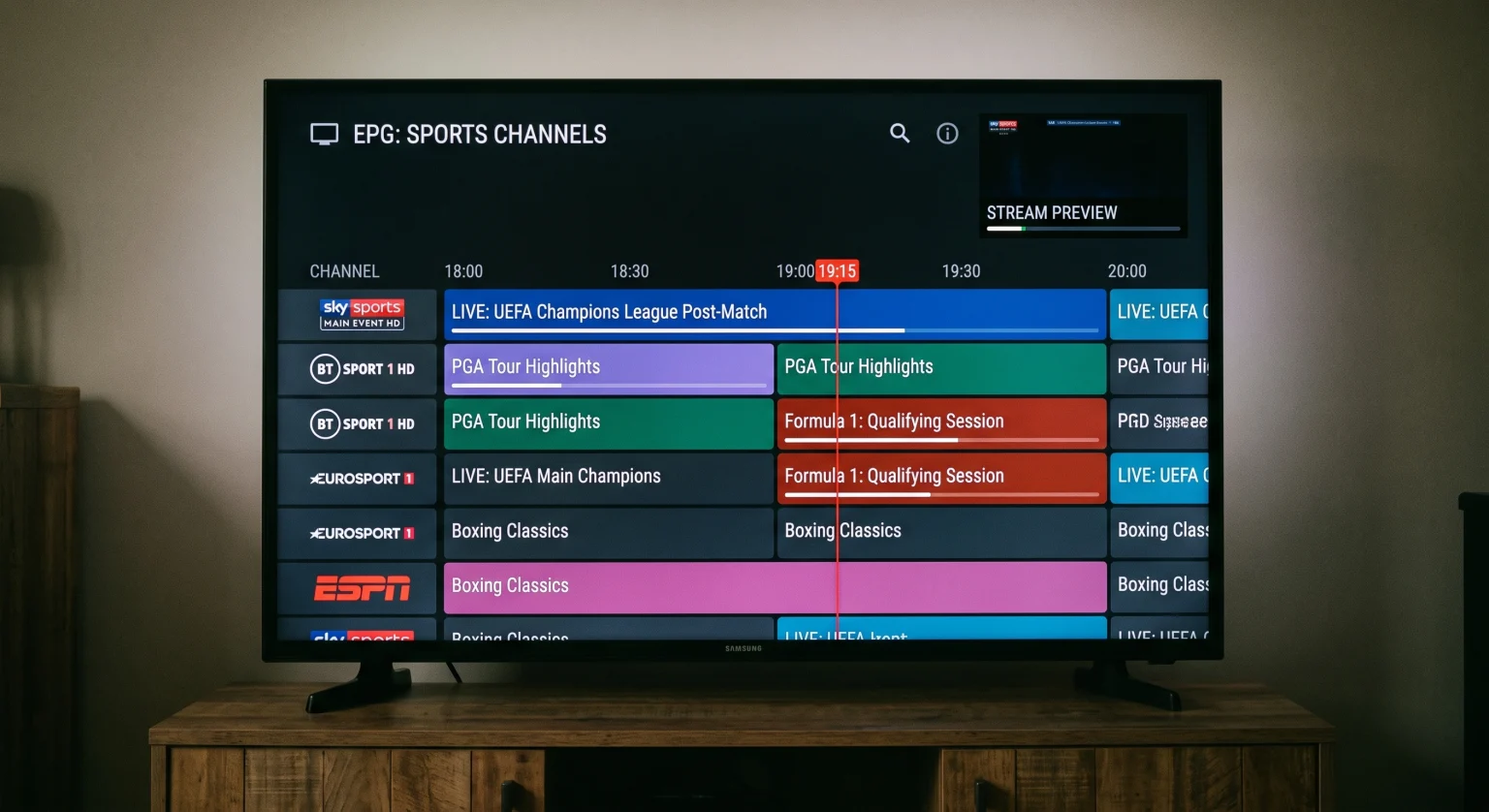
Operating System Overview: Tizen OS vs Google TV
The operating system controls how a smart television operates, organizes menus, and handles streaming applications.
+--------------------------------------------------------------------------+
|                       SMART TV OPERATING SYSTEMS                         |
+------------------------------------+-------------------------------------+
|           SAMSUNG TIZEN            |        SONY BRAVIA GOOGLE TV        |
+------------------------------------+-------------------------------------+
| • Proprietary Linux-based platform | • Built on the Android TV OS        |
| • Samsung App Store ecosystem      | • Google Play Store ecosystem       |
| • Closed-source security model     | • Open Android ecosystem            |
| • No third-party APK installation  | • Supports direct app sideloading   |
+------------------------------------+-------------------------------------+
Système d'exploitation Tizen de Samsung
Samsung Tizen is a proprietary, Linux-based operating system developed by Samsung Electronics. Samsung designs Tizen specifically for Samsung hardware. The user interface features the Samsung Smart Hub, which presents installed applications, connected input devices, and recommended content in a horizontal menu structure.
Samsung maintains strict control over the Tizen application ecosystem. Applications must be approved by Samsung and hosted directly in the official Samsung App Store. Because Tizen is a closed operating system, users cannot install external Android application packages (APK files). This closed architecture provides strong system stability and fast boot times, but it restricts the variety of independent streaming tools.
Sony BRAVIA Google TV
Sony BRAVIA televisions run Google TV. Google TV is a personalized software interface built directly on top of the open-source Android TV operating system. The Google TV home screen organizes content recommendations, live television channels, and streaming services into category tabs.
Because Google TV is an Android-based platform, Sony BRAVIA televisions have access to the Google Play Store for Android TV. The Google Play Store contains thousands of applications developed specifically for television screens. Furthermore, Google TV allows users to install independent applications through file managers or browser tools. This open architecture gives viewers extensive control over their streaming setup.
IPTV App Availability and Ecosystem
An IPTV service requires a media player application to process playlist links, load electronic program guides, and decode video streams. The operating system determines which IPTV player applications you can install.
+--------------------------------------------------------------------------+
|                     IPTV APPLICATION COMPATIBILITY                       |
+------------------------------------+-------------------------------------+
|           SAMSUNG TIZEN            |        SONY BRAVIA GOOGLE TV        |
+------------------------------------+-------------------------------------+
| • IBO Player                       | • TiviMate IPTV Player              |
| • Smart IPTV                       | • OTT Navigator IPTV                |
| • Nanomid Player                   | • IPTV Smarters Pro                 |
| • IPTV Smarters Pro (Select areas) | • Televizo                          |
| • XCIPTV (Select models)           | • XCIPTV Player                     |
| • SS IPTV                          | • Kodi                              |
+------------------------------------+-------------------------------------+
IPTV Applications on Samsung Tizen
The Samsung App Store provides access to several popular, paid and free IPTV player applications. Common players available for Samsung Tizen include:
Joueur IBO
Télévision IP intelligente
Lecteur Nanomid
SS IPTV
IPTV Smarters Pro (availability depends on country and television model year)
These applications allow users to enter an M3U playlist link or Xtream Codes API credentials provided by TV Shadow IPTV. However, the selection of applications on Samsung Tizen remains limited compared to Android-based systems. Many advanced IPTV applications are not developed for Tizen. Additionally, Samsung occasionally removes independent streaming applications from regional Samsung App Stores during policy updates. If you want a detailed breakdown of platform differences, read our guide to the Best Smart TV OS for IPTV in 2026: Tizen vs Google TV vs webOS.
IPTV Applications on Sony BRAVIA Google TV
Sony BRAVIA Google TV has access to the widest selection of IPTV applications in the television industry. Through the Google Play Store, users can install premier IPTV players, including:
Lecteur IPTV TiviMate
OTT Navigator IPTV
Televizo
IPTV Smarters Pro
XCIPTV
Sparkle TV
Kodi
TiviMate and OTT Navigator are widely considered by technical users to be the most capable IPTV players available. These applications offer modern interfaces, rapid channel switching, advanced Electronic Program Guide (EPG) category management, and multi-screen viewing. Samsung Tizen cannot run these specific applications.
Comparison Table: Samsung Tizen vs Sony BRAVIA Google TV
The table below outlines the core technical and functional differences between Samsung Tizen televisions and Sony BRAVIA Google TV models for streaming IPTV content.
| Fonctionnalité | Samsung Tizen | Sony BRAVIA Google TV |
| Underlying Platform | Proprietary Linux (Tizen OS) | Android TV OS (Google TV interface) |
| App Store officiel | Samsung App Store | Google Play Store for TV |
| App Sideloading (APK) | Not supported | Supported via file downloaders |
| Top IPTV Players | IBO Player, Smart IPTV, Nanomid | TiviMate, OTT Navigator, Televizo |
| EPG Timeline Customization | Moderate (App-dependent) | High (Advanced layout options) |
| Audio/Video Format Support | Wide container support | Extensive container and codec support |
| HDR Formats Supported | HDR10, HDR10+, HLG | Dolby Vision, HDR10, HLG |
| Video Processor | NQ4 AI / Quantum Processor | XR Processor / Cognitive Processor XR |
| Motion Technology | Motion Xcelerator | XR Motion Clarity |
| Native Refresh Rates | 60Hz or 120Hz (Model-dependent) | 60Hz or 120Hz (Model-dependent) |
| Ethernet Port Speed | Standard 10/100 Mbps LAN | Standard 10/100 Mbps LAN |
| Wi-Fi Connectivity | Wi-Fi 5 or Wi-Fi 6 (Model-dependent) | Wi-Fi 5 or Wi-Fi 6 (Model-dependent) |
IPTV Performance: M3U Playlists, Xtream Codes, and EPG
The viewing experience on an IPTV platform depends on how effectively the television hardware and software process large amounts of data. High-quality IPTV subscriptions often provide tens of thousands of live channels, video-on-demand (VOD) titles, and full Electronic Program Guide schedules.
+--------------------------------------------------------------------------+
|                          IPTV DATA PROCESSING                            |
|                                                                          |
|  [ Playlist Data ] ──> [ IPTV Player ] ──> [ OS Media Framework ] ──> TV |
|   (M3U / Xtream)        (Tizen / GTV)        (ExoPlayer / MediaTek) Screen
+--------------------------------------------------------------------------+
M3U and Xtream Codes Handling
Both Samsung Tizen and Sony BRAVIA support M3U playlist URLs and Xtream Codes API connections through compatible media player applications.
On Samsung Tizen, applications such as IBO Player process Xtream Codes logins efficiently. Channel loading times are quick when the playlist is well-organized. However, if an M3U playlist contains over 50,000 items, some Tizen applications may experience interface lag. This lag occurs because television memory management on Tizen limits the cache size allocated to individual third-party applications.
On Sony BRAVIA Google TV, players such as TiviMate utilize advanced database caching. The television stores the channel index locally in system storage. As a result, searching through extensive international channel lists or updating large electronic program guides is noticeably faster on Google TV.
Electronic Program Guide (EPG) Navigation
An Electronic Program Guide displays schedule information for current and upcoming television broadcasts.
On Samsung Tizen: Applications such as Smart IPTV and IBO Player display program schedules in clear, simple rows. Navigation is reliable, but visual customization options are minimal. You cannot easily change the time-grid interval or adjust font sizes.
On Sony BRAVIA: Google TV applications provide extensive EPG customization. TiviMate, for example, allows users to view a multi-hour grid, organize channels into custom group tabs, change guide density, and preview live video in a small window while scrolling through the guide.
Remote Control Usability
The remote control affects daily channel surfing:
Samsung SolarCell Remote: Samsung includes a minimalist remote control with very few physical buttons. The remote lacks dedicated number buttons (0–9) and color function buttons on most modern models. Users must open an on-screen numerical keypad to type specific channel numbers.
Sony BRAVIA Remote: Sony provides a traditional remote control layout. Most Sony remotes include numerical buttons, channel up/down rockers, guide buttons, and dedicated navigation keys. For users who prefer classic channel number input, Sony BRAVIA offers a more direct experience.
Live Football and Sports Streaming
Live football demands excellent motion handling, high picture processing performance, and stable network reception. Live sports streams are typically broadcast at 50 frames per second (fps) in Europe or 60 frames per second in North America.
+--------------------------------------------------------------------------+
|                      LIVE SPORTS PROCESSING PIPELINE                     |
|                                                                          |
|  [ 1080p 50fps Stream ] ──> [ Motion Smoothing ] ──> [ 4K Upscaling ]   |
|                               (XR / Motion Xcelerator)   (AI Neural Engine)
+--------------------------------------------------------------------------+
Traitement des mouvements et fréquences de rafraîchissement
A 120Hz television panel refreshes the screen image 120 times per second, while a 60Hz panel refreshes 60 times per second. Both Samsung and Sony manufacture entry-level televisions with 60Hz panels and premium televisions with 120Hz panels. If you want to understand the impact of panel speed, explore our technical comparison between 60Hz vs 120Hz TV for Live Football.
Sony BRAVIA Motion Processing: Sony uses proprietary XR Motion Clarity technology on its mid-range and high-end televisions. Sony motion processing analyzes movement across multiple frames. The processor reduces motion blur without creating the artificial “soap opera effect.” Footballs moving rapidly across the pitch remain sharp and visible.
Samsung Motion Processing: Samsung uses Motion Xcelerator technology. Samsung processors smooth out rapid lateral camera pans during live matches effectively. However, default settings can sometimes introduce minor digital artifacts around fast-moving players. Users can correct this behavior by manually tuning the Custom judder and blur sliders in the picture settings menu.
Video Upscaling for 1080p and 720p Streams
Many live football streams are delivered in 1080p Full HD or 720p HD resolution rather than native 4K. The television processor must upscale this incoming signal to fit the 8.3 million pixels of a 4K display.
Sony BRAVIA processors, including the Cognitive Processor XR and XR Processor, excel at texture reconstruction and edge smoothing. Sony algorithms identify standard-definition compression noise and clean the image without oversharpening. Samsung televisions with NQ4 AI Gen2 processors also provide clean upscaling, producing bright, vibrant colors and sharp grass textures. For a deeper explanation of this process, read our guide on Qu'est-ce que la conversion ascendante TV et est-ce utile pour l'IPTV ?.
HDR Compatibility: Dolby Vision vs HDR10+
High Dynamic Range (HDR) enhances the contrast ratio between dark shadows and bright highlights in supported video content.
Sony BRAVIA supports Dolby Vision, HDR10, and HLG. Dolby Vision is the dominant dynamic HDR format used by major streaming platforms, sports broadcasters, and film studios. Dolby Vision uses dynamic metadata to adjust brightness and color frame by frame.
Samsung Tizen supports HDR10+, HDR10, and HLG. Samsung does not support Dolby Vision on any television model. Instead, Samsung uses HDR10+, an open alternative dynamic HDR format.
While standard live IPTV channels are typically broadcast in Standard Dynamic Range (SDR), premium 4K sports events and on-demand movies increasingly use dynamic HDR. If your provider offers video-on-demand content with Dolby Vision profiles, a Sony BRAVIA television can display the full color profile natively. A Samsung television will play the identical stream in basic HDR10 format.
Network Performance: Wi-Fi vs Ethernet for IPTV
Stable video streaming requires an uninterrupted network connection. Both Samsung and Sony equip their smart televisions with network adapters.
+--------------------------------------------------------------------------+
|                        NETWORK CONNECTION METHODS                        |
+------------------------------------+-------------------------------------+
|        WIRED ETHERNET (LAN)        |            WIRELESS WI-FI           |
+------------------------------------+-------------------------------------+
| • Speed capped at 100 Mbps         | • Speeds up to 300–800 Mbps         |
| • Extremely low packet loss        | • Susceptible to radio interference |
| • Zero wireless interference       | • Latency can fluctuate             |
| • Ideal for live streaming stability| • Best for high-bitrate local 4K   |
+------------------------------------+-------------------------------------+
The 100 Mbps LAN Port Reality
Most Samsung and Sony televisions include a standard 10/100 Fast Ethernet port. This port limits wired network transfer speeds to approximately 95 megabits per second (Mbps).
A speed of 95 Mbps is more than sufficient for standard IPTV streams. High-definition live channels generally use bitrates between 8 Mbps and 20 Mbps. Live 4K broadcasts require between 25 Mbps and 45 Mbps. Therefore, the 100 Mbps physical limit of the television Ethernet port does not cause buffering on properly functioning networks. The wired Ethernet connection provides consistent latency and eliminates wireless packet loss.
Wi-Fi Connectivity
Mid-range and premium televisions from both brands include Wi-Fi 5 (802.11ac) or Wi-Fi 6 (802.11ax) wireless chips. Wi-Fi connections can achieve transfer speeds between 200 Mbps and 600 Mbps under ideal conditions near the router. However, Wi-Fi signals can fluctuate when multiple household devices compete for wireless bandwidth. For live sports broadcasts on TV Shadow IPTV, a wired Ethernet connection is recommended to prevent temporary audio drops and buffering loops.
Ease of Use and Daily Reliability
Operating system speed and daily reliability influence the overall user experience.
Samsung Tizen Reliability
Samsung Tizen boots immediately from standby mode. The home screen responds quickly to remote control commands. Samsung designs Tizen with a clean, consumer-focused layout that feels cohesive.
Because Samsung strictly audits applications in the Samsung App Store, application crashes on Tizen are rare. When an application requires an update, Tizen handles the process automatically in the background. Samsung Tizen is ideal for viewers who want a straightforward television experience that works consistently without manual system maintenance.
Sony Google TV Reliability
Sony BRAVIA Google TV offers a comprehensive, feature-rich interface. Google TV integrates voice search through Google Assistant, system-wide content search, and full Google Cast capabilities.
Because Google TV manages complex background processes, system animations can occasionally slow down on entry-level processor hardware. However, on mid-range and premium Sony BRAVIA models, navigation is fluid. Google TV gives users complete administrative freedom. If an application encounters an issue, users can clear application caches, force stop tasks, or change audio decoders directly within the Android system settings.
Verdict: Which Television Brand Is Better for IPTV?
Neither television brand is universally superior for every viewer. The better choice depends entirely on your technical preferences, preferred applications, and viewing habits.
Choose Samsung Tizen If:
You prefer a simple, clean, and intuitive smart television interface.
You are satisfied using popular, straightforward IPTV players such as IBO Player or Smart IPTV.
You do not want or need to sideload independent Android application packages.
You prioritize fast cold-boot times and minimal system configuration.
You want a television that integrates seamlessly with the Samsung SmartThings home automation ecosystem.
Choose Sony BRAVIA Google TV If:
You want access to premier, feature-rich IPTV players such as TiviMate and OTT Navigator.
You require advanced Electronic Program Guide customization and multi-screen streaming features.
You want the freedom to install independent applications from sources outside the default app store.
You value Dolby Vision HDR support for premium movies and international sports broadcasts.
You prefer a traditional physical remote control with direct numerical buttons for channel surfing.
You want industry-leading upscaling and motion processing for live football.
Conclusion
Both Samsung Tizen and Sony BRAVIA Google TV are capable platforms for modern television entertainment. Samsung Tizen provides a refined, dependable smart television experience with fast menus and standard IPTV player support. It serves viewers who want straightforward operation without technical configuration.
Sony BRAVIA Google TV provides an open, highly adaptable streaming environment. Access to the Google Play Store allows viewers to run sophisticated IPTV players with superior guide layouts, multi-view modes, and advanced audio-visual adjustments. Combined with Sony’s exceptional motion clarity and native Dolby Vision support, Sony BRAVIA stands out as the more versatile television platform for dedicated IPTV and sports enthusiasts in 2026.
Foire aux questions
Can I install TiviMate directly on a Samsung Tizen Smart TV?
No, you cannot install TiviMate on a Samsung Tizen television. TiviMate is an Android-only application developed exclusively for Android TV and Google TV operating systems. Samsung Tizen uses proprietary Linux software and cannot run Android application packages. If you own a Samsung television and want to run TiviMate, you must connect an external Android TV streaming device, such as a Chromecast with Google TV or an Amazon Fire TV Stick.
Do I need an external streaming box if I buy a Sony BRAVIA TV?
No, you generally do not need an external streaming device with a Sony BRAVIA television. Sony BRAVIA televisions run Google TV natively. You can download major IPTV players directly from the built-in Google Play Store onto the television. The television hardware handles M3U playlists, Xtream Codes credentials, and live video decoding without extra hardware.
Is the Ethernet port on Samsung and Sony TVs fast enough for 4K IPTV?
Yes, the Ethernet port on modern Samsung and Sony televisions is fast enough for 4K IPTV streaming. Although the physical network port is capped at 100 Mbps, standard 4K live streams require only 25 Mbps to 45 Mbps of network bandwidth. The wired connection provides lower latency and avoids wireless signal interference, which ensures smooth live broadcast playback.
Why does Samsung not support Dolby Vision?
Samsung does not support Dolby Vision because Samsung promotes its own open-source, royalty-free alternative format, HDR10+. Samsung chooses not to pay licensing fees to Dolby Laboratories for Dolby Vision certification. Instead, Samsung televisions process standard HDR10 and HDR10+ metadata. Sony pays the licensing fees and includes native Dolby Vision decoding on compatible BRAVIA televisions.
Will IPTV applications update automatically on these televisions?
Yes, IPTV applications update automatically on both platforms if automatic updates are enabled in the system settings. On Samsung Tizen, the Samsung App Store manages updates when developers release new versions. On Sony BRAVIA, the Google Play Store performs background updates. If you manually sideload an application on Sony Google TV from an external source, you must update that specific application manually.
Does TV Shadow IPTV require a specific television brand?
No, TV Shadow IPTV does not require a specific television brand. TV Shadow IPTV delivers standard M3U playlist URLs and Xtream Codes API credentials. These credentials work reliably across compatible media player applications on Samsung Tizen, Sony BRAVIA Google TV, LG webOS, and external streaming devices.